Type:Dada Transfer Cable
Origin:Mainland China
Certification:NONE
Baby details:
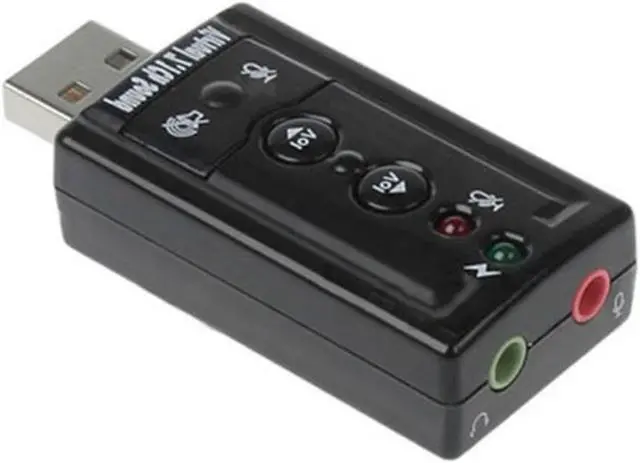
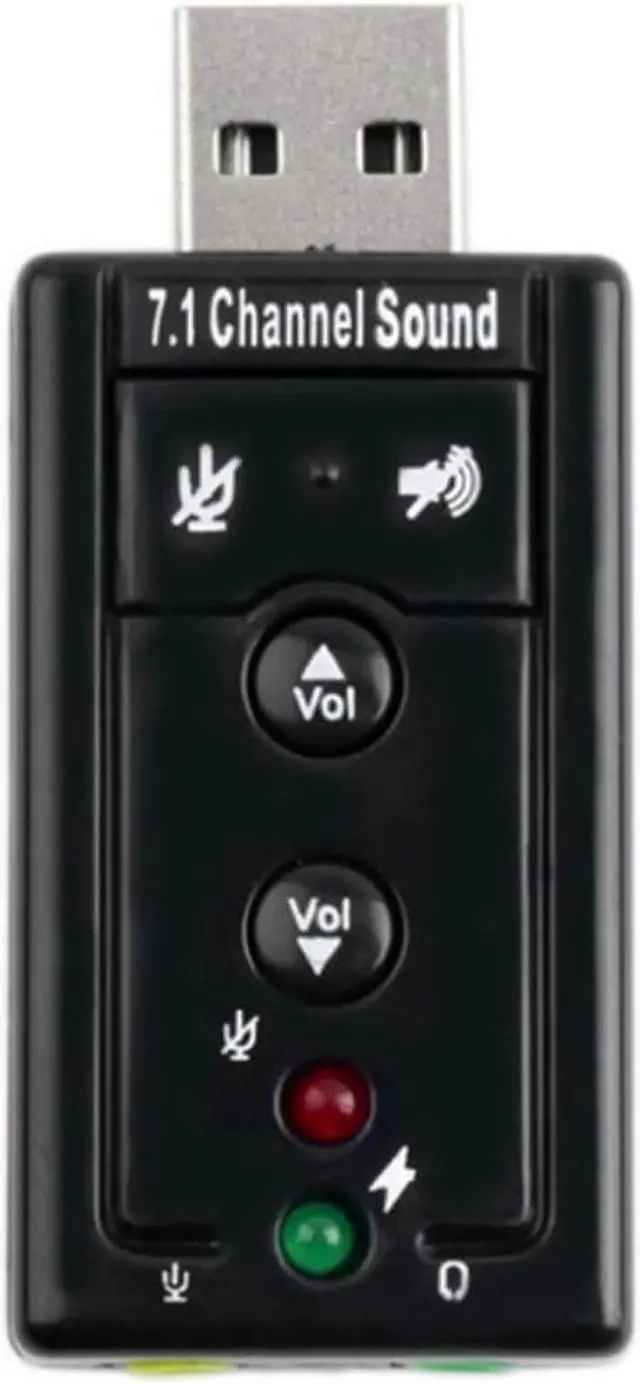
a small LED lamp;
support ordinary speakers or headphones with microphone hole;
USB interface, plug and play, replacing the traditional sound card;
microphone recording function;
free switching between headset and speaker modes;
analog speaker position free adjustment function;
output level adjustment;
Looks like a flash disk, black shell, simple USB interface device, plug and play
There is no need to install drivers in WIN2000, WINXP, win3003, W7 and W10 systems. The operation is simple. As long as you connect headphones or speakers, you can enjoy wonderful music immediately!!
Small size, easy to carry.
Compatible with USB2.0 pure digital sound output, virtual 7.1 channel processing capability
[frequently asked questions]
Q: do you need to install a driver with this sound card? Is the original built-in sound card automatically shielded?
A: the sound card is driver free. Generally, the computer will automatically switch to USB sound card without manual operation. If your computer doesn't switch automatically, just switch manually once under control panel - Sound - audio.
Q: why is there no sound after I plug it in?
1. Check whether the headset and microphone are plugged into the USB sound card( Don't connect the headphones and microphones incorrectly. (virtual connection is not allowed)
2. Go to the control panel - Sound - audio, and change the default to USB sound card
3. Turn off and then turn on the software for playing songs or recording, and let the software redefine the default sound card. Or go to the software option - audio to change the default to USB sound card
Q: why is my microphone low and accompaniment loud?
1. Turn on microphone enhancement and press the button next to the microphone in the mixing interface.
2. Please turn down the volume on the accompaniment software, and turn up the microphone volume and the total volume at the mixing interface of the sound card driver. Adjust these three volumes according to your own situation
Q: why is my microphone noisy?
1. Check whether there is peripheral interference, such as USB radiator
2. Turn down the microphone volume and turn off the microphone.
3. Check the microphone contact
4. Check whether the computer has electric leakage and whether there is a large amount of static electricity
Q: why is my sound card noisy?
Please keep the sound card away from mobile phones, batteries and other products with strong radiation. Some computers have static electricity. Please send out the static electricity for use. Sometimes, poor contact is also the source of noise.





 here!
here!