

Your Browsing History
- Free 30-day Returns
$47.59
Ships from China.


Meet Your Seller


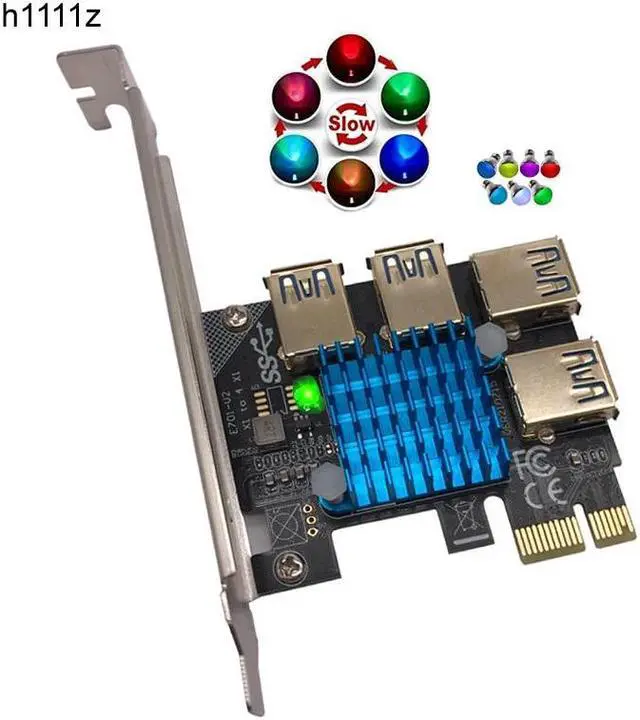
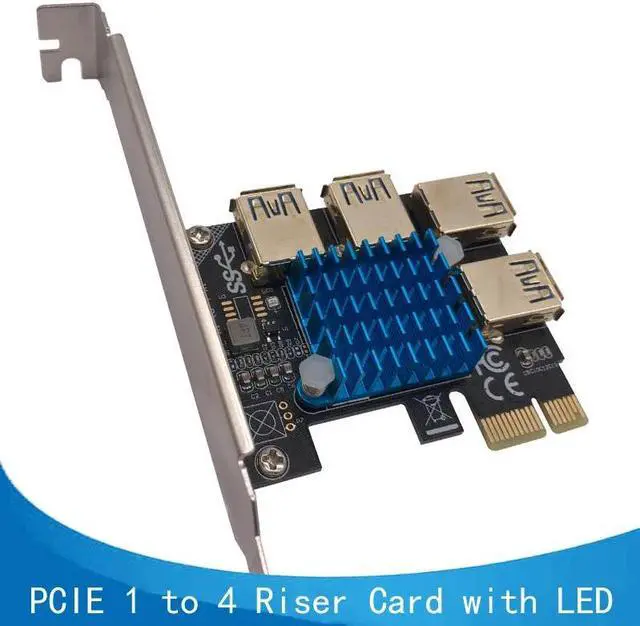
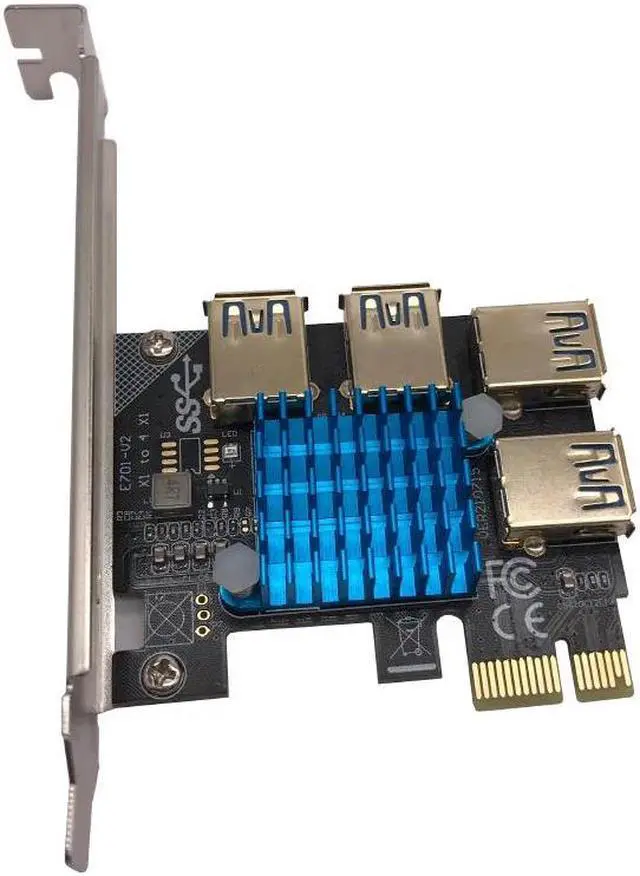
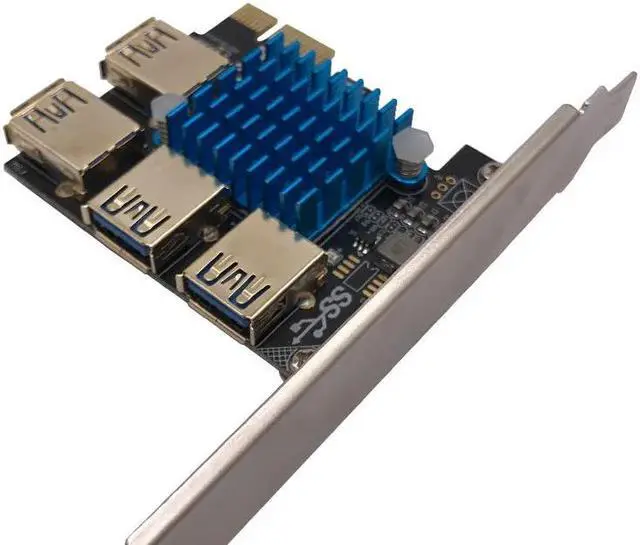
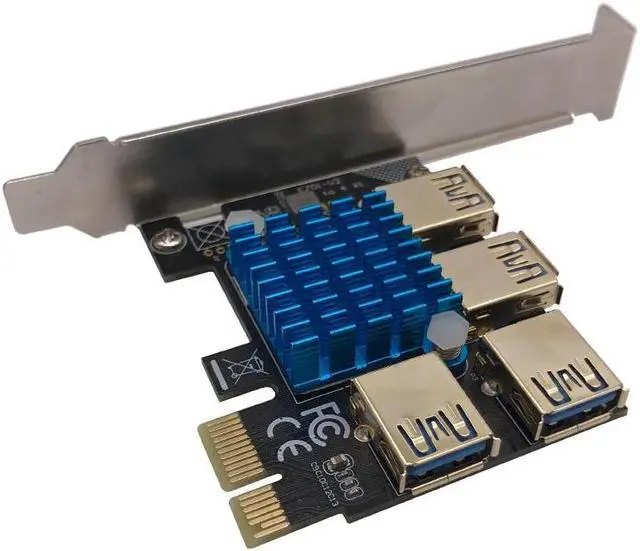
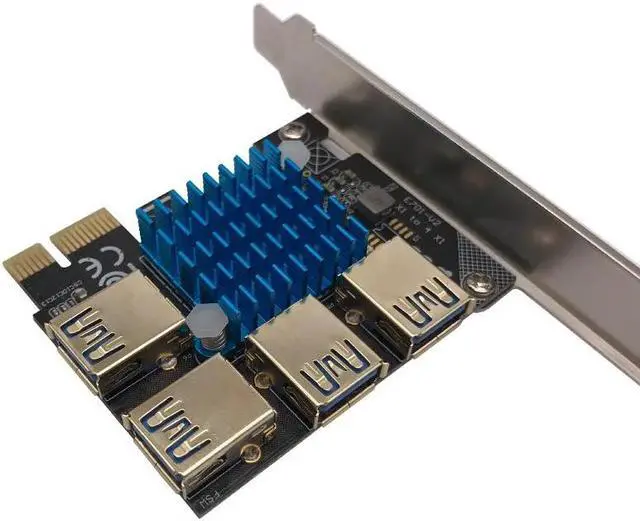


PCIE 1 to 4 Riser Card LED Gold USB 3.0 Multiplier Hub PCI Express X1 to PCI-E 16X Riser for Video Card for Bitcoin Miner Mining
Limited time offer, ends 09/14 By dazella store
- PCIE 1 to 4 Riser Card LED Gold USB 3.0 Multiplier Hub PCI Express X1 to PCI-E 16X Riser for Video Card for Bitcoin Miner Mining
+
+
Overview
Reviews

Any questions? Our AI mode will help you find out quickly.
Try me now
PCIE 1 to 4 Riser Card LED Gold USB 3.0 Multiplier Hub PCI Express X1 to PCI-E 16X Riser for Video Card for Bitcoin Miner Mining
About Description:
Feature:
Type name: PCIE 1 to 4 Riser Card for Bitcoin Miner Mining
Heatstink: with a Big Blue Radiator
Material: Metal + Plastic
Bus Port: PCI-E 1X
PCIE 1X Speed: 5Gbps
Port Quantity: 4*USB 3.0
LED Display: Marquee
Size: 120*70*25mm
Supported OS: for Windows XP/7/8/10, DOS, Linux
Product Installation Instructions:
1. The first step, when you use the adapter card, the computer needs to be turned off before they can plug the adapter card.
2. The Second step, first of PCIe USB card plugged into the motherboard's PCIe slot. Use USB 3.0 data cable adapter to connect the ends of the two USB port. Plug in the power supply.
3.
The third step: After completion of the above two steps, first in no hurry to insert your PCI-E card, start the computer to see if your computer has been identified to the riser card, if you did not find the card, repeat
the above operation (Note: The first time to insert card to start the computer, into the system in general will be prompted to install new hardware, such as "PCI standard PCI-to-PCI bridge", you need to wait for it to automatically install the complete, individual anti-virus software will prevent these files installation, note skipped), when your computer has been recognized the card, blue LED PCI slot on normal light, computer equipment manager in the system device will show an increase of several "PCI standard PCI-to-PCI bridge.
After completing the above three steps, turn off the computer, plug in your PCI-E card, to be careful not to insert the contrary,
Then boot into the system, install PCI-E Card Driver.
Please NOTE: PCI card Do not insert anti, anti-insert can easily lead to burn out.
You'll receive:
1 x 4-Port USB 3.0 Riser Card for Mining
Please check pictures for more details.
About Description:
Feature:
Type name: PCIE 1 to 4 Riser Card for Bitcoin Miner Mining
Heatstink: with a Big Blue Radiator
Material: Metal + Plastic
Bus Port: PCI-E 1X
PCIE 1X Speed: 5Gbps
Port Quantity: 4*USB 3.0
LED Display: Marquee
Size: 120*70*25mm
Supported OS: for Windows XP/7/8/10, DOS, Linux
Product Installation Instructions:
1. The first step, when you use the adapter card, the computer needs to be turned off before they can plug the adapter card.
2. The Second step, first of PCIe USB card plugged into the motherboard's PCIe slot. Use USB 3.0 data cable adapter to connect the ends of the two USB port. Plug in the power supply.
3.
The third step: After completion of the above two steps, first in no hurry to insert your PCI-E card, start the computer to see if your computer has been identified to the riser card, if you did not find the card, repeat
the above operation (Note: The first time to insert card to start the computer, into the system in general will be prompted to install new hardware, such as "PCI standard PCI-to-PCI bridge", you need to wait for it to automatically install the complete, individual anti-virus software will prevent these files installation, note skipped), when your computer has been recognized the card, blue LED PCI slot on normal light, computer equipment manager in the system device will show an increase of several "PCI standard PCI-to-PCI bridge.
After completing the above three steps, turn off the computer, plug in your PCI-E card, to be careful not to insert the contrary,
Then boot into the system, install PCI-E Card Driver.
Please NOTE: PCI card Do not insert anti, anti-insert can easily lead to burn out.
You'll receive:
1 x 4-Port USB 3.0 Riser Card for Mining
Please check pictures for more details.
Warranty & Returns
Warranty, Returns, And Additional Information
Warranty
- Please contact the Seller directly for warranty information. Warranty information may also be found on the Manufacturer's website.
- CONTACT
Return Policies
- Return for refund within: 30 days
- Return for replacement within: 30 days
- This item is covered by dazella store Return Policy
Manufacturer Contact Info
- For a directory of all our manufacturers, please click below.
- Manufacturers Directory
LOADING...
LOADING...