

Your Browsing History
- Free 30-day Returns
$29.75
Ships from China.

Meet Your Seller
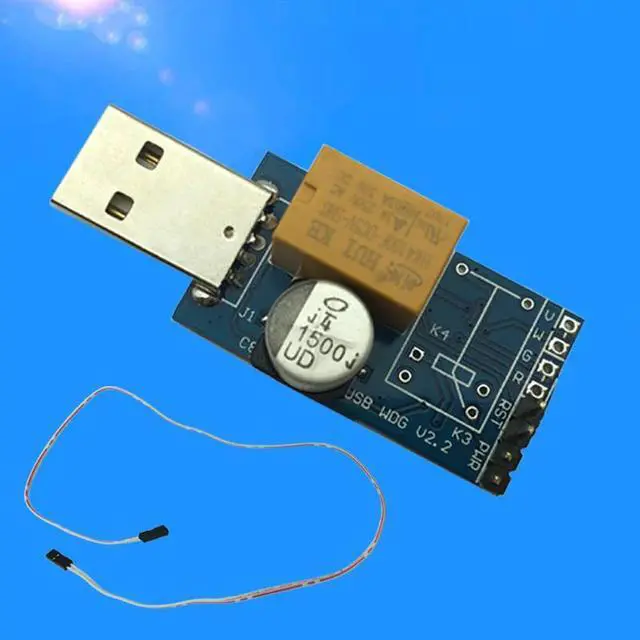
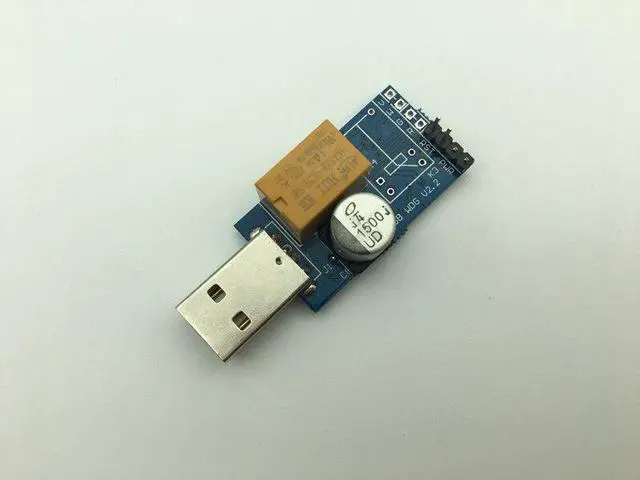
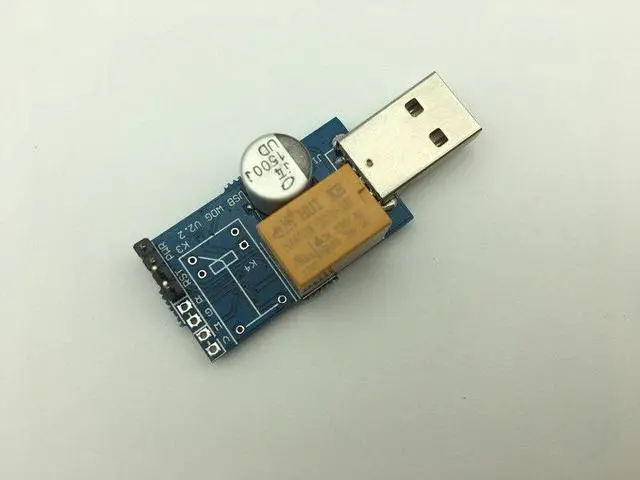
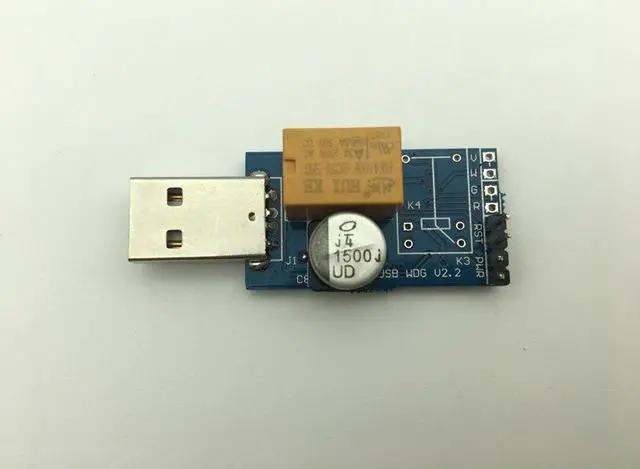
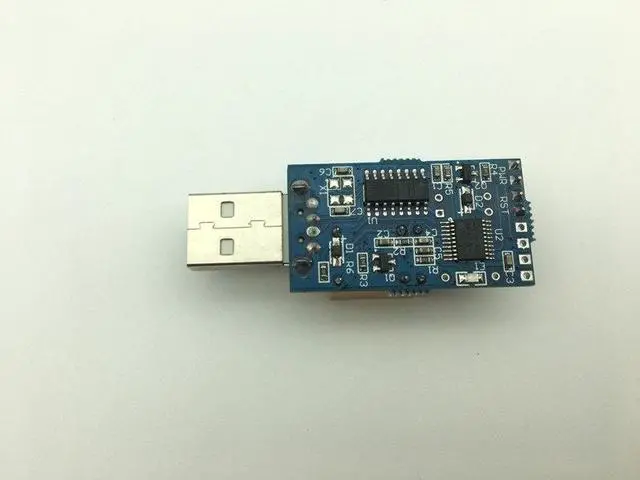
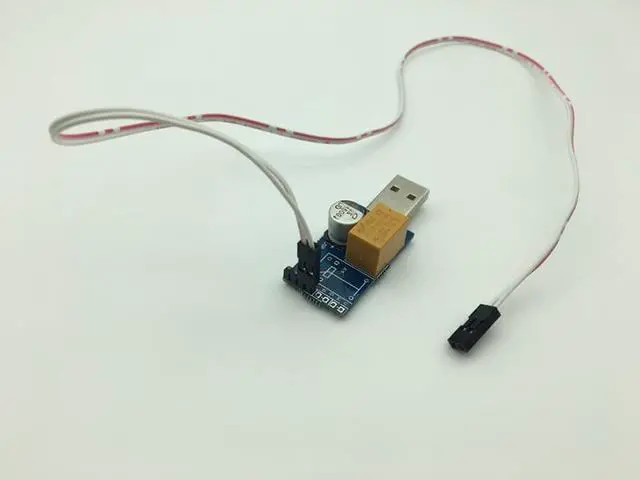


Smart 7*24 Computer PC Anti Crash Blue Card Automatic Restart Game Studio USB High Efficiency Watchdog Card
- Smart 7*24 Computer PC Anti Crash Blue Card Automatic Restart Game Studio USB High Efficiency Watchdog Card
+
+
Overview
Reviews

Any questions? Our AI mode will help you find out quickly.
Try me now
Smart 7*24 Computer PC Anti Crash Blue Card Automatic Restart Game Studio USB High Efficiency Watchdog Card
About Description:
Introduction:
This product is designed for automatically restarting computers when blue screen crash occurs, especially well used in mining, servers, gamers, monitoring systems, etc.
1. Applicable to a variety of computer motherboards. motherboards just needwith a Type-A USB interface.
2. Use for windows x86/x64 system. include winxp, win7, win8, win10 ect.
3. Need to install the driver to compatible with a variety of motherboards.
4. With Desktop software, It can precise monitoring the program as your need. Better than no software version.
5. Reboot timeout time 10-1270 seconds. You can set up it as your need.
6.
Newest monitoring desktop software version: USB
WatchDog V 2.3
Function:
Single-Relay Version:
Specified Program Monitoring
Scheduled Restart
Website Monitoring
Video Card Monitoring
Run Log Query
Regular restart
You'll receive:
1 x Watchdog Control Board
1 x Reset Control Cable
1 x Monitor Software(Tips: when you make a order, pls leave your email address to us, we will send the Monitor Software & Driver files to your email. Thank you! )
How to use?
1. Install the driver
Before install driver, please do not connect USB watchdog with your computer, double-click "Watchdog Driver. exe", click "Install", waiting for the installation is complete.
2. Connect Watchdog to computer USB port.
Connect Watchdog to computer USB port. Do not connect cable with the motherboard reset pin temporarily, because default time-out time is 3 minutes, if drive installment has not finished within 3 minutes, the USB Watchdog may send a reboot signal to system. Wait for the computer to finish the automatic recognization of the watchdog module.
3. Configure USB Watchdog Monitor Software configuration.
A. Open USB
WatchDog V 2.3. exe and configure as your need.
B. Advise you reboot the USB
Watchdog software after you changed configure.
Note:
Some antivirus software may prevent the program running, please click "allow". Watchdog software is running, the control panel LED will flash once 1 time, then connect USB Watchdog Cable with the motherboard Reset pin. It means the computer have crashed When the control panel LED is long time bright.
Please check pictures for more details.
About Description:
Introduction:
This product is designed for automatically restarting computers when blue screen crash occurs, especially well used in mining, servers, gamers, monitoring systems, etc.
Specifications
1. Applicable to a variety of computer motherboards. motherboards just needwith a Type-A USB interface.
2. Use for windows x86/x64 system. include winxp, win7, win8, win10 ect.
3. Need to install the driver to compatible with a variety of motherboards.
4. With Desktop software, It can precise monitoring the program as your need. Better than no software version.
5. Reboot timeout time 10-1270 seconds. You can set up it as your need.
6.
Newest monitoring desktop software version: USB
WatchDog V 2.3
Function:
Single-Relay Version:
Specified Program Monitoring
Scheduled Restart
Website Monitoring
Video Card Monitoring
Run Log Query
Regular restart
You'll receive:
1 x Watchdog Control Board
1 x Reset Control Cable
1 x Monitor Software(Tips: when you make a order, pls leave your email address to us, we will send the Monitor Software & Driver files to your email. Thank you! )
How to use?
1. Install the driver
Before install driver, please do not connect USB watchdog with your computer, double-click "Watchdog Driver. exe", click "Install", waiting for the installation is complete.
2. Connect Watchdog to computer USB port.
Connect Watchdog to computer USB port. Do not connect cable with the motherboard reset pin temporarily, because default time-out time is 3 minutes, if drive installment has not finished within 3 minutes, the USB Watchdog may send a reboot signal to system. Wait for the computer to finish the automatic recognization of the watchdog module.
3. Configure USB Watchdog Monitor Software configuration.
A. Open USB
WatchDog V 2.3. exe and configure as your need.
B. Advise you reboot the USB
Watchdog software after you changed configure.
Note:
Some antivirus software may prevent the program running, please click "allow". Watchdog software is running, the control panel LED will flash once 1 time, then connect USB Watchdog Cable with the motherboard Reset pin. It means the computer have crashed When the control panel LED is long time bright.
Please check pictures for more details.
Warranty & Returns
Warranty, Returns, And Additional Information
Warranty
- Please contact the Seller directly for warranty information. Warranty information may also be found on the Manufacturer's website.
- CONTACT
Return Policies
- Return for refund within: 30 days
- Return for replacement within: 30 days
- This item is covered by Mingsheng Keji Return Policy
Manufacturer Contact Info
- For a directory of all our manufacturers, please click below.
- Manufacturers Directory
LOADING...