

Your Browsing History
- Free 30-day Returns
$19.89
Ships from China.



Meet Your Seller


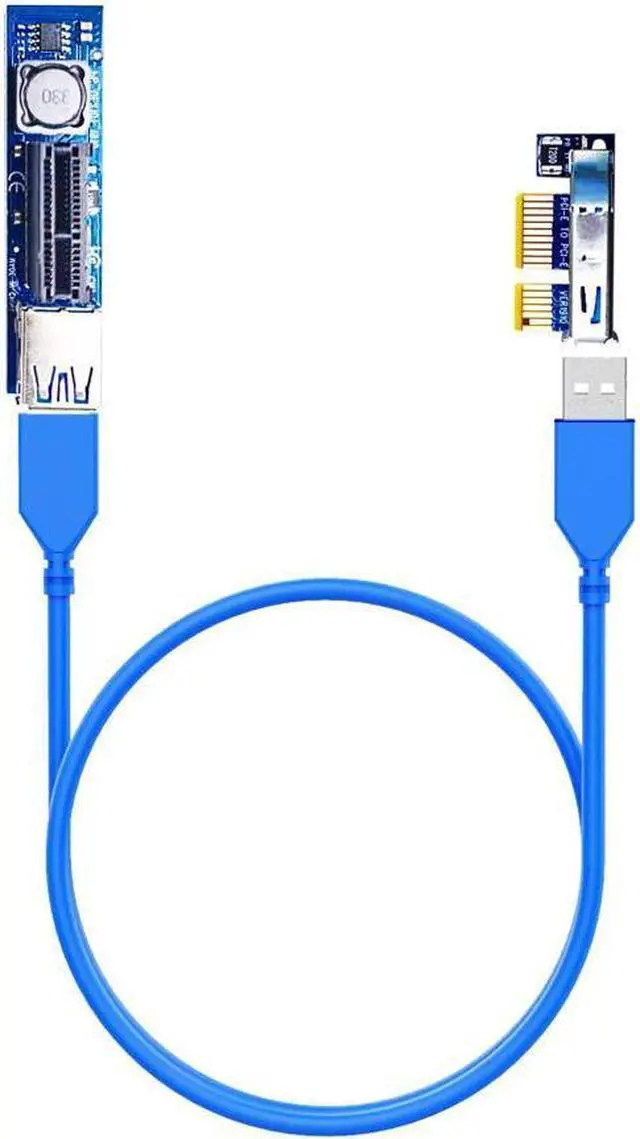
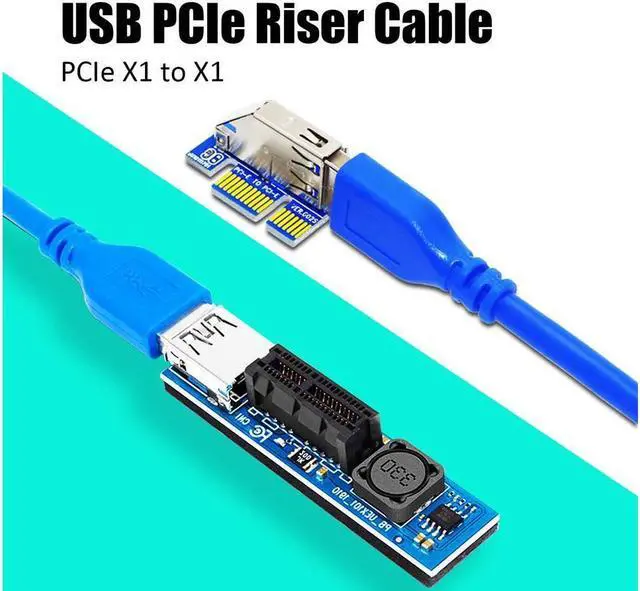


GLOTRENDS PCIe Extension Cable (23 inch/60cm Length 1X to 1X) to extend GPU covered PCIe X1 Lane for WiFi Adapter or Sound Card Vertical Installation
- 1) PCIe 1X Extension Cable, 90 degree right angle installation to extend PCIe 1X to 1X lane for Wifi Adapter or Sound Card flexible installation in space limited PC case.
- 2) Due to big size graphics card occupy more PCIe slots, you may not be able to install Wifi Adapter or Sound Card in PCIe 1X slot. Or to ensure air circulation in front of the graphics card, Wifi Adapter Sound Card is moved to vertical installation. This PCIe 1X Riser Cable can solve your problem.
- 3) Only 6mm of space is needed, and the PCIe X1 slot can extend from under the graphics card. 23 inch (60cm) USB 3.0 extension cable can reach most place of your PC case.
- 4) Normal case, no need extra power supply for Wifi Adapter or Sound Card. In case of unstable power supply from this PCIe riser cable, the SATA power interface for extra power supply.
- 5) Compatible with all WINDOWS systems, LINUX, MAC.
- 6) Compatible with PCIe 4.0/3.0/2.0
+
+
Overview
Specs
Reviews (1)

Any questions? Our AI mode will help you find out quickly.
Try me now
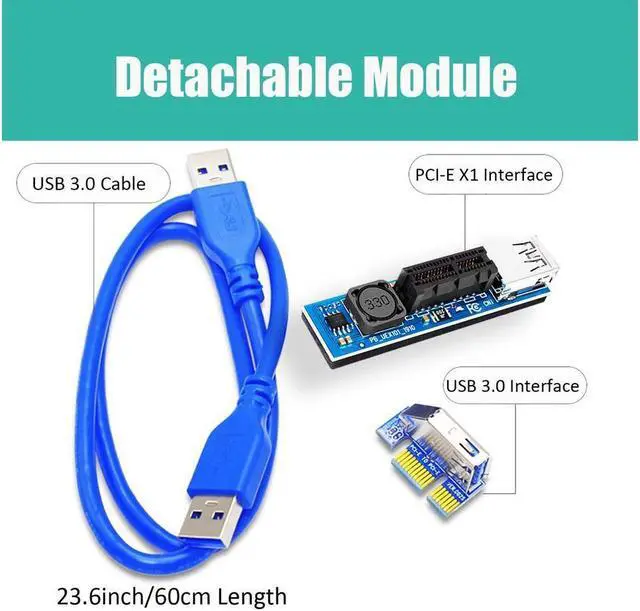
This PCIe X1 extension cable extends the PCIe X1 lane up to 23.6 inch away, so your PCIe X1 card can be installed at any available place of the PC chassis
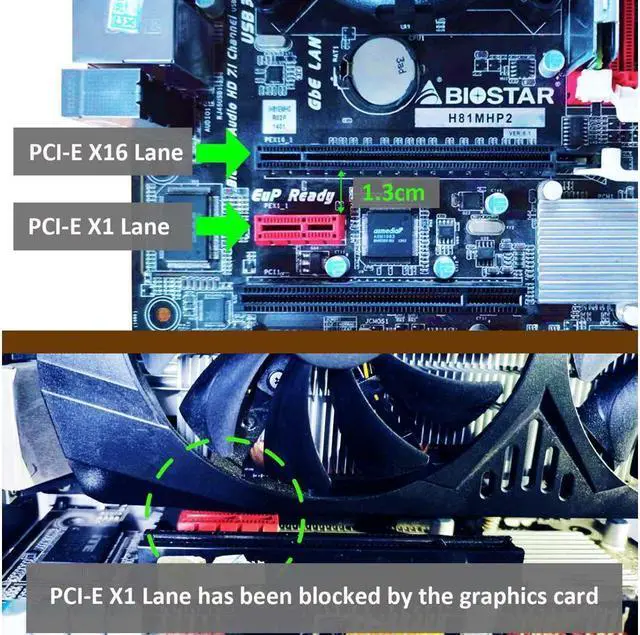
Almost all oversized GPUs will cover the adjacent PCIe X1 slot. If you do not want to waste this blocked PCIe X1 slot, this PCIe X1 extension cable will make it accessible again.
Though limited space below the GPU, the low-profile and compact design PCIe X1 extension cable only needs about 6mm space for installation
Work with all PC Peripheral PCIe X1 Adapters, such as PCIe Wifi Card, M. 2 PCIe X1 Card, Firewire Card, USB PCIe Card, Sound Card, etc.
PCIe 3.0 X1 ( about 1000 MB/s) speed bandwidth is guaranteed, just like onboard slots. To be noted if your PCIe X1 slot is PCIe 2.0 X1( about 500MB/s) technical specification, the speed bandwidth will be also PCIe 2.0 X1
To be noted: The maximum speed of the WiFi 6E wireless card is 5400Mb/s=675MB/s, so this PCIe 3.0 X1 ( about 1000MB/s) speed cable will not limit WiFi 6E speed. But for M. 2 PCIe 3.0 X4 SSD, the speed will downgrade to PCIe 3.0 X1 speed.
Operating Voltage: 12 Voltage; Output Power: 30W at max
If after installation, the computer freezes or blue screen. Please re-plug the PCIe X1 extension cable and make sure all devices are well secured. You may need to reinstall the driver for the PC Peripheral PCIe X1 adapters.
If other PCIe slots cannot be used after using this PCIe X1 extension cable, it may be caused by sharing PCIe Bus between these PCIe lanes. Please check the motherboard technical specification for PCIe Bus Allocation
Easy installation and no extra driver. Plug and Play, and compatible with Windows/Mac OS/Linux/NAS
We know that many graphics cards with big size fan will occupy 2-3 pcie slots. In this case, these PCIe slots below the graphics card cannot be used.
If you want to install a PCIe device, such as a PCIe wireless card, PCIe USB card, M. 2 PCIe X1 adapter, or PCIe network card.
But there is no available PCIe slots in your motherboard, you can only find a way to use the PCIe slots covered by the graphics card.
What can we do?
This PCIe X1 extension cable can extend the PCIe X1 slot to 23.6 Inch/60cm far away.
It features with the following advantages:
Extra Low-profile design: only need 6mm space to installation. So you only need to ensure that the space below the graphics card has a height of 6mm, and this pcie extension cable can be installed
The PCIe x1 extension line is parallel to the PCIe slots, not vertical to the PCIe slots. so that the PCIe X1 extension cable will not be blocked by the front pcie slot
The length of 23.6 Inch/60cm can extend the PCIe X1 slot to any position of the PC case, even outside the PC case
30W power supply from PCIe X1 slot
Overall, this PCIe X1 extension cable is a reliable and practical solution that can perfectly solve your problems.
PCIe X1 Wi-Fi adapter
PCIe X1 USB adapter
M. 2 PCIe X1 adapter
PCIe X1 Network Card
PCIe X1 Sound Card
Other PCIe X1 devices
With PCI-E 4.0 hardware condition (PCI-E X1 devices and motherboard and CPU all supports PCI-E 4.0 ):
The speed will downgrade to PCI-E 3.0 X1 situation
With PCI-E 3.0 hardware condition (PCI-E X1 devices and motherboard and CPU all supports PCI-E 3.0 ):
~ 1GB/s for PCI-E 3.0 X1
With PCI-E 2.0 hardware condition (PCI-E X1 devices and motherboard and CPU all supports PCI-E 2.0 ):
~ 0.5 GB/s for PCI-E 2.0 X1
No driver required
Transparent to OS
Noted:
A-end can install into PCIe X1/X4/X8/X16 slot
B-end can be installed with PCIe X1 devices
All operations must be performed with the motherboard powered off
Almost all oversized GPUs will cover the adjacent PCIe X1 slot. If you do not want to waste this blocked PCIe X1 slot, this PCIe X1 extension cable will make it accessible again.
Though limited space below the GPU, the low-profile and compact design PCIe X1 extension cable only needs about 6mm space for installation
Work with all PC Peripheral PCIe X1 Adapters, such as PCIe Wifi Card, M. 2 PCIe X1 Card, Firewire Card, USB PCIe Card, Sound Card, etc.
PCIe 3.0 X1 ( about 1000 MB/s) speed bandwidth is guaranteed, just like onboard slots. To be noted if your PCIe X1 slot is PCIe 2.0 X1( about 500MB/s) technical specification, the speed bandwidth will be also PCIe 2.0 X1
To be noted: The maximum speed of the WiFi 6E wireless card is 5400Mb/s=675MB/s, so this PCIe 3.0 X1 ( about 1000MB/s) speed cable will not limit WiFi 6E speed. But for M. 2 PCIe 3.0 X4 SSD, the speed will downgrade to PCIe 3.0 X1 speed.
Operating Voltage: 12 Voltage; Output Power: 30W at max
If after installation, the computer freezes or blue screen. Please re-plug the PCIe X1 extension cable and make sure all devices are well secured. You may need to reinstall the driver for the PC Peripheral PCIe X1 adapters.
If other PCIe slots cannot be used after using this PCIe X1 extension cable, it may be caused by sharing PCIe Bus between these PCIe lanes. Please check the motherboard technical specification for PCIe Bus Allocation
Easy installation and no extra driver. Plug and Play, and compatible with Windows/Mac OS/Linux/NAS
We know that many graphics cards with big size fan will occupy 2-3 pcie slots. In this case, these PCIe slots below the graphics card cannot be used.
If you want to install a PCIe device, such as a PCIe wireless card, PCIe USB card, M. 2 PCIe X1 adapter, or PCIe network card.
But there is no available PCIe slots in your motherboard, you can only find a way to use the PCIe slots covered by the graphics card.
What can we do?
This PCIe X1 extension cable can extend the PCIe X1 slot to 23.6 Inch/60cm far away.
It features with the following advantages:
Extra Low-profile design: only need 6mm space to installation. So you only need to ensure that the space below the graphics card has a height of 6mm, and this pcie extension cable can be installed
The PCIe x1 extension line is parallel to the PCIe slots, not vertical to the PCIe slots. so that the PCIe X1 extension cable will not be blocked by the front pcie slot
The length of 23.6 Inch/60cm can extend the PCIe X1 slot to any position of the PC case, even outside the PC case
30W power supply from PCIe X1 slot
Overall, this PCIe X1 extension cable is a reliable and practical solution that can perfectly solve your problems.
PCIe X1 Wi-Fi adapter
PCIe X1 USB adapter
M. 2 PCIe X1 adapter
PCIe X1 Network Card
PCIe X1 Sound Card
Other PCIe X1 devices
With PCI-E 4.0 hardware condition (PCI-E X1 devices and motherboard and CPU all supports PCI-E 4.0 ):
The speed will downgrade to PCI-E 3.0 X1 situation
With PCI-E 3.0 hardware condition (PCI-E X1 devices and motherboard and CPU all supports PCI-E 3.0 ):
~ 1GB/s for PCI-E 3.0 X1
With PCI-E 2.0 hardware condition (PCI-E X1 devices and motherboard and CPU all supports PCI-E 2.0 ):
~ 0.5 GB/s for PCI-E 2.0 X1
No driver required
Transparent to OS
Noted:
A-end can install into PCIe X1/X4/X8/X16 slot
B-end can be installed with PCIe X1 devices
All operations must be performed with the motherboard powered off
Warranty & Returns
Warranty, Returns, And Additional Information
Warranty
- Please contact the Seller directly for warranty information. Warranty information may also be found on the Manufacturer's website.
- CONTACT
Return Policies
- Return for refund within: 30 days
- Return for replacement within: 30 days
- This item is covered by Focus Memory Return Policy
Manufacturer Contact Info
- For a directory of all our manufacturers, please click below.
- Manufacturers Directory
LOADING...