Your Browsing History
- Free 30-day Returns
$18.39
Ships from China.
Meet Your Seller
Sponsored Products
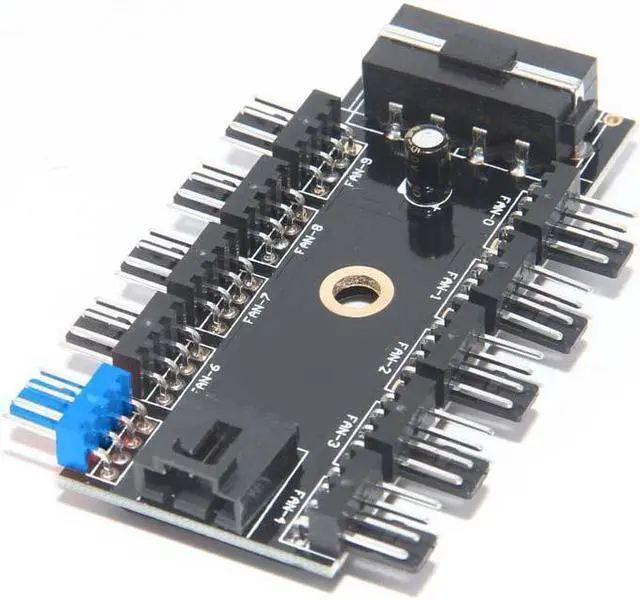
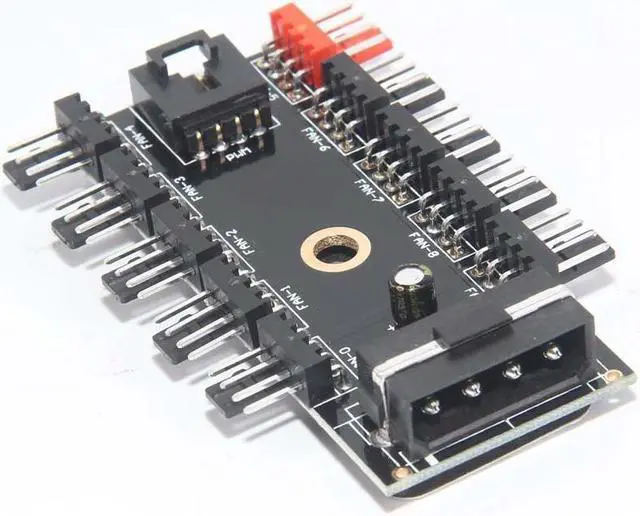
10 Ports PWM 4pin CPU Cooler / Case / Chasis Cooling Fan Power Cable Hub Splitter Adapter w/Self-sticker,Power by IDE Molex 4pin
- 10 Ports 4pin PWM fan hub power splitter
- Compatible with 3-pin/ 4-pin
- PWM function for 4pin PWM fans,spin at the same speed using PWM controller
- full speed run for 3pin fans
- 50CM PWM cable include
+
+
Overview
Specs
Reviews
Any questions? Our AI beta will help you find out quickly.
Try me now
Features
It is designed for enthusiasts with need for controlling numerous system fans Capable of expanding one motherboard PWM fan header to support up to ten fans.
Expand 4-pin fan interfaces, solving the problem of lack of motherboard fan interfaces.
Designed for 12V 4-Pin 3-Pin fans, support simultaneous starting at most 10 channel fans.
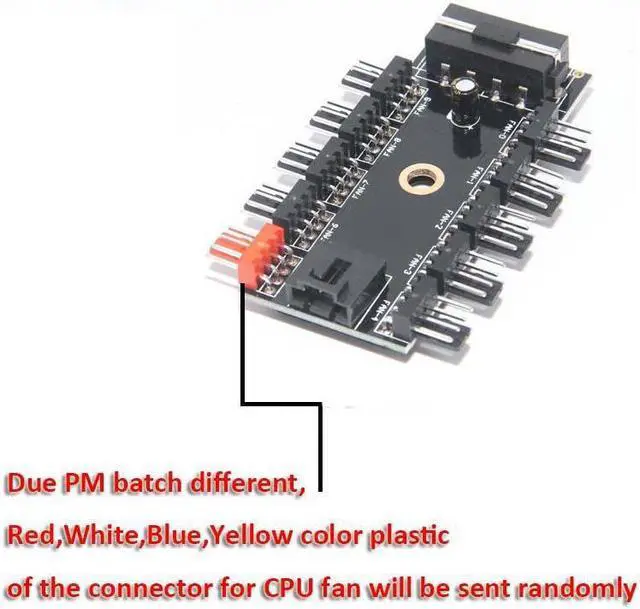
In the hub interfaces, the RED CPU interface is the CPU fan dedicated interface (with speed detection function).
Since the mainboard can only receive one rotation speed signal, the remaining nine conventional fan interfaces have the PWM function, but no speed signal.
For both 4-Pin and 3-Pin fans. Please note 4Pin fan speed can be adjusted by temperature control. 3Pin fan can also be used, but 3Pin has no PWM function, it is at fixed speed after inserting.
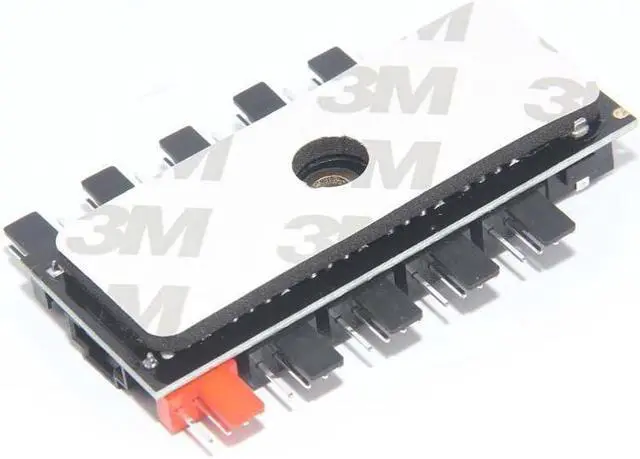
There is EVA double-sided adhesive at the back of the hub, which can be easily affixed to a flat place. Also a fixing screw hole in the middle of the PCB to facilitate fixing to a part of the chassis.
RED is expected to be a pass through for the CPU fan. So, the hub has a power source fed from the computer power supply, then the speed is regulated by the speed for the "source" fan. You can connect to the CPU fan lead on the system board or the chassis fan lead. The ten fans will spin at the same speed, that designated by the system for that fan. If the chassis fan is configured in BIOS to run at 50%, you will have 10 fans at 50%.
Fan hub is powered by molex 4pin (12V only) from your PSU
1.64FT PWM cable include, must connect to your motherboard CPU_Fan header for PWM controlling
Compatible with 3pin & 4pin Fans
PWM controlling works for 4pin fans only
3pin fans run in full speed
The red header is expected to be a pass through for the CPU fan. Must be a priority number one connecting.
Please make sure the red header always connect fan preferentially

It is designed for enthusiasts with need for controlling numerous system fans Capable of expanding one motherboard PWM fan header to support up to ten fans.
Expand 4-pin fan interfaces, solving the problem of lack of motherboard fan interfaces.
Designed for 12V 4-Pin 3-Pin fans, support simultaneous starting at most 10 channel fans.
In the hub interfaces, the RED CPU interface is the CPU fan dedicated interface (with speed detection function).
Since the mainboard can only receive one rotation speed signal, the remaining nine conventional fan interfaces have the PWM function, but no speed signal.
For both 4-Pin and 3-Pin fans. Please note 4Pin fan speed can be adjusted by temperature control. 3Pin fan can also be used, but 3Pin has no PWM function, it is at fixed speed after inserting.
There is EVA double-sided adhesive at the back of the hub, which can be easily affixed to a flat place. Also a fixing screw hole in the middle of the PCB to facilitate fixing to a part of the chassis.
RED is expected to be a pass through for the CPU fan. So, the hub has a power source fed from the computer power supply, then the speed is regulated by the speed for the "source" fan. You can connect to the CPU fan lead on the system board or the chassis fan lead. The ten fans will spin at the same speed, that designated by the system for that fan. If the chassis fan is configured in BIOS to run at 50%, you will have 10 fans at 50%.
Fan hub is powered by molex 4pin (12V only) from your PSU
1.64FT PWM cable include, must connect to your motherboard CPU_Fan header for PWM controlling
Compatible with 3pin & 4pin Fans
PWM controlling works for 4pin fans only
3pin fans run in full speed
The red header is expected to be a pass through for the CPU fan. Must be a priority number one connecting.
Please make sure the red header always connect fan preferentially
Warranty & Returns
Warranty, Returns, And Additional Information
Warranty
- Please contact the Seller directly for warranty information. Warranty information may also be found on the Manufacturer's website.
- CONTACT
Return Policies
- Return for refund within: 30 days
- Return for replacement within: 30 days
- This item is covered by Focus Memory Return Policy
Manufacturer Contact Info
- For a directory of all our manufacturers, please click below.
- Manufacturers Directory
LOADING...