

Your Browsing History
- Free 30-day Returns
$49.82
Ships from China.


Meet Your Seller

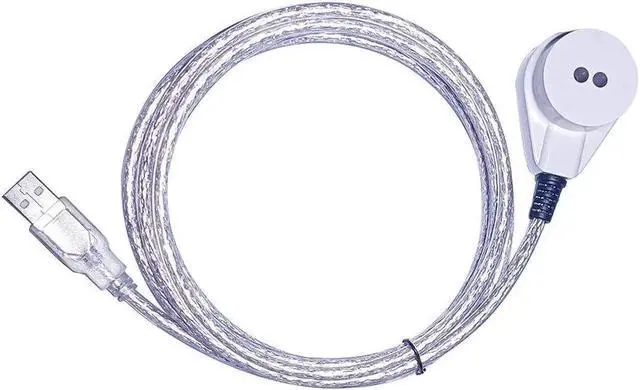
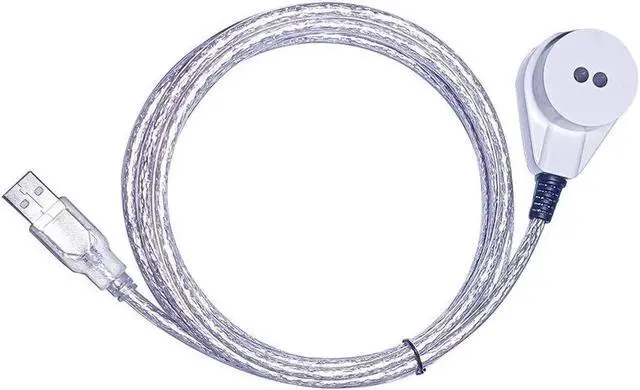


JAENFONG CP2102 CHIP USB TO OPTICAL INTERFACE IRDA NEAR INFRARED IR MAGNETIC ADAPTER TRANSPARENT TRANSMISSION METER CABLE(TRANSPARENT CABLE)
- CP2102 CHIP USB TO OPTICAL INTERFACE IRDA NEAR INFRARED IR MAGNETIC ADAPTER TRANSPARENT TRANSMISSION METER CABLE(TRANSPARENT CABLE)
+
+
Overview
Specs
Reviews

Any questions? Our AI mode will help you find out quickly.
Try me now
CP2102 USB 2.0 to OPTICAL INTERFACE IRDA Near Infrared IR Magnetic Adapter Transparent Transmission Communication Cable for Electricity Gas Water Meter Reading Data
Application: Data collection of electric energy meters, gas meters, water meters
CP2102 imported chip, USB interface power supply, no need for external power supply.
Support multiple versions of Windows operating system, MacOS, Linux, Android and other systems.
Industrial-grade meter reader, Near infrared, wavelength 940nm.
Infrared head size: diameter 32mm, transmitting
and receiving distance: 6.5 mm (size is for reference only, tolerance 2mm)
IEC standard grade, the converter adopts CP2102 chip, 15KV ESD protected transceiver circuit, Taiwan Everlight industrial-grade optical receiver/transmitter.
Transparent transmission, supported full protocol signal conversion, such as IEC62056 (IEC62056-21, IEC62056-46, IEC62056-47), IEC61107, DLT 645, DLMS, MDBUS, Self-defining Communication Protocol, etc.
The transmission rate is: 300/600/1200/2400/4800/9600/19200bps.
Installation: 25mm * 15mm * 5mm galvanized magnet, strong magnetic adsorption (IEC62056 regulation), it is easy to fix on the optical interface device.
Environment: specified working range -25-70
Package Contents:
1 X CP2102 USB to Near Infrared Cable
Length: 1.5M /5FT, 2.0M / 6.6FT (Approx. )
Note: Light shooting and different displays may cause the color of the item in the picture a little different from the real thing.
FAQ
Q1: How to use the product?
A1: Insert the USB port into the USB of the computer and wait for the computer to install the driver.
Q2: Do I need to install the driver?
A2: If the computer automatically detects and installs unsuccessfully, you can use the driver wizard to automatically detect and install or contact customer service to ask for the driver to be installed, or download from the official website:
HTTPS: //WWW. SILABS. COM/DEVELOPERS/USB-TO-UART-BRIDGE-VCP-DRIVERS
Q3: Can the serial port be modified?
A3: You can modify the port number, and modify it in "Device Manager-COM Port-Properties-COM Port Number".
Q4: Is there any free software supported?
A4: Yes, the meter company will have the software, please find it in the manual or ask for it. We have no software supported, because the different meter company has its particular softwar
Warranty & Returns
Warranty, Returns, And Additional Information
Warranty
- Please contact the Seller directly for warranty information. Warranty information may also be found on the Manufacturer's website.
- CONTACT
Return Policies
- Return for refund within: 30 days
- Return for replacement within: 30 days
- This item is covered by jay's Marketplace Return Policy
Manufacturer Contact Info
- For a directory of all our manufacturers, please click below.
- Manufacturers Directory
LOADING...