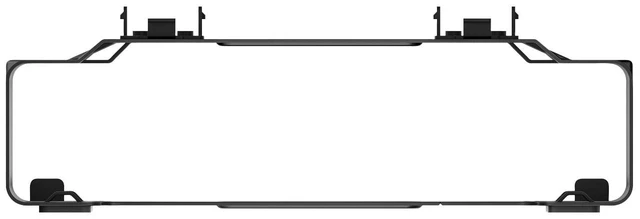
The HP B200 PC Mounting Bracket (part 762T5AT) is a space-saving mount for attaching select HP Mini PCs to compatible HP monitors. It suits users who want to free up desk space while keeping a supported mini PC close to the display; check HP’s compatibility list before choosing it.
Recommended For
- Desk-based home-office workers using a compatible HP P G5 monitor and HP Desktop Mini PC who want to move the PC off the desktop while keeping it attached to the monitor stand.
- Small-office teams standardizing workstations around the HP monitor and Mini PC models listed by HP, to keep each desk’s computer mounted in the same space-saving setup.
- Users with limited desk space who already have a compatible HP monitor stand and want the Mini PC mounted at its base rather than sitting beside the display.
- Workstation users who want the mounted Mini PC’s ports close to the monitor stand for connecting peripherals, while retaining monitor tilt adjustment.
Real-World Use Scenarios
- On a small home-office desk, mount a compatible HP Desktop Mini PC to a compatible HP P G5 monitor stand to free up space on the desktop; the PC stays with the monitor instead of taking up a separate spot.
- For a tidy work or reception station, keep a compatible mini PC secured at the monitor stand rather than loose on the desk; HP says the setup is designed to preserve access to ports for connecting peripherals.
- When setting up a compact workstation, attach the bracket to a compatible monitor stand and slide in a supported HP mini PC; this consolidates the PC and display into one station without needing a separate PC mount on the desk.
- If you adjust your monitor’s tilt to suit your viewing position, the mounted PC can stay in place: HP describes the bracket as designed not to interfere with tilt adjustment.




 here!

 Top Rated