Out of stock
This item is currently out of stock and it may or may not be restocked.
Most customers receive within 3-7 days.
Sold by Direct from manufacturerVIVO
Top Rated
4.7 (2,010 seller ratings)

Shipped by Direct from manufacturerVIVO

Add to Wish List(Found on 1 wish list)
Shop it at NeweggBusiness.

Meet Your Seller

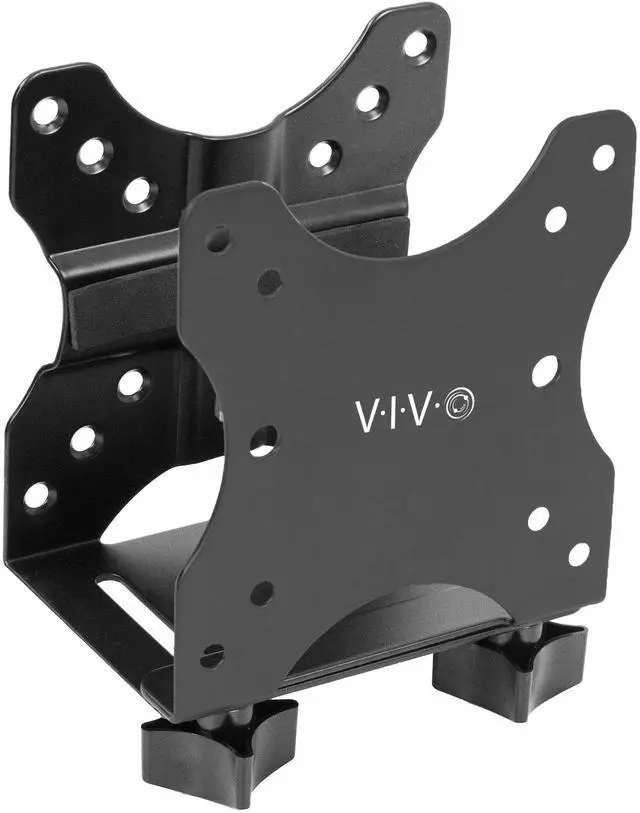
VIVO Adjustable Thin Client Mount Bracket Under Desk Mini PC Computer Holder

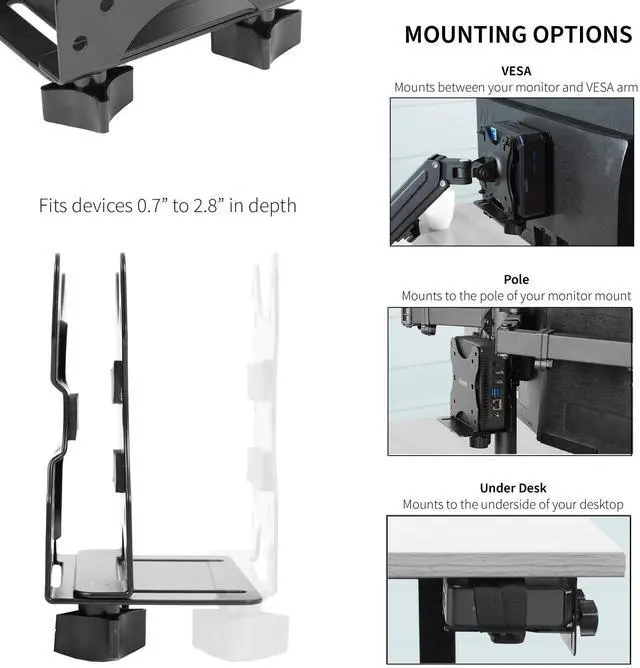
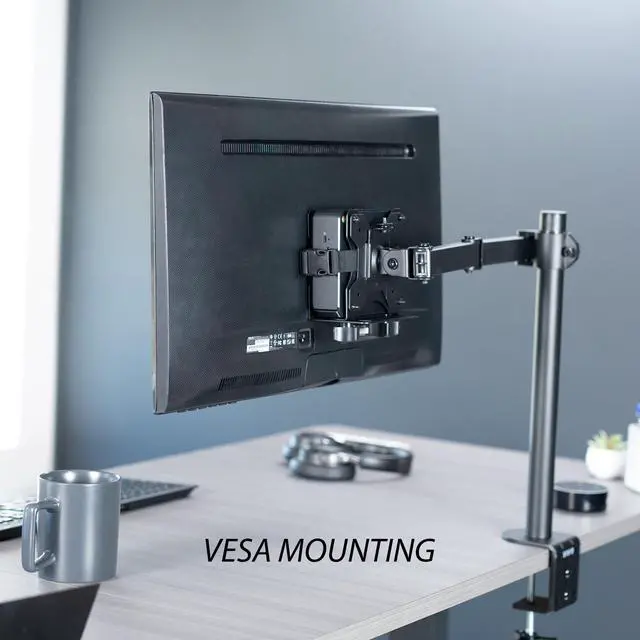
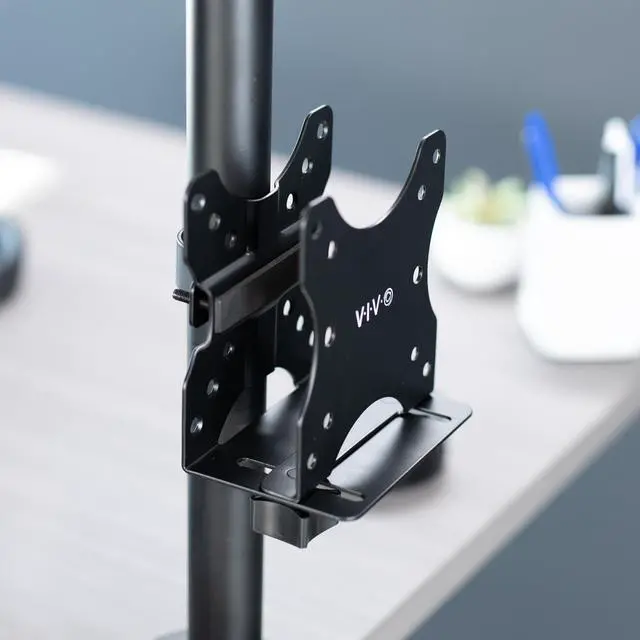
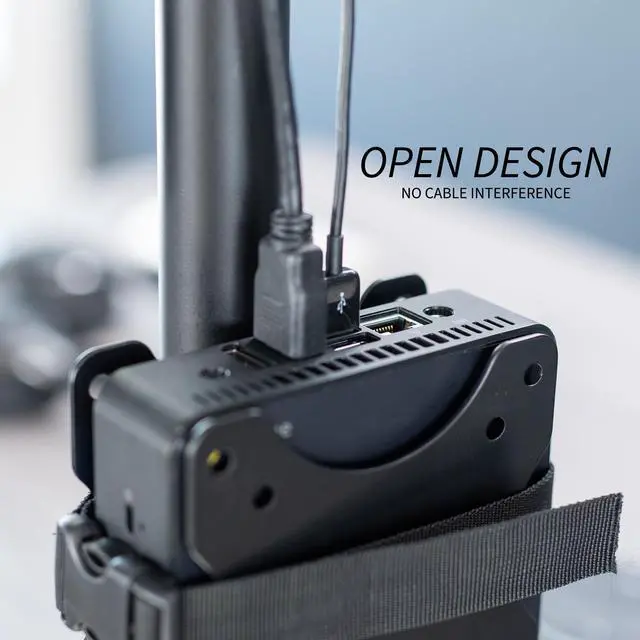
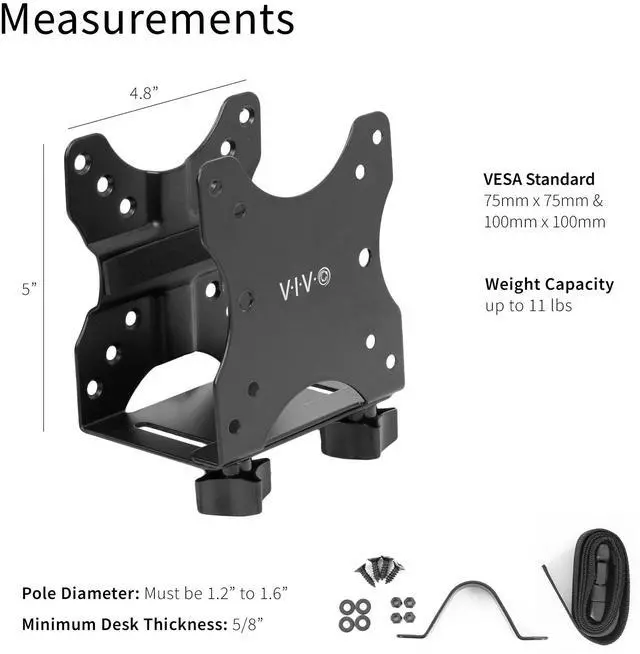
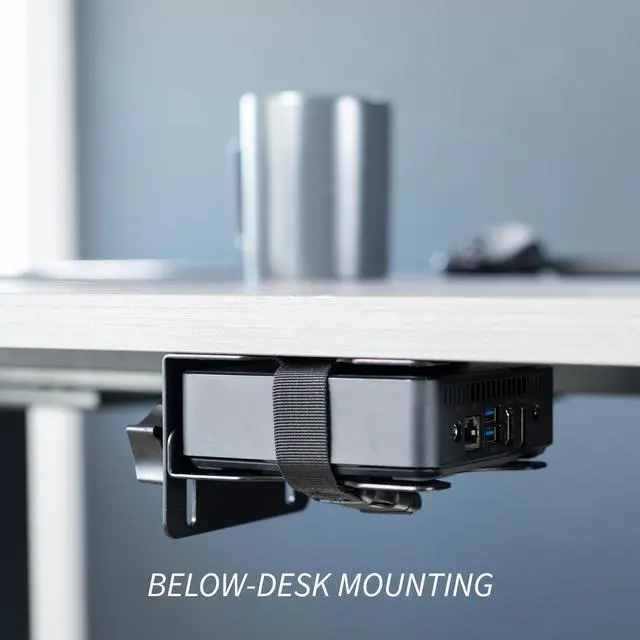
  • 3 Mounting Options: This mini PC mount secures your thin client or docking station to the back of a monitor, clamped to a monitor mount pole (diameter of 1.2" to 1.6"), or installed under a desk (min 5/8" thick). Fits 75x75mm and 100x100mm VESA mounts
  • Compatibility: Designed to hold Intel NUC models (power button must be on the side of the device), Chromebox, Mac Mini, small CPU's, thin clients, USB 3.0 docking stations, USB hubs, Lenovo Tiny Series, Dell OptiPlex Micro, HP ProDesk Mini, and more
  • Adjustable Width: The solid bracket features a 0.7" to 2.8" range of adjustable width, allowing it to support a variety of devices. This space-saving mount is perfect for a wide range of needs
  • Sturdy 11lbs Support: Made of solid steel with a powder coated finish for rust prevention, this PC holder supports up to 11 lbs of weight. Adjustable straps keep your device from sliding and rubber pads protect your equipment from scratches
Overview
Specs
Reviews

Any questions? Ask CelesteSM will help you find out quickly.

Clear up valuable workspace and protect your equipment with Multifunctional Thin Client PC Mount (MOUNT-PC05C) from VIVO! Designed to hold small CPUs, thin clients, docking stations, and more, this versatile mounting bracket features three installation options to best accommodate your workstation. You can either mount your mini PC to the back of your computer monitor, clamp it to your monitor mount pole, or install it under your desk. All of these placement options provide easy access to your thin client in a safe, out-of-the-way location. Designed of solid steel, this bracket is built to last and support up to 11 pounds of weight. All necessary hardware and instructions are provided for installation, so you can create your preferred layout in no time!

Compatibility

  • Fits: Devices 0.7 to 2.8 in depth
  • Mounting Options: VESA Mount, Pole Mount, Under Desk Mount
  • Pole Diameter: Must be 1.2 to 1.6
  • Minimum Desk Thickness: 5/8
  • VESA Standard: 75x75mm and 100x100mm
  • Weight Capacity: 11 lbs

Specifications

  • Color: Black
  • Material: Steel
  • Bracket Dimensions: 4.8 x (0.7 to 2.8) x 5

Warranty & Returns

Warranty, Returns, And Additional Information

Warranty

  • Please contact the Seller directly for warranty information. Warranty information may also be found on the Manufacturer's website.
  • CONTACT

Return Policies

  • Return for refund within: 30 days
  • Return for replacement within: 30 days
  • This item is covered by VIVO Return Policy

Manufacturer Contact Info

LOADING...

The VIVO Adjustable Thin Client Mount is a steel bracket for mounting a mini PC, thin client, or docking station behind a monitor, on a compatible monitor pole, or under a desk. It suits home and office users who want to move a compact computer off the desktop; supported devices must fit the 0.7–2.8-inch width range and weigh no more than 11 lb.

Recommended For

  • Desk-based mini PC users who want to clear the desktop by mounting a compatible device behind a VESA-equipped monitor or underneath the desk.
  • People using a compatible monitor-arm pole who want to keep a thin client, mini PC, or docking station close to the monitor without placing it on the desk.
  • Home-office and small-workstation users who want to mount a compatible mini PC, thin client, or USB hub out of the way while keeping the workspace clear.
  • Users setting up a compatible Intel NUC, Chromebox, Lenovo Tiny, Dell OptiPlex Micro, or HP ProDesk Mini who have checked that the device fits the bracket and mounting method they plan to use.

Real-World Use Scenarios

  • A home-office user wants more clear desk space, so they screw a compatible mini PC or Mac mini under the desk; the computer is out of the way while remaining part of the workstation. Check that the desk surface and device fit the mount.
  • Someone building a compact, all-in-one-style workstation mounts a compatible mini PC behind the monitor; the computer no longer takes up space on the desktop. This setup depends on a suitable VESA mounting arrangement.
  • A user with a monitor arm wants the mini PC kept alongside the display rather than loose on the desk; mounting it to a compatible arm pole keeps the setup consolidated and the device within reach.
  • In a small office or desk setup using a thin client or docking station, the user mounts the device under the desk or behind the monitor; this frees the main work surface for other equipment. Confirm the device fits the bracket before installing.