Meet Your Seller
VIVO Clamp-on Adjustable Deskside Gaming PC Holder with Wall Mounting Option
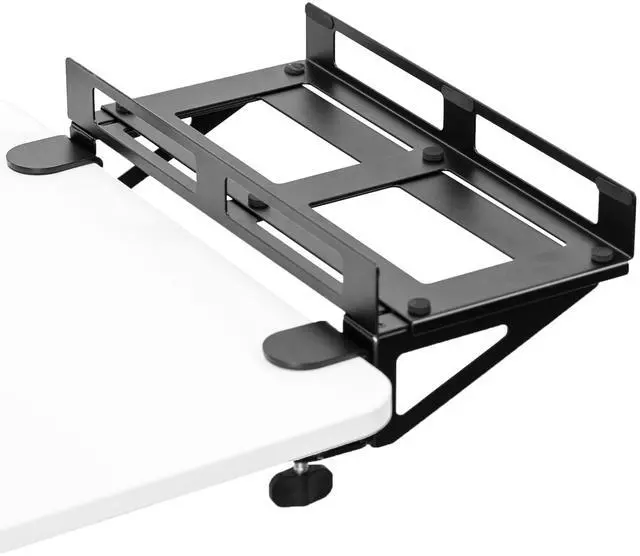
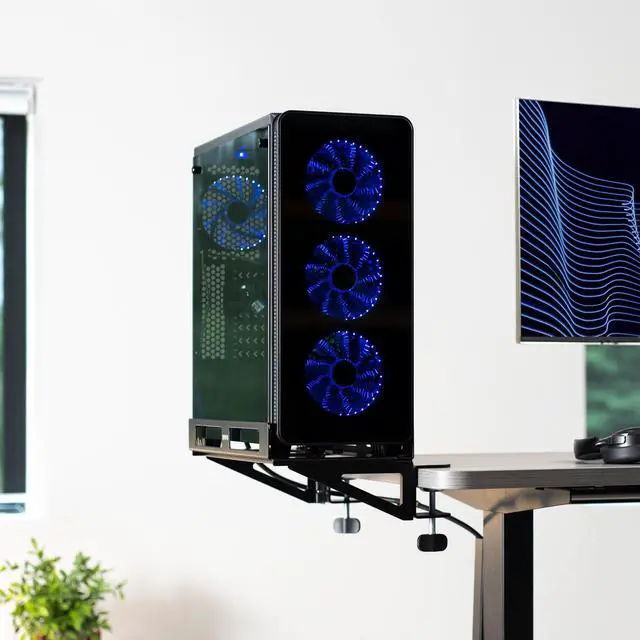
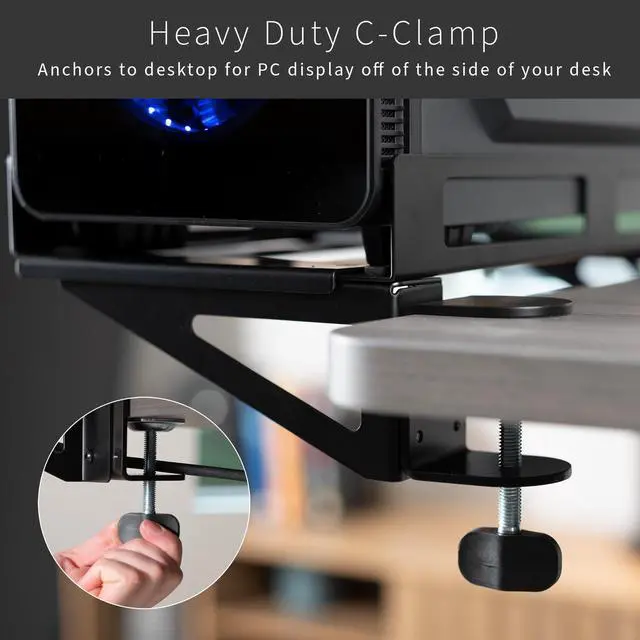
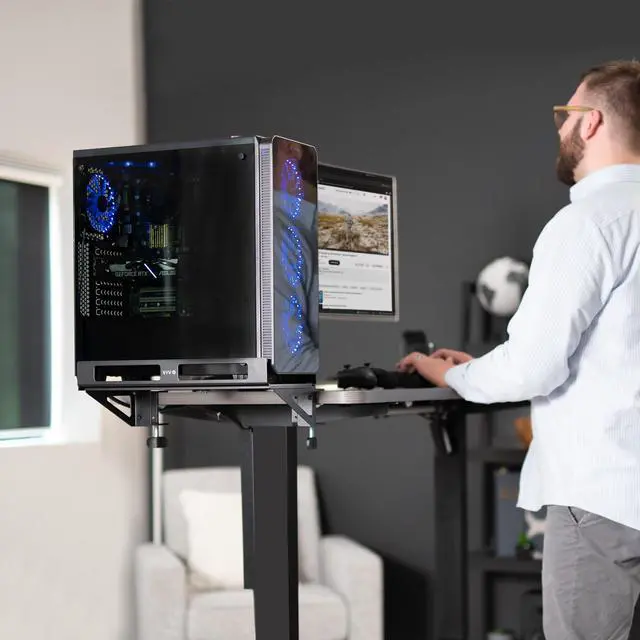
- Deskside PC Mount: Showcase your gaming PC with deskside clamp-on installation. Heavy-duty C-clamps securely mount your custom CPU to the side of your desk. Optional wall mount assembly lets you install your PC to any drywall or concrete/brick application
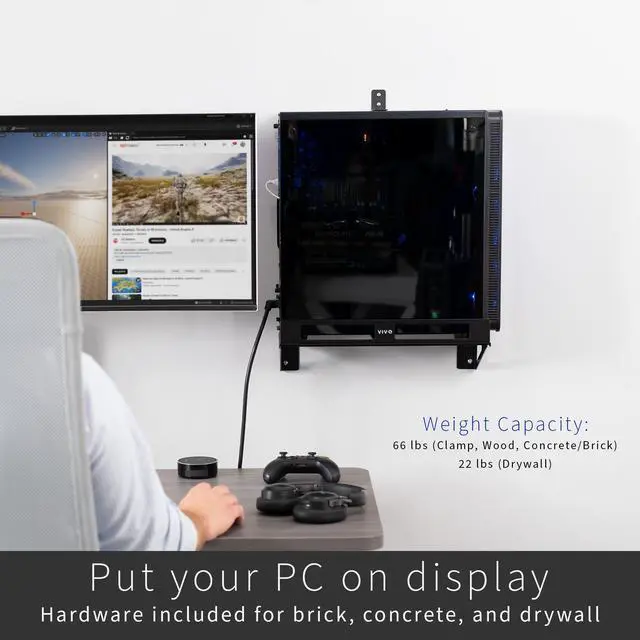
- Strong Construction: Built to support PCs weighing up to 66 lbs. Please Note: Drywall installation has a weight capacity of 22 lbs. Please do not exceed this weight if you are installing to drywall alone. All other mounting options can hold up to 66 lbs
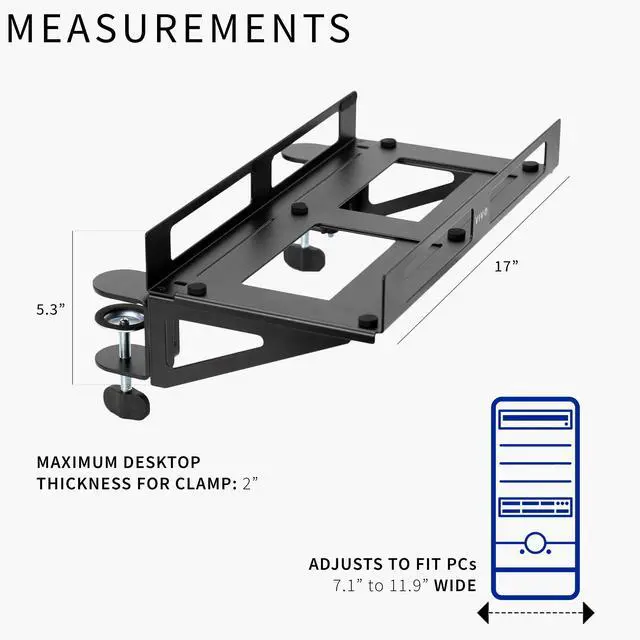
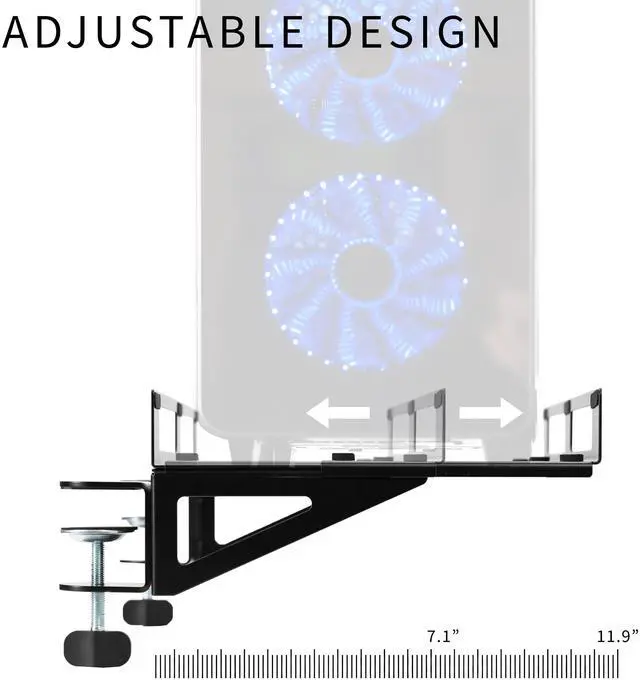
- Adjustable Width: Designed to fit larger, custom PC's with a width of 7.1" to 11.9". Included padding helps prevent dents and scratches no matter the size of the PC
- Open Frame Design: Keep all sides of your gaming PC in full view with the open frame design while also providing sufficient cooling for your equipment. Raised side rails safely hold the PC in place without obstructing larger side windows
Any questions? Ask CelesteSM will help you find out quickly.
Display your gaming PC in all its RGB glory with the Deskside and Wall Gaming PC Mount (MOUNT-PC07G) from VIVO! Never choose between an open display and the safety of your custom PC with this first-of-its-kind deskside CPU mount. Heavy-duty C-clamps secure to your desktop, and the holder extends away from the desk to save valuable work space. Open-frame design with raised side rails creates a near-unobstructed view of side RGB window displays while still providing solid anchoring for security. Padding is provided to help prevent accidental dents and scratches. Adjustment is simple to fit the size of your computer, and sturdy steel construction supports up to 66 lbs and is made to last (please do not exceed 22 lbs if installing into drywall alone). Additional hardware is provided for wall mounting, allowing a clear side window view of water cooling and LED lights.
Compatibility
- PC Width: 7.1 to 11.9
- Mounting Options: Clamp Installation, Concrete/Brick Wall Installation, Drywall Installation
- Maximum Desktop Thickness: 2
- Weight Capacity: 66 lbs (Clamp, Wood, Concrete/Brick), 22 lbs (Drywall)
Specifications
- Color: Black
- Material: Steel
- PC Holder Dimensions: (7.1 to 11.9) x 17 x 5.3
- Width Adjustment: 7.1 to 11.9
Warranty & Returns
Warranty, Returns, And Additional Information
Warranty
- Please contact the Seller directly for warranty information. Warranty information may also be found on the Manufacturer's website.
- CONTACT
Return Policies
- Return for refund within: 30 days
- Return for replacement within: 30 days
- This item is covered by VIVO Return Policy
Manufacturer Contact Info
- For a directory of all our manufacturers, please click below.
- Manufacturers Directory
The VIVO clamp-on adjustable PC holder mounts a desktop gaming computer beside a desk, making it suitable for PC builders who want to display their tower while keeping it off the desktop. It fits cases 7.1–11.9 inches wide and supports up to 66 lb with desk-clamp or other non-drywall mounting.
Recommended For
- PC gamers who want to display a windowed or RGB-lit tower beside the desk: the open-frame holder keeps the case visible while securing it at the desk edge.
- Desk-space-conscious PC users who want to move a tower off the desktop or floor while keeping it mounted alongside the workstation.
- Owners of larger custom PC cases who want a deskside display mount, provided the case is 7.1–11.9 inches wide and the mounting setup is compatible.
- PC builders who want a fixed deskside or wall-mounted setup and need the tower held clear of the main work surface.
Real-World Use Scenarios
- When a gaming tower takes up valuable desktop space, clamp it beside the desk to make more room for monitors, peripherals, or work materials while keeping the PC close at hand.
- For a gaming setup built around a windowed or RGB-lit case, mount the tower beside the desk so its side panel remains visible without placing the whole PC on the desktop.
- When a tower sitting on the floor gets in the way of arranging the desk area, place it in the side mount to clear floor space around the desk.
- If the desk edge is not a suitable mounting spot, use the wall-mount option to position the tower beside the setup; check the case weight and wall type first, since drywall has a lower stated capacity than other listed mounting options.
- When upgrading to a wider custom PC case, adjust the holder to fit rather than relying on a fixed-width cradle; check the case width against the mount’s stated compatibility range before installing.