




 here!
here!
I’m your shopping assistant for PC builds, upgrades, and everything tech.
Got questions? Ask away!
Start a conversation
here!
I’m your shopping assistant for PC builds, upgrades, and everything tech.
Got questions? Ask away!
Start a conversation


Any questions? Ask CelesteSM will help you find out quickly.
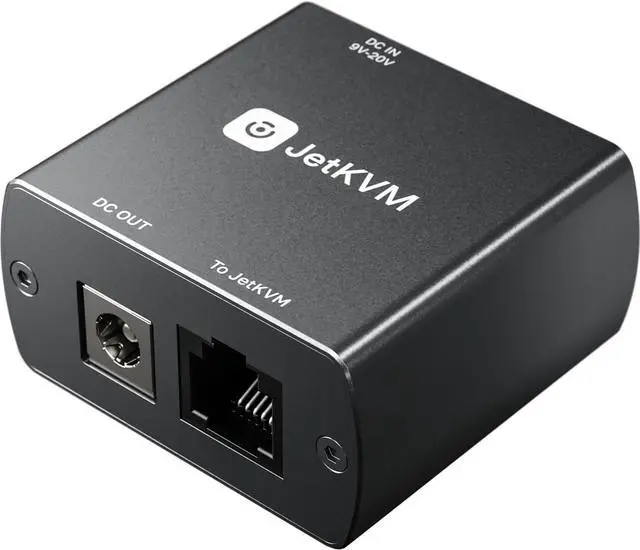
The DC Power Control extension enables power management for connected DC-powered devices, such as mini PCs or NAS units.
Remote Power Control for any DC device
Add remote power cycling to your JetKVM setup. Plug into the RJ-12 port, route your device's DC power through the module, and control power directly from the browser with the JetKVM.
It supports DC input ranging from 12 to 20 volts, and we're including adapters to support 5.5x2.1 mm connections as well.
The extension can also power the JetKVM itself through the RJ-12 connection, streamlining setup and reducing the need for additional power sources.
Pass-through Power
The built-in USB-C port provides 5V power directly through the RJ-12 cable, powering your JetKVM without the need for a separate USB connection.
This eliminates the need for constant USB power from the host computer or a USB splitter, simplifying your setup with a single-cable solution for both power and control.


