




 here!
I’m your shopping assistant for PC builds, upgrades, and everything tech.
Got questions? Ask away!
Start a conversation
here!
I’m your shopping assistant for PC builds, upgrades, and everything tech.
Got questions? Ask away!
Start a conversation





Any questions? Ask CelesteSM will help you find out quickly.
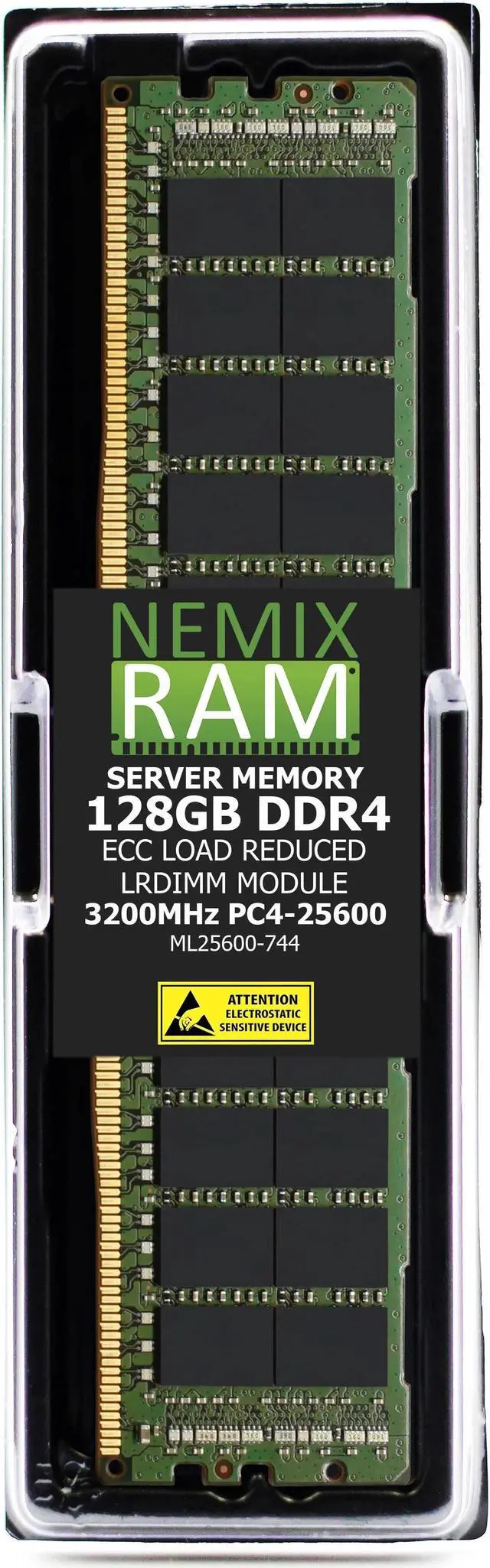
The NEMIX RAM 128GB DDR4-3200 ECC LRDIMM is a 4Rx4 load-reduced server memory module for servers that support DDR4-3200 LRDIMMs; it is not intended for PC computers.
| Attribute | Value |
|---|---|
| Best For | Server systems requiring DDR4 ECC load-reduced memory |
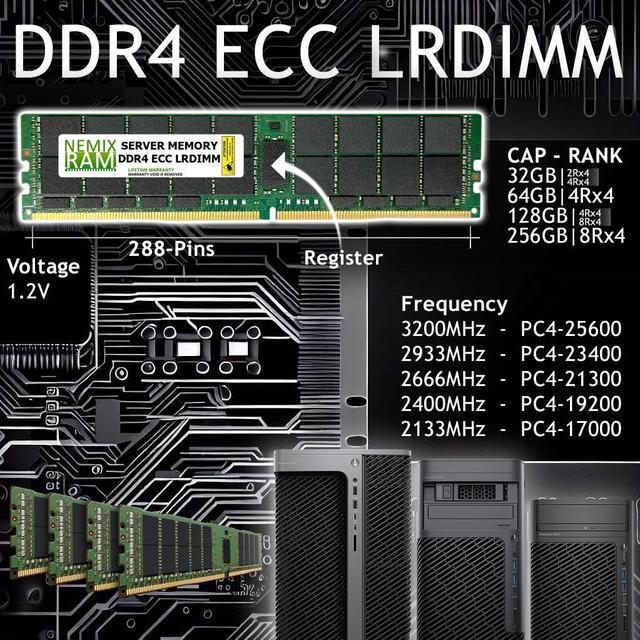
| Memory Type And Speed | DDR4-3200 (PC4-25600) |
| ECC And Module Configuration | ECC, load-reduced DIMM, 4Rx4 rank |
| Timing And Voltage | CAS latency 22 at 1.2V |
| Memory Chip Vendors | Major OEMs: Samsung, Micron, and Hynix |
| Model Identifiers | NEMIX RAM, part number ML25600-744K1-SM-SYS-740GP-TNRT |
Q: NEMIX 128GB DDR4-3200 LRDIMM vs 64GB DDR4-3200 LRDIMM: which should I choose?
A: Choose the 128GB module when you want twice the capacity per DIMM slot. Choose the 64GB module when that capacity better fits your server’s memory plan. Both are 4Rx4, ECC, 1.2V DDR4-3200 LRDIMMs; confirm your system supports the selected module capacity.
Q: Should I get one 128GB DIMM or two 64GB DIMMs for 128GB total?
A: Choose one 128GB DIMM if you want 128GB in a single memory slot. Choose two 64GB DIMMs if your planned configuration calls for two modules. Both options total 128GB; follow your server’s recommended DIMM population order.
Q: NEMIX 128GB DDR4-3200 vs 128GB DDR4-2933 LRDIMM: which speed should I pick?
A: Choose the DDR4-3200 module when your server supports that memory speed; choose DDR4-2933 when that matches your server’s supported configuration. Check the system’s memory specifications before selecting, since the platform determines the supported operating speed.
Q: How can I tell if this memory will work in my server?
A: Check the server and processor documentation for support for 128GB DDR4-3200 ECC LRDIMMs, including 4Rx4 modules. The product’s capacity, rank, memory type, and speed must all fit the server’s supported configurations; a matching DDR4 speed alone does not guarantee compatibility.
Q: Can I use this in a regular desktop PC?
A: No. This is ECC load-reduced server memory, not standard desktop memory, and the product listing says it is not for PC computers. Use it only in a compatible server that supports DDR4 LRDIMMs.
Q: Can I mix this with the RAM already installed in my server?
A: Do not assume it can be mixed. Many server configurations do not support mixing LRDIMMs with RDIMMs or UDIMMs, and supported combinations of capacity, rank, and speed vary by system. Check the server’s memory population rules before adding it.
Q: Is this a suitable upgrade if I need more memory in a server?
A: It can suit a compatible server that needs a high-capacity memory module: this is one 128GB ECC LRDIMM rated at DDR4-3200. Its single-module configuration may not fully populate the server’s memory channels, so follow the server’s recommended slot order and population rules.
Q: Will this 128GB LRDIMM work in my server?
A: Only if the server supports DDR4 ECC LRDIMMs and accepts 128GB, 4Rx4 modules at its supported memory speed. Check the server’s memory documentation and population rules before buying; the YouTube example of a PowerEdge R740xd is not evidence that other servers support this module.
Q: Can I use this alongside my existing RDIMM memory?
A: Do not assume they can be combined. A Reddit discussion about a NEMIX LRDIMM upgrade reports a boot problem with the system’s existing memory; confirm the memory type and supported configuration for your server before mixing modules. This product is an LRDIMM, not an RDIMM.
Q: Does it matter which memory slot I install it in?
A: Yes. Slot order and population rules vary by server, and incorrect placement can prevent the system from using the memory as intended. Follow the server’s manual; a PowerEdge R740xd installation video, for example, describes its channel and slot order.


