




 here!
I’m your shopping assistant for PC builds, upgrades, and everything tech.
Got questions? Ask away!
Start a conversation
here!
I’m your shopping assistant for PC builds, upgrades, and everything tech.
Got questions? Ask away!
Start a conversation




Any questions? Ask CelesteSM will help you find out quickly.
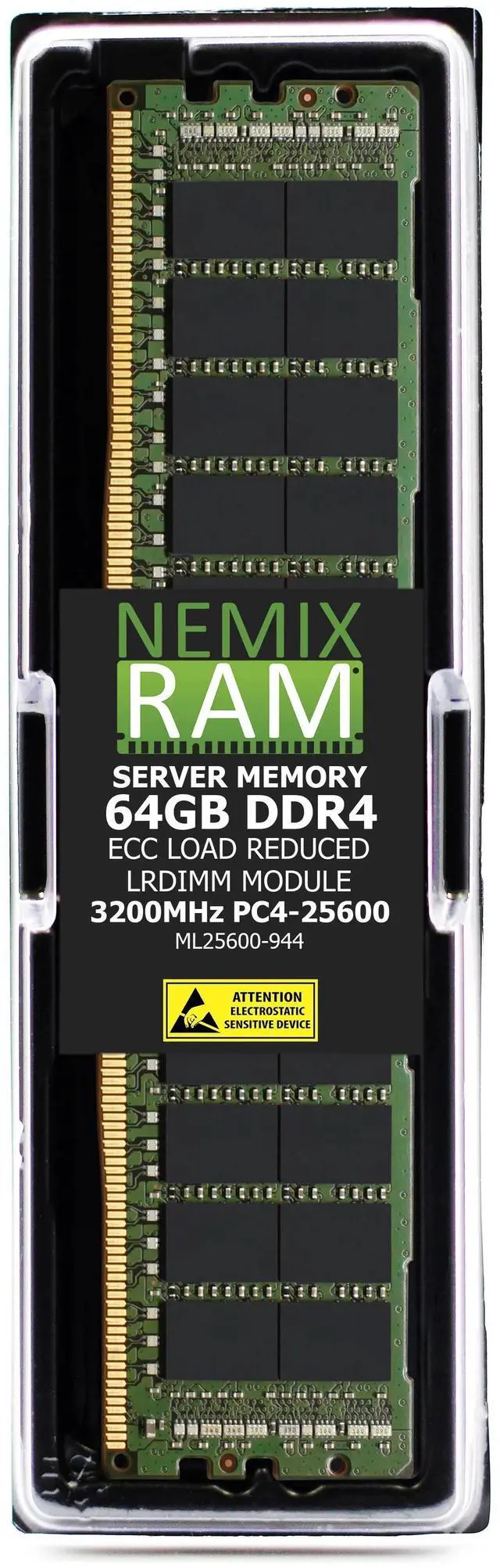
The NEMIX RAM 64GB DDR4-3200 ECC LRDIMM is a single 4Rx4 load-reduced server memory module for servers that support DDR4-3200 LRDIMMs; it is not intended for desktop PCs.
| Attribute | Value |
|---|---|
| Best For | Server systems requiring DDR4-3200 ECC load-reduced memory |
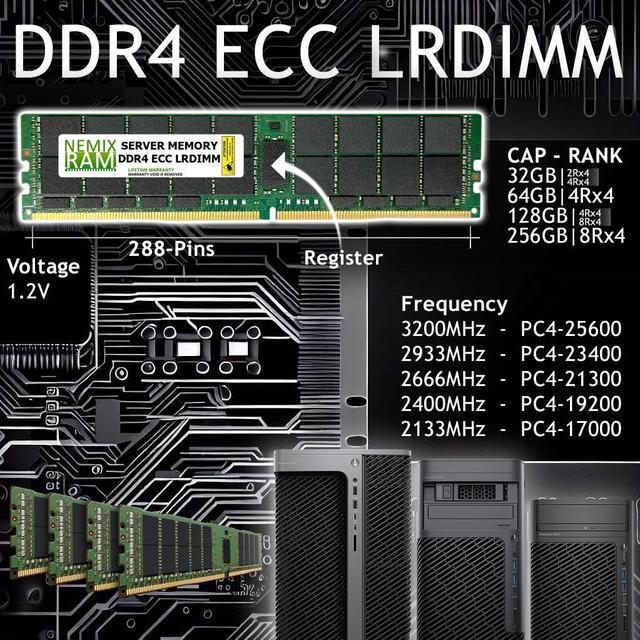
| Memory Type And Configuration | DDR4-3200 (PC4-25600) ECC load-reduced memory with a 4Rx4 rank configuration, operating at 1.2V |
| Latency | CAS latency 22 |
| Component Sourcing | Major OEM Samsung, Micron, or Hynix |
| Model Identifiers | NEMIX RAM, model/part number ML25600-944K1-SM-SYS-520P-WTR |
Q: NEMIX 64GB vs. 128GB DDR4-3200 LRDIMM: which should I choose?
A: Choose this 64GB module when adding 64GB per DIMM slot fits your planned memory capacity. Choose a NEMIX 128GB DDR4-3200 LRDIMM when you want twice the capacity per slot. Check your server’s supported module capacity and memory configuration before selecting either option.
Q: NEMIX 64GB DDR4-3200 vs. 64GB DDR4-2933 LRDIMM: which is the better match?
A: Choose this DDR4-3200 module when your server’s memory configuration supports 3200 MT/s; its rated speed is higher than the 2933 MT/s alternative. Choose a NEMIX DDR4-2933 LRDIMM when 2933 MT/s matches the speed specified for your server or processor. The system’s memory configuration determines the operating speed.
Q: NEMIX 64GB DDR4-3200 LRDIMM vs. 64GB DDR4-3200 RDIMM: which should I choose?
A: Choose this ECC LRDIMM when your server configuration calls for LRDIMM and you want a load-reduced module for memory-capacity scaling. Choose a NEMIX ECC RDIMM when your server configuration specifies registered DIMMs. Confirm the supported DIMM type in the server’s memory specifications.
Q: How do I know if this memory is compatible with my server?
A: Check the server or motherboard documentation for support for DDR4 LRDIMM, 64GB modules, quad-rank 4Rx4 memory, and the supported speed. A 288-pin fit alone does not guarantee compatibility; confirm the server’s memory population rules before buying.
Q: Can I use this RAM in a desktop PC?
A: No. This is ECC load-reduced server memory, and the product listing says it is not for PC computers. Use it only in a compatible server that supports DDR4 LRDIMMs.
Q: Can I mix this with the RAM already installed in my server?
A: Do not mix LRDIMMs with RDIMMs or unbuffered DIMMs in the same system. First check the installed memory type, then confirm the server supports this module’s capacity, rank, and speed.
Q: Is this a good choice if I need more memory capacity in a server?
A: It may suit a server that supports 64GB DDR4-3200 ECC LRDIMMs. This listing is for one 64GB module; check available slots, supported capacity, and the server’s memory configuration rules to determine how much total memory you can add.
Q: What should I verify before buying this 64GB NEMIX LRDIMM for my server?
A: Check the server and CPU documentation for support for DDR4 ECC LRDIMMs, 64GB 4Rx4 modules, and the required slot configuration. The module is rated for DDR4-3200, but the system may support a lower memory speed. A Reddit discussion about NEMIX LRDIMMs highlights checking the motherboard manual and CPU speed requirements before choosing memory.
Q: Can I mix this LRDIMM with the RAM already in my system?
A: Do not assume it can be mixed with existing memory. A Reddit discussion about NEMIX 64GB LRDIMMs in a Mac Pro 7,1 describes problems involving module type and slot configuration. Check your system’s memory rules; in particular, confirm whether it permits mixing LRDIMMs with other module types.
Q: Is a 64GB LRDIMM worthwhile if I do not need very high memory capacity?
A: It may not be the best fit if capacity is not a priority. In a discussion about NEMIX LRDIMMs, users noted the trade-off: LRDIMMs can support higher capacities, while RDIMMs may have lower latency. Choose based on your server’s compatibility and capacity needs.


