

Your Browsing History

Meet Your Seller

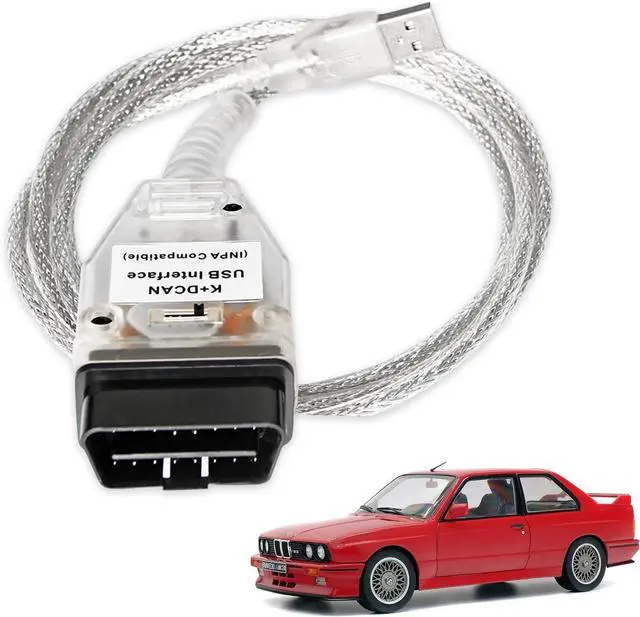


K DCAN Cable for BMW with FT232RL Chip OBD2 Scanner Diagnostic Tool | K+CAN Cable with Switch USB to OBD2 Connector,obdii for BMW E Series 1998-2019 Models, Work with Windows XP/7 32bit System
Limited time offer, ends 09/28 By AxisLink
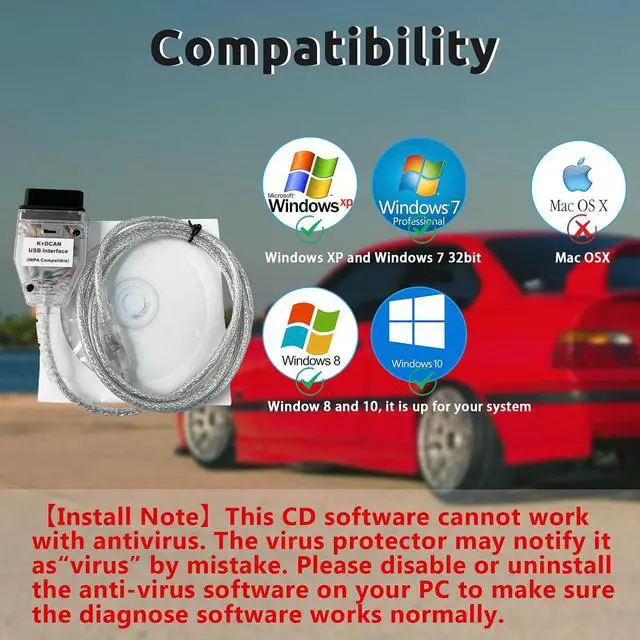
- Compatibility: Compatible with BMW E Series vehicles from 1998-2019, this K+CAN cable works seamlessly with Windows XP and Windows 7 32bit system diagnostic tools.Sometimes, it is compatible with Window 8/10, it is up for your system. Don't fit the mac OSX.
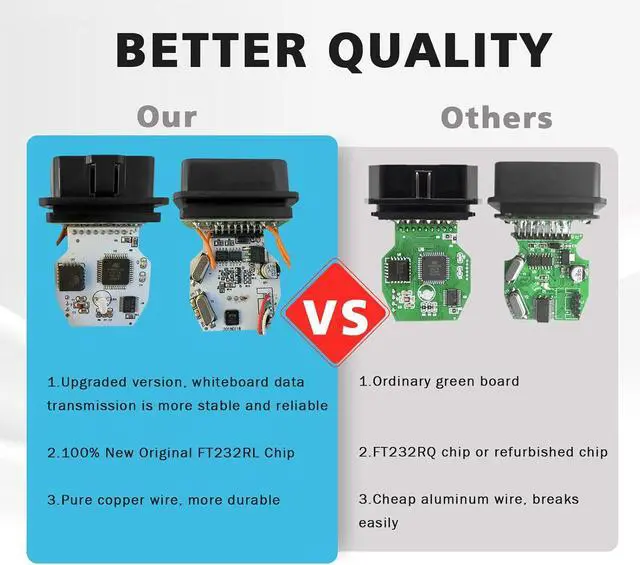
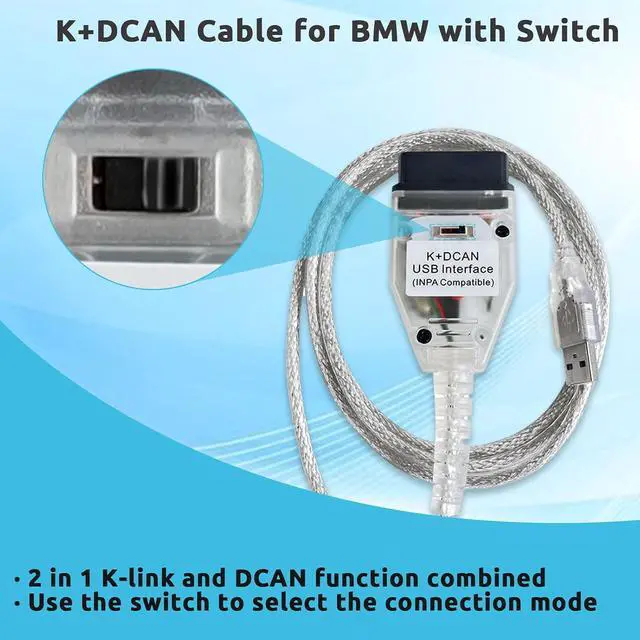
- Original Chip: Equipped with an original FT232RL chip, ensuring reliable connectivity and data transfer. This USB to obd2 cable can be used with D-CAN, PT-CAN, K-CAN and so on.
- Plug-and-Play: Simply connect the OBD2 to USB cable to your vehicle's diagnostic port and your computer for easy setup.
- Versatile Functionality: This in-pa cable enables various diagnostic tasks, including reading and clearing trouble codes, live data streaming, and more.
- Install NoteAny installation problems, please contact us. The software can't work with antivirus. The virus protector may notify it asvirus by mistake. Please disable or uninstall the anti-virus software on your PC to make sure the diagnose software works normally.
+
+
Overview
Specs
Reviews

Any questions? Our AI mode will help you find out quickly.
Try me now
- Compatibility: Compatible with BMW E Series vehicles from 1998-2019, this K+CAN cable works seamlessly with Windows XP and Windows 7 32bit system diagnostic tools.Sometimes, it is compatible with Window 8/10, it is up for your system. Don't fit the mac OSX.
- Original Chip: Equipped with an original FT232RL chip, ensuring reliable connectivity and data transfer. This USB to obd2 cable can be used with D-CAN, PT-CAN, K-CAN and so on.
- Plug-and-Play: Simply connect the OBD2 to USB cable to your vehicle's diagnostic port and your computer for easy setup.
- Versatile Functionality: This in-pa cable enables various diagnostic tasks, including reading and clearing trouble codes, live data streaming, and more.
- Install NoteAny installation problems, please contact us. The software can't work with antivirus. The virus protector may notify it asvirus by mistake. Please disable or uninstall the anti-virus software on your PC to make sure the diagnose software works normally.
Warranty & Returns
Warranty, Returns, And Additional Information
Warranty
- Please contact the Seller directly for warranty information. Warranty information may also be found on the Manufacturer's website.
- CONTACT
Return Policies
- Return for refund within: 30 days
- Return for replacement within: 30 days
- This item is covered by AxisLink Return Policy
Manufacturer Contact Info
- For a directory of all our manufacturers, please click below.
- Manufacturers Directory
LOADING...