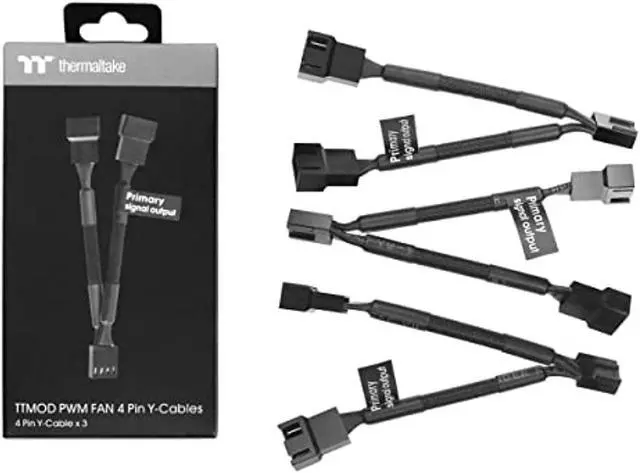
The Thermaltake TTMOD 4-pin PWM fan Y-cable is a 3-pack of 110 mm cables for connecting two case fans to one motherboard fan header, making it suitable for PC builders who need to connect multiple fans through available headers.
Recommended For
- PC builders who have more case fans than motherboard fan headers can use one cable to connect two fans to a single header; this three-pack can support multiple such connections.
- Builders adding two 4-pin PWM fans in the same case area can connect them to one header and have them follow that header’s shared fan-control signal.
- PC builders tidying fan wiring around a motherboard can use the 110 mm black-sleeved cables to connect fans without routing a separate cable from each fan to a header.
- Users connecting compatible 3-pin fans can use the splitter for the connection, provided they do not expect PWM speed control from those fans.
Real-World Use Scenarios
- When a PC build has more case fans than motherboard fan headers, connect two fans to one header to add case airflow without using a separate header for each fan. Check the motherboard’s header-current limit against the fans’ combined draw.
- For two fans serving the same case area, such as a pair of intake fans, a splitter lets them respond to one motherboard fan curve. They share the header’s control rather than being adjusted independently.
- When adding a 3-pin fan to a build, the cable can connect it to a 4-pin fan header, but the fan will not receive PWM control; PWM control is for 4-pin fans.
- When a paired-fan setup is connected through one header, the motherboard’s fan-speed reading represents only one fan. This is useful for basic shared cooling, but it does not provide separate speed monitoring for both fans.
- During a build with several fan pairs, use the three included cables to connect each pair to its own available motherboard header. This can reduce unused cable runs while keeping each pair on its own header-controlled group.




 here!