




 here!
here!
I’m your shopping assistant for PC builds, upgrades, and everything tech.
Got questions? Ask away!
Start a conversation
here!
I’m your shopping assistant for PC builds, upgrades, and everything tech.
Got questions? Ask away!
Start a conversation



Any questions? Ask CelesteSM will help you find out quickly.


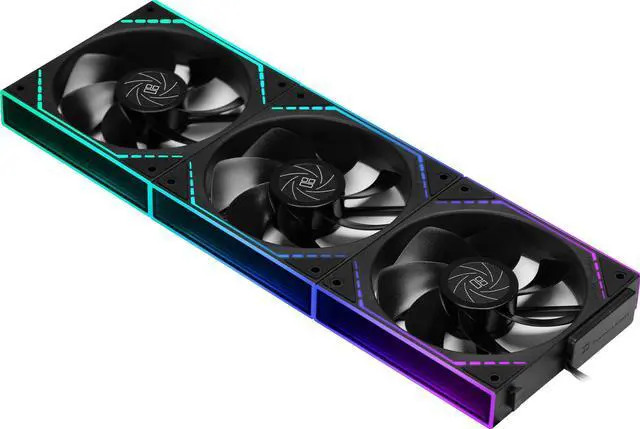
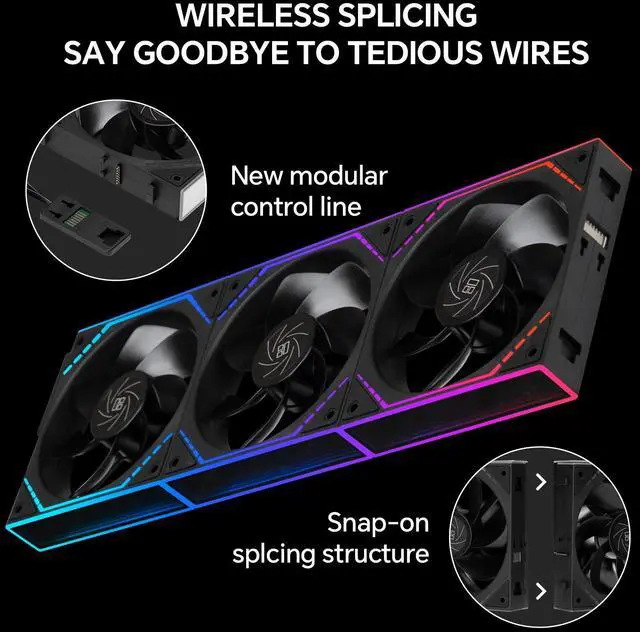
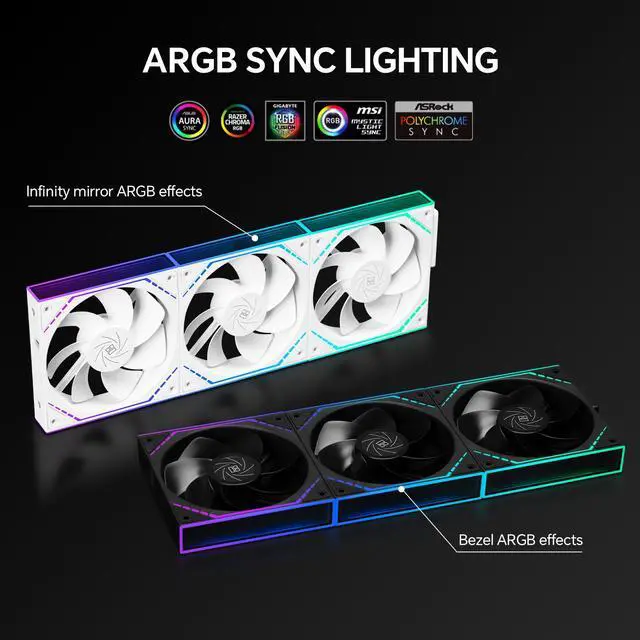
The Thermalright TL-M12QR X3 is a 3-pack of 120mm reverse-blade PC case fans with 1500RPM PWM control, 47.6 CFM airflow, and ARGB dual-infinity-mirror lighting, making it suitable for gaming PCs that need coordinated cooling, eye-catching illumination, and simplified daisy-chain cable management.
| Attribute | Value |
|---|---|
| Best For | Desktop case cooling setups using a three-fan 120mm reverse-airflow configuration |
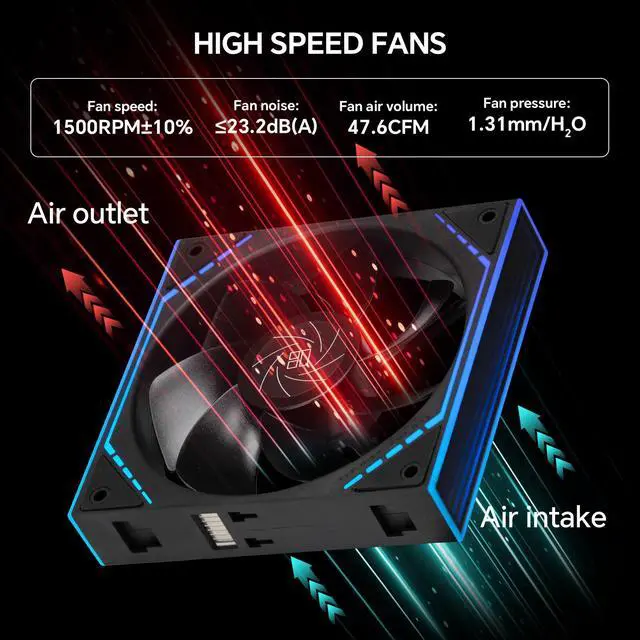
| Cooling Performance | Air-cooled case fans rated at up to 1500 RPM, 47.6 CFM airflow, 1.31 mm H2O air pressure, and 23.2 dBA noise |
| Fan Design | 120mm reverse-blade fans with 25mm thickness and S-FDB bearings, housed in black plastic |
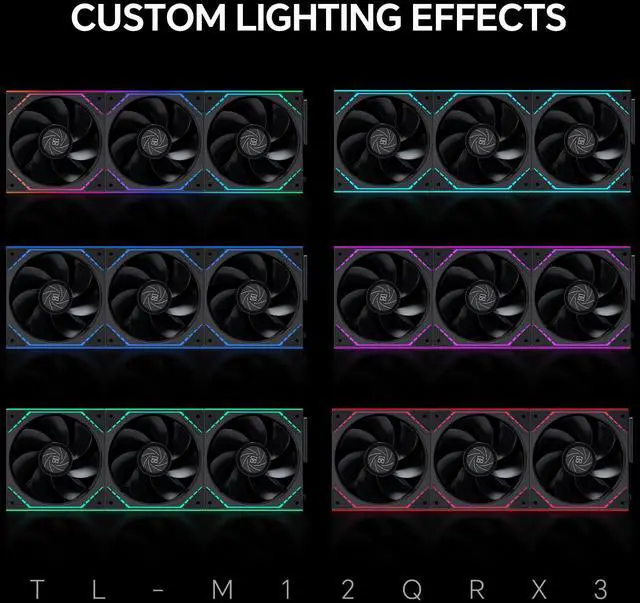
| Lighting | ARGB lighting in a black reverse-blade fan design |
| Compatibility And Installation | Designed for desktop cases with a 4-pin PWM connection for motherboard-based fan speed control |
| Power | 12V operation with 2.4W power consumption |
| Package Contents | Three fans included |
| Model Identifiers | Thermalright TL-M12Q series, including the TL-M12Q, TL-M12QR X3, and TL-M12QRX3 model identifiers |
Q: Thermalright TL-M12QR X3 vs TL-M12Q X3: which should I use for intake fans?
A: Choose the TL-M12QR X3 when you want reverse-blade intake fans that show the attractive side toward the inside of the case. Choose the standard TL-M12Q X3 when the fan’s normal blade orientation is acceptable or when you want higher rated airflow and speed. The TL-M12QR X3 is rated at 1,500 RPM, 47.6 CFM, and 1.31 mmH2O, while the TL-M12Q X3 is rated at 2,000 RPM, 68.9 CFM, and 2.21 mmH2O.
Q: Thermalright TL-M12QR X3 vs TL-C12RB-S V2: which reverse-blade fans are better for a case build?
A: Choose the TL-M12QR X3 for a linked three-fan installation with dual infinity-mirror lighting and reduced cable clutter. Choose the TL-C12RB-S V2 when you prefer a conventional individual-fan design with a higher rated airflow specification. The TL-C12RB-S V2 is rated at 58 CFM and 1.53 mmH2O, compared with 47.6 CFM and 1.31 mmH2O for the TL-M12QR X3; both models are rated at 1,500 RPM and use S-FDB bearings.
Q: Thermalright TL-M12QR X3 vs Lian Li UNI FAN SL-INF 120 Reverse: which is better for a clean RGB build?
A: Choose the TL-M12QR X3 when you want a three-pack with standard 4-pin PWM and 5V 3-pin ARGB connections, dual-sided infinity-mirror styling, and one-cable fan clusters. Choose the Lian Li UNI FAN SL-INF 120 Reverse when the Lian Li infinity-mirror appearance and UNI FAN ecosystem are more important than the included three-fan configuration. Lian Li’s fan has a higher rated maximum of 2,100 RPM, 63.6 CFM, and 2.02 mmH2O, while the Thermalright is rated at 1,500 RPM, 47.6 CFM, and 1.31 mmH2O.
Q: Thermalright TL-M12QR X3 vs Phanteks M25 Gen2 Reverse: which is better for performance-first cooling?
A: Choose the Phanteks M25 Gen2 Reverse when maximum rated airflow and static pressure are the priority. It is rated at 2,000 RPM, 73.69 CFM, and 1.99 mmH2O. Choose the TL-M12QR X3 when a lower rated maximum noise level, 25 mm thickness, dual infinity-mirror lighting, and simplified daisy-chain installation are more important. The Thermalright is rated at 23.2 dBA, while the Phanteks reverse model is rated at 39.28 dBA.
Q: Will these fans work with my desktop PC and motherboard?
A: They are designed for desktop PC cases with a standard 120mm fan mounting position and a compatible 4-pin PWM fan header. The ARGB lighting also requires a compatible motherboard ARGB connection or lighting controller. They are not intended for laptops or standalone AC-powered use.
Q: Do these fans help reduce cable clutter in a multi-fan setup?
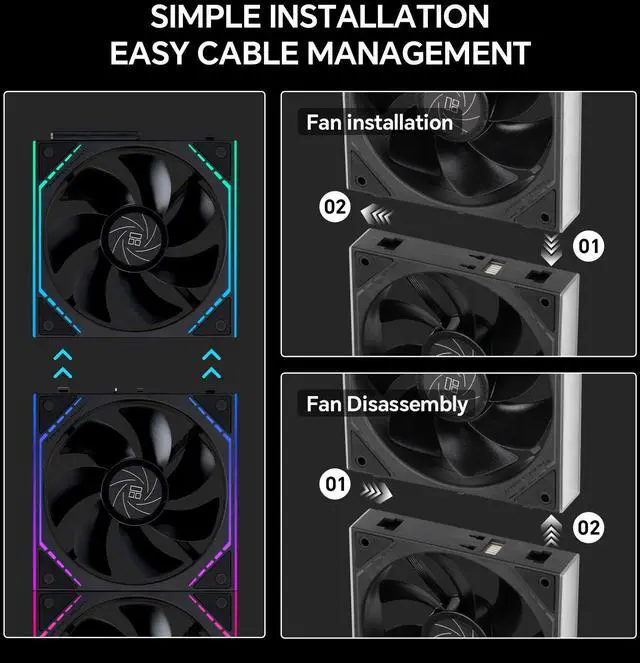
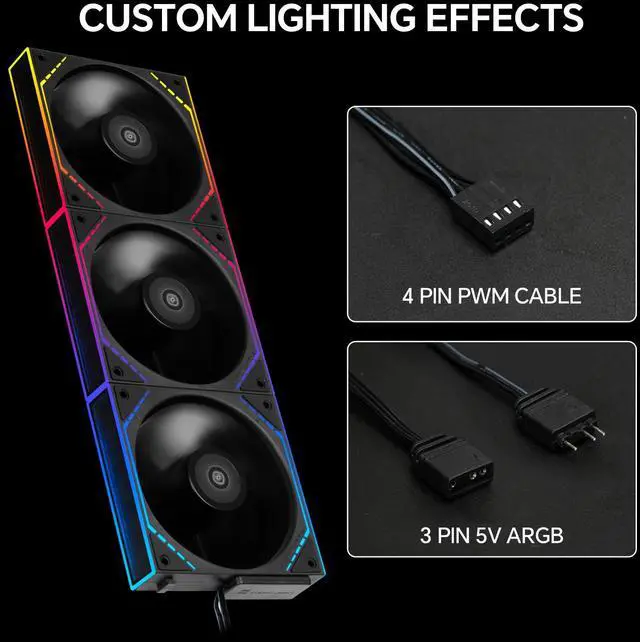
A: Yes. The fans use a daisy-chain design intended to simplify wiring, so a connected fan cluster requires fewer separate cables than individually wired fans. The product still uses a 4-pin PWM connection for fan control, and the ARGB lighting connection must also be connected to a compatible header or controller.
Q: Are these fans suitable for normal gaming PC airflow?
A: They are suitable for typical gaming PC case ventilation and can also be used with compatible CPU coolers or liquid-cooling radiators. Each fan is rated for up to 47.6 CFM airflow, 1.31 mm H2O static pressure, and 1500 RPM, making them a balanced general-purpose option rather than an extreme high-speed cooling fan.
Q: How quiet are these fans during regular use?
A: The listed maximum noise level is 23.2 dBA, with motherboard-controlled PWM speed adjustment. Because the fans can automatically vary speed based on system temperature, they may run more quietly at light workloads and reach higher noise levels when operating near their 1500 RPM maximum.
Q: Can I use these fans as intake or exhaust fans?
A: Yes. They can be installed in 120mm case positions as either intake or exhaust fans. The reverse-blade design is especially relevant when the desired airflow direction and visible lighting side both matter, but the case layout should determine the final mounting position.
Q: Are the Thermalright TL-M12QR fans mainly for intake, and which way should they be installed?
A: Yes. The reverse-blade TL-M12QR is generally chosen for intake positions such as the front, side, or bottom of a case because it preserves the preferred visible fan side while reversing airflow. Confirm the airflow arrow on the fan frame before installation, since case layouts vary.
Q: What is the main trade-off between the TL-M12QR reverse-blade fans and standard TL-M12Q fans?
A: The reverse-blade model has a maximum speed of 1500 RPM, while community discussions commonly identify the standard version as reaching about 2000 RPM. Choose the TL-M12QR for reverse airflow and appearance; choose the standard model when higher maximum airflow or exhaust performance is the priority.
Q: Can the TL-M12QR fans be daisy-chained to reduce cable clutter?
A: Yes. The product is designed for linked installation, allowing one cable per fan cluster rather than a separate cable for every fan. Thermalright also provides an installation guide covering the TL-M12Q and TL-M12QR family. Verify the included connectors and motherboard or controller compatibility before building a larger chain.
Q: Can standard TL-M12Q fans and reverse-blade TL-M12QR fans be used together?
A: Community discussion indicates that the standard and reverse-blade versions can be connected together, but they have different maximum speeds. Mixed sets are therefore practical for matching intake and exhaust positions, although the fans will not operate at identical speed ranges.
Q: Who should buy the TL-M12QR X3 three-pack?
A: It is best suited to PC builders who need three 120 mm case fans, want reverse-blade intake airflow, and value linked installation and ARGB mirror lighting. It is less suitable when maximum static pressure, higher RPM, or individually configurable lighting behavior is more important than appearance and cable reduction.


