




 here!
here!
I’m your shopping assistant for PC builds, upgrades, and everything tech.
Got questions? Ask away!
Start a conversation
here!
I’m your shopping assistant for PC builds, upgrades, and everything tech.
Got questions? Ask away!
Start a conversation



Any questions? Ask CelesteSM will help you find out quickly.
TL-M12Q-S X3 SPECIFICATION:
Dimension:L124 mm x W120 mm x H25 mm
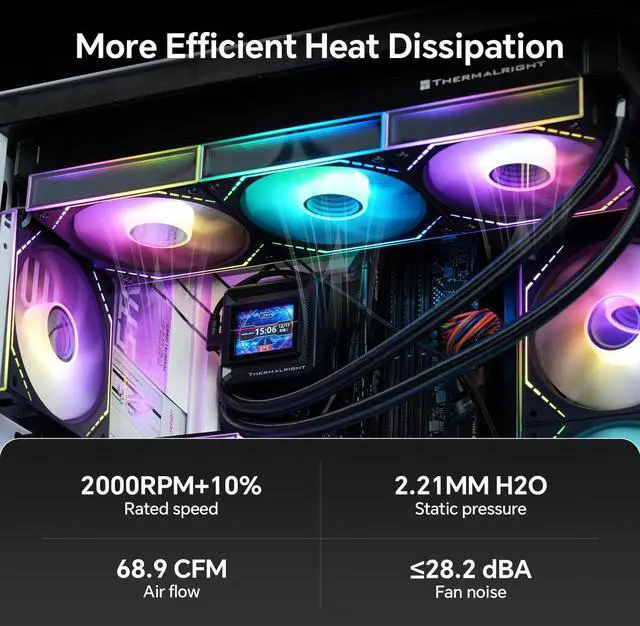
Rated Speed:2000 RPM±10% (MAX)
Noise Level:28.2 dBA (MAX)
Air Flow:68.9 CFM (MAX)
Air Pressure:2.21 mm H2O (MAX)
Ampere:0.17 A
Connector:4 PIN PWM
ARGB Connector:3 PIN 5V
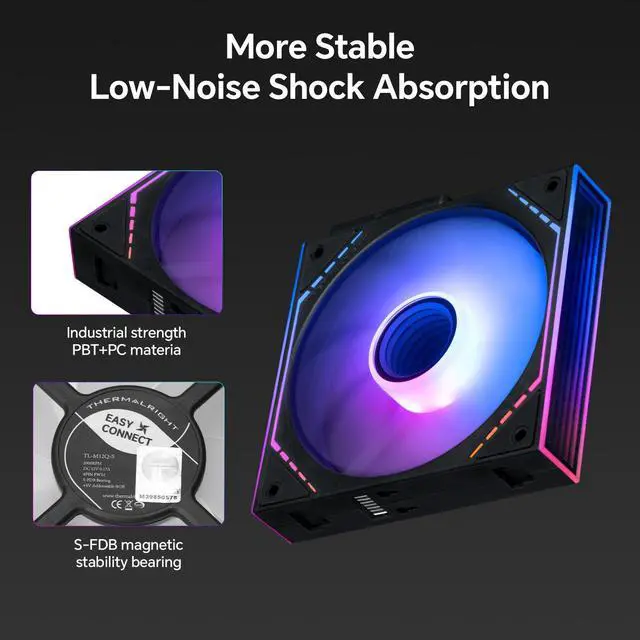
Bearing Type:S-FDB Bearing<
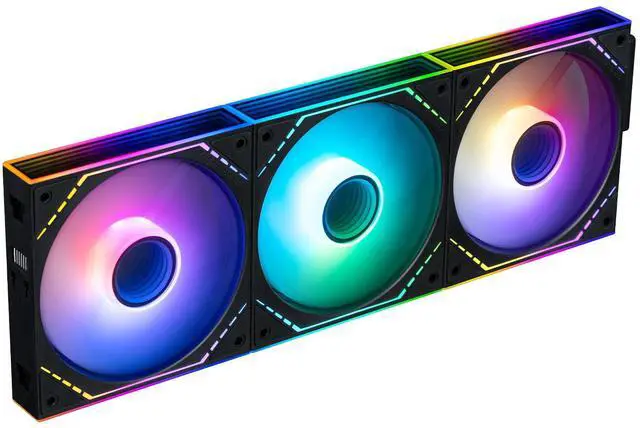
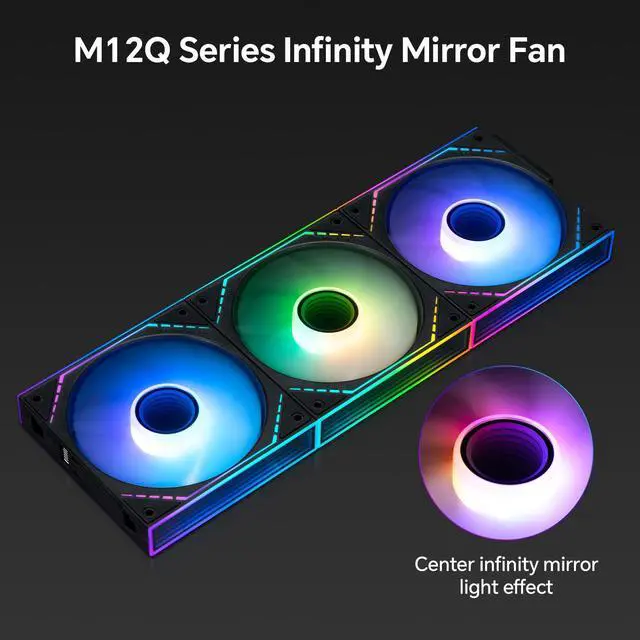
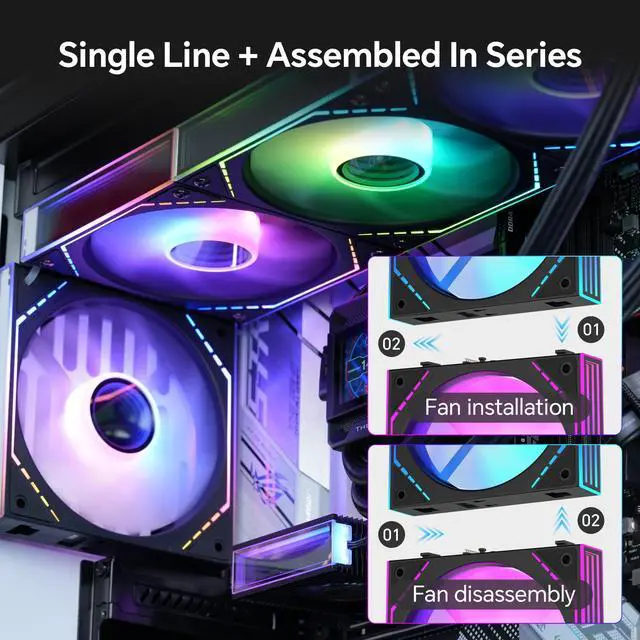
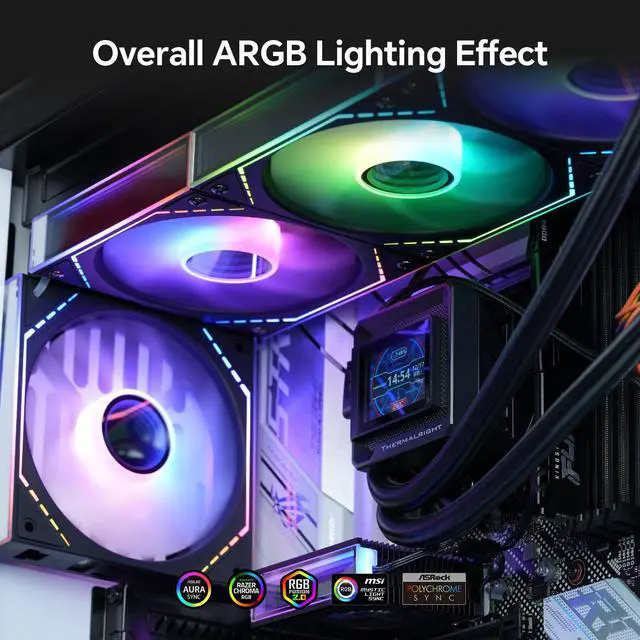
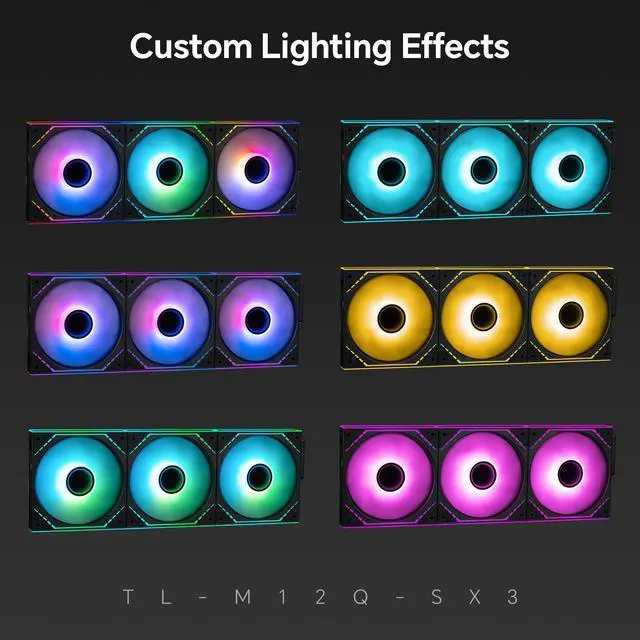
The Thermalright TL-M12Q-S X3 is a 3-pack of 120mm ARGB PC case fans with 2000 RPM PWM control, 68.9 CFM airflow, and 2.21 mm H2O air pressure. It suits gaming PC builders and enthusiasts who want strong case, CPU cooler, or liquid-cooling airflow with synchronized infinity-mirror lighting and simplified daisy-chain cabling.
| Attribute | Value |
|---|---|
| Best For | Desktop PC cases that need a three-fan air-cooling setup with standard airflow orientation and 4-pin fan connectivity |
| Airflow And Acoustics | Air cooling with airflow up to 68.9 CFM, static pressure up to 2.21 mm H2O, maximum speed of 2000 RPM ±10%, and maximum noise of 28.2 dBA |
| Size And Construction | 25 mm-thick plastic fans measuring 124 x 120 x 25 mm, using S-FDB bearings |
| Power And Connectivity | 4-pin power connection with a listed power draw of 0.17 W |
| Pack Contents | One package containing three TL-M12Q-S X3 case fans |
| Appearance | Black fan housing |
| Model Identifiers | Thermalright TL-M12Q series, part number TL-M12Q, with package model TL-M12Q-SX3 |
Q: Should I buy the Thermalright TL-M12Q-S X3 or Arctic P12 Pro for a performance-focused PC?
A: Choose the TL-M12Q-S X3 when you want ARGB lighting, infinity-mirror styling, and linked fan installation with solid case-airflow performance. Choose the Arctic P12 Pro when radiator or heatsink performance is the priority: it is rated for up to 3,000 RPM, 77 CFM, and 6.9 mmH2O of static pressure, compared with 2,000 RPM, 68.9 CFM, and 2.21 mmH2O for the TL-M12Q-S. ([thermalright.com](https://www.thermalright.com/product/tl-m12q-s-x3/?utm_source=openai))
Q: Is the TL-M12Q-S X3 worth choosing over the cheaper Thermalright TL-C12C-S X3?
A: The TL-M12Q-S X3 is the better choice when you want higher fan speed, stronger rated static pressure, infinity-mirror lighting, and a linked multi-fan design. The TL-C12C-S X3 is suitable for straightforward case ventilation and quieter low-speed operation, with ratings of 1,550 RPM, 66.17 CFM, 1.53 mmH2O, and 25.6 dBA versus 2,000 RPM, 68.9 CFM, 2.21 mmH2O, and 28.2 dBA for the TL-M12Q-S. ([thermalright.com](https://www.thermalright.com/product/tl-m12q-s-x3/?utm_source=openai))
Q: How does the TL-M12Q-S X3 compare with the regular Thermalright TL-M12Q?
A: The TL-M12Q-S X3 is the better choice if you want illuminated fan blades in addition to the infinity-mirror frame. The regular TL-M12Q is the better fit if you prefer a more restrained lighting layout while keeping the same general 120 mm linked-fan concept. Community discussions identify the S variant as the blade-lit version, while the standard M12Q focuses its lighting around the frame and mirror areas. ([reddit.com](https://www.reddit.com/r/buildapc/comments/1q7sr2t/which_case_cooler_fans_should_i_go_for/?utm_source=openai))
Q: Is the TL-M12Q-S X3 a good alternative to Lian Li UNI FAN SL-INF fans?
A: Choose the TL-M12Q-S X3 when you want a similar linked-fan and infinity-mirror concept with standard 4-pin PWM and 5V ARGB connections. Choose the Lian Li UNI FAN SL-INF when you specifically want L-Connect software, an included controller, broader controller-based lighting management, or Lian Li ecosystem integration. The Lian Li fan has a higher rated static pressure of 2.66 mmH2O, while the Thermalright model is rated for higher maximum airflow at 68.9 CFM versus 61.3 CFM for the original SL-INF 120. ([thermalright.com](https://www.thermalright.com/product/tl-m12q-s-x3/?utm_source=openai))
Q: Should I use the TL-M12Q-S X3 for a radiator or only as a case fan?
A: The TL-M12Q-S X3 can be used on a radiator because it has a 4-pin PWM connection and a 2.21 mmH2O maximum static-pressure rating, but it is primarily a balanced case-fan choice. For dense radiators or a performance-first cooling setup, a higher-pressure fan such as the Arctic P12 Pro provides more rated static pressure and a wider speed range. For general intake, exhaust, or an RGB-focused build, the Thermalright kit offers a more integrated lighting and cable-management design. ([thermalright.com](https://www.thermalright.com/product/tl-m12q-s-x3/?utm_source=openai))
Q: Will these fans work with my PC case and motherboard?
A: They are suitable for cases with standard 120 mm fan mounting positions and a compatible 4-pin PWM fan header. The ARGB lighting requires a compatible 5V 3-pin ARGB header or controller; check the motherboard and case manuals before purchase.
Q: Can all three fans be controlled from one motherboard connection?
A: The product is designed for ARGB daisy-chaining and simplified cable management, with one cable required per fan cluster according to the product description. Confirm the included connector arrangement and ensure the motherboard header can safely support the connected fans.
Q: Are these fans suitable for a CPU cooler or radiator, not just a case?
A: Yes. Their 2.21 mm H2O maximum static pressure and 68.9 CFM maximum airflow make them suitable for case ventilation and compatible CPU air coolers or liquid-cooling radiators, provided the cooler supports 120 mm fans. Actual cooling performance depends on radiator or heatsink resistance and fan speed.
Q: How quiet are these fans at normal use and maximum speed?
A: The listed maximum noise level is 28.2 dBA at up to 2,000 RPM, so noise will generally increase as the motherboard raises fan speed. PWM control allows the system to reduce speed during light workloads, but noise can be more noticeable when the fans operate near maximum speed.
Q: Who should buy this three-fan kit?
A: It is best suited to desktop PC builders who need three standard 120 mm fans, want motherboard-controlled PWM speed, and value integrated ARGB infinity-mirror lighting with reduced cable clutter. It is not intended for laptops or systems without suitable 120 mm mounting space and compatible fan or ARGB connections.
Q: Does the TL-M12Q-S make cable management easier?
A: Yes. Its Q-series quick-connect design is intended to link fans in a cluster, reducing the number of visible cables. The product still requires compatible PWM and 3-pin ARGB connections or a suitable controller.
Q: Are these fans a good choice for a radiator or AIO?
A: They are physically suitable for 120 mm radiators and provide up to 2.21 mm H2O of static pressure, but Reddit discussions suggest that fans specifically designed for radiator use may perform better for radiator-focused cooling. They are a reasonable choice when appearance and general-purpose airflow also matter.
Q: Are the TL-M12Q-S fans quiet enough for a gaming PC?
A: They can be reasonably quiet at moderate fan speeds, but they are not silent at the 2,000 RPM maximum. The rated maximum noise level is 28.2 dBA, and one user described the sound at high load as mainly airflow noise. Actual noise depends on the fan curve, case, and system airflow.
Q: Can the fan blades and infinity-mirror lighting display different RGB colors?
A: Community discussion indicates that the fan blades and mirror lighting share the same LED source, so they cannot generally be controlled as two independent color zones. The fans use addressable RGB for motherboard or controller-based lighting control.
Q: Where should I use the standard TL-M12Q-S fans in a case?
A: Standard-flow fans are typically used for rear or top exhaust, while reverse-flow versions are preferred for bottom or side intake when you want the illuminated side facing inward. This model is therefore best suited to exhaust positions or intake positions where the fan’s support-strut side is acceptable visually.


