here!
I’m your shopping assistant for PC builds, upgrades, and everything tech.
Got questions? Ask away!
Start a conversation
here!
I’m your shopping assistant for PC builds, upgrades, and everything tech.
Got questions? Ask away!
Start a conversation




Any questions? Ask CelesteSM will help you find out quickly.
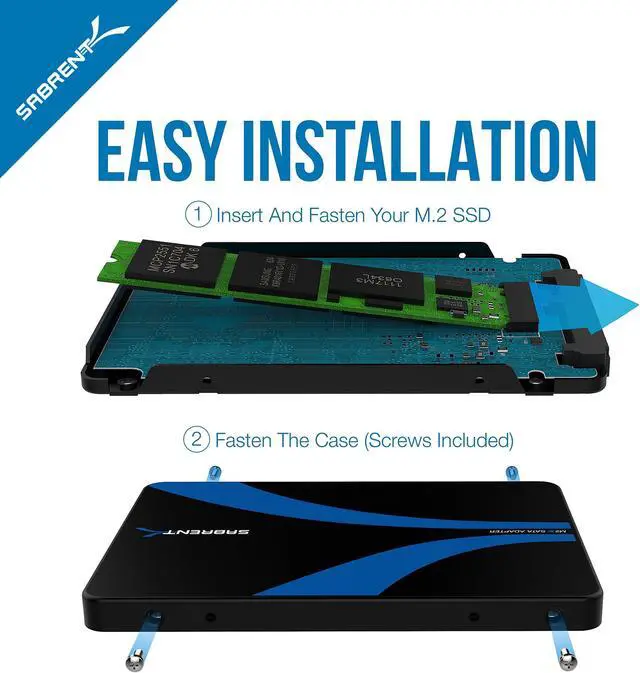
EASY INSTALLATION
1 - Insert And Fasten Your M.2 SSD / 2 - Fasten The Case (Screws Included)
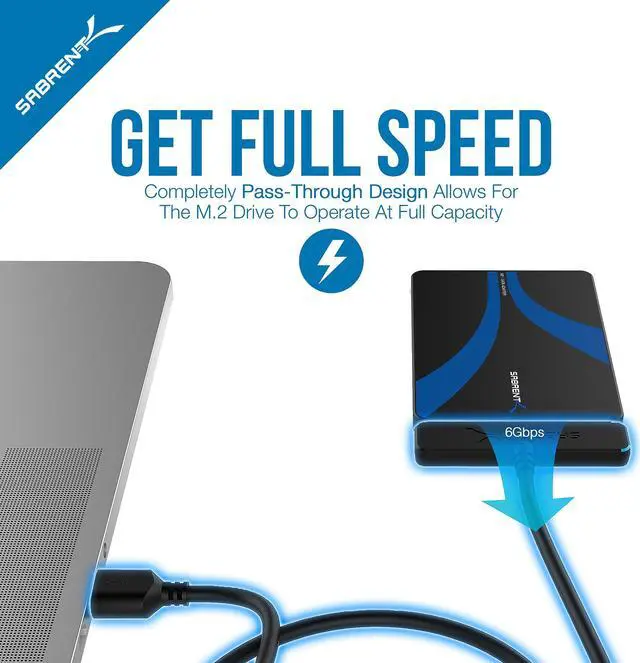
GET FULL SPEED
Pass-Through Design Allows For The M.2 Drive To Operate At Full Capacity
MAXIMUM PROTECTION
Aluminum Enclosure Provides Added Protection
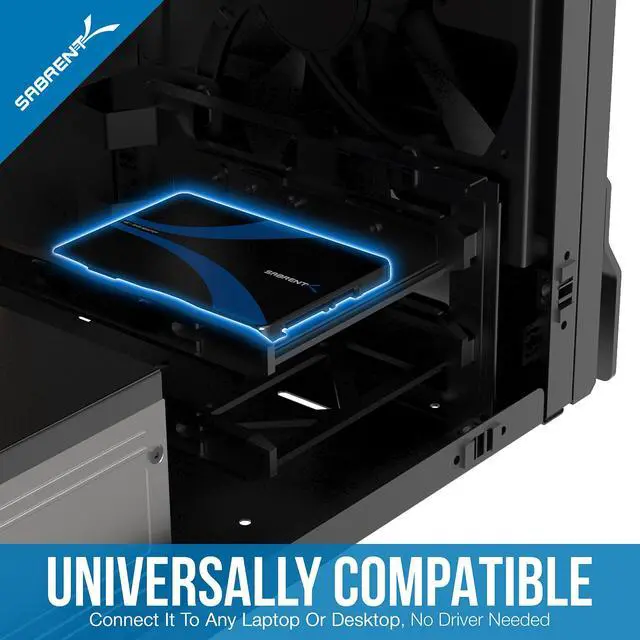
UNIVERSALLY COMPATIBLE
Connect It To Any Laptop Or Desktop, No Driver Needed
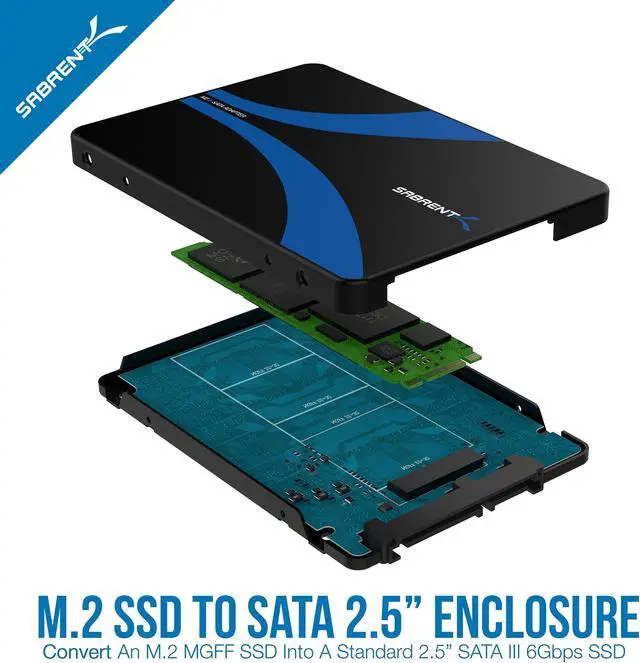
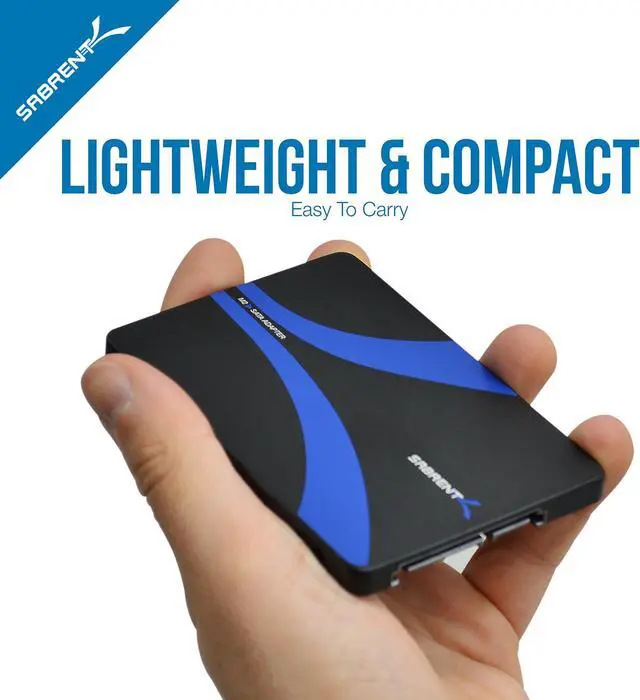
The SABRENT EC-M2SA is an aluminum enclosure adapter that converts a SATA M.2 (NGFF) SSD into a standard 2.5-inch SATA III 6Gbps drive, suited to users adapting a compatible M.2 SSD for a 2.5-inch SATA connection.
| Attribute | Value |
|---|---|
| Best For | Adapting one M.2 (NGFF) drive for use in a 2.5-inch SATA setup with a desktop or laptop |
| Drive Compatibility And Connectivity | M.2 (NGFF) internal interface with SATA connectivity; listed hardware interface is SATA 3.0 Gb/s and listed data transfer rate is 600 Megabits Per Second |
| Enclosure And Dimensions | Aluminum enclosure in black; measures 5.12 × 5.12 × 1.18 inches and weighs 40 grams |
| Included Accessories | Screws, screwdriver, and user manual |
| Model Identifiers | SABRENT EC-M2SA |
Q: Sabrent EC-M2SA vs. EC-M2MC: which is better for using an M.2 SATA SSD in a 2.5-inch drive bay?
A: Choose the Sabrent EC-M2SA when you want to install an M.2 SATA SSD as a standard 2.5-inch SATA drive. The EC-M2SA connects through SATA III and has an enclosed aluminum housing.
Q: Should I get the Sabrent EC-M2SA or EC-M2MC for a portable M.2 SATA drive?
A: Choose the Sabrent EC-M2MC for a pocket-sized external USB 3.0 enclosure, with speeds listed up to 5 Gbps. Choose the EC-M2SA when you want the drive in a 2.5-inch SATA form factor for a SATA connection.
Q: Sabrent EC-M2SA vs. EC-SNVE: which should I choose for an M.2 SSD?
A: Choose the EC-M2SA to convert an M.2 SATA SSD into a 2.5-inch SATA drive. Choose the EC-SNVE for an external USB-C enclosure that supports M.2 SATA and NVMe SSDs and lists USB 3.2 speeds up to 10 Gbps.
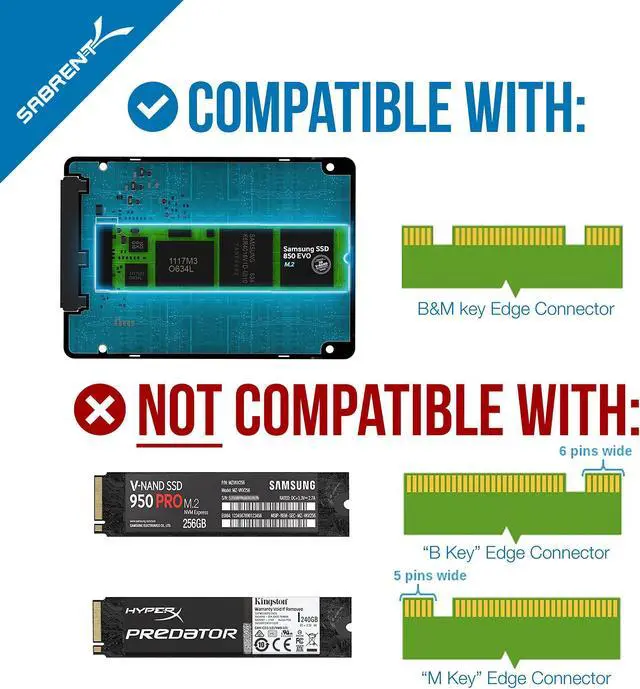
Q: Will this adapter work with an M.2 NVMe SSD?
A: No. It supports M.2 SATA (NGFF) SSDs only; M.2 NVMe PCIe drives are not supported. Check your SSD’s interface before buying.
Q: Can I use it in a standard 2.5-inch SATA drive bay?
A: Yes. It converts a compatible M.2 SATA (NGFF) SSD into a standard 2.5-inch SATA III drive for use with a SATA connection. The listed interface supports SATA III up to 6Gbps.
Q: Will it fit every M.2 SATA SSD?
A: Not necessarily. The product information does not specify supported M.2 drive lengths, so check your SSD’s physical size and connector compatibility before buying.
Q: Can I connect it directly to a computer over USB?
A: The listed adapter converts M.2 SATA to a 2.5-inch SATA connection; USB is not listed as an interface. Use it with a compatible SATA connection rather than treating it as a USB enclosure.
Q: Does the SABRENT EC-M2SA work with an M.2 NVMe SSD?
A: No. It is for M.2 SATA (NGFF) SSDs and does not support NVMe/PCIe drives. Check the SSD’s interface before buying; the M.2 shape alone does not establish compatibility.
Q: Can I use it to put an M.2 SATA SSD in a standard 2.5-inch SATA drive bay?
A: Yes, if the M.2 drive is SATA/NGFF rather than NVMe. The adapter converts a compatible M.2 SATA SSD to a 2.5-inch SATA connection, making it suitable for a system with a compatible 2.5-inch SATA bay and connection.
Q: Are there fitment issues to consider before buying?
A: One Reddit discussion reports that the cover pressed against the SSD and that the drive sat at an angle when fastened. This is an individual report, not evidence that every unit has the issue; check that your drive fits the enclosure properly during installation.