






Use TIPS
Q: How do I turn the alarm on?A: Double-press the Alarm button to turn on Alarm 1. Double-press it again to turn on Alarm 2. Double-press again to turn on both alarms. Double-press once more to turn all alarms off.
Q: How do I set the alarm time?A: Press the Alarm button once, and the hour digits will start flashing. Rotate the center knob to set the hour. Press the Alarm button again to set the minutes. Press it once more to switch to Alarm 2 time setting.
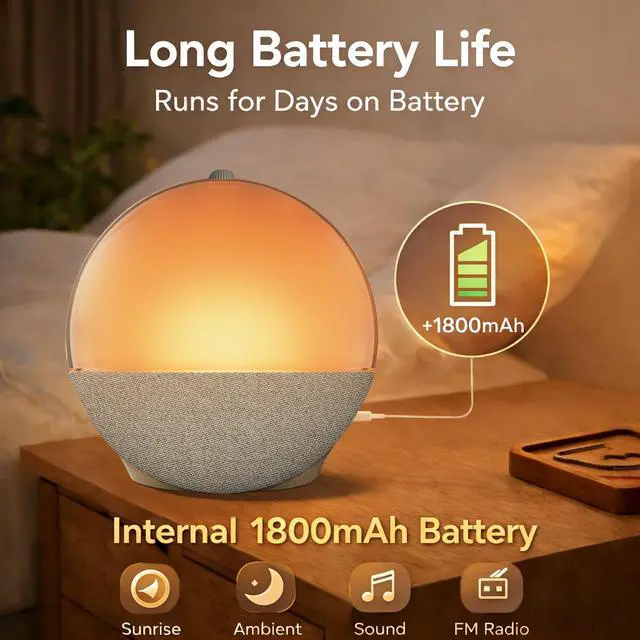
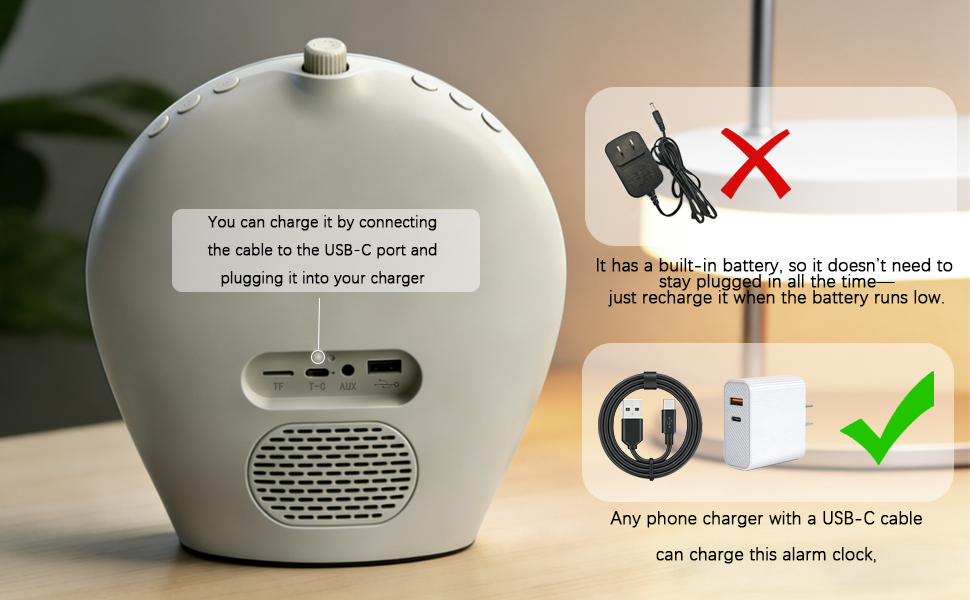
Q: How do I charge this alarm clock? A: You can charge it using your phone charger and charging cable. The package also includes a short USB-C charging cable
How to Set Your Wakeup Alarm
USE TIPS Alarm Button Operations: Single Press/ Double Press/ Press and Hold
Q: What settings are available when I press and hold the Alarm button?A: Press and hold the Alarm button to enter the settings menu:
- FM Frequency Setting – Rotate the center knob to adjust the radio frequency.
- Alarm Sound Setting – Press the Alarm button again to enter alarm sound selection. Rotate the center knob to choose:S01 = Built-in Sound 1 S02 = Built-in Sound 2 S03 = Preset FM radio station
- Alarm Volume Setting – Press again to set the alarm volume. Rotate the knob to select levels 1–10.
- Alarm Light Setting – Press again to choose the alarm light mode. Rotate the knob to select:L01 = Sunrise Light L02 = White Light L03 = Color-Changing RGB Light
- Snooze Time Setting – Press again to set the snooze duration. Rotate the knob to choose 1–30 minutes.
Q: How do I set the sleep timer?A: Double-press the center knob, then rotate it to select the desired sleep timer. After setting, press the center knob once to confirm and exit. The sleep countdown will begin immediately.
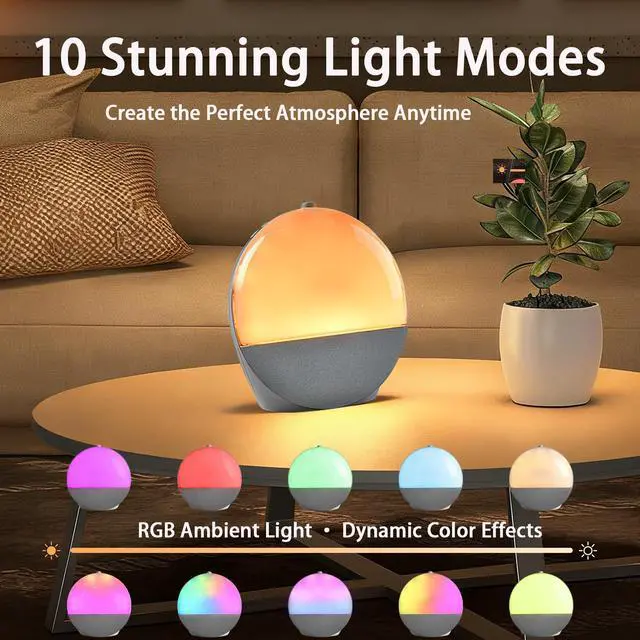
10 Color Modes to Match Every Mood
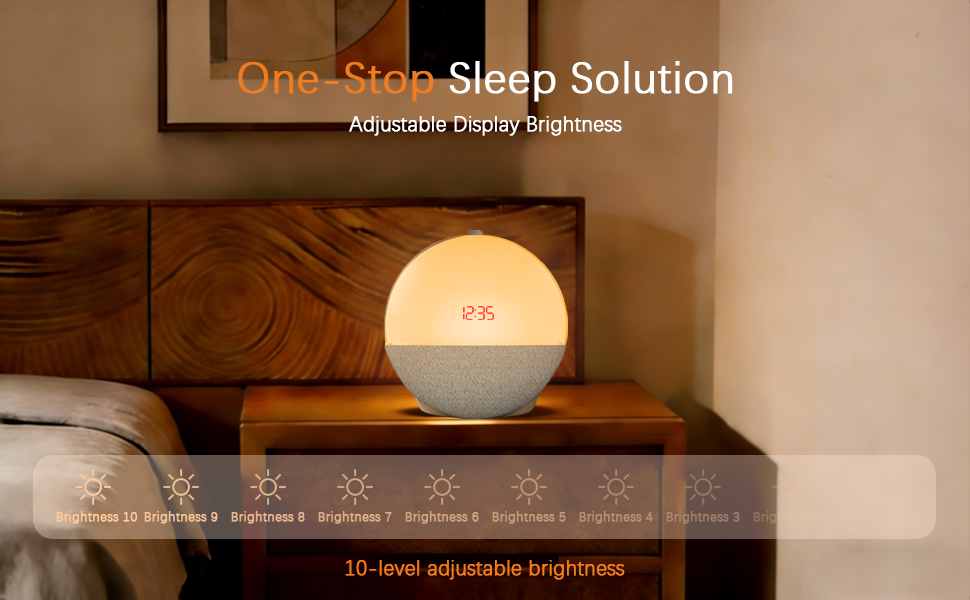
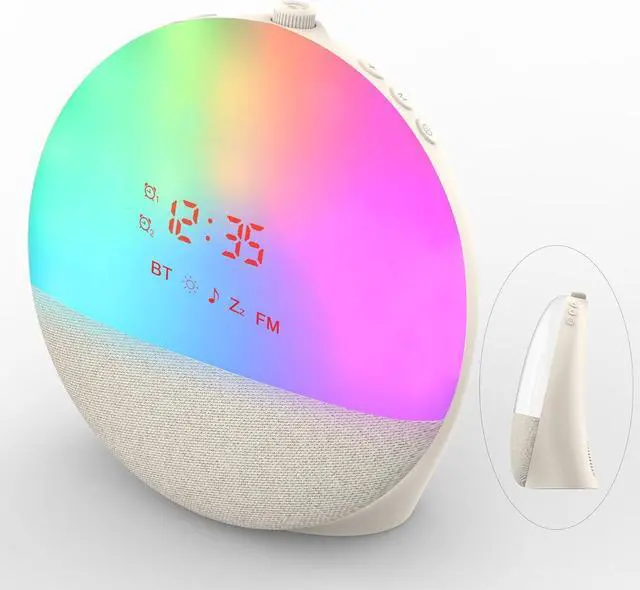
Use it as a warm bedside night light or choose from rich blues, greens, yellows, oranges, reds, and purples. Switch between soft static glow or dynamic multi-color blending that flows smoothly across your space, creating an immersive atmosphere that moves with you.
Q: How do I adjust the light settings?A: Press the Light button (the far-right button) once to turn on the light. Keep pressing it to switch between the 10 lighting effects. Rotate the center knob to adjust the brightness, with 10 brightness levels available. Press and hold the Light button to exit the lighting mode.
Take It Easy with Bluetooth Music Streaming FM Radio
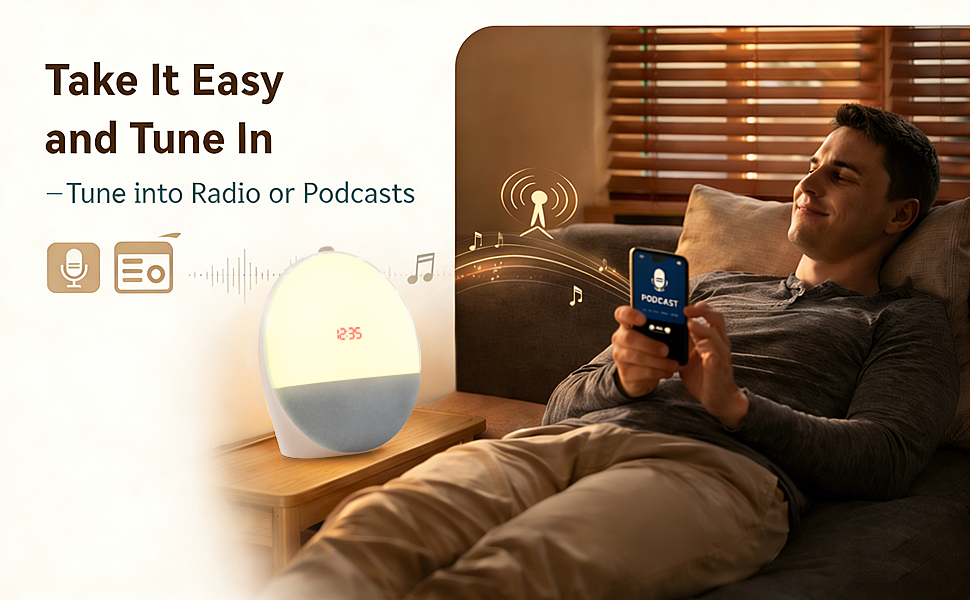
More Than an Alarm — A Complete Sound System
Enjoy Bluetooth music streaming, FM radio, USB drive playback, AUX input, or TF card expansion. Dual speakers deliver clear, balanced sound that fills your bedroom with warmth and depth. Powered by modern Type-C charging for everyday convenience.
The M button has three functions: white noise, radio, and Bluetooth music.
- First press: Turns on white noise
- Second press: Switches to radio mode
- Third press: Switches to Bluetooth music
White Noise Mode: After turning it on, long press the Volume + / – buttons to switch between different sound options.
Radio Mode: Once activated, press the center knob to automatically search for available radio stations.
Bluetooth Mode: The Bluetooth name of the device is “X-2566.” Simply turn on your phone’s Bluetooth and connect to it.
Double press the Alarm button to turn on Alarm 1. Double press it again to turn on Alarm 2. Double press once more to turn on both alarms. Double press again to turn off the alarm mode.
8 White Noise Sound
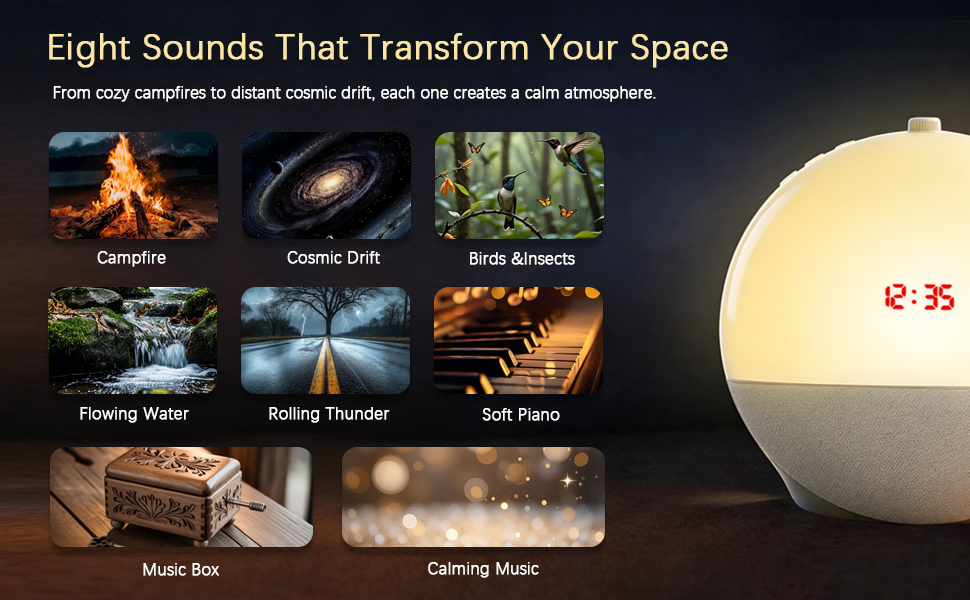
Eight Sounds to Match Every Mood
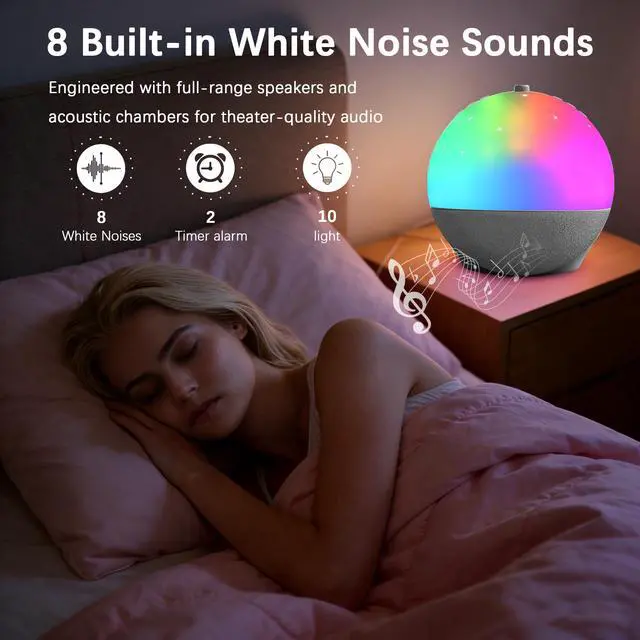
Fall asleep to crackling campfires, drifting cosmic tones, gentle rain and flowing water, birds and insects at dawn, soft piano, music box melodies, rolling thunder, or calming ambient music—each sound designed to quiet your mind and ease you into rest or wake you peacefully.
Not Just an Alarm Clock

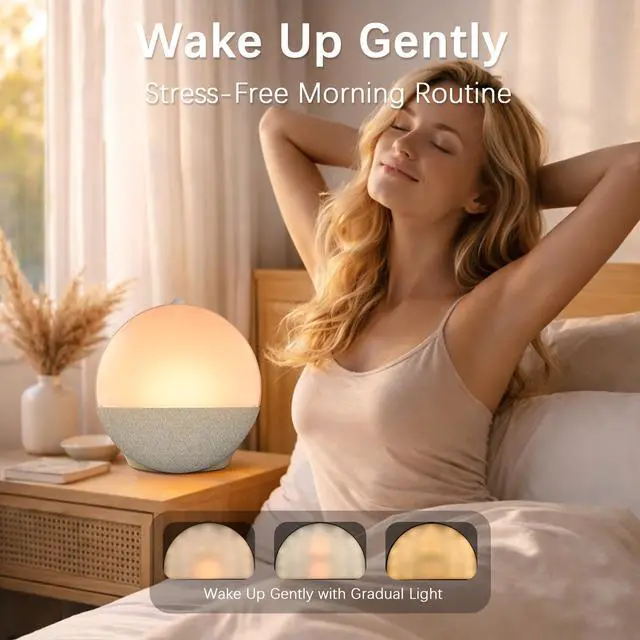
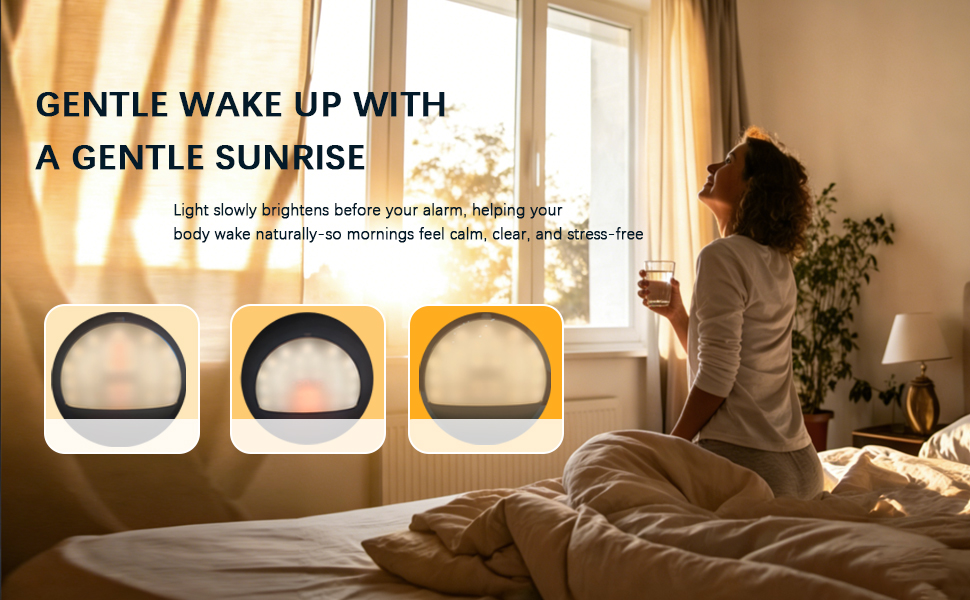
Wake up naturally with a simulated sunrise light that gradually brightens your room, helping your body wake up gently and feel refreshed. Enjoy your favorite music with the built-in Bluetooth speaker, relax with soothing white noise, or create a calming atmosphere using the soft ambient night light. Designed to improve both how you fall asleep and how you wake up — making every morning easier and every night more relaxing.

LEEBICHEN is committed to offer each user with the better products and services
If you are not sure how to get your rechargeable sunrise alarm clock to work properly.
If you have any questions about our products or services.
Please reach out to us, we will provide professional help to solve all your problems
What's in the package?
- 1× sunrise alarm clock
- 1×Usb-C Cable
- 1×User Manual
Use TIPS
Q: How do I turn the alarm on?A: Double-press the Alarm button to turn on Alarm 1. Double-press it again to turn on Alarm 2. Double-press again to turn on both alarms. Double-press once more to turn all alarms off.
Q: How do I set the alarm time?A: Press the Alarm button once, and the hour digits will start flashing. Rotate the center knob to set the hour. Press the Alarm button again to set the minutes. Press it once more to switch to Alarm 2 time setting.
Q: How do I charge this alarm clock? A: You can charge it using your phone charger and charging cable. The package also includes a short USB-C charging cable
How to Set Your Wakeup Alarm
USE TIPS Alarm Button Operations: Single Press/ Double Press/ Press and Hold
Q: What settings are available when I press and hold the Alarm button?A: Press and hold the Alarm button to enter the settings menu:
- FM Frequency Setting – Rotate the center knob to adjust the radio frequency.
- Alarm Sound Setting – Press the Alarm button again to enter alarm sound selection. Rotate the center knob to choose:S01 = Built-in Sound 1 S02 = Built-in Sound 2 S03 = Preset FM radio station
- Alarm Volume Setting – Press again to set the alarm volume. Rotate the knob to select levels 1–10.
- Alarm Light Setting – Press again to choose the alarm light mode. Rotate the knob to select:L01 = Sunrise Light L02 = White Light L03 = Color-Changing RGB Light
- Snooze Time Setting – Press again to set the snooze duration. Rotate the knob to choose 1–30 minutes.
Q: How do I set the sleep timer?A: Double-press the center knob, then rotate it to select the desired sleep timer. After setting, press the center knob once to confirm and exit. The sleep countdown will begin immediately.
10 Color Modes to Match Every Mood
Use it as a warm bedside night light or choose from rich blues, greens, yellows, oranges, reds, and purples. Switch between soft static glow or dynamic multi-color blending that flows smoothly across your space, creating an immersive atmosphere that moves with you.
Q: How do I adjust the light settings?A: Press the Light button (the far-right button) once to turn on the light. Keep pressing it to switch between the 10 lighting effects. Rotate the center knob to adjust the brightness, with 10 brightness levels available. Press and hold the Light button to exit the lighting mode.
Take It Easy with Bluetooth Music Streaming FM Radio
More Than an Alarm — A Complete Sound System
Enjoy Bluetooth music streaming, FM radio, USB drive playback, AUX input, or TF card expansion. Dual speakers deliver clear, balanced sound that fills your bedroom with warmth and depth. Powered by modern Type-C charging for everyday convenience.
The M button has three functions: white noise, radio, and Bluetooth music.
- First press: Turns on white noise
- Second press: Switches to radio mode
- Third press: Switches to Bluetooth music
White Noise Mode: After turning it on, long press the Volume + / – buttons to switch between different sound options.
Radio Mode: Once activated, press the center knob to automatically search for available radio stations.
Bluetooth Mode: The Bluetooth name of the device is “X-2566.” Simply turn on your phone’s Bluetooth and connect to it.
Double press the Alarm button to turn on Alarm 1. Double press it again to turn on Alarm 2. Double press once more to turn on both alarms. Double press again to turn off the alarm mode.
8 White Noise Sound
Eight Sounds to Match Every Mood
Fall asleep to crackling campfires, drifting cosmic tones, gentle rain and flowing water, birds and insects at dawn, soft piano, music box melodies, rolling thunder, or calming ambient music—each sound designed to quiet your mind and ease you into rest or wake you peacefully.
Not Just an Alarm Clock
Wake up naturally with a simulated sunrise light that gradually brightens your room, helping your body wake up gently and feel refreshed. Enjoy your favorite music with the built-in Bluetooth speaker, relax with soothing white noise, or create a calming atmosphere using the soft ambient night light. Designed to improve both how you fall asleep and how you wake up — making every morning easier and every night more relaxing.
LEEBICHEN is committed to offer each user with the better products and services
If you are not sure how to get your rechargeable sunrise alarm clock to work properly.
If you have any questions about our products or services.
Please reach out to us, we will provide professional help to solve all your problems
What's in the package?
- 1× sunrise alarm clock
- 1×Usb-C Cable
- 1×User Manual