

Your Browsing History
- $22.99
- Free 30-day Returns


Meet Your Seller


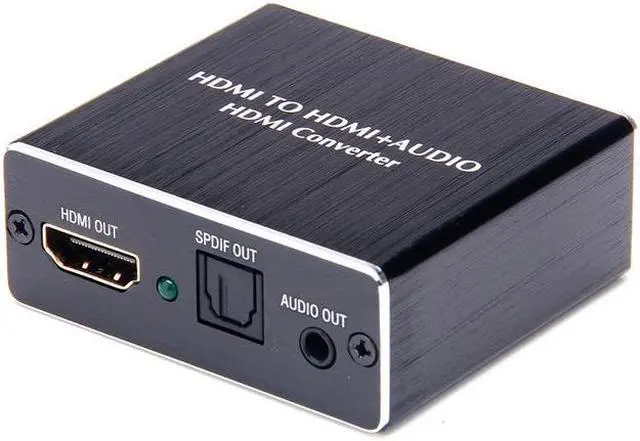
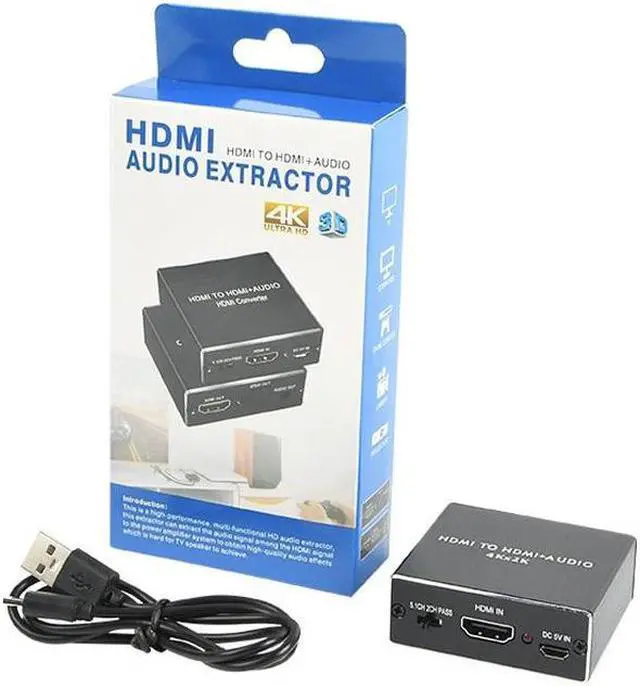


HDMI Audio Extractor 4K HDMI to Optical 3.5mm AUX Audio Adapter Splitter Converter Supports HDCP Dolby Digital DTS 5.1 PCM
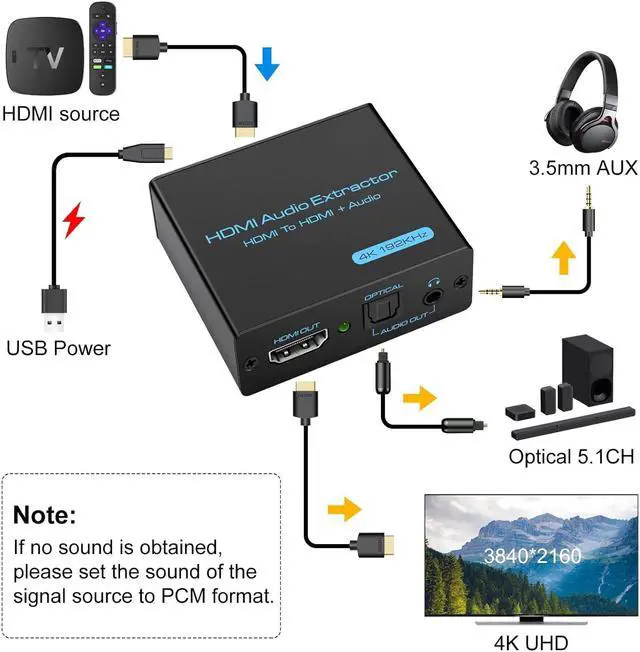
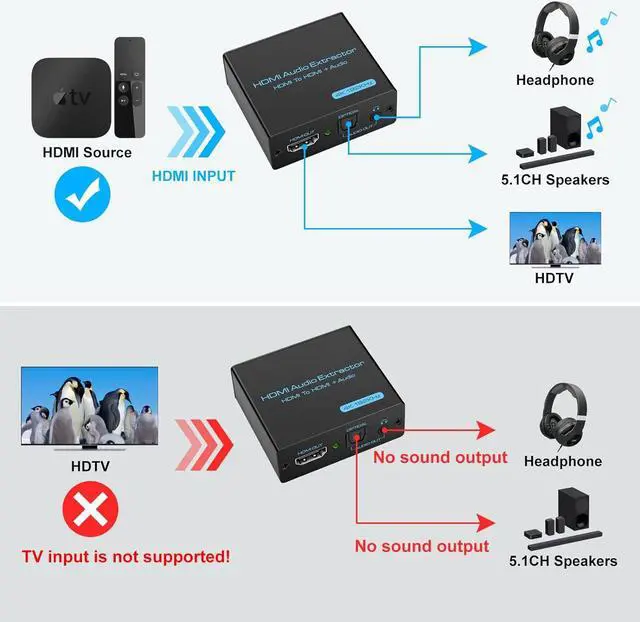
- HDMI Audio ExtractorThe HDMI audio extractor can extract audio from HDMI signal and transmit it to AV receiver through optical or 3.5mm Cable.(Note: Devices do not support ARC and eARC.TV is not supported as the input source, and the power amplifier headphones get the sound of TV.)
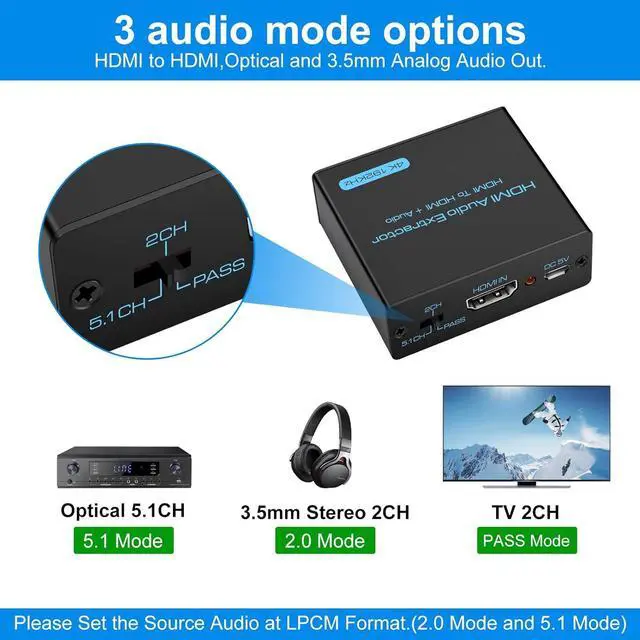
- 3 modes2.0CH, 5.1CH and PASS mode. Select 3.5mm stereo output, please use 2.0CH mode. Select optical output, please use 5.1CH mode. When you use the first and two modes and find that no audio and video signal is output, use the pass mode.(Note:If no sound is obtained, please set the sound of the signal source to PCM format.)
- 4K Ultra-HD with HDMI 1.4VHDMI audio converter up to 10.2G bandwidth, support HDCP1.4,4K@60Hz(420),4K@30Hz RGB / YUV4:4:4 Ultra high definition image quality. The optical output supports Dolby/DTS 5.1. The 3.5mm output supports PCM2.0. The audio splitter does not support 7.1 channels.
- Low energy consumptionHDMI audio splitter has a low energy consumption.
+
+
Overview
Specs
Reviews

Any questions? Our AI mode will help you find out quickly.
Try me now
The HDMI audio extractor can extract audio from HDMI signal and transmit it to AV receiver through optical or 3.5 mm
Cable. (Note: Devices do not support ARC and eARC. TV is not supported as the input source, and the power amplifier headphones get the sound of TV. )Our Audio Extractor can't decode these audio formats, so please set audio format on HDMI Source to PCM/ LPCM audio format.
3KINDS MODES
2.0CH, 5.1CH and PASS mode. Select 3.5 mm stereo output, please use 2.0CH mode. Select optical output, please use 5.1CH mode. When you use the first and two modes and find that no audio and video signal is output, use the pass mode. (Note: If no sound is obtained, please set the sound of the signal source to PCM format. )
Cable. (Note: Devices do not support ARC and eARC. TV is not supported as the input source, and the power amplifier headphones get the sound of TV. )Our Audio Extractor can't decode these audio formats, so please set audio format on HDMI Source to PCM/ LPCM audio format.
3KINDS MODES
2.0CH, 5.1CH and PASS mode. Select 3.5 mm stereo output, please use 2.0CH mode. Select optical output, please use 5.1CH mode. When you use the first and two modes and find that no audio and video signal is output, use the pass mode. (Note: If no sound is obtained, please set the sound of the signal source to PCM format. )
Warranty & Returns
Warranty, Returns, And Additional Information
Warranty
- Please contact the Seller directly for warranty information. Warranty information may also be found on the Manufacturer's website.
- CONTACT
Return Policies
- Return for refund within: 30 days
- Return for replacement within: 30 days
- This item is covered by etruston008 Return Policy
Manufacturer Contact Info
- For a directory of all our manufacturers, please click below.
- Manufacturers Directory
LOADING...