
Your Browsing History






Any questions? Our AI beta will help you find out quickly.
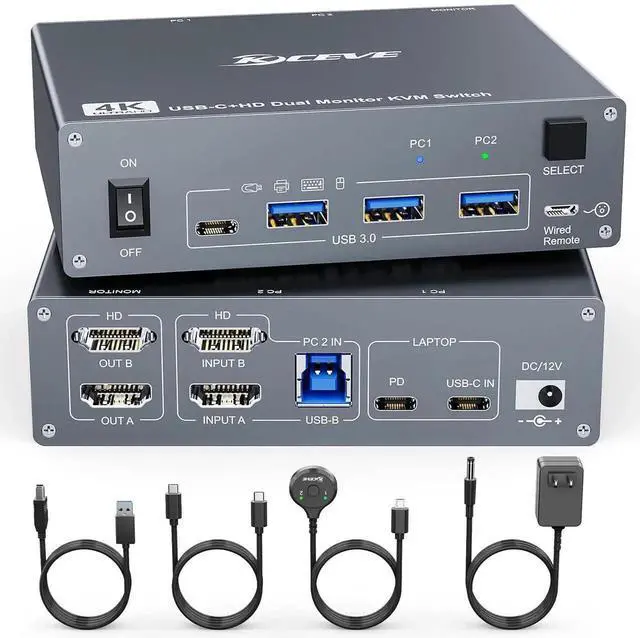
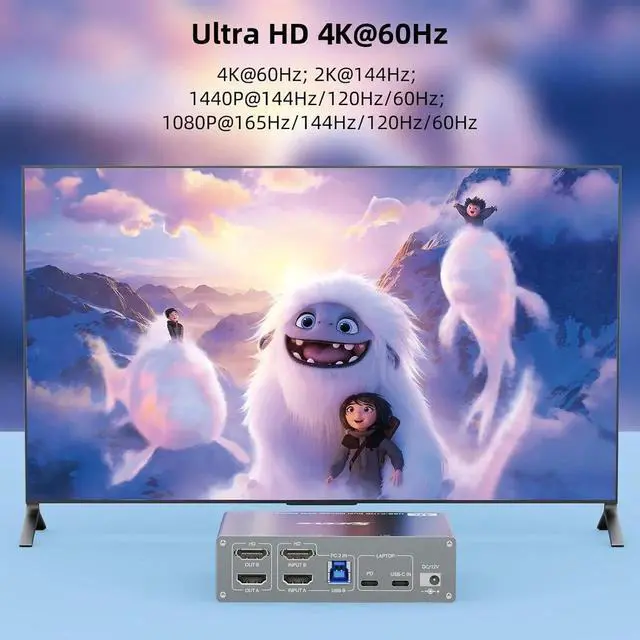
Support 60W PD Fast ChargingDesigned with PD charging port to give enough power for your laptop during using. This is a very stable 2 monitors USB C KVM switch. KVM switch laptop desktop supports the follow resolutions, 4k@60Hz, 2560x1440@/120hz/60hz, 1920x1440@144hz/120hz/60hz, etc. Real test support 60W charging, but some product page stress it support 100w is not the real data.
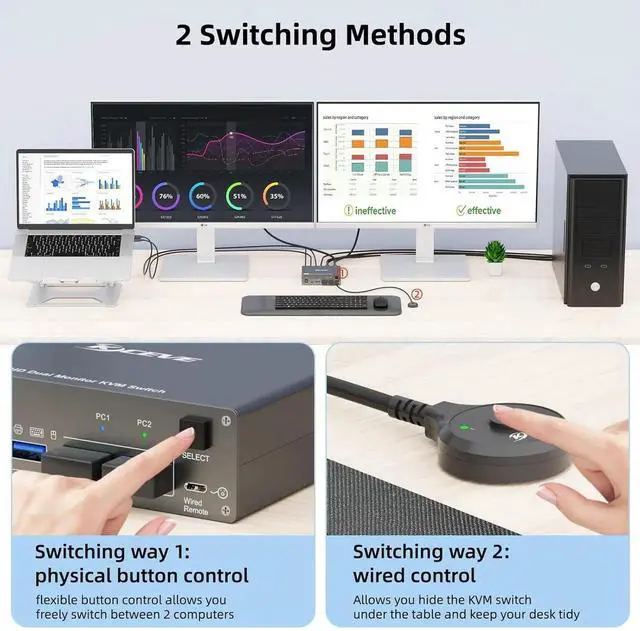
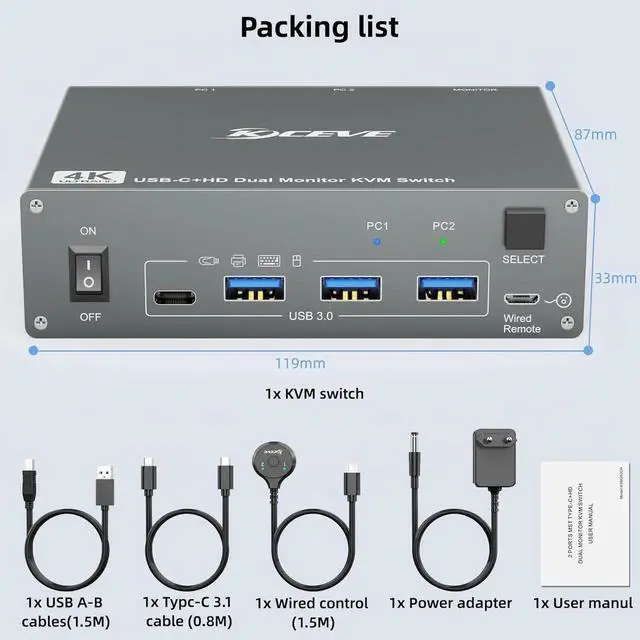
Support 2 Switching ModeThis Type-C USB-C 2 monitors 2 computers KVM switch support physical button and wired control. The wired control is upgraded, it's size is bigger and touch feel is more comfortable. By using the wired control you can hide the dual monitor KVM laptop and desktop under the table and keep the desk tidy.
Plug and playPlug and play, drive-free, this USB-C 2 monitors KVM switch widely used in many occasions, such as office, conference, teaching, performance, live broadcast, home theater, etc. It will be our great honer if you purchase the kvm switch from us, we provide one year professional warranty, please feel free to contact with us if you have any questions.
This is a USB C KVM switch for 1 Laptop + 1
Desktop+2 monitorsProduct name: USB C KVM Switch for 2 computer 2 monitors
Material: Metal shell
Control way: physical button and wired control
Keyboard hotkey switch way: Not supported
Resolution range: Up to 4K@60Hz
Support wired or wireless keyboard and mouse
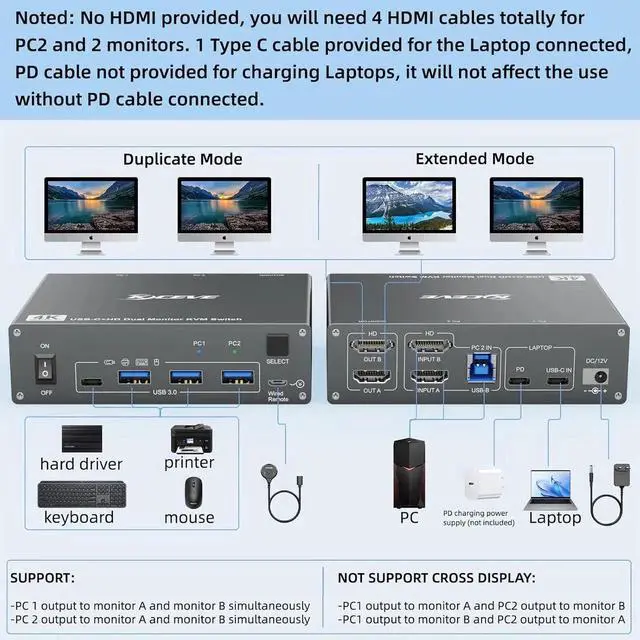
Noted: HDMI cables not included
Plug and play KVM switch for USB C computer and HDMI computer1, Please make sure that your laptop has USB TYPE C port for audio and video transfer.
USB C in=PC1
PD cable is not required if you don't ned to charge the Laptop.
If you want to charge the Laptop when using this kvm switch, you need an external laptop power adapter to connect the USB C KVM switch to your outlet. Laptop adapter is not included, please don't use mobile phone power adapter instead.
PD port provide 87W charging.
2, Please make sure that your your other Desktop has 2 HDMI ports.
INPUT A + INPUT B + USB B=PC2
2 HDMI connections is required for Desktop output signal to 2 monitors.
We recommend use the HDMI cables not exceed 2m.
This USB Type C kvm switch support 2 display modesPress "Windows+P" on keyboard and choose duplicate mode in the small winow that pops up. In mirror mode, the main screen can be copied to the secondary screen.
Press "Windows+P" on keyboard and choose Extend mode in the small winow that pops up. In extend mode, the window from main screen can be dragged to second screen (Note: MAC M1/M2 not support extend mode).
This dual monitor kvm switch supporting high resolution max up to 4K@60Hz or other lower resolution (Downward Compatible). Complies with HDMI 2.1 standard.
Note: Only when both your computer Graphics card, monitor and HDMI cable support 4K@60Hz then you can get 4K@60Hz effect.
Plug and play, drive-free, compatible with a variety of computer systems, such as Win10 / 8.1 / 8 / 7 / XP / Vista, Mac OS, Linux, Chrome OS.
Support 2 switching waysPhysical button control.
Wired control, we upgraded the wired control, it's size is more bigger and touch feel more comfortable, this switching way is fast respond and flexible, you can hide the 4 PC KVM switch under the table and keep desk tidy.