
Your Browsing History




Any questions? Our AI beta will help you find out quickly.
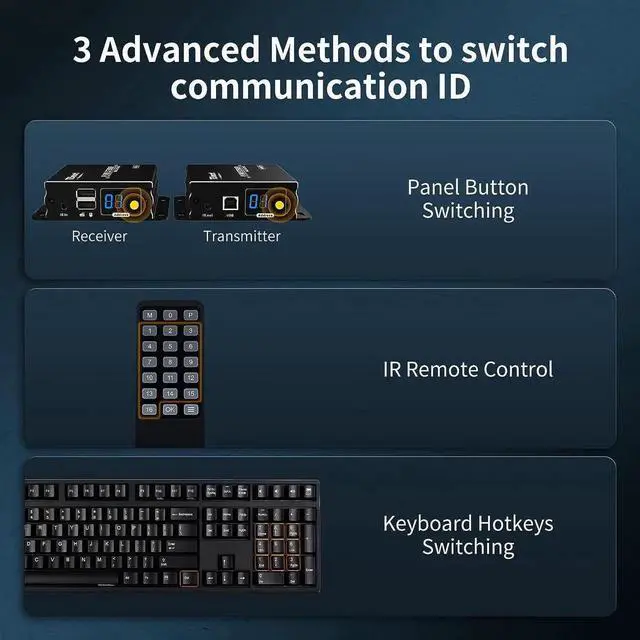
3 Advanced and
Simple Switching Modes: The ID switch button on the panel of Transmitter and Receiver for quick channel selection; IR Remote control to switch the ID of the Receiver; Keyboard hotkeys to switch ID for
Receiver(Note: IR Remote control and Keyboard hotheys can only be applied in multipoint-to-point and multipoint-to-multipoint connection)
Easy to Setup and high Reliability: No driver needed, plug and play. Connect your HDMI source device (Compatible with PC, game console, Blu-ray player, media player) to the Transmitter, connect Ethernet Cat 5e/6 cable to Transmitter and Receiver, then connect your HD monitor/TV from a long distance place to the Receiver, and remember to connect the power adapter to Transmitter and Receiver, then it will work
Metal construction and Flexible Installation: The metal construction makes the unit more solid, durable and keeps better heat dissipation; there are keyhloes on the unit, you can also choose the flexible installation anywhere you want
Wide Compatibility: This HDMI KVM Extender supports various operation systems, compatible with Unix/Windows/Debian/Ubuntu/Fedora/Mac OS X/Raspbian/Ubuntu for Raspberry Pi and other Linux basic systems
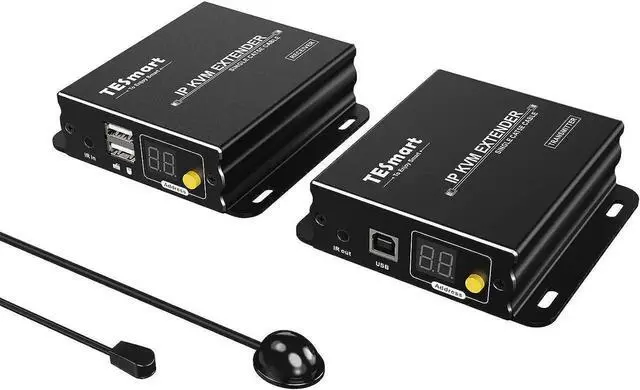
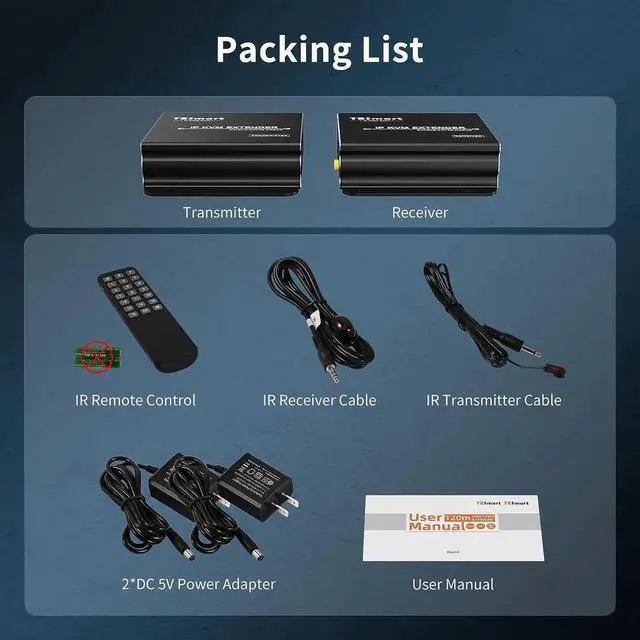
What You Get: 1xHDMI KVM Extender Transmitter, 1xHDMI KVM Extender Receiver, 1xIR Transmitter cable, 1xIR Receiver cable, 2xDC 5V Power Adapter, 1xEnglish User Manual
Flexible installation Keyhole MountEach transmitter and receiver has a keyhole mount for maximum mounting flexibility.
1
Panel Button Switching
2
Hotkeys Switching
3
IR Remote Switching
1
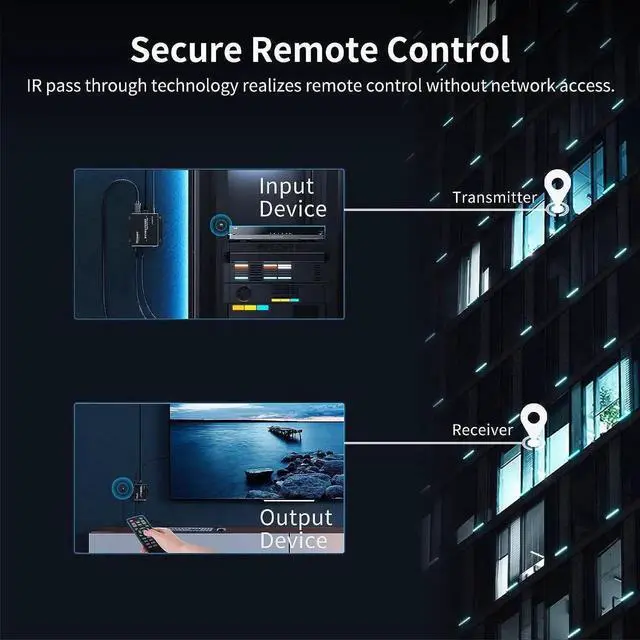
IR Pass Through
2
Wider compatibility
3
Resolution
1
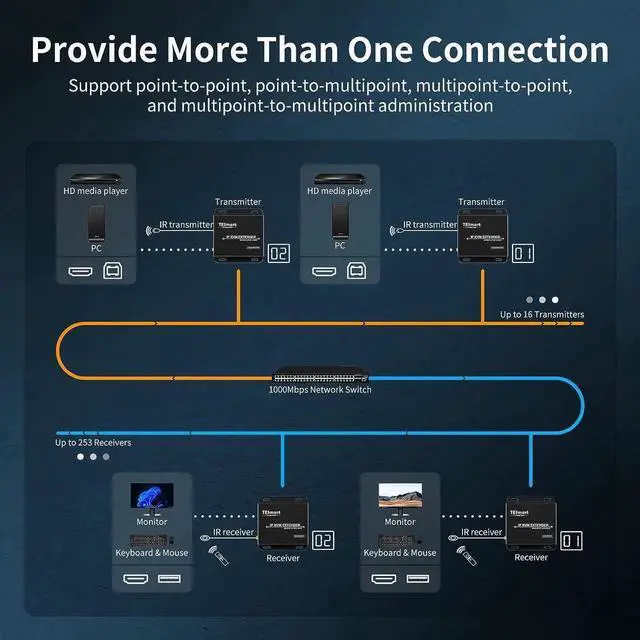
3 Application Modes
2
Point-to-Point
3
Point-to-Multipoint
4
Multipoint-to-Multipoint
Power Supply
DC 5V
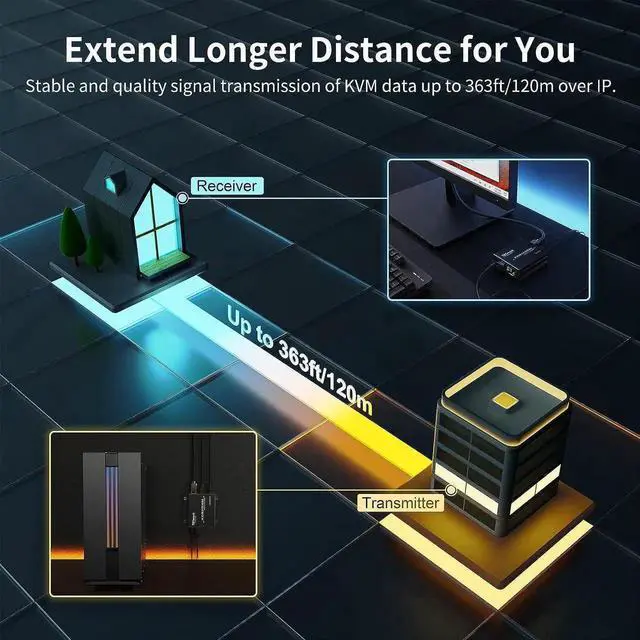
Transmission Range
393ft (120m)
Video Input/Output Interface
HDMI (HDMI 1.3 compliant)
Maximum Resolution
1080P@60Hz
3 Application Modes
Point-to-Point, Point-to-Multipoint, Multipoint-to-Multipoint
3 Switching ways
Panel Button, Keyboard Hotkeys, IR Remote Control
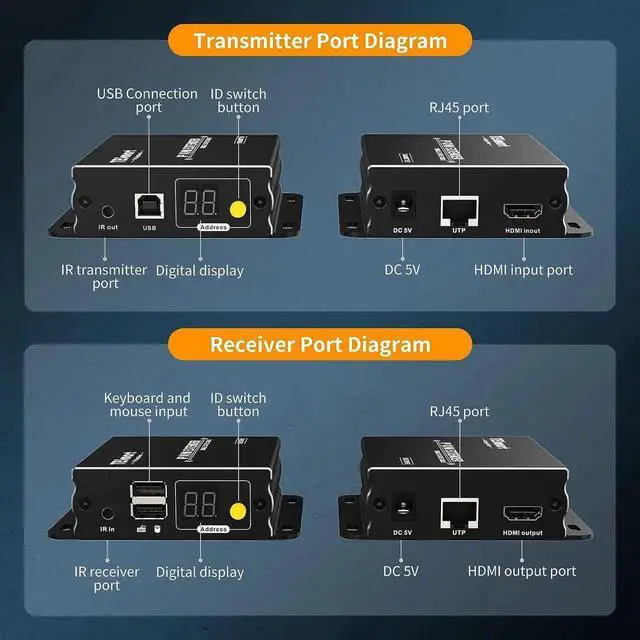
USB Connectionport
Using USB Type-A to Type-B cable toconnect to the input device for USBdata signal input
Digital display
Indicate the current communicationID of the Receiver
Keyboard andmouse input
For USB keyboard and mouse input
Packing List
2*DC 5V Power Adapter; 1*Transmitter; 1*Receiver; 1*IR Transmitter Cable; 1*IR Receiver Cable; 1*IR Remote Control; 1*User Manual