
Your Browsing History




Any questions? Our AI beta will help you find out quickly.
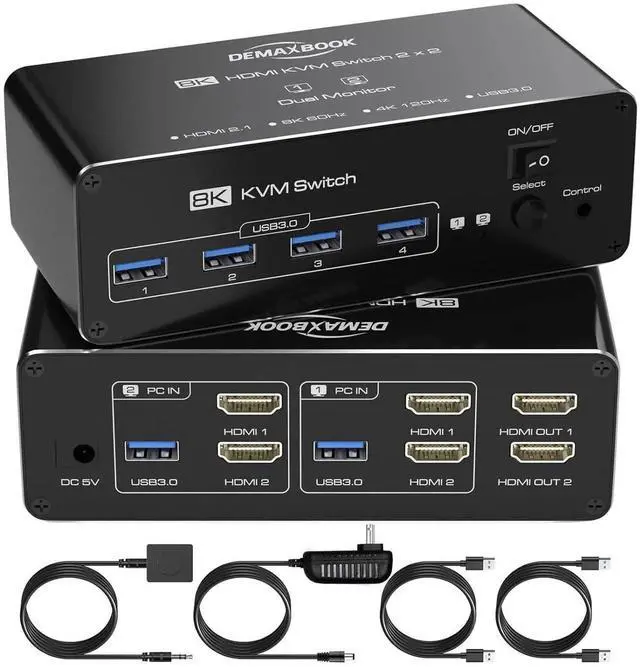
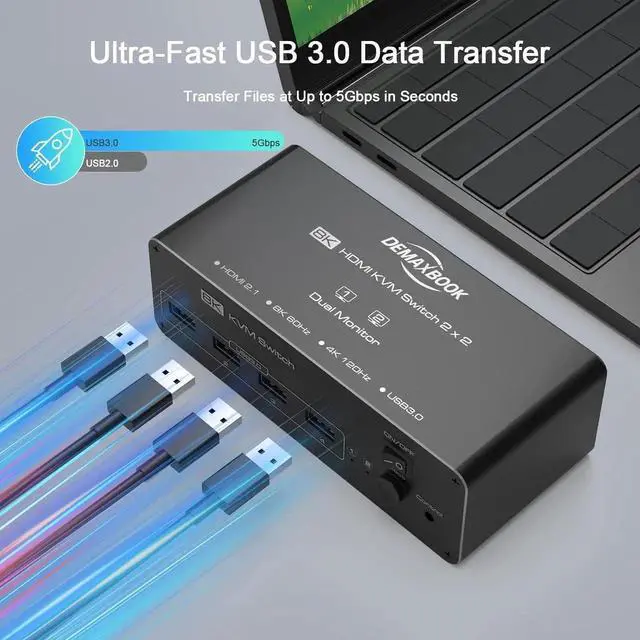
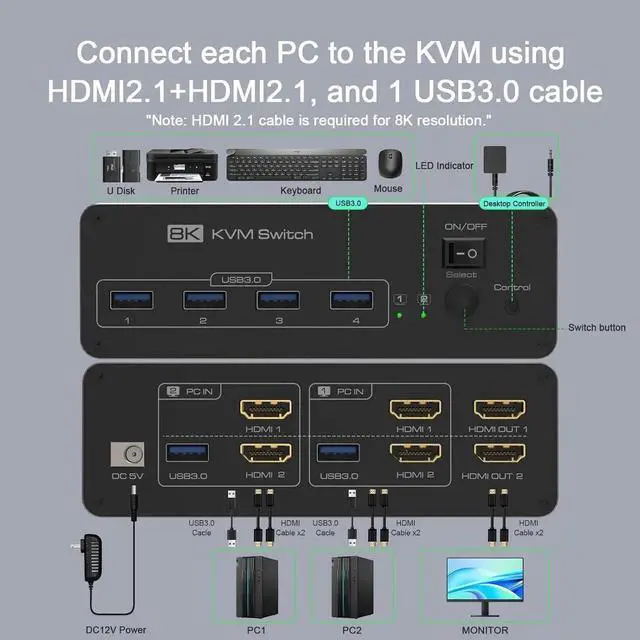
USB 3.0 KVM SwitchThis HDMI KVM switch Integrated 4 USB 3.0 ports offer up to 5Gbps transfer speed10x faster than USB 2.0. Easily share USB devices like printers, webcams, storage drives, or headsets across two computers. Fully compatible with Windows, macOS, Linux, and more.
Important: For stable operation, especially when using high-power USB devices (e. g., external hard drives), always connect the included power adapter to supply sufficient power to the KVM switch.
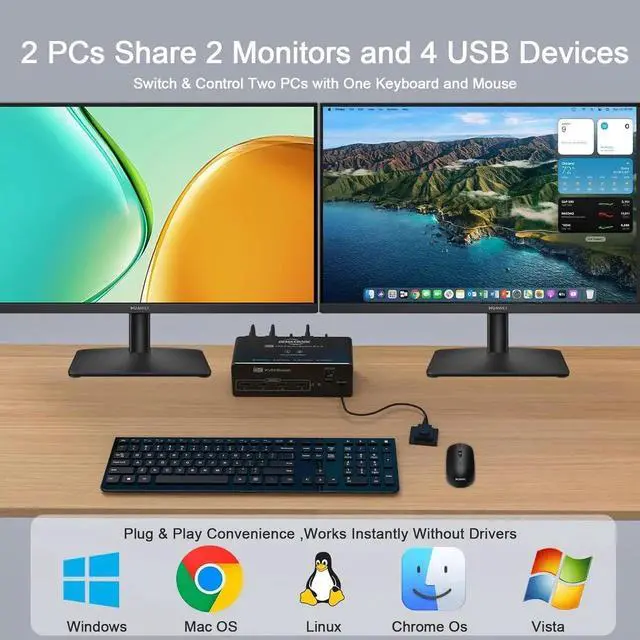
Easy SwitchingHDMI 2.1 KVM switch is plug and play, no need to install software or drivers.
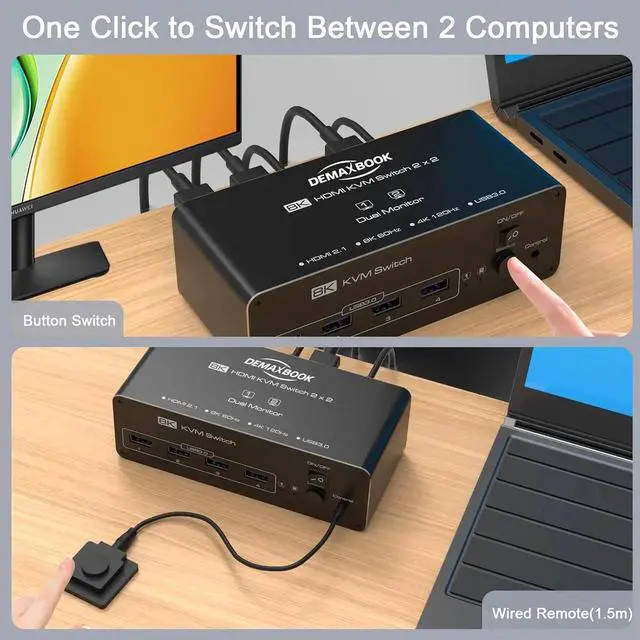
Two switching methods are provided: 1. Just press the select button on the machine to switch the signal source; 2. Using the wired extension button, you can place the switcher outside the working area to make your desktop more tidy.
NOTE: Keyboard shortcuts (hotkeys) toggles are not supported.
Wide Compatibility & Plug-and-PlayThis dual monitor KVM switch works with Windows, Mac OS, Linux, and Chrome OS. Compatible with PC, laptops, TV boxes, and other HDMI/DP devices. Plug-and-play design means no drivers or software neededsimply connect and use. Backed by 12-month warranty and responsive technical support.
1
USB 3.0 High Speed
2
Widely compatible
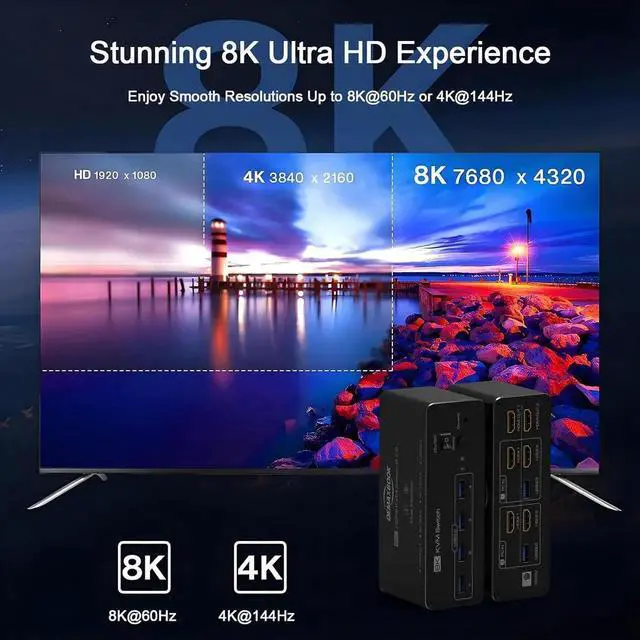
8K@60Hz & 4K@120Hz Support Enjoy ultra-clear visuals with 8K@60Hz and 4K@144Hz resolution for smooth motion, vibrant colors, and immersive image quality.
One-Click ON/OFF Switch Easily restart your HDMI KVM with a single pressno more repeated cable plugging and unplugging.
1.5 m Wired Remote Switch between 2 PCs and 2 monitors with ease while keeping your desktop neat, thanks to the 1.5 m wired remote control.
5V 2A Power Adapter Included Ensures smoother, more stable KVM performanceespecially when connecting high-power USB devices like hard drives or webcams.
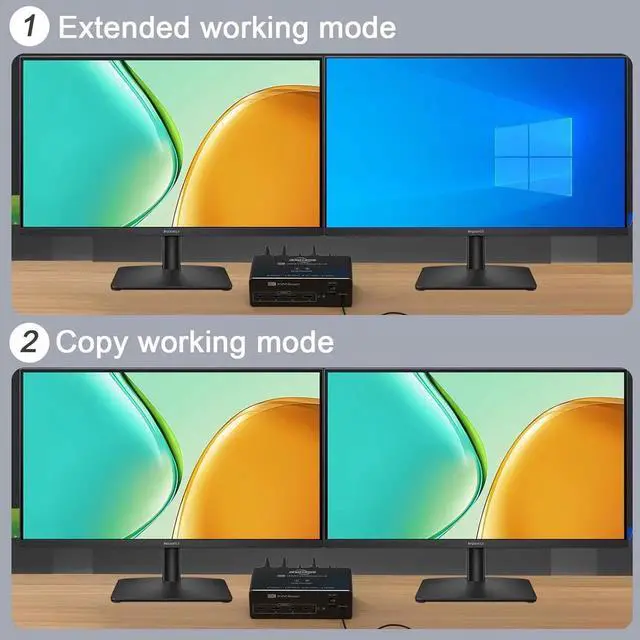
Extended &Mirror Mode Easily switch between Duplicate and Extend modes for smooth presentations or efficient multitasking across dual monitors.
Learn More
Does this KVM switch support dual monitor display for both computers? Yes, both computers must have two HDMI outputs and support dual display mode (Extended or Mirror) for the KVM to display on two monitors.
Can I use this KVM switch with a MacBook or Mac Mini? Yes, it works with macOS, but make sure your Mac supports dual displays and has two HDMI outputs (or use USB-C to HDMI adapters if needed).
Do I need to install any software or drivers? No drivers or software are needed. It's a true plug-and-play devicejust connect your monitors, computers, and USB peripherals.
Can I share USB devices like printers and webcams across two PCs? Absolutely. The four USB 3.0 ports let you share devices such as printers, webcams, keyboards, mice, and USB drives between both computers.
How do I switch between the two computers? You can switch using either the front panel button or the included 1.5 m wired remote. The LED light clearly shows which computer is active.