Your Browsing History
- Free 30-day Returns
$31.39
Ships from China.
Meet Your Seller
192KHz Digital to Analog Audio Converter DAC Digital SPDIF Optical to Analog L/R RCA Converter Toslink Optical to 3.5mm Jack Adapter for PS3 HD DVD PS4 Amp TV Home Cinema
- PROZOR 192KHz Digital to Analog Audio Converter DAC Digital SPDIF Optical to Analog L/R RCA Converter Toslink Optical to 3.5mm Jack Adapter for PS3 HD DVD PS4 Amp TV Home Cinema
+
+
Overview
Specs
Reviews
Any questions? Our AI beta will help you find out quickly.
Try me now
PROZOR 192KHz Digital to
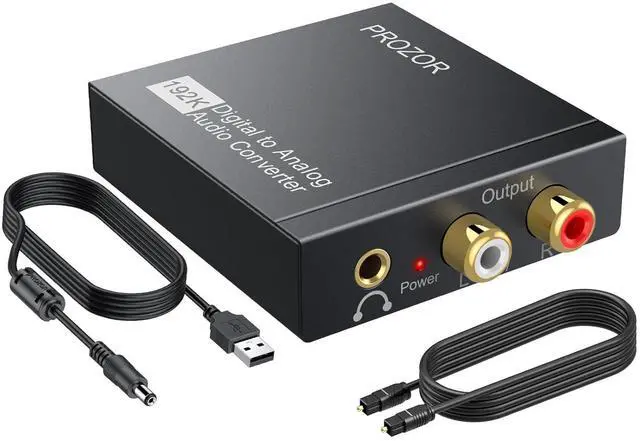
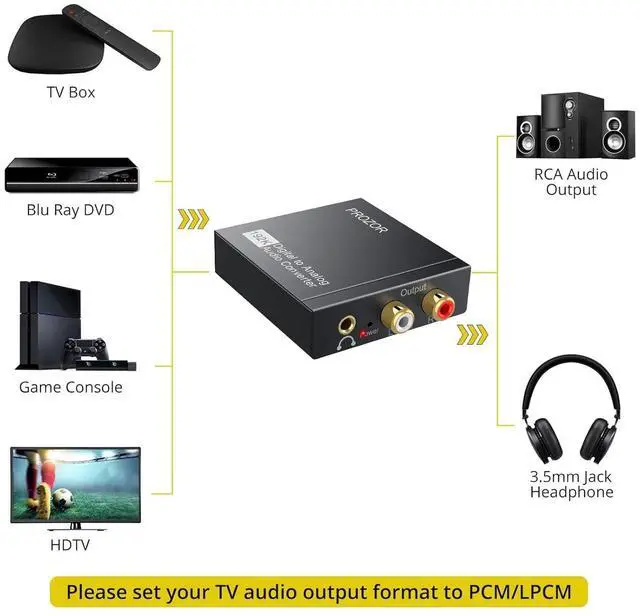
Analog Audio Converter: Converts coaxial or toslink digital PCM audio signals to analog L/R RCA and 3.5 mm Jack audio simultaneously. (?
Not reversible: Cannot convert analog signals to digital.? Does not support RCA/ 3.5 mm audio to optical output.
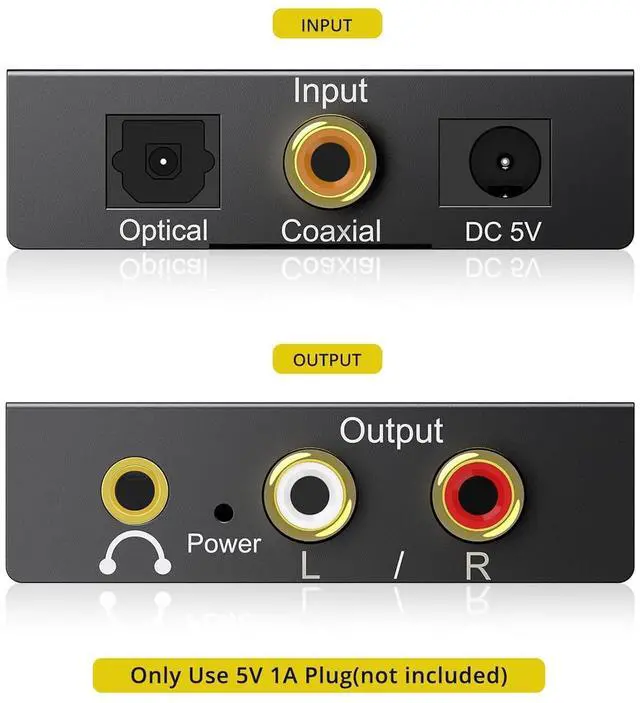
)Input Audio Connector: 1 x Toslink/Optical/SPDIF) 1 x Coaxial;
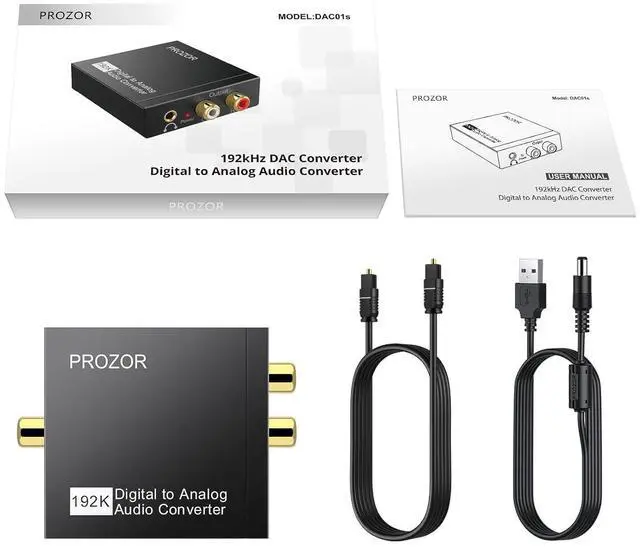
Output Audio Connector: 2 x RCA(R/L) 1 x 3.5 mm Jack; Powered by 5.5 mm USB Power Cable (Power Adapter is NOT Included); Do Not Use Other Plugs It Can Only Use 5V 1A
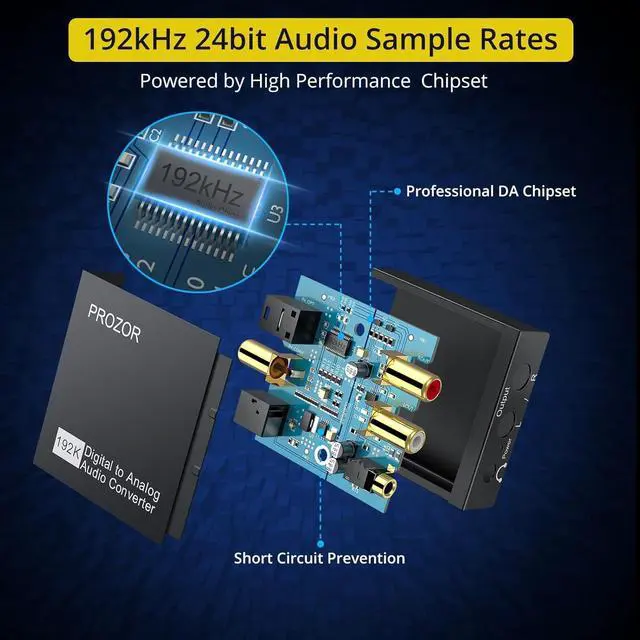
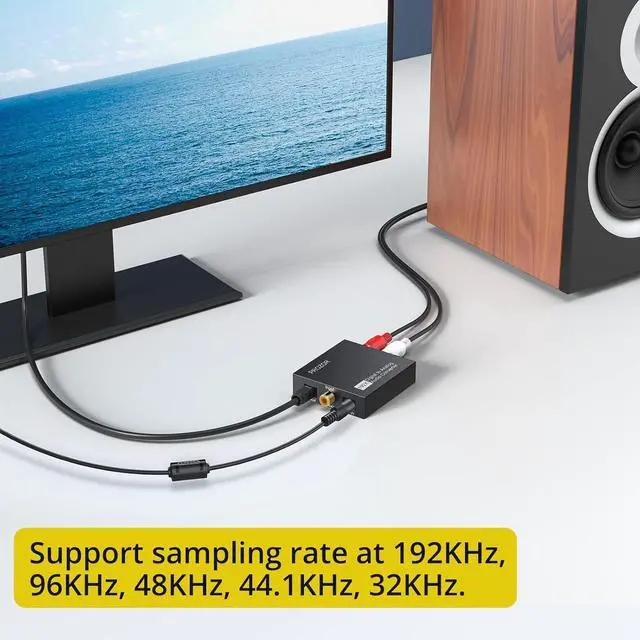
PlugUp to 192KHz/24bit: Supports Sampling Rate at 32KHz 44.1KH z 48KHz 96KHz 192KHz; 24bit S/ PDIF Incoming Bit Stream on Left and Right ChannelsSupports Uncompressed 2 channel LPCM or PCM
Digital Audio Signal Output: Provides Electromagnetic-noise-free
Transmission (NOTE: 5.1 channel is incompatible please set the audio output to PCM or
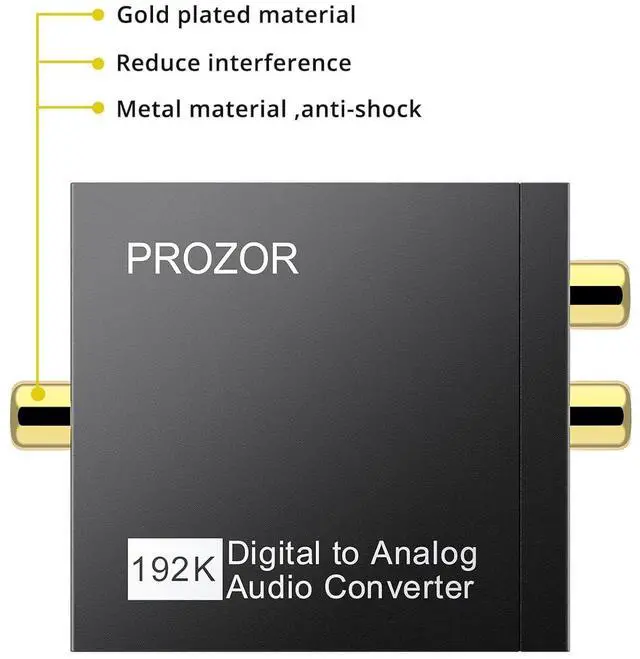
LPCM)Aluminum Alloy Housing: Delivers enhanced electromagnetic shielding and heat dissipation outperforming standard ABS plastic. Durable design ensures reliability in environments with multiple electronic devices.
RCA Gold-Plated Connectors: Featuring RCA gold-plated connectors this dac audio converter allows for flexible customization enabling users to pair their preferred RCA cables based on their specific audio setupEasy to Install and Simple to
Operate: Works with PS3 PS4 Blu-ray Player HD DVD Home Cinema Systems AV Amps and more ensuring broad device compatibilityTV Volume Adjustment via
Settings: When the TV is connected to a sound system via the optical interface the remote control volume button won't directly adjust the TV's optical output (unless the TV supports this feature). You can adjust the optical output volume through the TV's settings. For example on a
SONY TV: Settings Sound Settings Advanced Settings Digital Audio Output Volume. For Panasonic TV please also set to SPDIF. No sound/Electrical noises/Audio delay? The DAC only supports PCM input format other formats may cause noise. Please check if the power light is working properly. Use a certified 5V 1A wall adapter to power the DAC (avoid using TV USB ports).

Analog Audio Converter: Converts coaxial or toslink digital PCM audio signals to analog L/R RCA and 3.5 mm Jack audio simultaneously. (?
Not reversible: Cannot convert analog signals to digital.? Does not support RCA/ 3.5 mm audio to optical output.
)Input Audio Connector: 1 x Toslink/Optical/SPDIF) 1 x Coaxial;
Output Audio Connector: 2 x RCA(R/L) 1 x 3.5 mm Jack; Powered by 5.5 mm USB Power Cable (Power Adapter is NOT Included); Do Not Use Other Plugs It Can Only Use 5V 1A
PlugUp to 192KHz/24bit: Supports Sampling Rate at 32KHz 44.1KH z 48KHz 96KHz 192KHz; 24bit S/ PDIF Incoming Bit Stream on Left and Right ChannelsSupports Uncompressed 2 channel LPCM or PCM
Digital Audio Signal Output: Provides Electromagnetic-noise-free
Transmission (NOTE: 5.1 channel is incompatible please set the audio output to PCM or
LPCM)Aluminum Alloy Housing: Delivers enhanced electromagnetic shielding and heat dissipation outperforming standard ABS plastic. Durable design ensures reliability in environments with multiple electronic devices.
RCA Gold-Plated Connectors: Featuring RCA gold-plated connectors this dac audio converter allows for flexible customization enabling users to pair their preferred RCA cables based on their specific audio setupEasy to Install and Simple to
Operate: Works with PS3 PS4 Blu-ray Player HD DVD Home Cinema Systems AV Amps and more ensuring broad device compatibilityTV Volume Adjustment via
Settings: When the TV is connected to a sound system via the optical interface the remote control volume button won't directly adjust the TV's optical output (unless the TV supports this feature). You can adjust the optical output volume through the TV's settings. For example on a
SONY TV: Settings Sound Settings Advanced Settings Digital Audio Output Volume. For Panasonic TV please also set to SPDIF. No sound/Electrical noises/Audio delay? The DAC only supports PCM input format other formats may cause noise. Please check if the power light is working properly. Use a certified 5V 1A wall adapter to power the DAC (avoid using TV USB ports).
Warranty & Returns
Warranty, Returns, And Additional Information
Warranty
- Please contact the Seller directly for warranty information. Warranty information may also be found on the Manufacturer's website.
- CONTACT
Return Policies
- Return for refund within: 30 days
- Return for replacement within: non-replaceable
- This item is covered by meimeiliangshipindian Return Policy
Manufacturer Contact Info
- For a directory of all our manufacturers, please click below.
- Manufacturers Directory
LOADING...