

Your Browsing History
Best Sellers
 Top Rated
- $35.19
- + FREE SHIPPING

Meet Your Seller

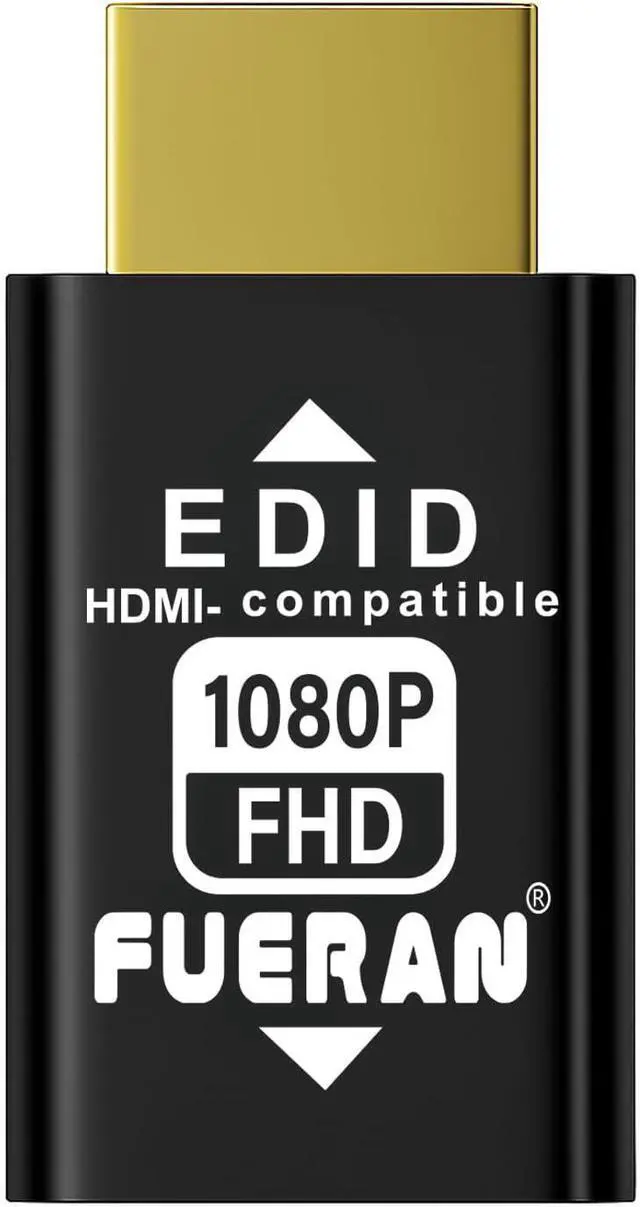

HDMI EDID Emulator Adapter 1920X1080@60Hz(1080P)-1Pack Passthrough Plug & Play Compatible with Mac Thunderbolt to HDMI Switches AV Receivers Extenders
Limited time offer, ends 09/29 By Glovibe Tech
- HDMI EDID Emulator Adapter 1920X1080@60Hz(1080P)-1Pack Passthrough Plug & Play Compatible with Mac Thunderbolt to HDMI Switches AV Receivers Extenders
+
+
Overview
Specs
Reviews

Any questions? Our AI mode will help you find out quickly.
Try me now
This bi-directional HDMI EDID emulator supports both male and female signal sources ensuring compatibility with various devices. It offers multiple chroma sampling options including
YCbCr 4:4: 4
4:2: 2
4:2: 0 and RGB providing flexibility in color depth and video quality. The default resolution is 1920x1080@60Hz with the highest supported resolution being 1920x1080@60Hz providing clear and high-definition video. Plug & Play functionality ensures no need for drivers software or external power making installation incredibly simple. It also supports hot swapping so you can easily switch devices without interruptions. With low power consumption setting it up is extremely easy: just plug it into the KVM and connect it to your computers HDMI. Each time you switch the signal input in the KVM Windows will not reset the monitor ensuring smooth transitions. This HDMI EDID lock emulator solves the common loss of sync issue with multiple HDMI displays. Even when the actual monitor is turned off or disconnected the emulator tells Windows that the monitor is still connected preventing Windows from rearranging the desktop. It works perfectly with DisplayPort/USB-C to HDMI adapters and requires no extra power ensuring a hassle-free experience. The emulator is compatible with a variety of devices such as mini PCs Raspberry-- and other HDMI-enabled devices. It ensures that the monitors EDID remains active when remotely accessing these devices keeping display settings stable. providing stable output perfect for professional environments home theaters or gaming setupsThe fixed EDID feature ensures that video and audio signals pass through correctly each time the device shuts down restarts stops toggles or undergoes renegotiation for other operations. This eliminates the need for constant renegotiation between devices speeding up the setup time when displays are frequently turned on or off. Additionally the HDMI EDID emulator can function as a virtual monitor when the laptop lid is closed after setting a resolution making it perfect for remote desktop scenarios or when no external monitor is available.
Additionally it is an ideal tool for AV receivers and video wall setups where maintaining the EDID signal is crucial to ensuring video output consistency. Whether you are managing a multi-monitor setup simplifying device connections or avoiding frequent EDID adjustments this emulator provides ultimate stability and convenience.
YCbCr 4:4: 4
4:2: 2
4:2: 0 and RGB providing flexibility in color depth and video quality. The default resolution is 1920x1080@60Hz with the highest supported resolution being 1920x1080@60Hz providing clear and high-definition video. Plug & Play functionality ensures no need for drivers software or external power making installation incredibly simple. It also supports hot swapping so you can easily switch devices without interruptions. With low power consumption setting it up is extremely easy: just plug it into the KVM and connect it to your computers HDMI. Each time you switch the signal input in the KVM Windows will not reset the monitor ensuring smooth transitions. This HDMI EDID lock emulator solves the common loss of sync issue with multiple HDMI displays. Even when the actual monitor is turned off or disconnected the emulator tells Windows that the monitor is still connected preventing Windows from rearranging the desktop. It works perfectly with DisplayPort/USB-C to HDMI adapters and requires no extra power ensuring a hassle-free experience. The emulator is compatible with a variety of devices such as mini PCs Raspberry-- and other HDMI-enabled devices. It ensures that the monitors EDID remains active when remotely accessing these devices keeping display settings stable. providing stable output perfect for professional environments home theaters or gaming setupsThe fixed EDID feature ensures that video and audio signals pass through correctly each time the device shuts down restarts stops toggles or undergoes renegotiation for other operations. This eliminates the need for constant renegotiation between devices speeding up the setup time when displays are frequently turned on or off. Additionally the HDMI EDID emulator can function as a virtual monitor when the laptop lid is closed after setting a resolution making it perfect for remote desktop scenarios or when no external monitor is available.
Additionally it is an ideal tool for AV receivers and video wall setups where maintaining the EDID signal is crucial to ensuring video output consistency. Whether you are managing a multi-monitor setup simplifying device connections or avoiding frequent EDID adjustments this emulator provides ultimate stability and convenience.
Warranty & Returns
Warranty, Returns, And Additional Information
Warranty
- Please contact the Seller directly for warranty information. Warranty information may also be found on the Manufacturer's website.
- CONTACT
Return Policies
- Return for refund within: 30 days
- Return for replacement within: non-replaceable
- This item is covered by Glovibe Tech Return Policy
Manufacturer Contact Info
- For a directory of all our manufacturers, please click below.
- Manufacturers Directory
LOADING...
LOADING...