Your Browsing History
Meet Your Seller
192KHz HDMI eARC/ARC to Optical Audio Converter for TV to Soundbar Plug & Play 3.7ft/1.15m eARC to Optical Cable Audio Extractor Adapter Splitter for Sound System Home Theater Support Dolby/DTS 5.1
- 192KHz HDMI eARC/ARC to Optical Audio Converter for TV to Soundbar Plug & Play 3.7ft/1.15m eARC to Optical Cable Audio Extractor Adapter Splitter for Sound System Home Theater Support Dolby/DTS 5.1
+
+
Overview
Specs
Reviews
Any questions? Our AI beta will help you find out quickly.
Try me now
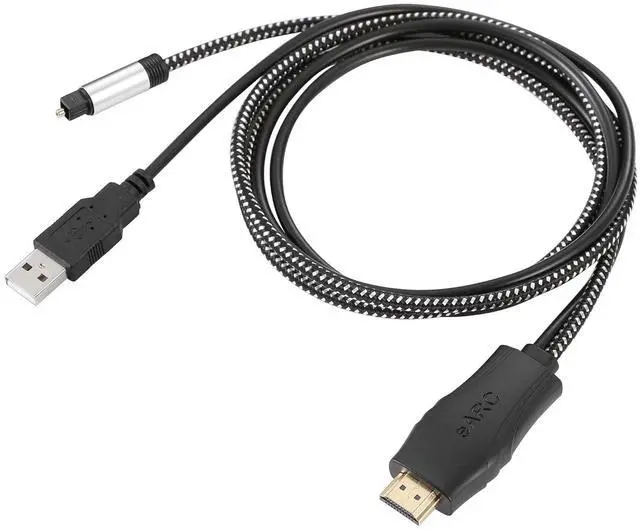
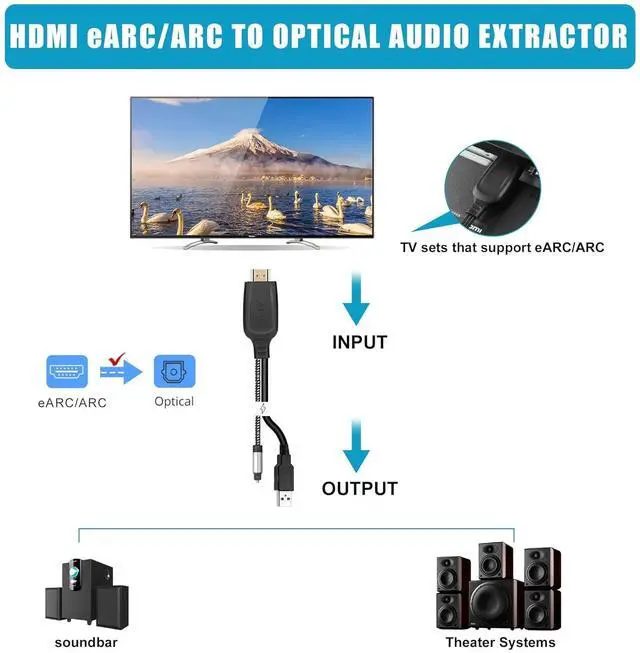
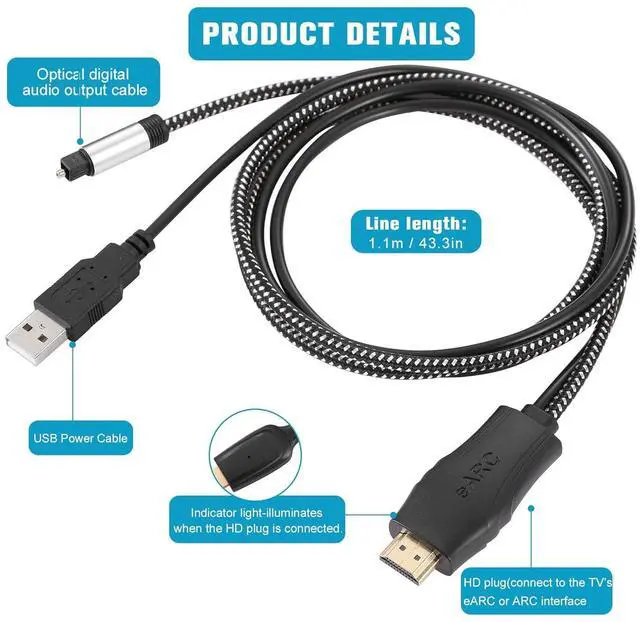
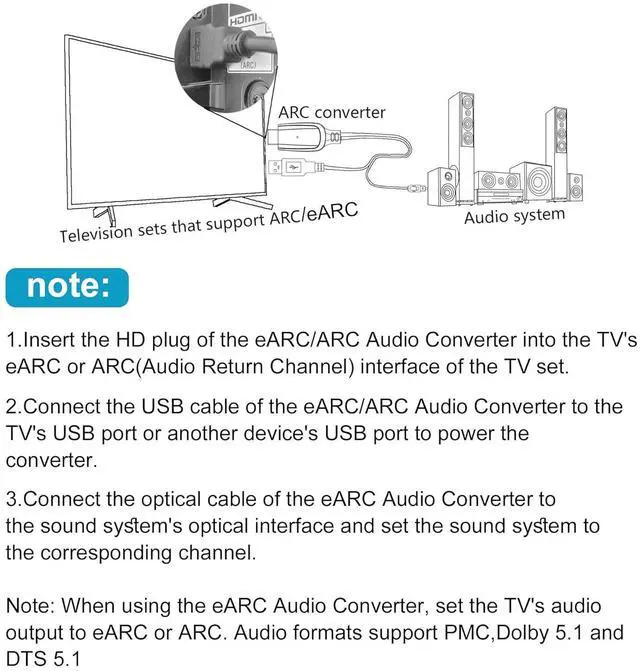
HDMI eARC to Optical Cable( 1.1 m/ 43.3 in): The eARC Audio Extractor connects to an eARC or ARC-compatible TV allowing the TV's audio to be transmitted to a sound system via the converter's built-in optical SPDIF digital audio cable. The eARC audio converter Only for TV with eARC or ''ARC'' interfacePlug and
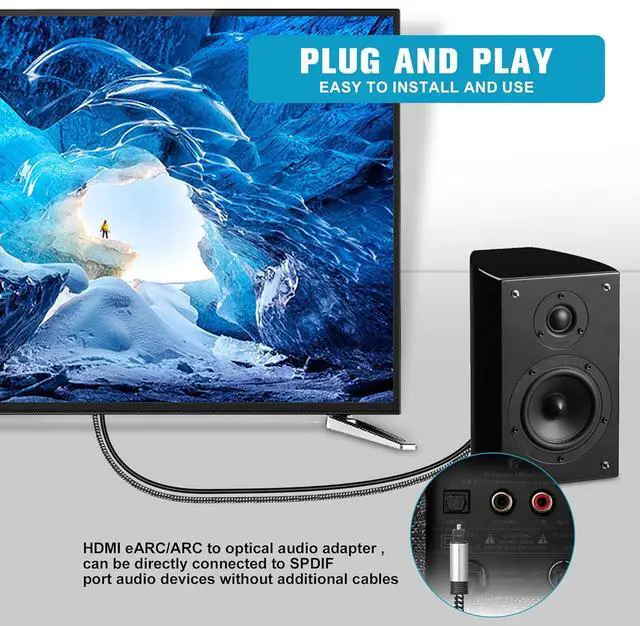
Play: This eARC/ARC audio converter eliminates the need for additional cables or conventers and serves as a bridge between the TV and sound system. Plug-and-Play. Easy to install and use. It is ideal for home theaters meeting conference rooms and other settingsClear
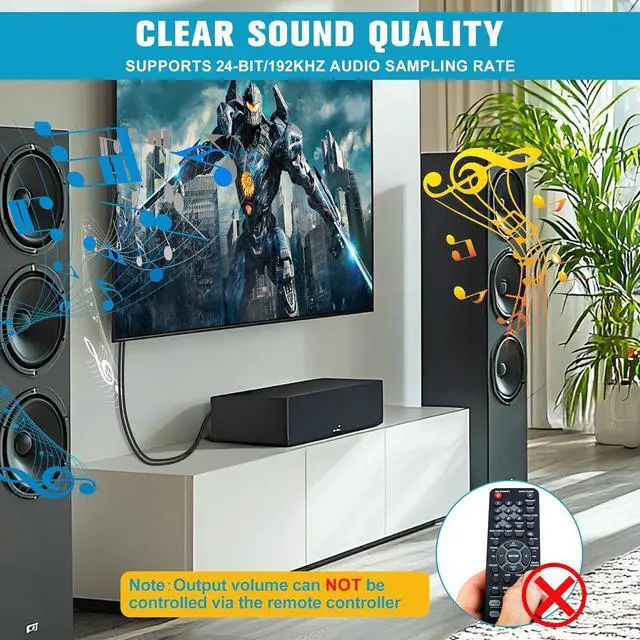
Sound Quality: Supports 24-bit/192kHz audio sampling rate. Ensures pure sound quality. Make the eARC Audio Connector a convenient option for your home entertainment by seamlessly connecting your TV to your soundbarAudio
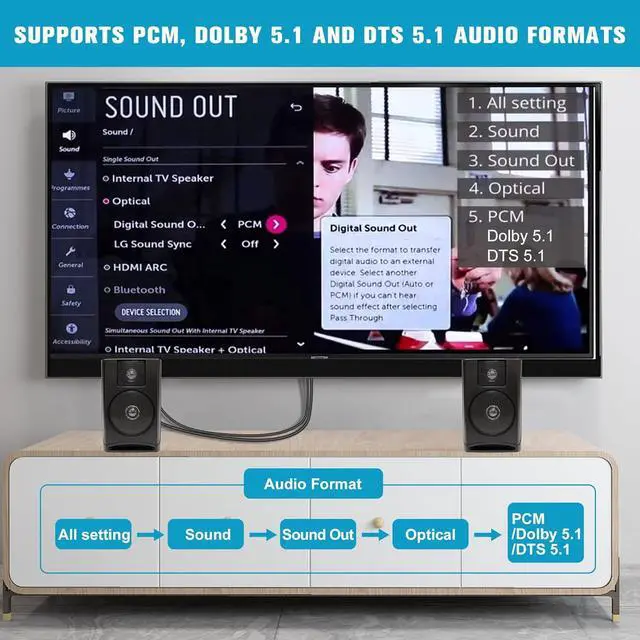
Formats Setting: Compatible with multiple audio Formats. Set the TV Audio Formats to PCM Dolby 5.1 or DTS 5.1. Bringing you high-quality audio for an immersive entertainment experience. The sound system does not support Dolby
Audio or DTSNote: Connect the eARC/ARC audio converter's USB cable to your TV's USB port or another USB-compatible port. LED indicator will lights up when HD interface is connected. Using eARC/ARC Audio Adapter Setting up the TV(1. Turn on CEC 2. Set the TV's audio output to eARC or ARC 3. Set Audio Format to PMC

Play: This eARC/ARC audio converter eliminates the need for additional cables or conventers and serves as a bridge between the TV and sound system. Plug-and-Play. Easy to install and use. It is ideal for home theaters meeting conference rooms and other settingsClear
Sound Quality: Supports 24-bit/192kHz audio sampling rate. Ensures pure sound quality. Make the eARC Audio Connector a convenient option for your home entertainment by seamlessly connecting your TV to your soundbarAudio
Formats Setting: Compatible with multiple audio Formats. Set the TV Audio Formats to PCM Dolby 5.1 or DTS 5.1. Bringing you high-quality audio for an immersive entertainment experience. The sound system does not support Dolby
Audio or DTSNote: Connect the eARC/ARC audio converter's USB cable to your TV's USB port or another USB-compatible port. LED indicator will lights up when HD interface is connected. Using eARC/ARC Audio Adapter Setting up the TV(1. Turn on CEC 2. Set the TV's audio output to eARC or ARC 3. Set Audio Format to PMC
Warranty & Returns
Warranty, Returns, And Additional Information
Warranty
- Please contact the Seller directly for warranty information. Warranty information may also be found on the Manufacturer's website.
- CONTACT
Return Policies
- Return for refund within: 30 days
- Return for replacement within: non-replaceable
- This item is covered by Nexbyte Return Policy
Manufacturer Contact Info
- For a directory of all our manufacturers, please click below.
- Manufacturers Directory
LOADING...
LOADING...