


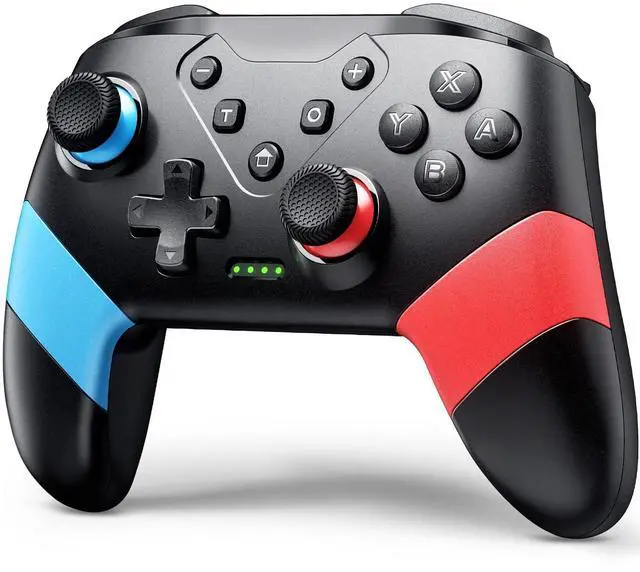



About the Extra Mappable Trigger M1/M2:
1. The back button on the controller is easy to program and adjust.
2. This controller can map up to 16 buttons.
3. You can map the M1/M2 button one by one.
4. Press M1/M2 and "—": map only one button
5. Press M1/M2 and "+": map the key combination
6. When you want to use the ultimate skill with one key in the games, you can set key combination.
7. The speed at which a key is mapped affects how quickly it reacts in-game.
Set:
(assuming you want to map the Y+B+A+L+R buttons on M1 button)
1. Press "M1" and "+" at the same time, and the lights on the controller will flash slowly;
2. Press the Y/B/A/L/R button on the controller one by one, and the indicator light will flash quickly
3. Finally press the M1 button, the indicator light will be on, indicating that the mapping is completed.
Cancel:
If you don't want to use the mapping function of the M1/M2 buttons, your hands may habitually touch these two buttons, which will affect the game. Steps: Press and hold the "—" and "T" buttons for 3s, and after the wireless controller vibrates for 1s, the function is closed.
How To Connect?

Sync to Console:
1. In the N-SL main menu, click on 'Controller'?'Change grip/sequence', and enter the Controller pairing mode;
2. Press and hold the "Y"+HOME button for 4s to enter the pairing state. The LED flashes frequently. The controller is automatically paired with the console. After the connection is successful, the LED been on;
3. When the connection is successful, you can press the HOME button, and the LED will flash slowly in the form of a marquee and automatically reconnect.
Sync to PC with A USB Cable:
1. Use the USB cable to connect the gamepad and the computer. After connection, LED1 and LED4 of the gamepad flash slowly at the same time. Successfully connected, the gamepad can be normally used.
2. The controller defaults to Xinput mode on the PC side, and the keys are XBOX 360 key layout, non-standard PC key layout.
3. In XINPUT mode, hold down the screenshot button for 3 seconds to convert to DINPUT mode.


Who Are We?
VOYEE was established in 2018 and is affiliated to a high-tech enterprise integrating R&D, design, production and sales, and is committed to providing users with a full range of game solutions.
At present, VOYEE has provided users with a series of high-quality game controller and accessories compatible with Microsoft, Sony and sold in many countries and regions in the North America and Europe.
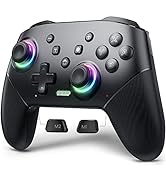
Controller for Switch
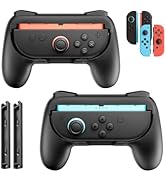
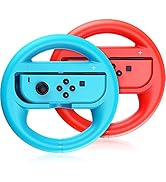
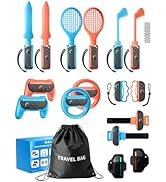
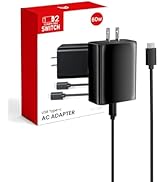
NS Accessories
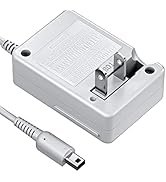
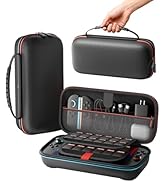
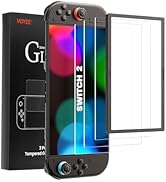
NS Charger & Storage Bag
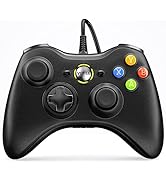
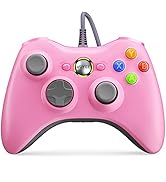
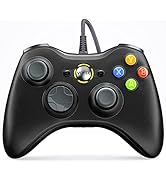
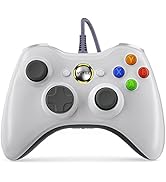
Compatible with Xbox 360
Our Mission
We strive to offer diverse, video game accessories at a great value to bring you and your family more fun.
Bring You and Your Family Happiness
We truly believe that help you live an easier, happier life through our products to get more family interaction and better gaming experience.
Customers Come First
As a customer, you are our top priority. So, we aim to offer you the best shopping experience possible by improving everything we do, from product research and development to quality control.
Who Are We?
VOYEE was established in 2018 and is affiliated to a high-tech enterprise integrating R&D, design, production and sales, and is committed to providing users with a full range of game solutions.
At present, VOYEE has provided users with a series of high-quality game controller and accessories compatible with Microsoft, Sony and sold in many countries and regions in the North America and Europe.
Controller for Switch
NS Accessories
NS Charger & Storage Bag
Compatible with Xbox 360
Our Mission
We strive to offer diverse, video game accessories at a great value to bring you and your family more fun.
Bring You and Your Family Happiness
We truly believe that help you live an easier, happier life through our products to get more family interaction and better gaming experience.
Customers Come First
As a customer, you are our top priority. So, we aim to offer you the best shopping experience possible by improving everything we do, from product research and development to quality control.
About the Extra Mappable Trigger M1/M2:
1. The back button on the controller is easy to program and adjust.
2. This controller can map up to 16 buttons.
3. You can map the M1/M2 button one by one.
4. Press M1/M2 and "—": map only one button
5. Press M1/M2 and "+": map the key combination
6. When you want to use the ultimate skill with one key in the games, you can set key combination.
7. The speed at which a key is mapped affects how quickly it reacts in-game.
Set:
(assuming you want to map the Y+B+A+L+R buttons on M1 button)
1. Press "M1" and "+" at the same time, and the lights on the controller will flash slowly;
2. Press the Y/B/A/L/R button on the controller one by one, and the indicator light will flash quickly
3. Finally press the M1 button, the indicator light will be on, indicating that the mapping is completed.
Cancel:
If you don't want to use the mapping function of the M1/M2 buttons, your hands may habitually touch these two buttons, which will affect the game. Steps: Press and hold the "—" and "T" buttons for 3s, and after the wireless controller vibrates for 1s, the function is closed.
How To Connect?
Sync to Console:
1. In the N-SL main menu, click on 'Controller'?'Change grip/sequence', and enter the Controller pairing mode;
2. Press and hold the "Y"+HOME button for 4s to enter the pairing state. The LED flashes frequently. The controller is automatically paired with the console. After the connection is successful, the LED been on;
3. When the connection is successful, you can press the HOME button, and the LED will flash slowly in the form of a marquee and automatically reconnect.
Sync to PC with A USB Cable:
1. Use the USB cable to connect the gamepad and the computer. After connection, LED1 and LED4 of the gamepad flash slowly at the same time. Successfully connected, the gamepad can be normally used.
2. The controller defaults to Xinput mode on the PC side, and the keys are XBOX 360 key layout, non-standard PC key layout.
3. In XINPUT mode, hold down the screenshot button for 3 seconds to convert to DINPUT mode.