






What is Voicemod Key?
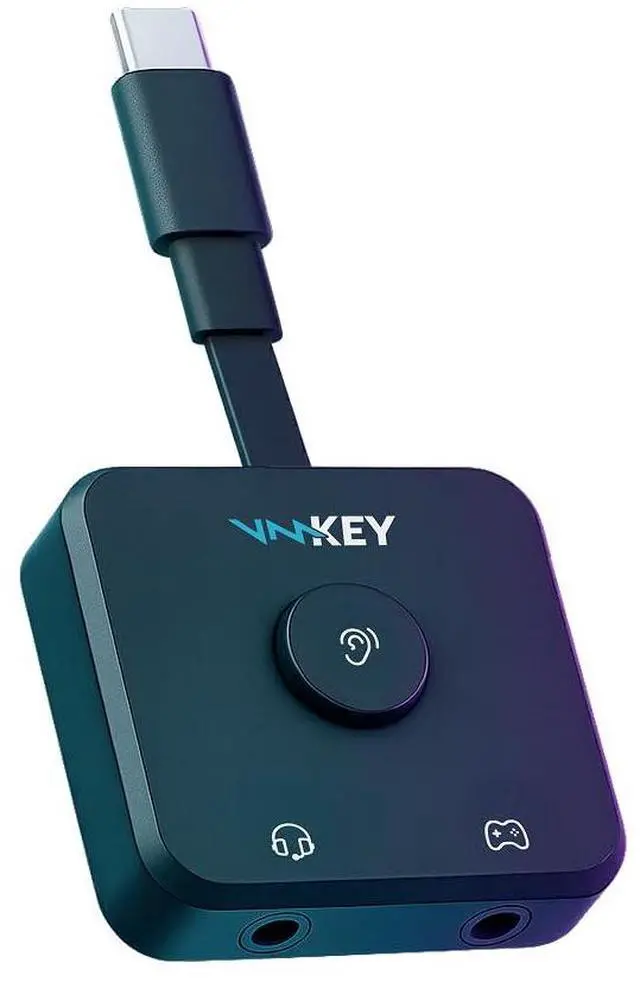
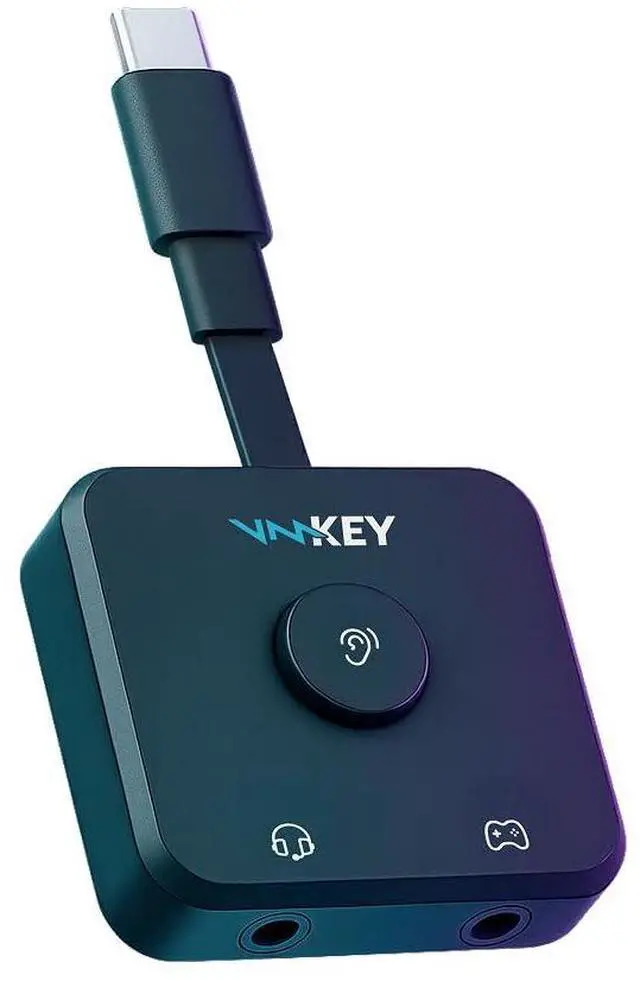
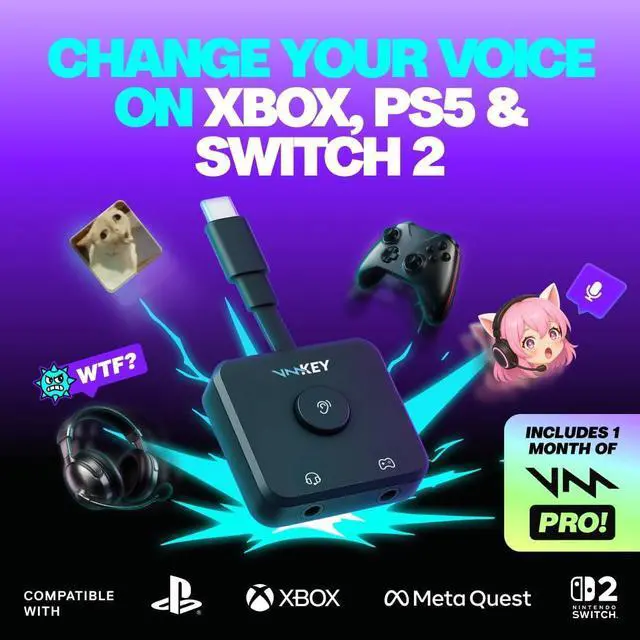
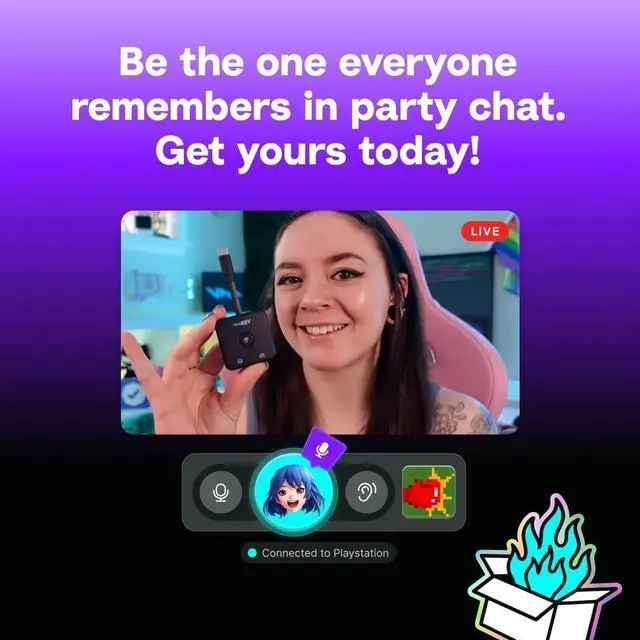
Voicemod Key is a little piece of hardware that connects a headset, your smartphone, and a gaming console together to allow real-time voice changing and soundboards on console voice chat. Previously, this was impossible—and by far our most-requested feature. And now, we’ve made the impossible, possible.
How does it work?
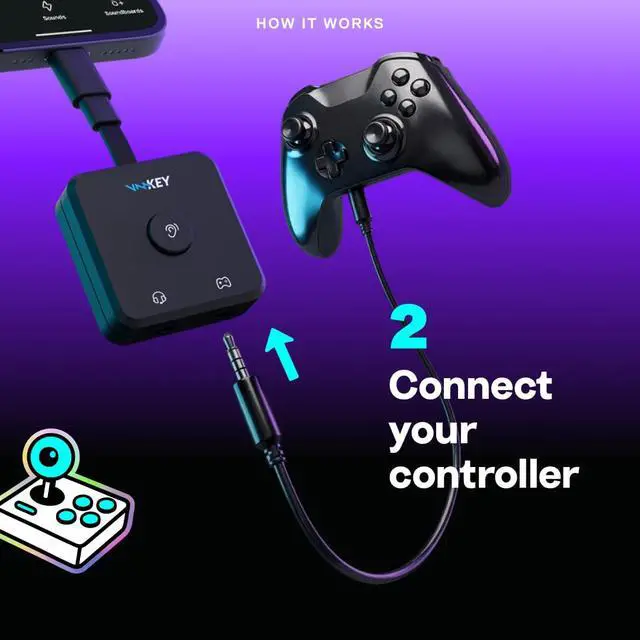
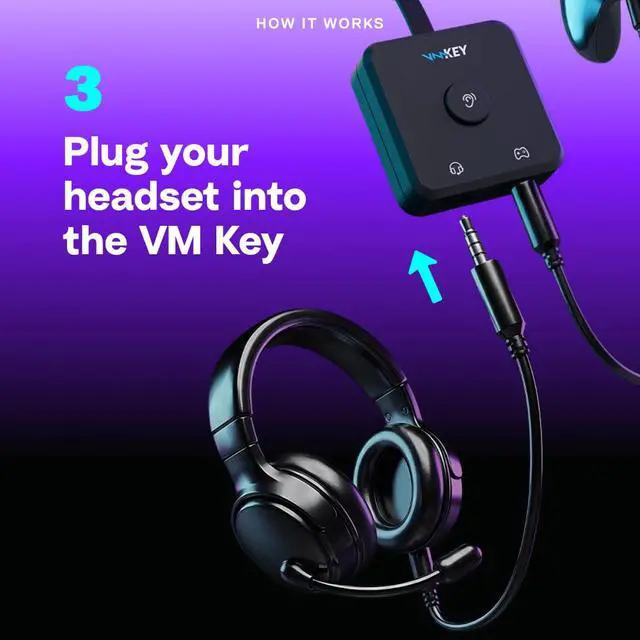
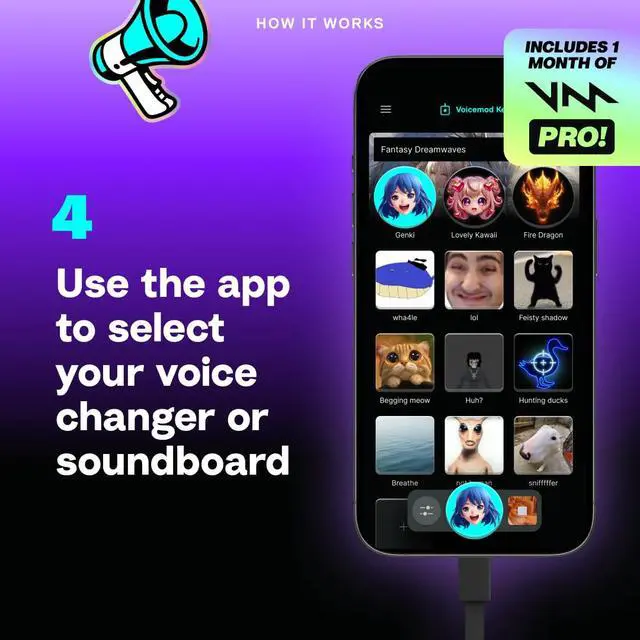
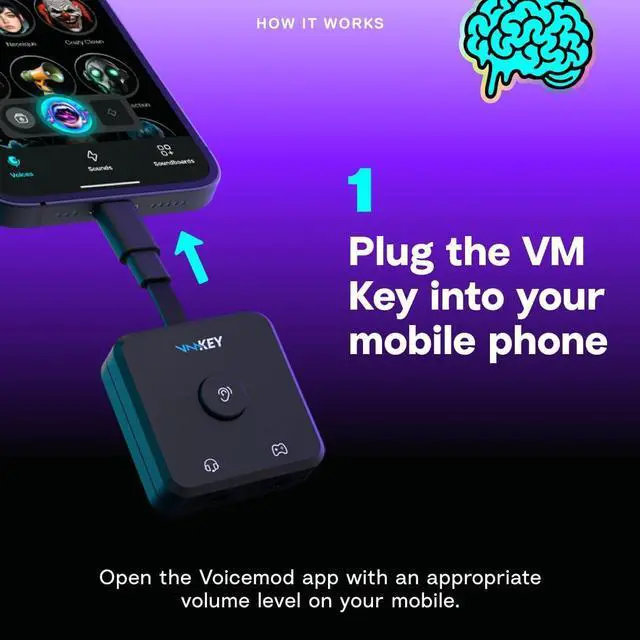
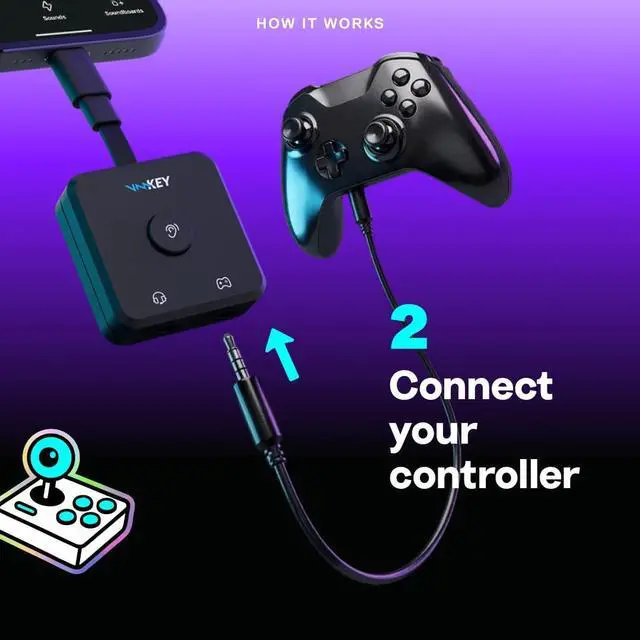
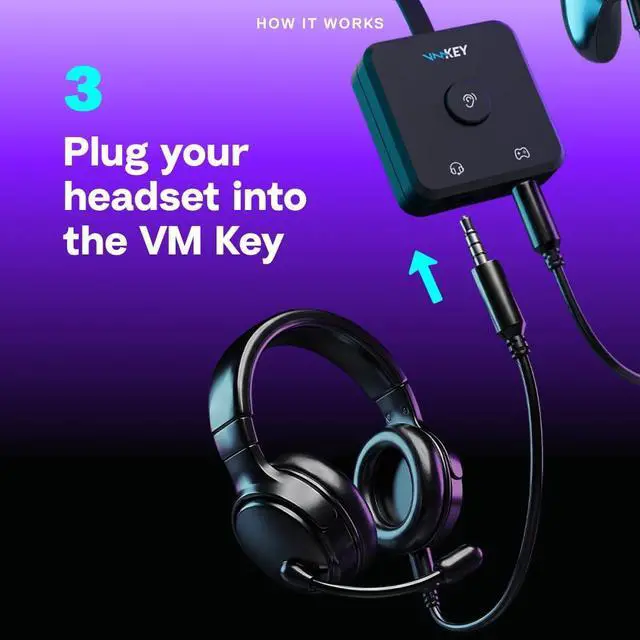
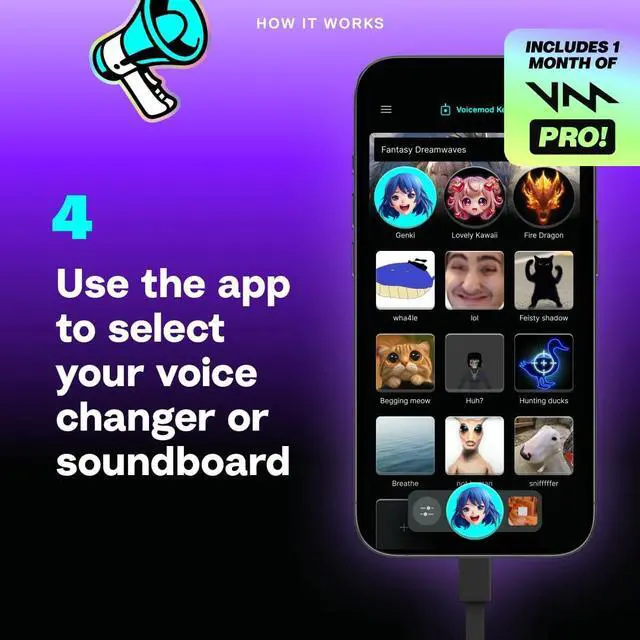
We use the power of your smartphone! Voicemod Key sits between your headset and your console—and uses the Voicemod mobile app to change your voice in real-time. Once we’ve done that little bit of magic, your new voice is sent to your console voice chat. Works with soundboards too!
Does Voicemod Key work with any console?
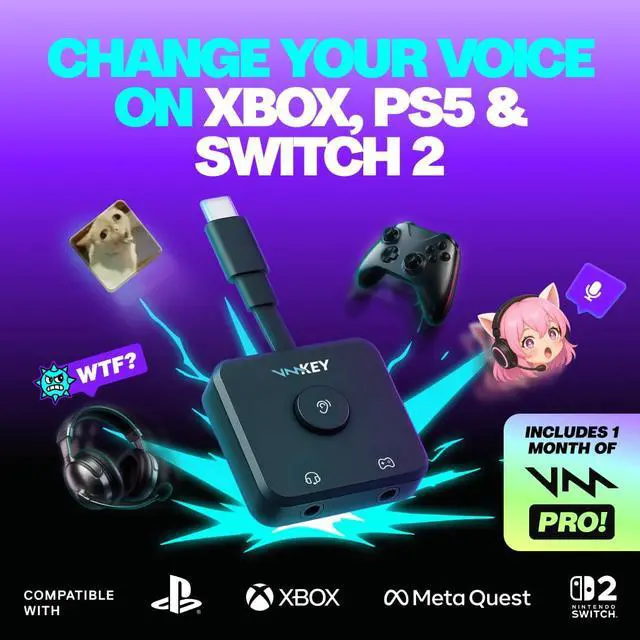
Voicemod Key is compatible with all Xbox and PlayStation consoles.
It also supports Nintendo Switch 2 (direct-to-console connection only), but does not support Nintendo Switch 1 (since voice chat on that platform is handled via its mobile app).
Voicemod Key does not support BlueTooth—you need a headset with a 3.5mm TRRS connector (that’s the small one, with three rings on the connector!)

Does Voicemod listen to my conversations?
Voicemod will NEVER listen to your chats. All processing is performed locally on your smartphone, and no voice data is sent to any Voicemod server. Our app will request microphone access—this is only so we can apply our audio processing.
Does Voicemod Key need to be charged?
No. Voicemod Key is ‘bus-powered’—this means it gets all the power it needs from your smartphone. No chargers, no batteries, no worries.
What do I need to use Voicemod Key?
You need a mobile device with at least iOS 16, Android 8.1, internet connection and our Voicemod mobile app running. You also need your Xbox, PlayStation or Nintendo Switch 2 for playing online.
Does Voicemod Key work with wireless devices?
In short: No, it doesn’t. Currently, Voicemod Key is only compatible with wired devices to ensure stable performance and low latency. We recommend using analog (3.5mm) wired connections for the best experience.

What is Voicemod? Voicemod is the leading real-time voice changer and soundboard software used by millions of gamers, streamers, and content creators worldwide.
It lets you transform your voice, trigger sound effects, and create hilarious or immersive moments in online chats and games. Voicemod Key is our first hardware device designed to bring this same experience directly to consoles. Together with the Voicemod mobile app, VMKey makes it possible to enjoy real-time voice changing and soundboards in console voice chat for the very first time.
How do I set up Voicemod Key and activate my 1-month PRO trial? Getting started is simple:
- Download the Voicemod app. Available for Android (Google Play Store) and iPhone (App Store)
- Open the app.
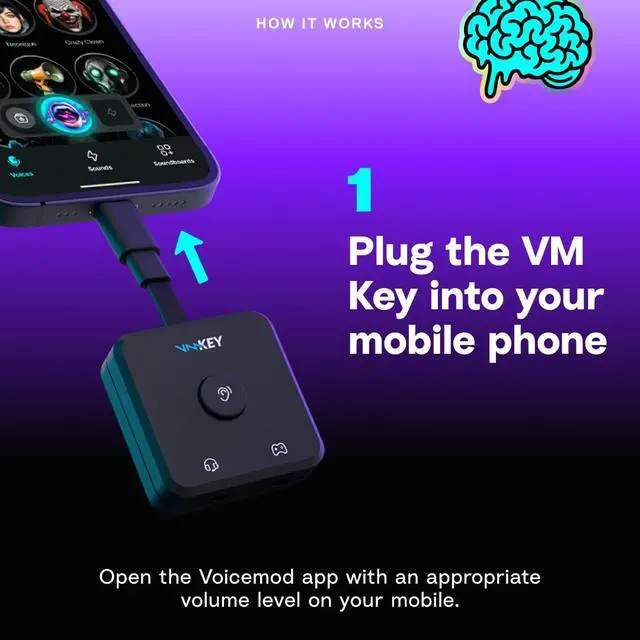
- Plug in your Voicemod Key and wait for the app to detect it.
- Log in with your Voicemod account.
- Follow the Starter Guide to take your first steps with Voicemod Key.
- Activate your 1-month Voicemod PRO trial to unlock the full experience (200+ voices, trending sounds, and wild effects straight into your console).

What you need for use that is NOT included:
- Wired headset with TRRS connector (Bluetooth not supported) (not included)
- Compatible console (PS5, Xbox Series?X|S, Nintendo Switch 2) (not included)
- Mobile device running iOS 16 or Android 8.1 or higher with internet connection (not included)
- Voicemod mobile app, available for download on Android and Apple app stores. The free app gives you access to up to 9 voices and unlimited sounds and works with your Voicemod Key. Upgrade to a Pro license or subscription to unlock access to more content such as: 200+ Voices, Unlimited Soundboard Creation, and Trending Community Content.
NOTE: Voicemod App is available in English, French, German, Spanish, Italian, Japanese, Portuguese, and Arabic. Content may not be available in all languages and may differ by region. Subject to Voicemod Terms of Use.


What is Voicemod Key?
Voicemod Key is a little piece of hardware that connects a headset, your smartphone, and a gaming console together to allow real-time voice changing and soundboards on console voice chat. Previously, this was impossible—and by far our most-requested feature. And now, we’ve made the impossible, possible.
How does it work?
We use the power of your smartphone! Voicemod Key sits between your headset and your console—and uses the Voicemod mobile app to change your voice in real-time. Once we’ve done that little bit of magic, your new voice is sent to your console voice chat. Works with soundboards too!
Does Voicemod Key work with any console?
Voicemod Key is compatible with all Xbox and PlayStation consoles.
It also supports Nintendo Switch 2 (direct-to-console connection only), but does not support Nintendo Switch 1 (since voice chat on that platform is handled via its mobile app).
Voicemod Key does not support BlueTooth—you need a headset with a 3.5mm TRRS connector (that’s the small one, with three rings on the connector!)
Does Voicemod listen to my conversations?
Voicemod will NEVER listen to your chats. All processing is performed locally on your smartphone, and no voice data is sent to any Voicemod server. Our app will request microphone access—this is only so we can apply our audio processing.
Does Voicemod Key need to be charged?
No. Voicemod Key is ‘bus-powered’—this means it gets all the power it needs from your smartphone. No chargers, no batteries, no worries.
What do I need to use Voicemod Key?
You need a mobile device with at least iOS 16, Android 8.1, internet connection and our Voicemod mobile app running. You also need your Xbox, PlayStation or Nintendo Switch 2 for playing online.
Does Voicemod Key work with wireless devices?
In short: No, it doesn’t. Currently, Voicemod Key is only compatible with wired devices to ensure stable performance and low latency. We recommend using analog (3.5mm) wired connections for the best experience.
What is Voicemod? Voicemod is the leading real-time voice changer and soundboard software used by millions of gamers, streamers, and content creators worldwide.
It lets you transform your voice, trigger sound effects, and create hilarious or immersive moments in online chats and games. Voicemod Key is our first hardware device designed to bring this same experience directly to consoles. Together with the Voicemod mobile app, VMKey makes it possible to enjoy real-time voice changing and soundboards in console voice chat for the very first time.
How do I set up Voicemod Key and activate my 1-month PRO trial? Getting started is simple:
- Download the Voicemod app. Available for Android (Google Play Store) and iPhone (App Store)
- Open the app.
- Plug in your Voicemod Key and wait for the app to detect it.
- Log in with your Voicemod account.
- Follow the Starter Guide to take your first steps with Voicemod Key.
- Activate your 1-month Voicemod PRO trial to unlock the full experience (200+ voices, trending sounds, and wild effects straight into your console).
What you need for use that is NOT included:
- Wired headset with TRRS connector (Bluetooth not supported) (not included)
- Compatible console (PS5, Xbox Series?X|S, Nintendo Switch 2) (not included)
- Mobile device running iOS 16 or Android 8.1 or higher with internet connection (not included)
- Voicemod mobile app, available for download on Android and Apple app stores. The free app gives you access to up to 9 voices and unlimited sounds and works with your Voicemod Key. Upgrade to a Pro license or subscription to unlock access to more content such as: 200+ Voices, Unlimited Soundboard Creation, and Trending Community Content.
NOTE: Voicemod App is available in English, French, German, Spanish, Italian, Japanese, Portuguese, and Arabic. Content may not be available in all languages and may differ by region. Subject to Voicemod Terms of Use.