






Improve game experience, to help you be the pro on your game.

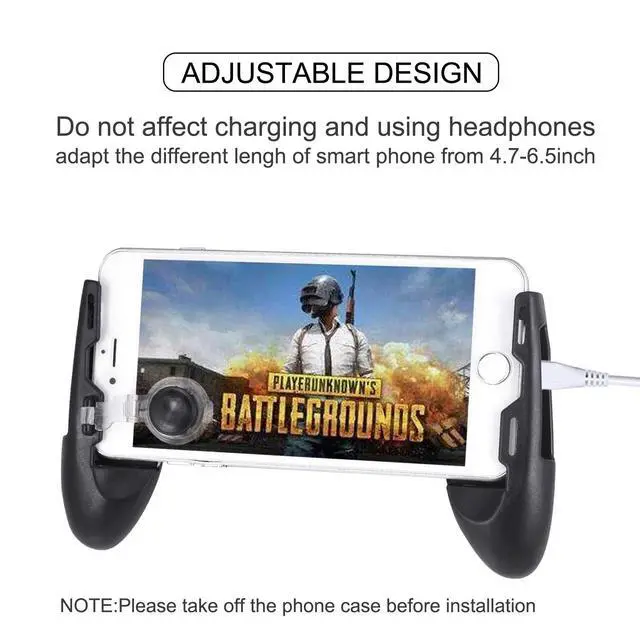
Do not affect charging and using headphones
-- Convenient to use
No tools or drivers needed to complete the installation in seconds. Just set your shoot and aim buttons under the touchpad on "customize" page, save the setting and start the game to be a winner

More sensitive buttons that you can shoot the enemies quickly.
- Other mobile game Joystick is not sensitive, sometimes fire continuously or react in a awkward way.
- Our update PUBG game controller is sensitive and never waist your bullets.
Won't block the Map
Other mobile game Joystick may blocking the map, it will hinder you from observing around.

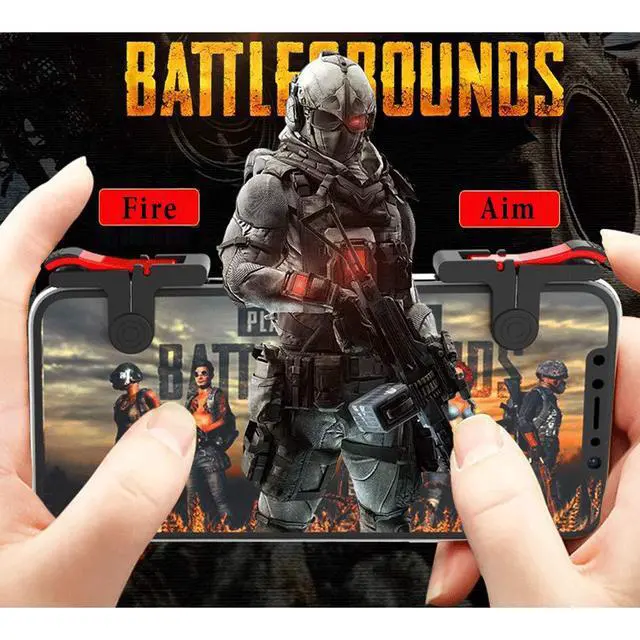
4 Finger Operation
With the Mobile Game Controller, you can simultaneously move, turn, aim and shoot by using the index fingers to press the buttons, which can eliminate the trouble that use thumbs only to make all operations.the simultaneous operatio.

Package Includes:
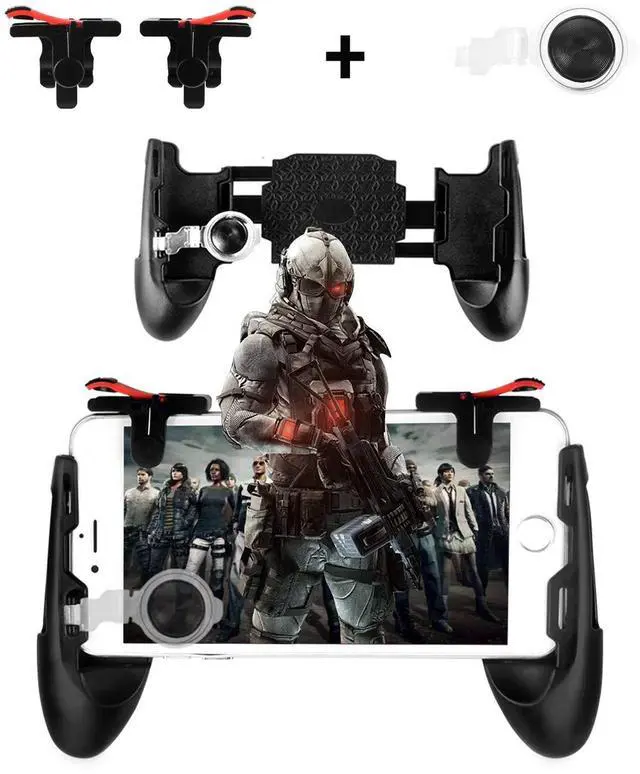
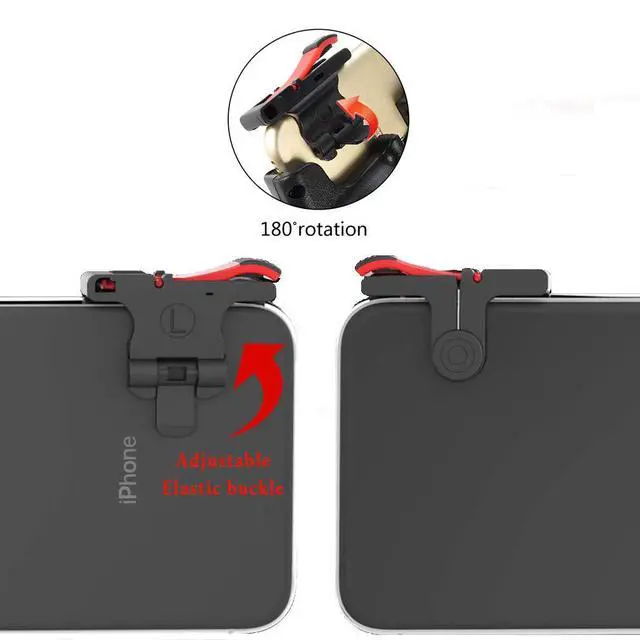
- 1 Pair Game Controller (L+R)
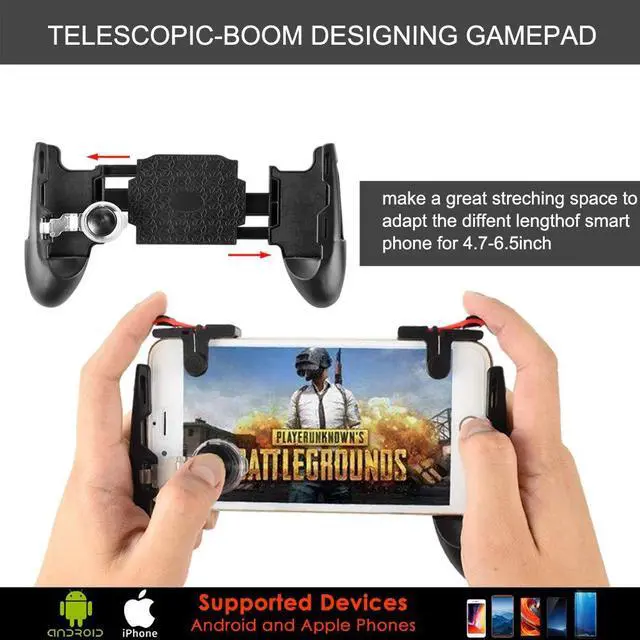
- 3 in 1 Portable Gamepad
- Phone Joysticks Replacement
Kickstand PUBG game controller
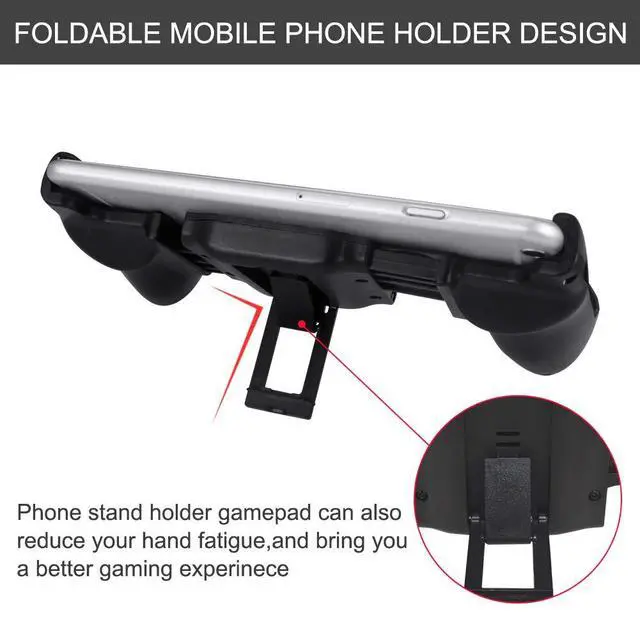
- Collapsible Bracket
- 3-angle adjustable stand
- Easy to carry

Compatible with shooting games including for PUBG, Rules of Survival, Knives Out, Survivor Royale, Critical Ops, etc
- How to Use?
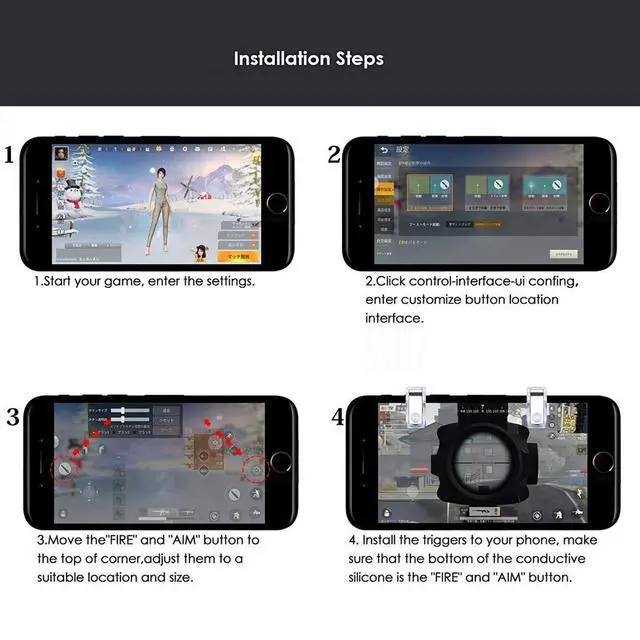
- Start your game, and clicks the Settings-Control-Customize;
- Move the "FIRE" button to the top of left corner;
- Move the "AIM" button to the top of right corner. [You can adjust these according to your habits.]
- Adjust the shoot and aim buttons under the touchpad,of the cell phone game controller;
- "Save" your settings;
- When the setting is completed, you need to lock your screen and unlock the screen again, and then these buttons will work normally.
- Why It cannot work?
A. After setting the controllers, please sleep the screen and then wake up it.
B. If your screen protector is too thick, it may influence the sensitivity.
C. If other icons are too close to the touch pad, it may influence the sensitivity.
D. Some phone’s multi-touch function may not work on the screen corner. So please move the touch pad to other place.
E.Please take off the phone case before installation

- Work for 4.5-6.5in Phone
Such as iPoneXS/XS MAX/XR/X/8/7/7plus/6s/6splus/6/6plus/5s/5c/5, Samsung S10/S10P/S10E/S9/S8/S8+/Note8, Nexus5X/6P, LGG5G6V20, Lumia950, Lumia950XL, HuaweiP10/P9/P9Plus, OnePlus2/3, NokiaN1, HTC10,GALAXY as long as the phone which length is within 6.5 inches
Improve game experience, to help you be the pro on your game.
Do not affect charging and using headphones
-- Convenient to use
No tools or drivers needed to complete the installation in seconds. Just set your shoot and aim buttons under the touchpad on "customize" page, save the setting and start the game to be a winner
More sensitive buttons that you can shoot the enemies quickly.
- Other mobile game Joystick is not sensitive, sometimes fire continuously or react in a awkward way.
- Our update PUBG game controller is sensitive and never waist your bullets.
Won't block the Map
Other mobile game Joystick may blocking the map, it will hinder you from observing around.
4 Finger Operation
With the Mobile Game Controller, you can simultaneously move, turn, aim and shoot by using the index fingers to press the buttons, which can eliminate the trouble that use thumbs only to make all operations.the simultaneous operatio.
Kickstand PUBG game controller
Package Includes:
- 1 Pair Game Controller (L+R)
- 3 in 1 Portable Gamepad
- Phone Joysticks Replacement
- Collapsible Bracket
- 3-angle adjustable stand
- Easy to carry
Compatible with shooting games including for PUBG, Rules of Survival, Knives Out, Survivor Royale, Critical Ops, etc
- How to Use?
- Start your game, and clicks the Settings-Control-Customize;
- Move the "FIRE" button to the top of left corner;
- Move the "AIM" button to the top of right corner. [You can adjust these according to your habits.]
- Adjust the shoot and aim buttons under the touchpad,of the cell phone game controller;
- "Save" your settings;
- When the setting is completed, you need to lock your screen and unlock the screen again, and then these buttons will work normally.
- Why It cannot work?
A. After setting the controllers, please sleep the screen and then wake up it.
B. If your screen protector is too thick, it may influence the sensitivity.
C. If other icons are too close to the touch pad, it may influence the sensitivity.
D. Some phone’s multi-touch function may not work on the screen corner. So please move the touch pad to other place.
E.Please take off the phone case before installation
- Work for 4.5-6.5in Phone
Such as iPoneXS/XS MAX/XR/X/8/7/7plus/6s/6splus/6/6plus/5s/5c/5, Samsung S10/S10P/S10E/S9/S8/S8+/Note8, Nexus5X/6P, LGG5G6V20, Lumia950, Lumia950XL, HuaweiP10/P9/P9Plus, OnePlus2/3, NokiaN1, HTC10,GALAXY as long as the phone which length is within 6.5 inches