


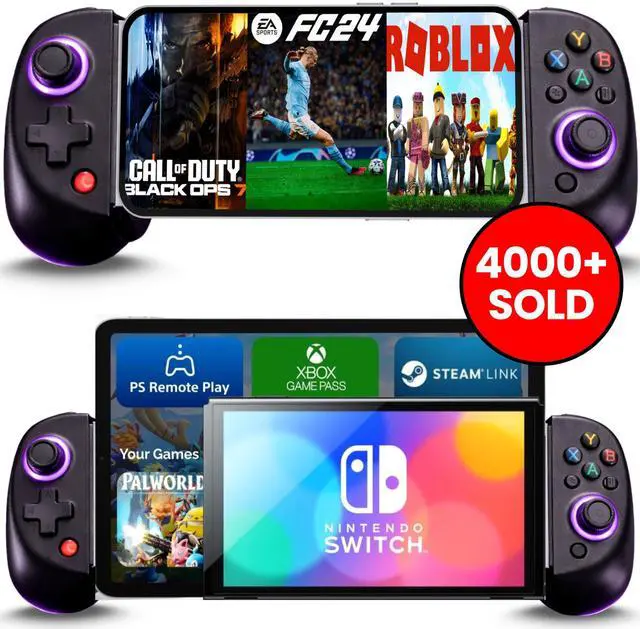
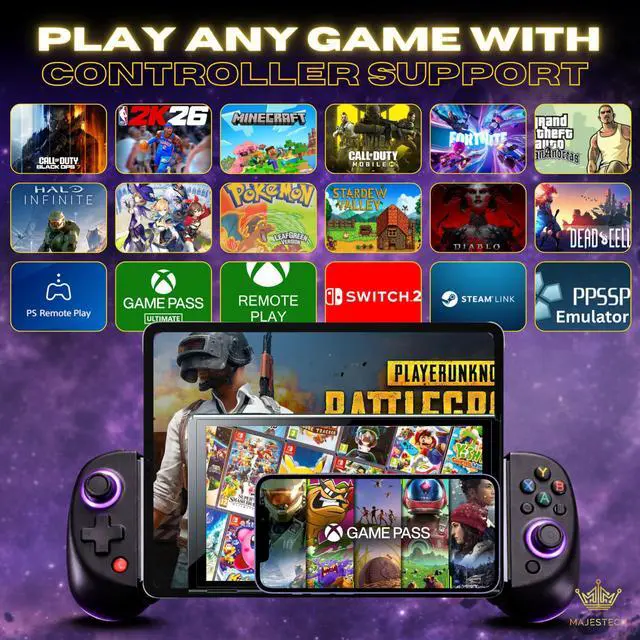
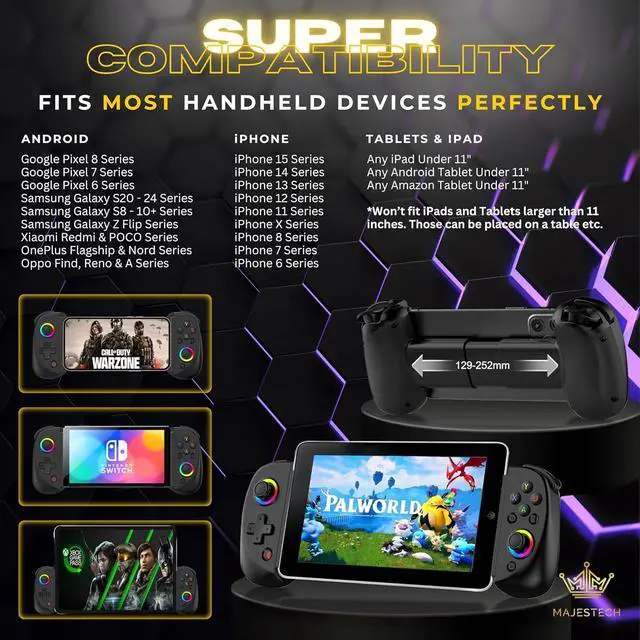
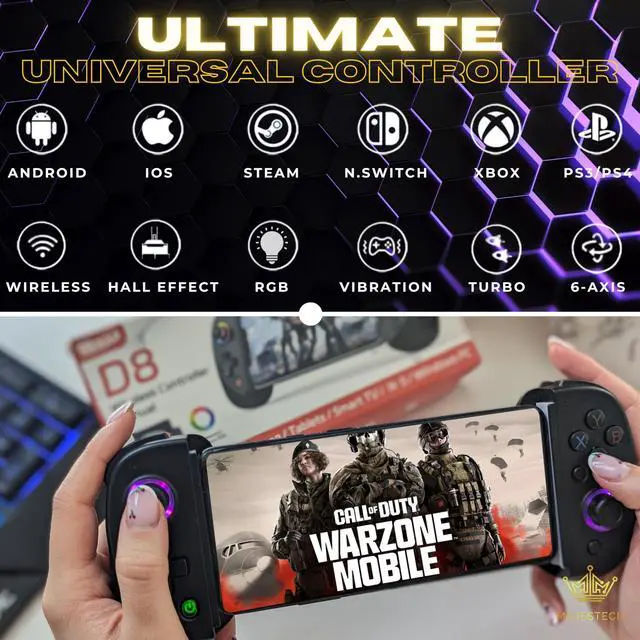
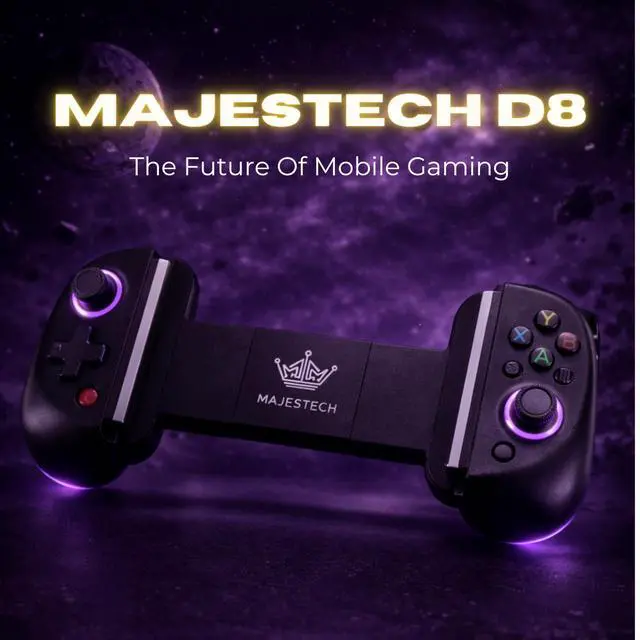


Super multi-compatibility with Devices, Games and Gaming Platforms!
Works with iOS 13.4+ systems:
D8 Mobile Phone controller for iPhone 15/15 Pro Max/14/14 Plus/14 Pro/14 Pro Max/13/13 mini/13 Pro/13 Pro Max/12/12 mini/12 Pro/12 Pro Max/11/11 Pro/11 Pro Max/X/XR/XS/XS Max/8/8 Plus/7/7 Plus/6S/6S Plus, Compatible with iPad/iPad Mini/iPad Pro/iPad Air
Note: PUBG does not work for iOS, but it does for Android using the Shooting Plus v3 setup Method
Works with Android 6.0+ systems:
D8 Smart phone gaming controller for Android - Samsung Galaxy S23, S24, S25, S22 Ultra/ S22+/S22/S21 Ultra/S21+/S21/S20 Ultra/S20+/S20/S10e/ S10+/ S10/S9+/S9/S8+/S8/Galaxy Note/One Plus/TCL/Motorol/Huawei/Motorola/Oppo and more android phone. Tablet controller for Samsung Galaxy Tab, Lenovo Tab, Yoga Tab, Nokia T20, Smart Tab, HUAWEI MatePad, Samsung Galaxy S23 Ultra, Motorola Edge+ (2023), Google Pixel 7a, Samsung Galaxy A54 5G, OnePlus 11, Google Pixel 7 Pro, Asus ROG Phone 7 Ultimate, Samsung Galaxy Z Fold 4, Asus Zenfone 10, Honor Magic 5 Pro, Honor 90, Huawei P60 Pro, Motorola Edge 40 Pro, Nokia XR20, Nokia G21, OnePlus Nord N30 5G, Realme GT 2 Pro, Xiaomi 12 Pro, Oppo Find X5 Pro, Vivo X80 Pro, Google Pixel Fold, Samsung Galaxy Z Flip 4, OnePlus 10T
Works with these devices and gaming platforms:
Windows PC 7-11, Laptop, Notebook, Mac, Nintendo Switch, Xbox Game Pass (Cloud), Playstation (PS Remote Play), RetroArch, Lemuroid (and other Emulators), PS3/PS4, Steam Deck, Tablet, iPad
Supports these games, and more:
The majority of controller-based games available on the App Store, including popular titles like Palworld, Call of Duty Mobile, Roblux, Dead Cells, Grand Theft Auto 5, GTA 4, EA Sports 24, Fifa, Fortnite, Apex, PUBG Mobile (not for iOS), Genshin Impact, Minecraft, Pokemon Go, NBA, GTA, Clash of Clans, PUBG Mobile Diablo Immortal, Minecraft, Pixel Gun 3D, Asphalt 9: Legends, RetroArch PPSSPP Emulator Games etc. iOS users can directly connect and play without the need for any additional app downloads. However, for certain games like PUBG on Android phones, you'll need to install the 'ShootingPlus V3' App.


Super multi-compatibility with Devices, Games and Gaming Platforms!
Works with iOS 13.4+ systems:
D8 Mobile Phone controller for iPhone 15/15 Pro Max/14/14 Plus/14 Pro/14 Pro Max/13/13 mini/13 Pro/13 Pro Max/12/12 mini/12 Pro/12 Pro Max/11/11 Pro/11 Pro Max/X/XR/XS/XS Max/8/8 Plus/7/7 Plus/6S/6S Plus, Compatible with iPad/iPad Mini/iPad Pro/iPad Air
Note: PUBG does not work for iOS, but it does for Android using the Shooting Plus v3 setup Method
Works with Android 6.0+ systems:
D8 Smart phone gaming controller for Android - Samsung Galaxy S23, S24, S25, S22 Ultra/ S22+/S22/S21 Ultra/S21+/S21/S20 Ultra/S20+/S20/S10e/ S10+/ S10/S9+/S9/S8+/S8/Galaxy Note/One Plus/TCL/Motorol/Huawei/Motorola/Oppo and more android phone. Tablet controller for Samsung Galaxy Tab, Lenovo Tab, Yoga Tab, Nokia T20, Smart Tab, HUAWEI MatePad, Samsung Galaxy S23 Ultra, Motorola Edge+ (2023), Google Pixel 7a, Samsung Galaxy A54 5G, OnePlus 11, Google Pixel 7 Pro, Asus ROG Phone 7 Ultimate, Samsung Galaxy Z Fold 4, Asus Zenfone 10, Honor Magic 5 Pro, Honor 90, Huawei P60 Pro, Motorola Edge 40 Pro, Nokia XR20, Nokia G21, OnePlus Nord N30 5G, Realme GT 2 Pro, Xiaomi 12 Pro, Oppo Find X5 Pro, Vivo X80 Pro, Google Pixel Fold, Samsung Galaxy Z Flip 4, OnePlus 10T
Works with these devices and gaming platforms:
Windows PC 7-11, Laptop, Notebook, Mac, Nintendo Switch, Xbox Game Pass (Cloud), Playstation (PS Remote Play), RetroArch, Lemuroid (and other Emulators), PS3/PS4, Steam Deck, Tablet, iPad
Supports these games, and more:
The majority of controller-based games available on the App Store, including popular titles like Palworld, Call of Duty Mobile, Roblux, Dead Cells, Grand Theft Auto 5, GTA 4, EA Sports 24, Fifa, Fortnite, Apex, PUBG Mobile (not for iOS), Genshin Impact, Minecraft, Pokemon Go, NBA, GTA, Clash of Clans, PUBG Mobile Diablo Immortal, Minecraft, Pixel Gun 3D, Asphalt 9: Legends, RetroArch PPSSPP Emulator Games etc. iOS users can directly connect and play without the need for any additional app downloads. However, for certain games like PUBG on Android phones, you'll need to install the 'ShootingPlus V3' App.
iOS & Android DIRECT Play Setup
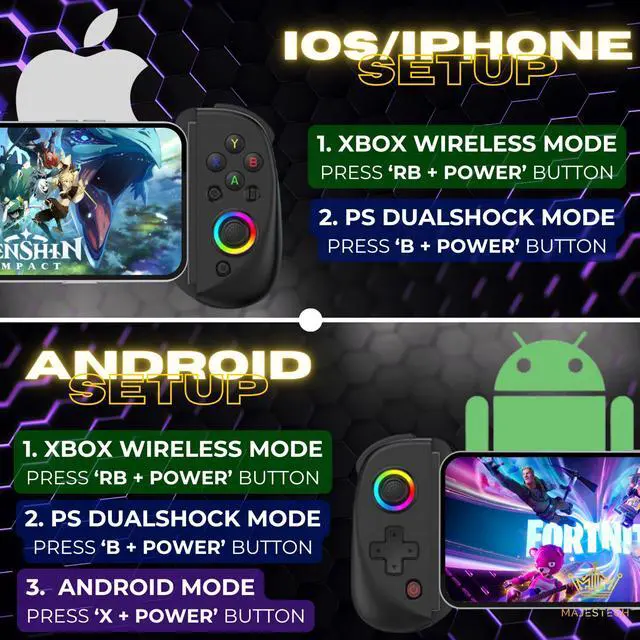
There are two modes for direct play on iOS/iPhone/iPad/Android/Tablet:
1. Xbox Controller Mode: Long press both ''RB + Power'' button until the LED blinks fast, then go to your phone's Bluetooth settings and pair with 'Xbox Wireless Controller' mode.
2. Playstation Dualshock Mode: Long press both ''B + Power'' button until the LED blinks fast, then go to your phone's Bluetooth settings and pair with 'Dualshock Wireless Controller' mode.
See video guides on this page or scan code in your order flyer for video setup demonstration.
For PC users and Steam Link, use the 'RB + Power' (Xbox Wireless Controller) mode to connect.
Cloud Gaming - Playstation Remote Play, Xbox Remote Play/Game Pass, Steam Link, PC Setup
Both these methods will work for Android and iOS devices. For Playstation Remote Play, follow step 2. For all other cloud gaming services such as Xbox Game Pass, Remote Play, and Steam Link, follow step 1.
1. Xbox Controller Mode: Long press both ''RB + Power'' button until the LED blinks fast, then go to your phone's Bluetooth settings and pair with 'Xbox Wireless Controller' mode.
2. PlayStation Dualshock Mode: Long press both ''B + Power'' button until the LED blinks fast, then go to your phone's Bluetooth settings and pair with 'Dualshock Wireless Controller' mode.
Android Button Mapping & Native Mode Setup
For Android only:
1. Button Mapping (Shooting Plus v3 app) - This app lets you map controller buttons to your phone screen, even for games without controller support. Install the Shooting Plus v3 app, connect your controller by pressing 'A+Power' button and pair with 'BSP-D8', then adjust button positions on screen. See video guide for details.
2. Android Native Mode: Long press 'X and Power' button until the LED blinks fast, then go to your phone's Bluetooth settings and pair with 'BSP-D8' mode.
Nintendo Switch Setup
Our Majestech D8 Controller works with All Nintendo Switch Consoles/OLED/Lite.
1. Nintendo Switch mode: Long press both 'RT + Power' button until the LED blinks fast, then go to your Nintendo Switch controller settings, then 'Change Grip/Order' and select 'Pro Wireless Controller' mode (it should auto pop up on the menu).