




GUOC RGB Wired Controller for PS5 Q&A
Q1: Why can't I hear sound or use the microphone when I plug in 3.5mm headphones?
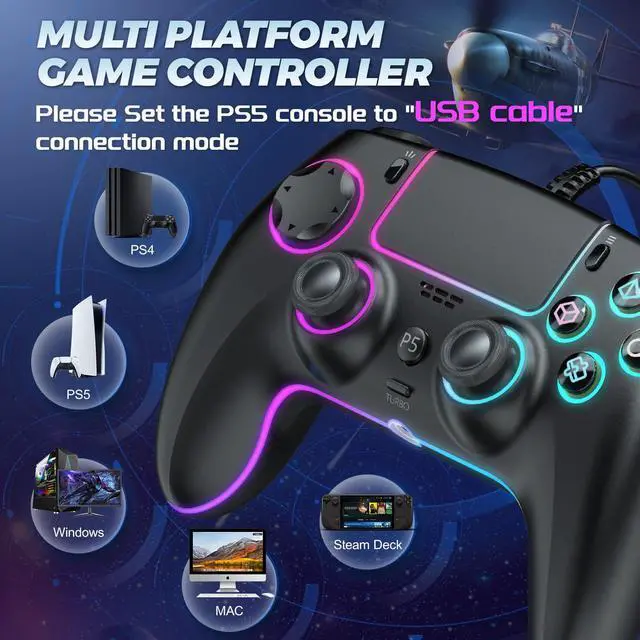
A1: You must set the PS5 to connect using a USB Cable to fully utilize the controller's features.
Q2: My controller's joystick is drifting. What should I do?
A2: Press and hold the SHARE+OPTIONS buttons on the controller
Then plug the USB cable into your computer. You will see the light on the top of the controller flashing , at this point, gently press the L2/R2 buttons 2-3 times, rotate the joystick 2-3 times, and then long press the X button for 1 second to calibrate the joystick so that it no longer drifts.
Q3: What if I encounter other problems?
A3: Any questions you have, we will answer them within 24 hours.



About us
We are committed to making better gaming accessories—crafted with precision, engineered for performance, and designed for every detail that elevates play. Our mission is simple: to enhance your gaming experience, one seamless, comfortable, and reliable accessory at a time, so you can focus on what matters most—dominating the game.
How did we get start?
From playing games to creating game products, it's all about passion, aiming to provide every player with a great gaming experience
Why us?
Boasting superior craftsmanshi our product delivers the seamless, all-around shopping experience every gamer deserves. We never compromise—striving for excellence in both product quality and after-sales support
Why do we love what we do?
We’re gamers who turned our frustration with subpar accessories into a mission: to make products that check every box—quality, comfort, performance.
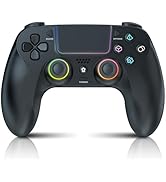
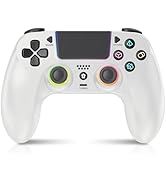
CONTROLLER FOR PS5
About us
We are committed to making better gaming accessories—crafted with precision, engineered for performance, and designed for every detail that elevates play. Our mission is simple: to enhance your gaming experience, one seamless, comfortable, and reliable accessory at a time, so you can focus on what matters most—dominating the game.
How did we get start?
From playing games to creating game products, it's all about passion, aiming to provide every player with a great gaming experience
Why us?
Boasting superior craftsmanshi our product delivers the seamless, all-around shopping experience every gamer deserves. We never compromise—striving for excellence in both product quality and after-sales support
Why do we love what we do?
We’re gamers who turned our frustration with subpar accessories into a mission: to make products that check every box—quality, comfort, performance.
CONTROLLER FOR PS5
GUOC RGB Wired Controller for PS5 Q&A
Q1: Why can't I hear sound or use the microphone when I plug in 3.5mm headphones?
A1: You must set the PS5 to connect using a USB Cable to fully utilize the controller's features.
Q2: My controller's joystick is drifting. What should I do?
A2: Press and hold the SHARE+OPTIONS buttons on the controller
Then plug the USB cable into your computer. You will see the light on the top of the controller flashing , at this point, gently press the L2/R2 buttons 2-3 times, rotate the joystick 2-3 times, and then long press the X button for 1 second to calibrate the joystick so that it no longer drifts.
Q3: What if I encounter other problems?
A3: Any questions you have, we will answer them within 24 hours.