• $59.99
  • Price alert
    Shop it at NeweggBusiness.

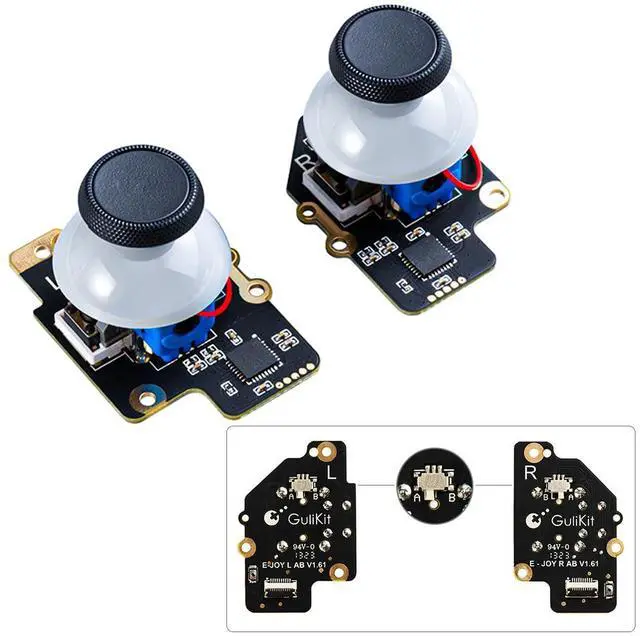
    GuliKit Joystick for Steam Deck(Type A&B), No Drift Hall Effect Sticks, Thumb Grip Accessories for Steam Deck Console, Electromagnetic Joystick Module, No Soldering(Left/Right, 2-Pack, Not Fit OLED)

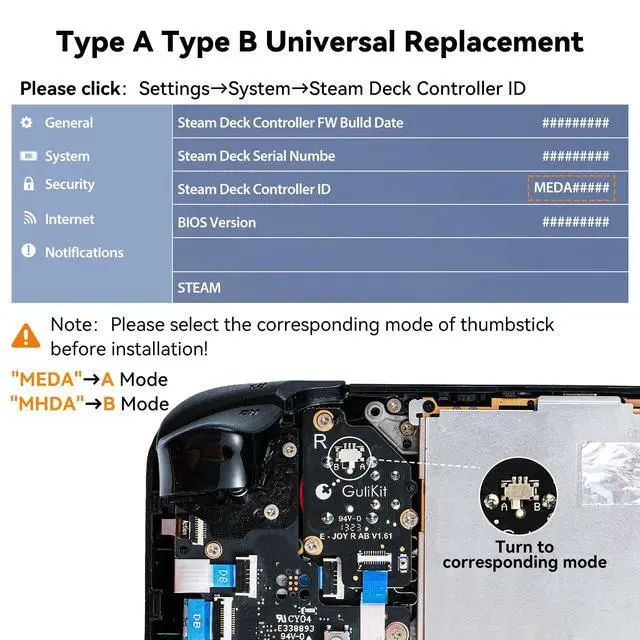
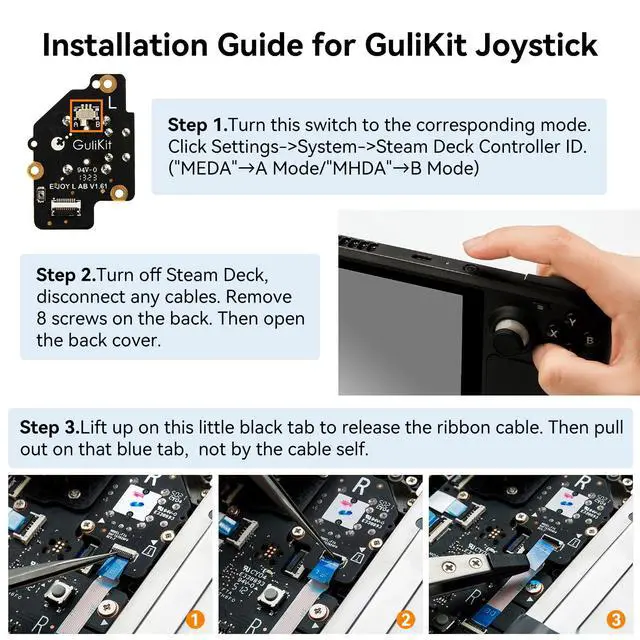
    • [Universal Stick for Steam Deck] GuliKit new upgraded electromagnetic joystick for Steam Deck. It has been tested to work with Steam Deck Type A and Type B. You can easily select the correct model by using the buttons on the back. [Please click]: Settings System Steam Deck Controller ID, MEDA is Type A, MHDA is Type B.[Not compatible with OLED version]
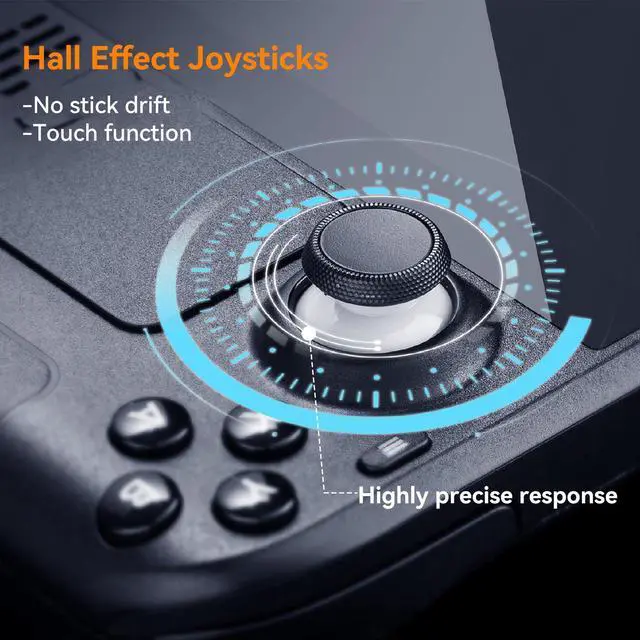
    • [No Drift Stick] GuliKit's patented 3D Hall Effect Sensor joystick. Revolutionary electromagnetic stick solves the drifting problem and fix for problems like creeping, stuttering, blind spots, dead zones, no click, non-centered, broken, and loose joysticks.
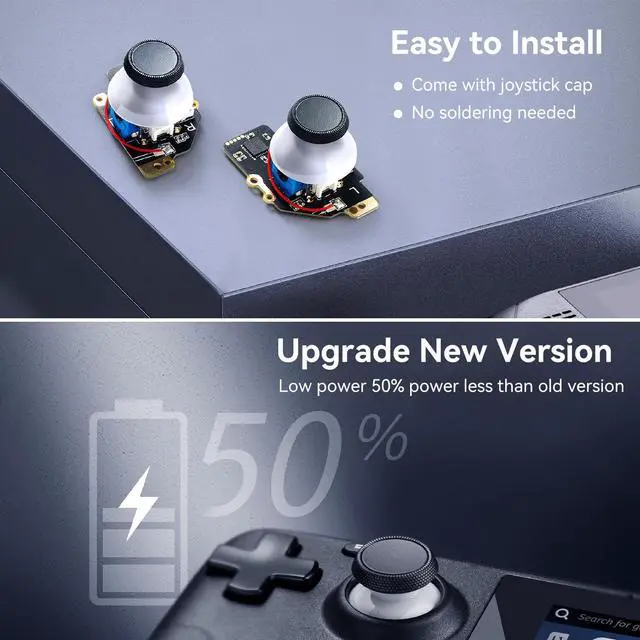
    • [Hassle-Free Installation] Say goodbye to soldering and time-consuming installation processes. GuliKit joystick comes with caps and also preserve the touch function like your original steam deck stick, making installation a breeze.
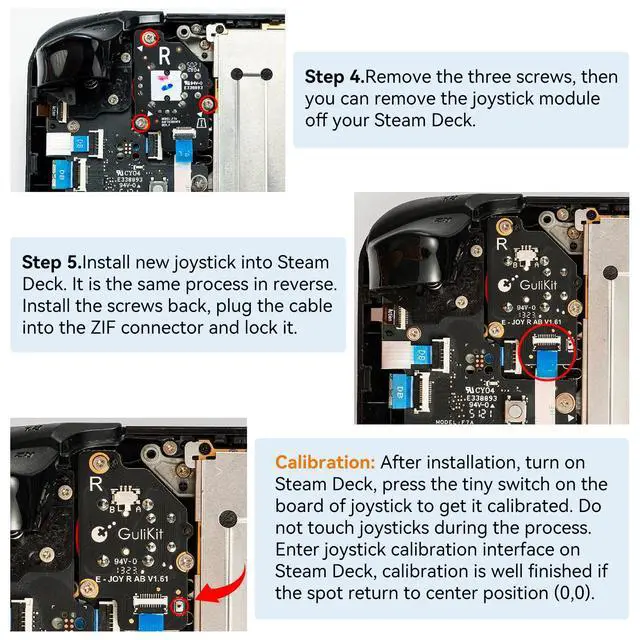
    • [About Calibration] Turn on Steam Deck, press tiny switch on the board of gulikit joystick to get it calibrated. Please do not touch them during the process. Go to joystick calibration interface on Steam Deck, calibration is well finished if you see the joysticks return to center position(0,0).If the spot is off-center, please follow the detail steps in our picture.
    +
    +
    Overview
    Specs
    Reviews
    avatar

    Any questions? Our AI beta will help you find out quickly.

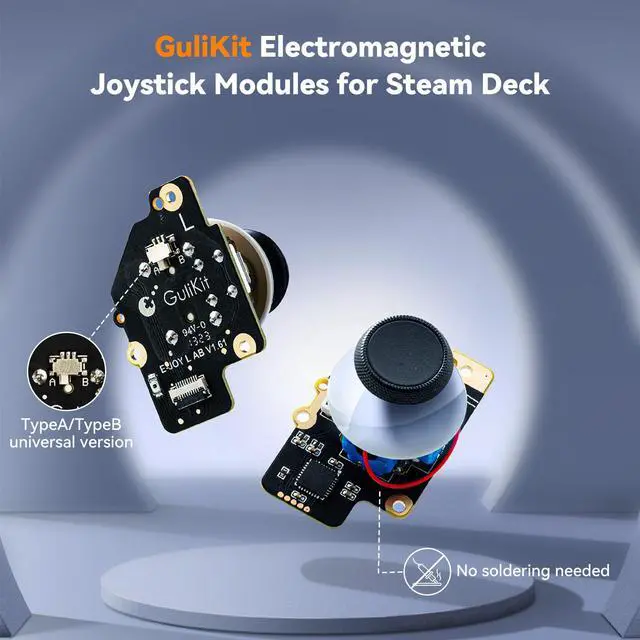
    GuliKit Electromagnetic Joystick Module for Steam Deck

    The GulKit electromagnetic joystick comes with hall effect sensor, no drifting problem and fix for problems like creeping, stuttering, blind spots.

    Joysticks come with caps, no soldering needed, making installation a breeze.

    The gulikit joystick preserves the touch function like your original steam deck stick.

    Longer work life. Low power, 50% power less than old version.

    Calibration your gulikit steam deck joystick:

    After installation, turn on Steam Deck, press the tiny switch on the board of joystick to get it calibrated. Enter joystick calibration interface on Steam Deck, calibration is well finished if the spot return to center position. Compatibility: for Steam Deck Type A, Type B Joystick

    Package: Electromagnetic Joystick Module x 2(Left and Right)

    Warranty & Returns

    Warranty, Returns, And Additional Information

    Warranty

    • Please contact the Seller directly for warranty information. Warranty information may also be found on the Manufacturer's website.
    • CONTACT

    Return Policies

    Manufacturer Contact Info

    LOADING...