






Baigeda
Baigeda is a professional gaming team focused on designing and developing a wide range of gaming equipments and accessories.
Constantly on the lookout for the most advanced technologies, our team of experts assesses and integrates the best performing innovations with Baigeda devices to enhance your gaming experience.
- Get rid of the cable restriction and enjoy a comfortable gaming experience you never had!
- Not only make you enjoy the maximum gaming comfort in your spare time, but also allow you to play any games for an easy win!
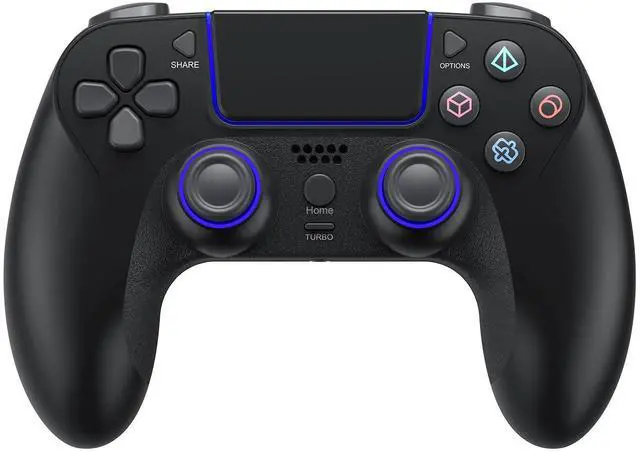
Wireless Game Controller for PlayStation 4 Bluetooth Replacement Gamepad for PS-4 Slim/Pro & Windows PC Rechargeable Double Vibration Joystick Joypad

Please read the product precautions in detail before using it.
Notes:
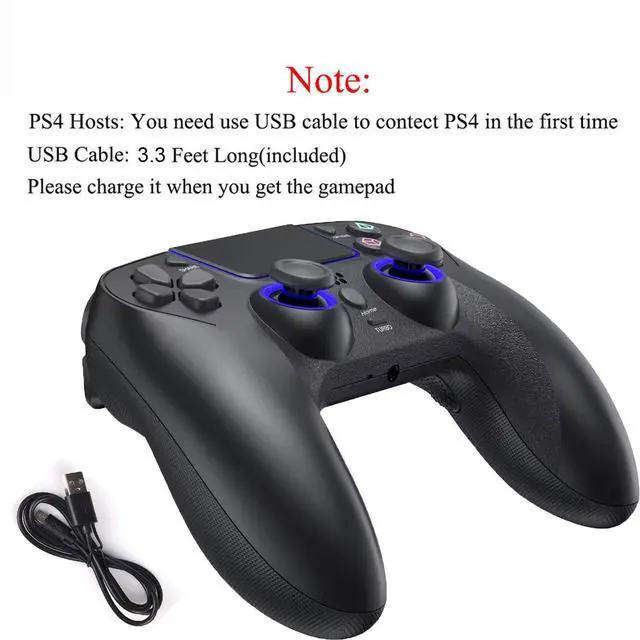
- Charge it with the included USB cable when you get the gamepad(Low battery does not start).
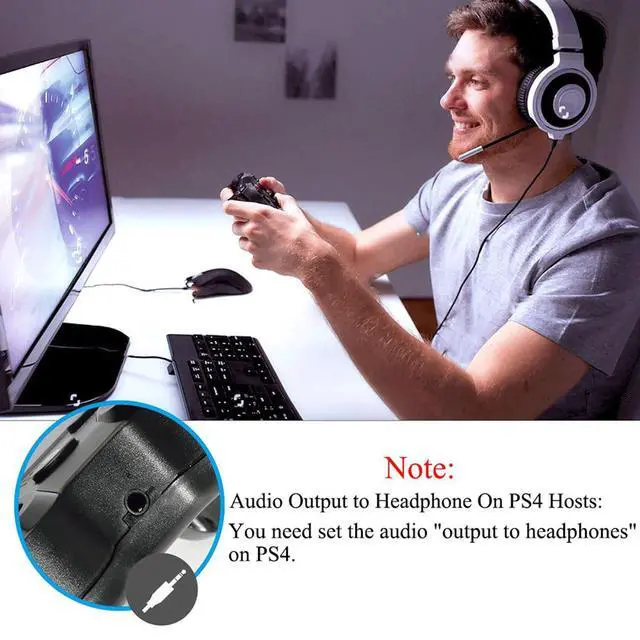
- Audio Output to Headphone on Game Console: You need set the audio "output to headphones" on game console.
Turn on/off Gamepad:
- The wireless controller for PS-4 will turn on when you press "Home" button or connect with the console by USB cable.
- It will turn off when it has been disconnected for 5 minutes.
- If it stops working for a long time, plug it into console by USB cable and unplug it after fully charged.
Connect to Game Console:
- Use the USB cable to connect game console.
- Hold "Home" button for 3 seconds to pair, just wait another 3 seconds.
- For initial use, you need use USB cable to connect game console. then you can choose wireless connection for next use.
- Wireless Connection: Short press "Home" button and wait for 3 seconds, the LED light will change color to indicate successful connection.
Connect to PC:
- If your PC have Bluetooth, hold "Share" and "Home" buttons for 3 seconds before pairing;
- If not, need a Bluetooth adapter or use cable to connect PC;
- If you're not using it with Steam, you need to google and download "DS4Windows".
Turbo Function Setting:
- Press button(A/B/X/Y/L1/L2/R1/R2) + Turbo button together to complete Turbo setting, now press the designated button to fire multiple times.
- Press designated button(A/B/X/Y/L1/L2/R1/R2) you have set + Turbo button together to cancel Turbo setting.
Mapping Function Setting:
- Enter mapping mode: press and hold the Turbo button for 2 seconds, release the button when the LED light flashes slowly.
- Cancel mapping mode: press and hold the Option+Turbo buttons together for 2 seconds.
Gamepad Malfunction:
- Wireless Connection Failed: Delete the name of the Bluetooth installed in the console before pairing again.
- If it doesn't work, you can restart it or recharge it. If still fail, please reset it.
- Reset Method: Put a needle into the mini hole at the back of the controller and press the reset button.
Package Include:
- 1* Use Manual
- 1* 3.3 Feet USB Type-C Cable
- 1* Wireless Controller for PS-4 from Baigeda

Excellent Wireless Controller for PS-4
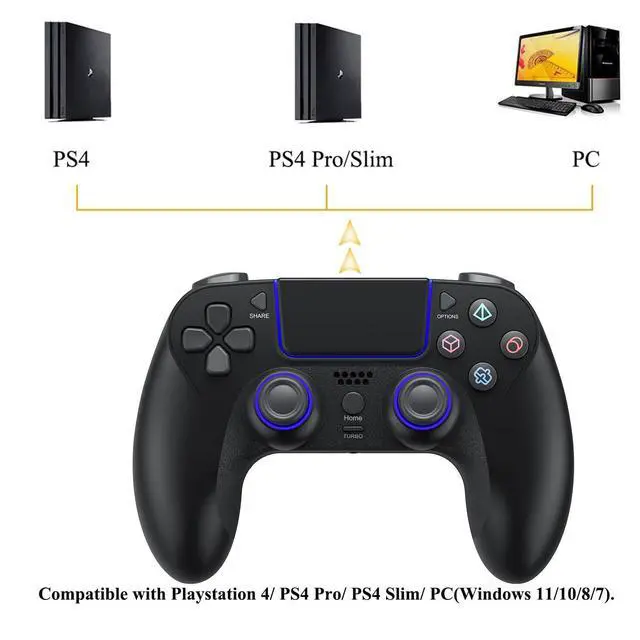
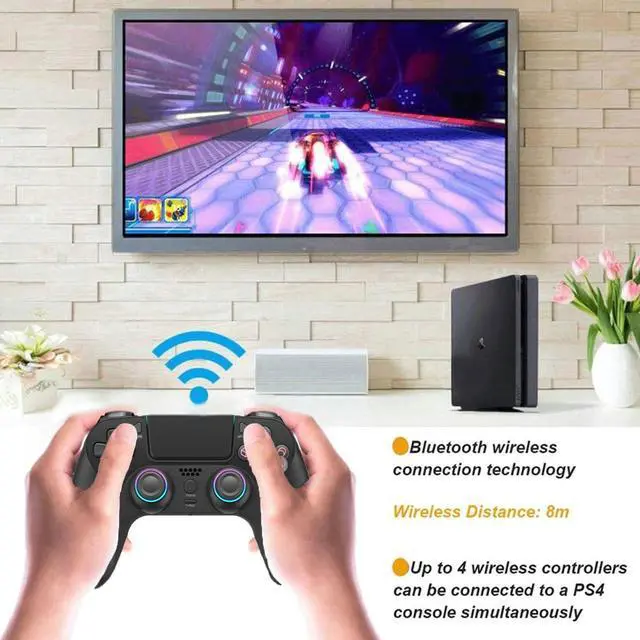
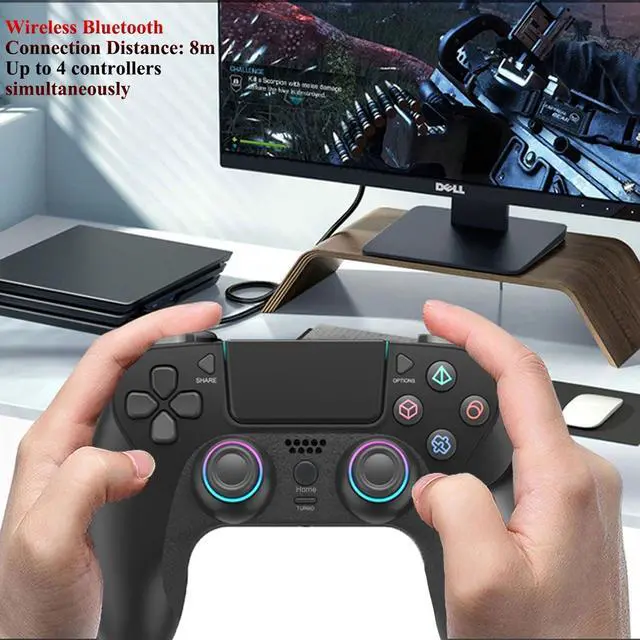
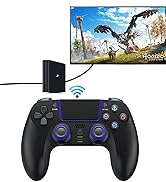
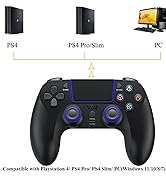
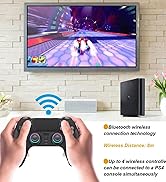
Replacement for Sony original PlayStation 4 controller. compatible with PS-4/ PS-4 Pro/ PS-4 Slim/ PC(Windows 11/10/8/7). up to 4 bluetooth controllers for PS-4 can be connected to a game console simultaneously.

Long-lasting Gaming Time & Fast Charging
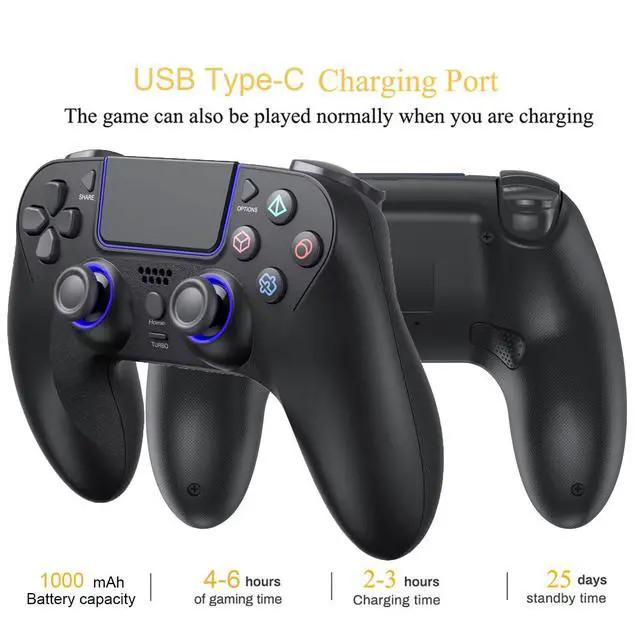
The large-capacity rechargeable lithium battery provides longer gaming time while ensuring safety. it's charged quickly through the USB Type-C cable(included). a 3.5mm audio port is added, additionally, the touch pad and integrated light bar can offer new ways to play the games.

Ergonomic & Comfortable Design
The grip is made of non-slip and sweatproof materials, double-precision analog joystick, professional reliable 3D ergonomic design, delicate outlook, comfortable feeling, it's not easy to fatigue your hands.

High Sensitive Control
Equipped with the latest motion sensing technology: it can detect omnidirectional dynamic information including Roll, Pitch and Yaw, and transmit all information captured to the game system quickly. it also has two asymmetrical motors in left and right providing dual vibration function.

Stable Signal without Delay
This wireless controller for PS-4 have high performance bluetooth wireless connection technology “Bluetooth 2.1 + EDR” is adopted, it provides stable signal without delay or line drop within 8m. it's with strong anti-interference performance and won't be affected easily by other wireless devices.

Comfortable Gaming Experience
Customize mapping and turbo functions can adapt to your preferences wonderfully, to bring you a more comfortable gaming experience. with this function, you can use this controller for PS-4 to operate special games.


Baigeda is a professional gaming team focused on designing and developing a wide range of gaming equipments and accessories.
Constantly on the lookout for the most advanced technologies, our team of experts assesses and integrates the best performing innovations with Baigeda devices to enhance your gaming experience.
Wireless Controller for PS-4

Professional & Timely Response
- Hassle-free Exchange/Return
- Lifetime Product Support
- 7*24H Timely Response

Fast Dispatch & Safe Warehouse
Our products will be safely dispatched in time through efficient and safe logistics system.
Baigeda
Baigeda is a professional gaming team focused on designing and developing a wide range of gaming equipments and accessories.
Constantly on the lookout for the most advanced technologies, our team of experts assesses and integrates the best performing innovations with Baigeda devices to enhance your gaming experience.
- Get rid of the cable restriction and enjoy a comfortable gaming experience you never had!
- Not only make you enjoy the maximum gaming comfort in your spare time, but also allow you to play any games for an easy win!
Wireless Game Controller for PlayStation 4 Bluetooth Replacement Gamepad for PS-4 Slim/Pro & Windows PC Rechargeable Double Vibration Joystick Joypad
Please read the product precautions in detail before using it.
Notes:
- Charge it with the included USB cable when you get the gamepad(Low battery does not start).
- Audio Output to Headphone on Game Console: You need set the audio "output to headphones" on game console.
Turn on/off Gamepad:
- The wireless controller for PS-4 will turn on when you press "Home" button or connect with the console by USB cable.
- It will turn off when it has been disconnected for 5 minutes.
- If it stops working for a long time, plug it into console by USB cable and unplug it after fully charged.
Connect to Game Console:
- Use the USB cable to connect game console.
- Hold "Home" button for 3 seconds to pair, just wait another 3 seconds.
- For initial use, you need use USB cable to connect game console. then you can choose wireless connection for next use.
- Wireless Connection: Short press "Home" button and wait for 3 seconds, the LED light will change color to indicate successful connection.
Connect to PC:
- If your PC have Bluetooth, hold "Share" and "Home" buttons for 3 seconds before pairing;
- If not, need a Bluetooth adapter or use cable to connect PC;
- If you're not using it with Steam, you need to google and download "DS4Windows".
Turbo Function Setting:
- Press button(A/B/X/Y/L1/L2/R1/R2) + Turbo button together to complete Turbo setting, now press the designated button to fire multiple times.
- Press designated button(A/B/X/Y/L1/L2/R1/R2) you have set + Turbo button together to cancel Turbo setting.
Mapping Function Setting:
- Enter mapping mode: press and hold the Turbo button for 2 seconds, release the button when the LED light flashes slowly.
- Cancel mapping mode: press and hold the Option+Turbo buttons together for 2 seconds.
Gamepad Malfunction:
- Wireless Connection Failed: Delete the name of the Bluetooth installed in the console before pairing again.
- If it doesn't work, you can restart it or recharge it. If still fail, please reset it.
- Reset Method: Put a needle into the mini hole at the back of the controller and press the reset button.
Package Include:
- 1* Use Manual
- 1* 3.3 Feet USB Type-C Cable
- 1* Wireless Controller for PS-4 from Baigeda
Excellent Wireless Controller for PS-4
Replacement for Sony original PlayStation 4 controller. compatible with PS-4/ PS-4 Pro/ PS-4 Slim/ PC(Windows 11/10/8/7). up to 4 bluetooth controllers for PS-4 can be connected to a game console simultaneously.
Long-lasting Gaming Time & Fast Charging
The large-capacity rechargeable lithium battery provides longer gaming time while ensuring safety. it's charged quickly through the USB Type-C cable(included). a 3.5mm audio port is added, additionally, the touch pad and integrated light bar can offer new ways to play the games.
Ergonomic & Comfortable Design
The grip is made of non-slip and sweatproof materials, double-precision analog joystick, professional reliable 3D ergonomic design, delicate outlook, comfortable feeling, it's not easy to fatigue your hands.
High Sensitive Control
Equipped with the latest motion sensing technology: it can detect omnidirectional dynamic information including Roll, Pitch and Yaw, and transmit all information captured to the game system quickly. it also has two asymmetrical motors in left and right providing dual vibration function.
Stable Signal without Delay
This wireless controller for PS-4 have high performance bluetooth wireless connection technology “Bluetooth 2.1 + EDR” is adopted, it provides stable signal without delay or line drop within 8m. it's with strong anti-interference performance and won't be affected easily by other wireless devices.
Comfortable Gaming Experience
Customize mapping and turbo functions can adapt to your preferences wonderfully, to bring you a more comfortable gaming experience. with this function, you can use this controller for PS-4 to operate special games.
Baigeda is a professional gaming team focused on designing and developing a wide range of gaming equipments and accessories.
Constantly on the lookout for the most advanced technologies, our team of experts assesses and integrates the best performing innovations with Baigeda devices to enhance your gaming experience.
Wireless Controller for PS-4
Professional & Timely Response
- Hassle-free Exchange/Return
- Lifetime Product Support
- 7*24H Timely Response
Fast Dispatch & Safe Warehouse
Our products will be safely dispatched in time through efficient and safe logistics system.