




 DongBlitz Type-C Mobile Gaming Controller for Android & iPhone 15/16 Series (... |  Mobile Gaming Controller for iPhone 16/15 Series & Android (USB-C) Plug & Pla... |  Wireless Telescopic Game Controller, Universal Mobile Gaming Gamepad with Hal... | |
|---|---|---|---|
| Customer Reviews | — | — | — |
| Price | — | — | — no data |
| About product styles | no data | no data | no data |


DongBlitz
Born for gamers, builds devices that make every session effortless. Start with our ergonomic Pro Controller,
DongBlitz
???????
To begin, we focus on understanding your unique brand identity and goals.
????????????
Our product stands out because it’s designed with a deep understanding of your brand’s core values and market positioning. We emphasize authenticity, ensuring your brand card reflects what truly sets you apart—whether it’s your mission,
?????????????
We’re passionate about helping brands tell their stories in a compelling way.
DongBlitz
Born for gamers, builds devices that make every session effortless. Start with our ergonomic Pro Controller,
DongBlitz
???????
To begin, we focus on understanding your unique brand identity and goals.
????????????
Our product stands out because it’s designed with a deep understanding of your brand’s core values and market positioning. We emphasize authenticity, ensuring your brand card reflects what truly sets you apart—whether it’s your mission,
?????????????
We’re passionate about helping brands tell their stories in a compelling way.
DongBlitz Type-C Mobile Gaming Controller for Android & iPhone 15/16 Series (... | Mobile Gaming Controller for iPhone 16/15 Series & Android (USB-C) Plug & Pla... | Wireless Telescopic Game Controller, Universal Mobile Gaming Gamepad with Hal... | |
|---|---|---|---|
| Customer Reviews | — | — | — |
| Price | — | — | — no data |
| About product styles | no data | no data | no data |
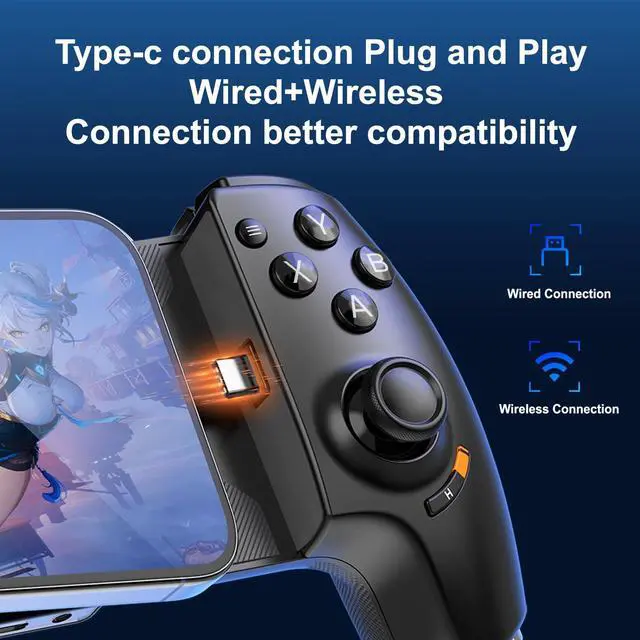
| Use iPhone 15 or above (ios) | The first direct connection may take some time to identify the system, and the iOS system indicator light will be green. You can also switch to iOS mode by double clicking the H key |
| If the game does not respond, | iPhone Some games require you to go to General Settings on your phone - Game Controller - Add Game App |
| Connect to Android or ios | Double click on H to switch modes. The green light indicates iOS mode, and the blue light indicates Android mode |
| Use more features | Please check the manual for more detailed function descriptions. |