




 here!
here!
I’m your shopping assistant for PC builds, upgrades, and everything tech.
Got questions? Ask away!
Start a conversation
here!
I’m your shopping assistant for PC builds, upgrades, and everything tech.
Got questions? Ask away!
Start a conversation
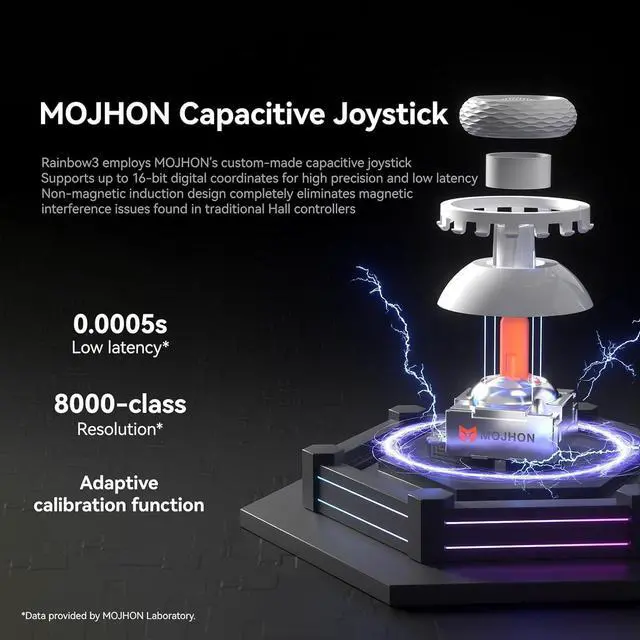
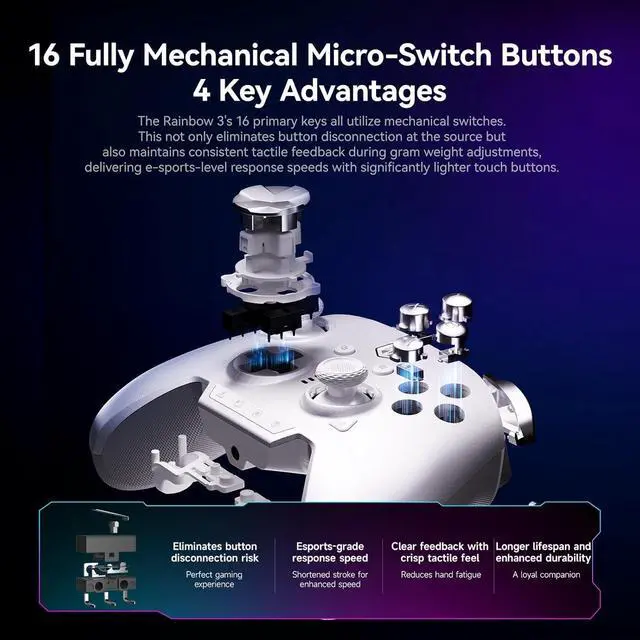
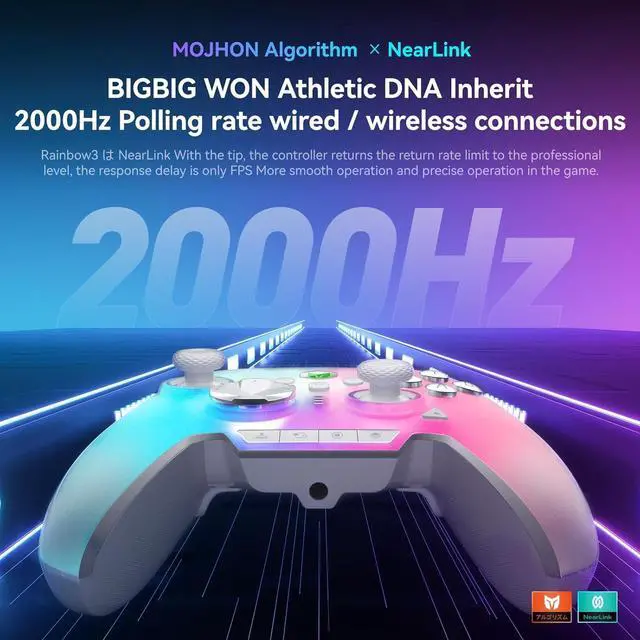



Any questions? Ask CelesteSM will help you find out quickly.
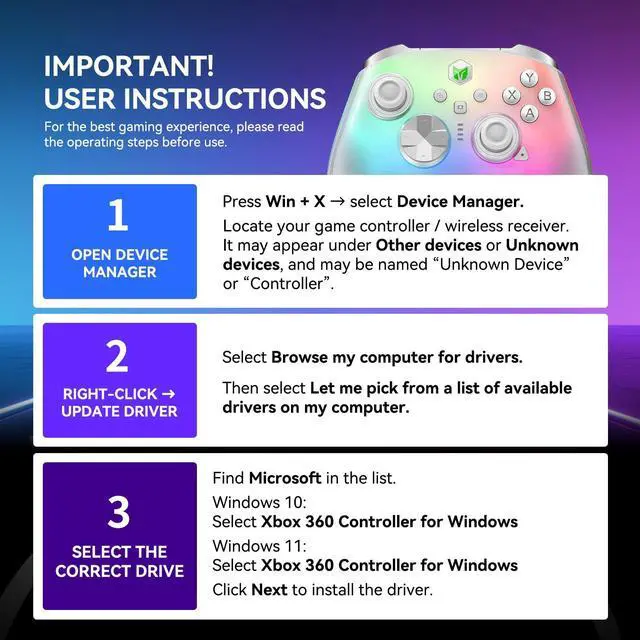
Why can't my controller connect to my device?
Bluetooth: Put the controller into Bluetooth pairing mode before searching for it on your device.
2.4G Wireless: Pair the controller with the USB receiver before first use.
USB Wired: Simply connect the controller using a USB cable.
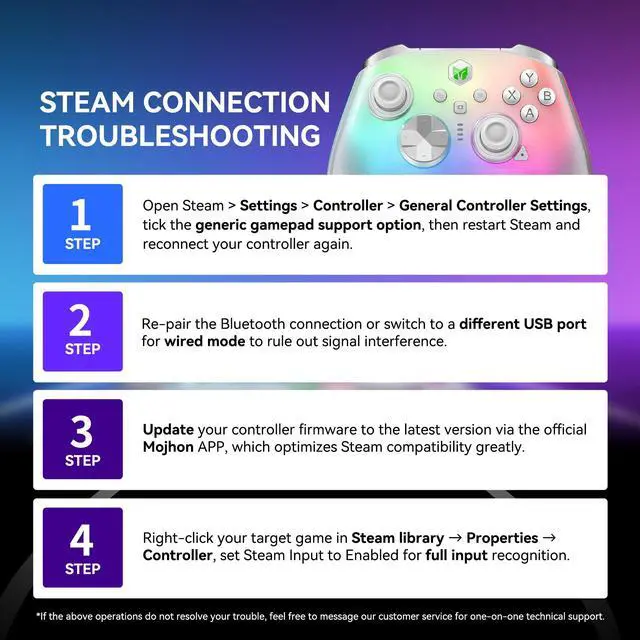
Why can't Steam detect my controller?
Before connecting to Steam, switch the controller to XInput mode by pressing FN + X.
If using Bluetooth or the wireless receiver for the first time, complete the pairing process before connecting.
Why do the buttons behave abnormally, such as double-clicking or triggering another button?
If you experience abnormal button behavior, such as double-clicking or one button triggering another, please update the controller to the latest firmware (Storm V5248 or later).
Why is my RB button stuck or not responding?
If the RB button has been subjected to excessive force, it may not fully return to its normal position.
Please gently return the button to its normal position. Once it is restored, the button should function normally again.
What should I do if the controller is not responding or won't turn on after a firmware update?
Please press the Reset button on the controller to restore it to normal operation.
If you have just updated the firmware, make sure to follow the app instructions and perform a controller reset before using it again.
 Rainbow 3 | 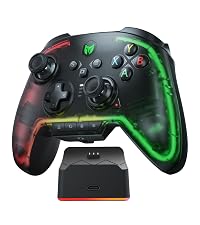 RAINBOW 2 Pro Set |  RAINBOW 2 SE Blue |  RAINBOW 2 SE Green |  RAINBOW 2 SE Pink | |
|---|---|---|---|---|---|
Customer Reviews | — | — | — | — | — |
Price | — | — | — | — | — |
Supported Platforms | PC/Switch/Switch2/iOS/Android | PC/Switch/iOS/Android | PC/Switch/iOS/Android | PC/Switch/iOS/Android | PC/Switch/iOS/Android |
Connection Ways | 2.4G & Bluetooth & USB-C Cable | 2.4G & Bluetooth & USB-C Cable | 2.4G & Bluetooth & USB-C Cable | 2.4G & Bluetooth & USB-C Cable | 2.4G & Bluetooth & USB-C Cable |
Custom Buttons | 2 Back Buttons + 2 Top Buttons | 2 Back Buttons + 2 Top Buttons | 2 Back Buttons + 2 Top Buttons | 2 Back Buttons + 2 Top Buttons | 2 Back Buttons + 2 Top Buttons |
Motion Control | 6-axis Gyro | 6-axis Gyro | 6-axis Gyro | 6-axis Gyro | 6-axis Gyro |
Joystick | 4 Pairs | 3 Pairs | 3 Pairs | 3 Pairs | 3 Pairs |
D-pad | 4-way + 8-way | 4-way + 8-way | 4-way + 8-way | 4-way + 8-way | 4-way + 8-way |
APP | PC+Mobile Phone | Mobile Phone | PC | PC | PC |
Capacitive Joystick | ? | ? | ? | ? | ? |
8000-level Resolution | ? | ? | ? | ? | ? |
Keyboard Mapping | ? | ? | ? | ? | ? |
Audio | ? | ? | ? | ? | ? |
Charging Dock | ? | ? | ? | ? | ? |


Why can't my controller connect to my device?
Bluetooth: Put the controller into Bluetooth pairing mode before searching for it on your device.
2.4G Wireless: Pair the controller with the USB receiver before first use.
USB Wired: Simply connect the controller using a USB cable.
Why can't Steam detect my controller?
Before connecting to Steam, switch the controller to XInput mode by pressing FN + X.
If using Bluetooth or the wireless receiver for the first time, complete the pairing process before connecting.
Why do the buttons behave abnormally, such as double-clicking or triggering another button?
If you experience abnormal button behavior, such as double-clicking or one button triggering another, please update the controller to the latest firmware (Storm V5248 or later).
Why is my RB button stuck or not responding?
If the RB button has been subjected to excessive force, it may not fully return to its normal position.
Please gently return the button to its normal position. Once it is restored, the button should function normally again.
What should I do if the controller is not responding or won't turn on after a firmware update?
Please press the Reset button on the controller to restore it to normal operation.
If you have just updated the firmware, make sure to follow the app instructions and perform a controller reset before using it again.
Rainbow 3 |  RAINBOW 2 Pro Set | RAINBOW 2 SE Blue | RAINBOW 2 SE Green | RAINBOW 2 SE Pink |
|---|---|---|---|---|
| Customer Reviews | ||||
— | — | — | — | — |
| Price | ||||
| — | — | — | — | — |
| Supported Platforms | ||||
| PC/Switch/Switch2/iOS/Android | PC/Switch/iOS/Android | PC/Switch/iOS/Android | PC/Switch/iOS/Android | PC/Switch/iOS/Android |
| Connection Ways | ||||
| 2.4G & Bluetooth & USB-C Cable | 2.4G & Bluetooth & USB-C Cable | 2.4G & Bluetooth & USB-C Cable | 2.4G & Bluetooth & USB-C Cable | 2.4G & Bluetooth & USB-C Cable |
| Custom Buttons | ||||
| 2 Back Buttons + 2 Top Buttons | 2 Back Buttons + 2 Top Buttons | 2 Back Buttons + 2 Top Buttons | 2 Back Buttons + 2 Top Buttons | 2 Back Buttons + 2 Top Buttons |
| Motion Control | ||||
| 6-axis Gyro | 6-axis Gyro | 6-axis Gyro | 6-axis Gyro | 6-axis Gyro |
| Joystick | ||||
| 4 Pairs | 3 Pairs | 3 Pairs | 3 Pairs | 3 Pairs |
| D-pad | ||||
| 4-way + 8-way | 4-way + 8-way | 4-way + 8-way | 4-way + 8-way | 4-way + 8-way |
| APP | ||||
| PC+Mobile Phone | Mobile Phone | PC | PC | PC |
| Capacitive Joystick | ||||
| ? | ? | ? | ? | ? |
| 8000-level Resolution | ||||
| ? | ? | ? | ? | ? |
| Keyboard Mapping | ||||
| ? | ? | ? | ? | ? |
| Audio | ||||
| ? | ? | ? | ? | ? |
| Charging Dock | ||||
| ? | ? | ? | ? | ? |
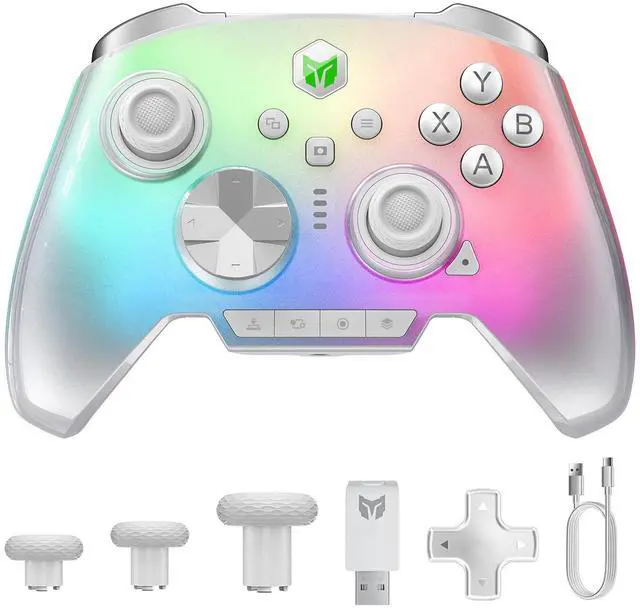
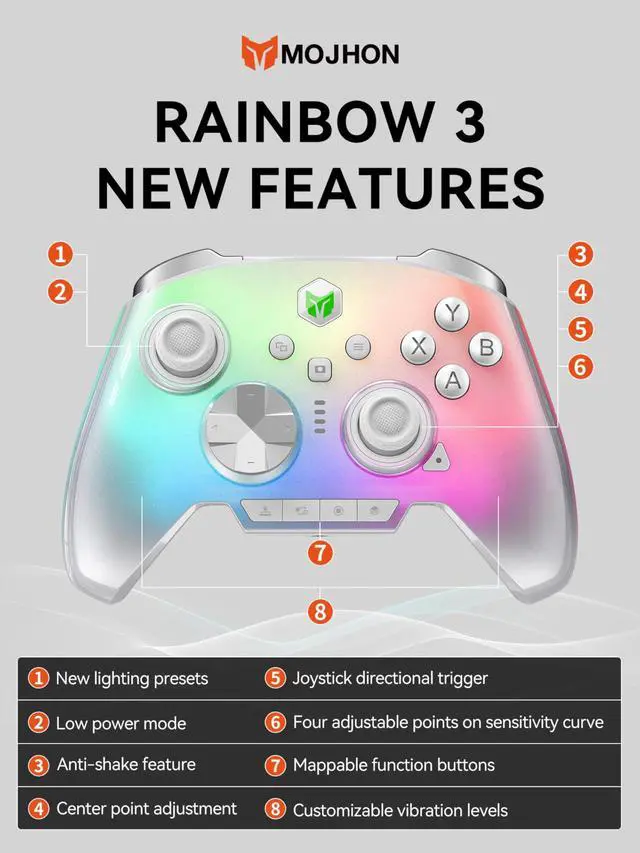
MOJHON Rainbow 3 Wireless Controller 2000Hz Polling Rate Capacitive Joystick 16 Mechanical Keys 14 Custom RGB Lights 6-Axis Gyro Sensor Switchable Hall/Micro-switch Trigger 3.5 mm Audio Jack Gamepad


