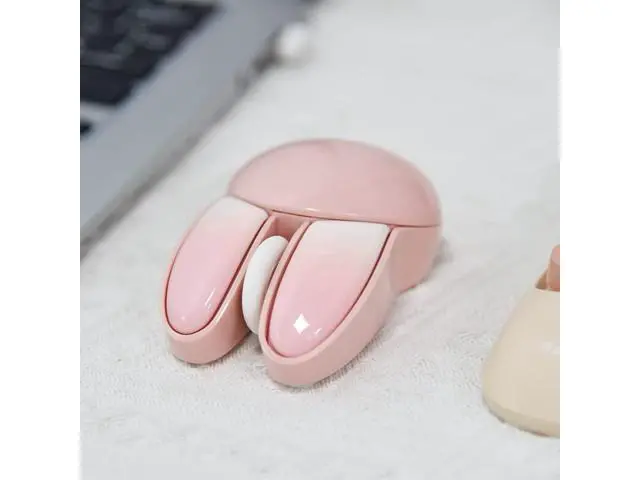
Lomiluskr Bring you colorful computer accessories Previous page We are committed to breaking the boring desktop office environment. We provide you with various computer accessories in colorful colors and creative shapes. They are not only practical but also decorative on the desktop. It can make your work and typing fun. Wireless Keyboard and Mouse Ergo Wireless Keyboard & Mouse Cute Cat Wireless Mouse Cute Bunny Wireless Mouse Wired/Wireless Gasket Keyboard Wired Gaming Mouse Ergonomic Wireless Mouse Wireless Keyboard and Mouse Wireless Keyboard and Mouse Wireless Keyboard and Mouse Wireless Keyboard and Mouse Wired Mechanical Keyboard Wireless Numeric Keyboard Wired Mechanical Keyboard Mouse Pad Double Sided Desk Mat Next page Lomiluskr Bring you colorful computer accessories We are committed to breaking the boring desktop office environment.
We provide you with various computer accessories in colorful colors and creative shapes. They are not only practical but also decorative on the desktop. It can make your work and typing fun. Wireless Keyboard and Mouse Ergo Wireless Keyboard & Mouse Cute Cat Wireless Mouse Cute Bunny Wireless Mouse Wired/Wireless Gasket Keyboard Wired Gaming Mouse Ergonomic Wireless Mouse Wireless Keyboard and Mouse Wireless Keyboard and Mouse Wireless Keyboard and Mouse Wireless Keyboard and Mouse Wired Mechanical Keyboard Wireless Numeric Keyboard Wired Mechanical Keyboard Mouse Pad Double Sided Desk Mat
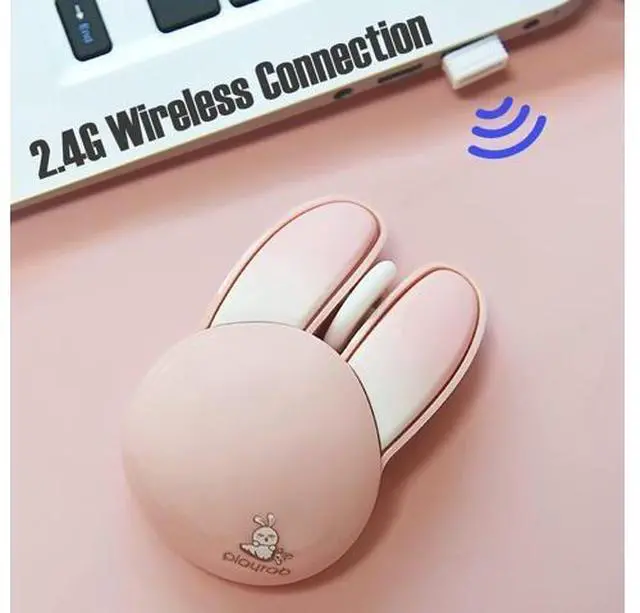
Connection method: 2.4G hz wireless
Product Dimensions: 62 x 94 x 36 mm
Product weight: 59 grams
Number of buttons: 3 buttons
DPI: 1200
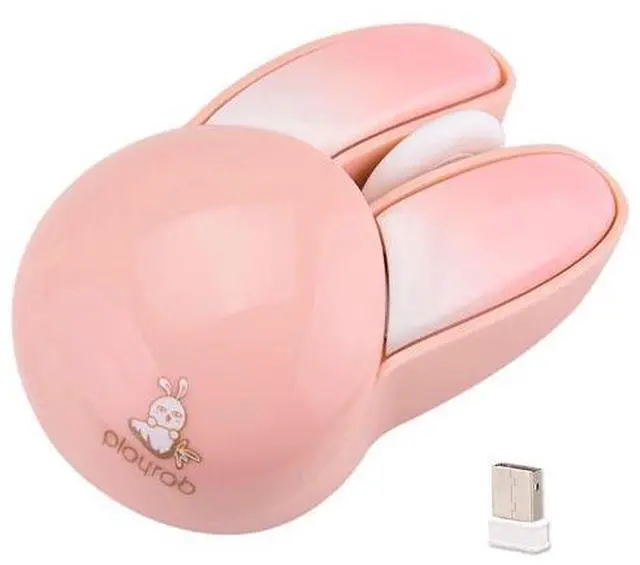
Compatible with: Windows, Mac Product information Brand Lomiluskr Color Pink Bunny Connectivity Technology Radio Frequency Special Feature Lightweight, Soundless, Wireless Movement Detection Technology Optical Product Dimensions 3.7 x 2.44 x 1.42 inches Item Weight 3.17 ounces Batteries 1 AA batteries required. (included) Date First Available February 7, 2023 Manufacturer Lomiluskr Additional Features [Notice]1. This is a 2.4G wireless product, and the receiver needs to be plugged into a USB port. Unable to connect to iPad and mobile phone via Bluetooth.
2. Powered by alkaline batteries, not built-in rechargeable lithium batteries.
3. The new version has removed the switch, and you can use it by plugging the USB receiver into the computer. It will enter standby mode after 3-5 minutes of inactivity. Just click one of the buttons to wake it up. [If Not Responding]1. Insert the USB receiver into a USB port of your PC and wait for the driver to be installed automatically. (Skip this step if driver already installed)
2. Pull out the USB receiver and take out the battery of mouse.
3. Plug the receiver into the same port, install the battery within 10 seconds. The distance between mouse and receiver must less than 20cm.
4. After the pairing is completed automatically, the mouse can be used within 10m.