

Your Browsing History

Meet Your Seller


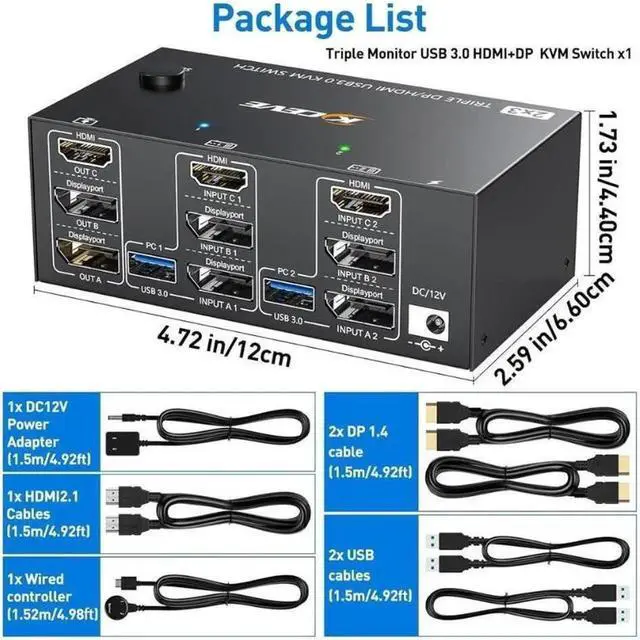
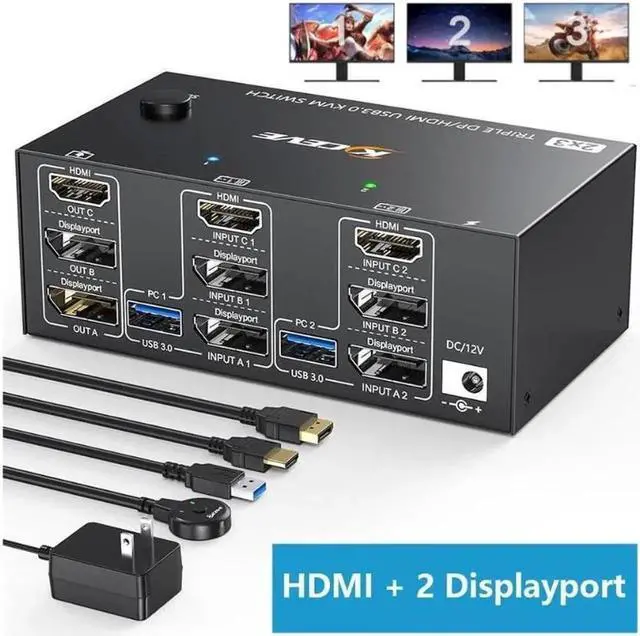


Monitors KVM Switch 2 Displayport + HDMI USB 3.0 KVM Switch 8K@60Hz,4K@144Hz 3 Monitors 2 Computers KVM with 4 USB 3.0 Ports Included KVM Cables,HDMI 8K@60Hz/4K@60Hz,DP 8K@30Hz/4K@144Hz14
Limited time offer, ends 08/31 By Lumitek
- Monitor KVM Switch2 Displayport1.4+HDMI2.1 USB3.0 KVM Switch allows 2 desktop computers/laptops to share 3 monitors and 4 USB3.0 ports(keyboard,mouse and other USB devices).It can make your work space tidy and efficient, also a premium choice for working from home.
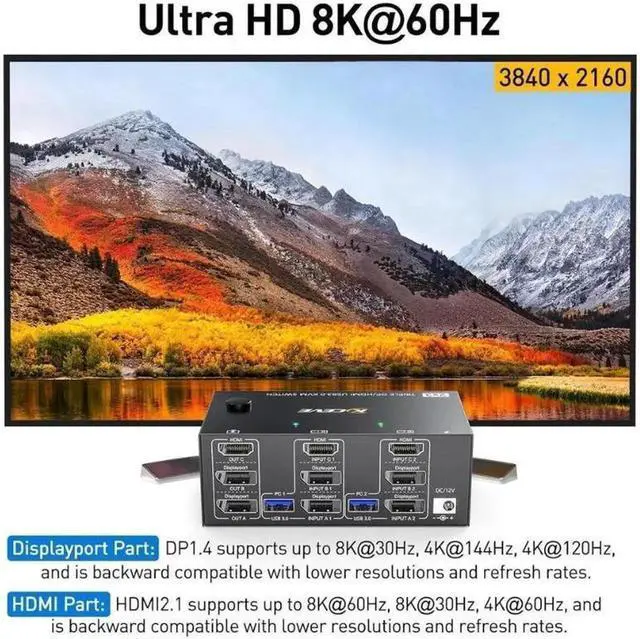
- UHD8K@60Hz/4K@144HzThe resolution and fresh rate of triple monitor KVM switch supports up to 8K@60Hz/4K@144Hz, BUT PLEASE NOTE THAT :HDMI part supports 8K@60Hz4K@60Hz,and backward compatible.Displayport part support 8K@30Hz ,4K@144Hz and backward compatible
- 3 Monitors KVM Switches with 4 USB 3.0 PortsTriple monitor HDMI+2 Displayport KVM switch with 4 USB 3.0 ports which can recognize keyboard,mouse,printer,scaner and other USB devices. USB 3.0 offers data transfer speeds of up to 5Gbps, while USB 2.0 offers data transfer speeds of only 480Mbps.
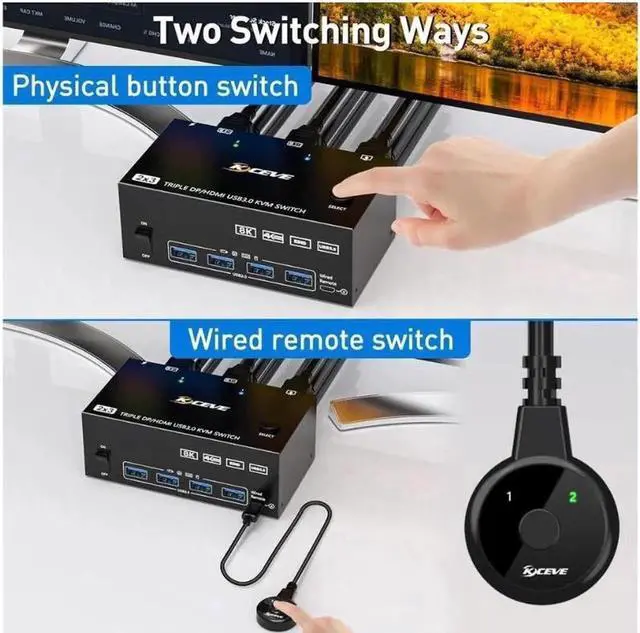
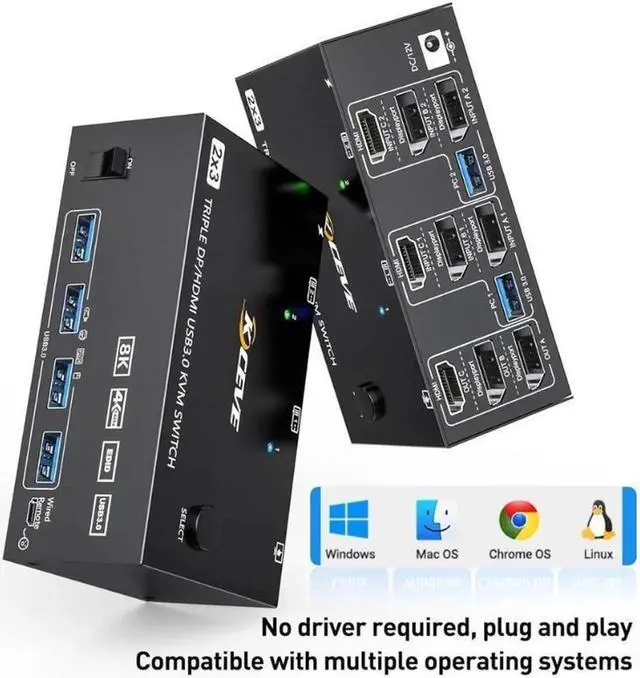
- Compatibility & 2 Switching MethdosAOOCOO triple monitors KVM switch driver-free and plug and play.
+
+
Overview
Specs
Reviews

Any questions? Our AI mode will help you find out quickly.
Try me now
2 PC share 3 Monitor and 4 USB 3.0 Devices
2 Displayport 1.4 + HD-MI 2.1 USB 3.0 KVM Switch allows 2 desktop computers/laptops to share 3 monitors and 4 USB 3.0 ports(keyboard, mouse and other USB devices). It can make your work space tidy and efficient, also a premium choice for working from home.
Triple monitor output support extended and mirror mode for most major operating systems, including Windows, Linux and Mac
Switching mode: button switch and wired remote.
Supports wired or wireless keyboard and mouse.
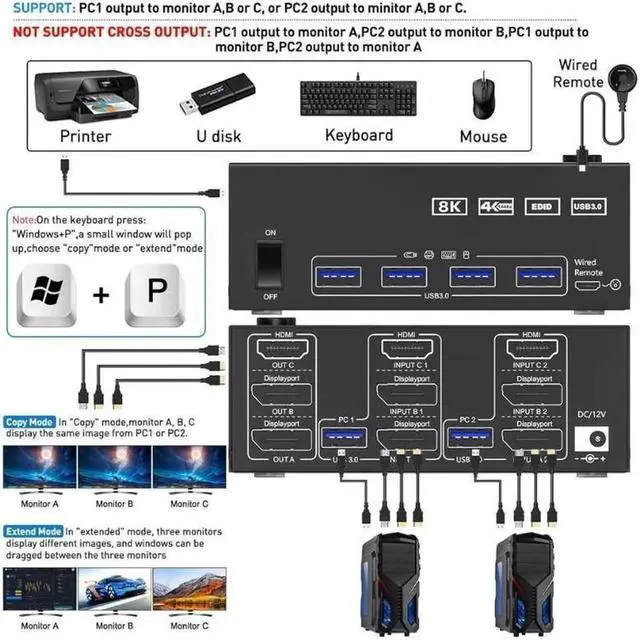
Connection diagram of triple monitor KVM switch Each computer requires 1*HDMI+2*Displayport +1* USB
Connection diagram of triple monitor KVM switch
Each computer requires 1*HD-MI+2*Displayport +1* USB cable to connect the 3 monitor KVM switch, OUT A, OUT B, OUT C connect to 3 monitors.
Supports DP to HD-MI, USB-C/Type C to HD-MI, USB-C/Type C to DP converter and USB-C docking station.
Please check your computer configuration before placing an order.
3 monitor kvm
USB 3.0 KVM
Wired remote
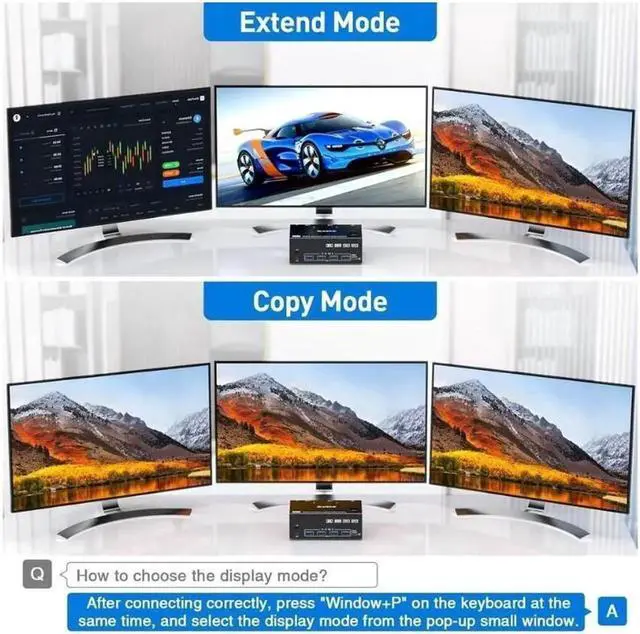
Copy Display Mode Press "Window+P" simultaneously on the keyboard to select mode. In copy mode, the
Copy Display Mode
Press "Window+P" simultaneously on the keyboard to select mode.
In copy mode, the images on the three monitors are the same
Extend Display Mode Press "Window+P" simultaneously on the keyboard to select mode. In extended mod
Extend Display Mode
Press "Window+P" simultaneously on the keyboard to select mode.
In extended mode, the three monitors display different images, and the working window can be dragged between the three monitors.
MORE UPGRADE DETAILS OF THE 3 COMPUTER DUAL MONITOR KVM
Power Switch The signal can be re-identified after powering off for 5 seconds and then turned on aga
with Power Switch
The signal can be re-identified after powering off for 5 seconds and then turned on again. No need to unplug or plug in.
Indicator Light A 12V power adapter is included in the package, which solves the problem of insuffic
with Indicator LED Light
A 12V power adapter is included in the package, which solves the problem of insufficient power supply.
12V Power Port Indicator lights can clearly show which computer you are currently switching to.
with 12V Power Port
Indicator lights can clearly show which computer you are currently switching to.
4 USB 3.0 Ports USB 3.0 is compatible with USB 3.0, and the data transmission speed can reach 5Gbps, wh
with 4 x USB 3.0 Ports
USB 3.0 is compatible with USB 3.0, and the data transmission speed can reach 5Gbps, while the data transmission speed of USB 2.0 is only 480Mbps
Warranty & Returns
Warranty, Returns, And Additional Information
Warranty
- Please contact the Seller directly for warranty information. Warranty information may also be found on the Manufacturer's website.
- CONTACT
Return Policies
- Return for refund within: 30 days
- Return for replacement within: 30 days
- This item is covered by Lumitek Return Policy
Manufacturer Contact Info
- For a directory of all our manufacturers, please click below.
- Manufacturers Directory
LOADING...