

Your Browsing History
- Free 30-day Returns
$76.06

Best Sellers
- $93.28
- + FREE SHIPPING

Meet Your Seller






Visit PISKEKAT Store
FOLLOW
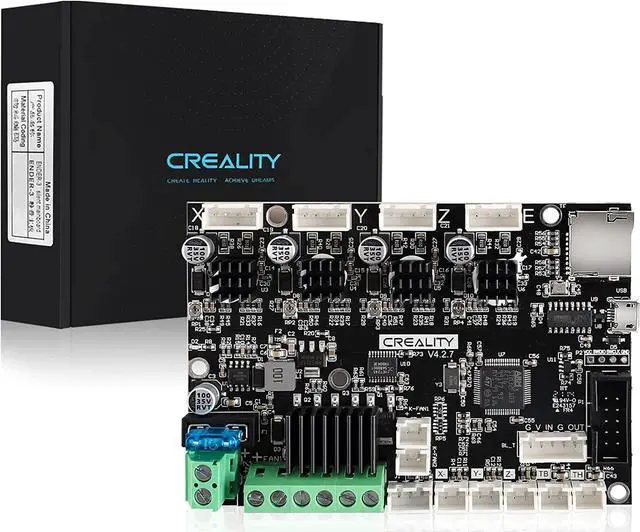
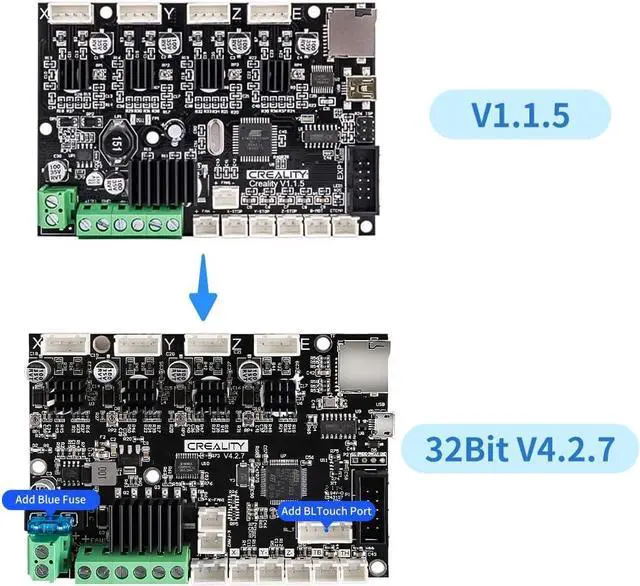
Official Creality 3D Printer Ender 3 Upgraded Silent Board Motherboard V4.2.7 with TMC2225 Driver Marlin 2.0.1 for Ender 3/ Ender 3 V2/ Ender 3 Pro/Ender 3 Max/Ender 3 Neo/3 V2 Neo/3 Max Neo
- Super QuietThe silent mainboard can reduce stepper motor noise. TMC ultra-quiet motor drive chip, ultra-quiet system design, so that the machine is always running at low decibels (<50dB).
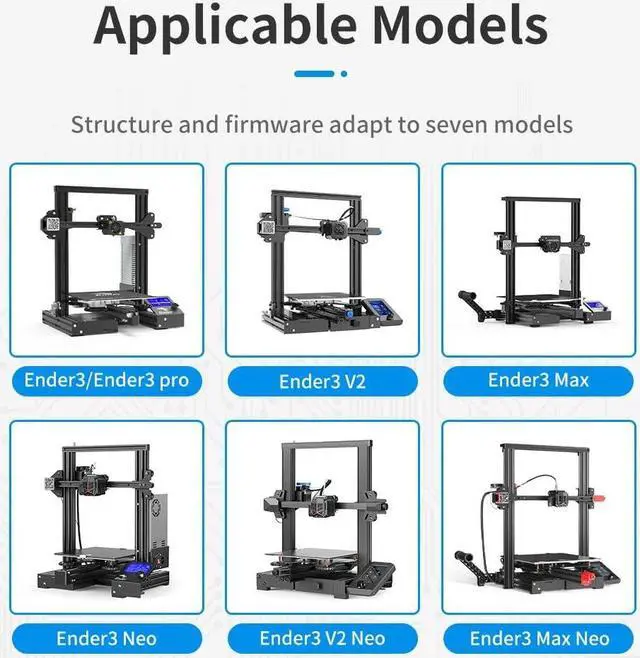
- Widely ApplicationCompatible with Creality Ender 3, Ender 3 Pro, Ender 3 V2, Ender 3 MAX, Ender 3 Neo,Ender 3 V2 Neo/Ender 3 Max Neo 3D printers. PLEASE NOTICE: It only plug and play for Ender-3. If you want to install it on other machine, please flash the relative machine V4.2.7 firmware. You can download firmware from official website.
+
+
Overview
Specs
Reviews

Any questions? Our AI mode will help you find out quickly.
Try me now
Super QuietThe silent mainboard can reduce stepper motor noise. TMC ultra-quiet motor drive chip, ultra-quiet system design, so that the machine is always running at low decibels ( <50dB).
Widely ApplicationCompatible with Creality Ender 3, Ender 3 Pro, Ender 3 V2, Ender 3 MAX, Ender 3 Neo, Ender 3 V2 Neo/Ender 3 Max Neo 3D printers.
PLEASE NOTICE: It only plug and play for Ender-3. If you want to install it on other machine, please flash the relative machine V 4.2. 7 firmware. You can download firmware from official website.
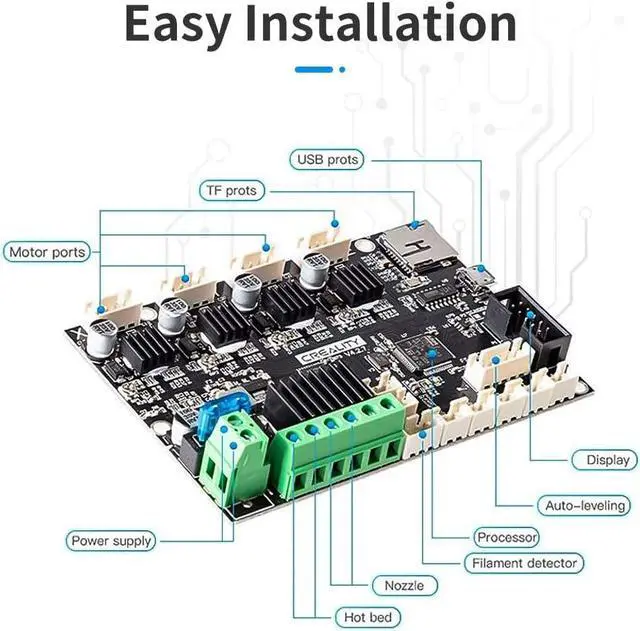
DriverTMC2225 driver & V 0.0. 6 firmware from Creality ( based on Marlin 2.0. 1) for V 4.2. 7 board. The bootloader has been preinstalled.
Update Firmware MethodPlease copy the correct firmware file to a formated SD card with no other files in it. Turn off the printer and unplug the power cord. Insert the SD card & power cord, and turn on the printer. Wait 10s to complete the firmware updating process.
After Sale ServiceAny issues or questions about our product please feel free to contact us at any time. We have professional technical Team to provide technical supports for you within 24 hours.
Widely ApplicationCompatible with Creality Ender 3, Ender 3 Pro, Ender 3 V2, Ender 3 MAX, Ender 3 Neo, Ender 3 V2 Neo/Ender 3 Max Neo 3D printers.
PLEASE NOTICE: It only plug and play for Ender-3. If you want to install it on other machine, please flash the relative machine V 4.2. 7 firmware. You can download firmware from official website.
DriverTMC2225 driver & V 0.0. 6 firmware from Creality ( based on Marlin 2.0. 1) for V 4.2. 7 board. The bootloader has been preinstalled.
Update Firmware MethodPlease copy the correct firmware file to a formated SD card with no other files in it. Turn off the printer and unplug the power cord. Insert the SD card & power cord, and turn on the printer. Wait 10s to complete the firmware updating process.
After Sale ServiceAny issues or questions about our product please feel free to contact us at any time. We have professional technical Team to provide technical supports for you within 24 hours.
Warranty & Returns
Warranty, Returns, And Additional Information
Warranty
- Please contact the Seller directly for warranty information. Warranty information may also be found on the Manufacturer's website.
- CONTACT
Return Policies
- Return for refund within: 30 days
- Return for replacement within: 30 days
- This item is covered by PISKEKAT Return Policy
Manufacturer Contact Info
- For a directory of all our manufacturers, please click below.
- Manufacturers Directory
LOADING...
LOADING...