

Your Browsing History
- Free 30-day Returns
$218.19
Ships from Hong Kong.


Meet Your Seller


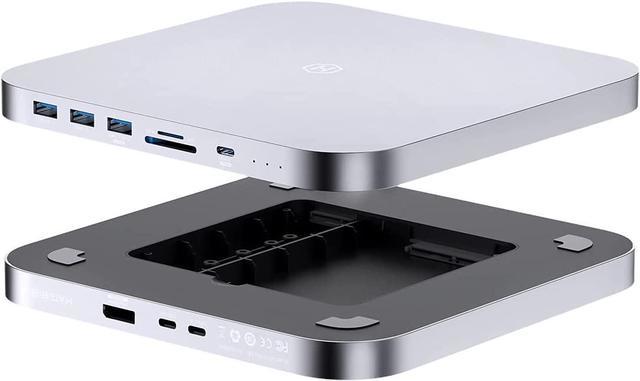
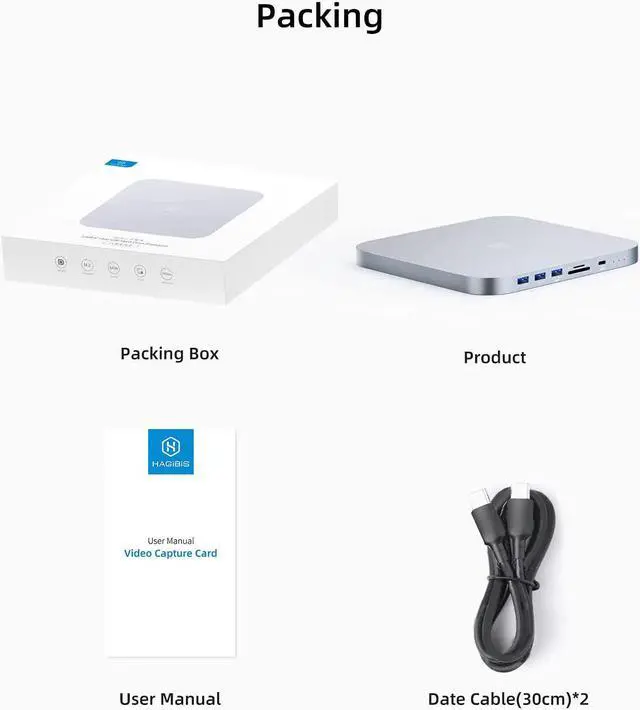
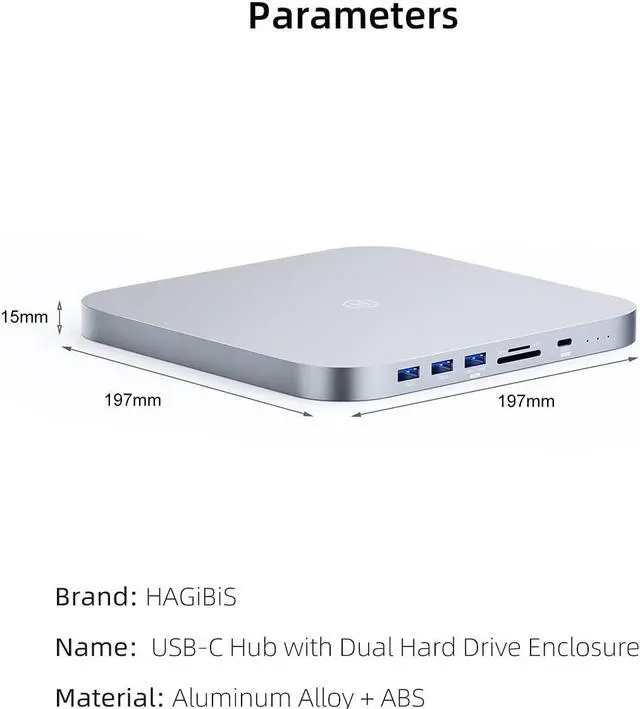


Hagibis USB-C Hub with Dual Hard Drive Enclosure, Type-C Docking Station for Mac Mini M1 with 2.5inch SATA, M.2 NVMe NGFF, 4K@60Hz DP1.4, USB 3.1 Gen2, 10Gbps USB-C, SD/Micro SD (MC25 Pro DP)
- Good partner for Mac Mini: This Hub has multiple interfaces to meet multiple needs. Same size, alloy material, plug and play, light, solid, fast heat dissipation, more suitable for your Mac Mini
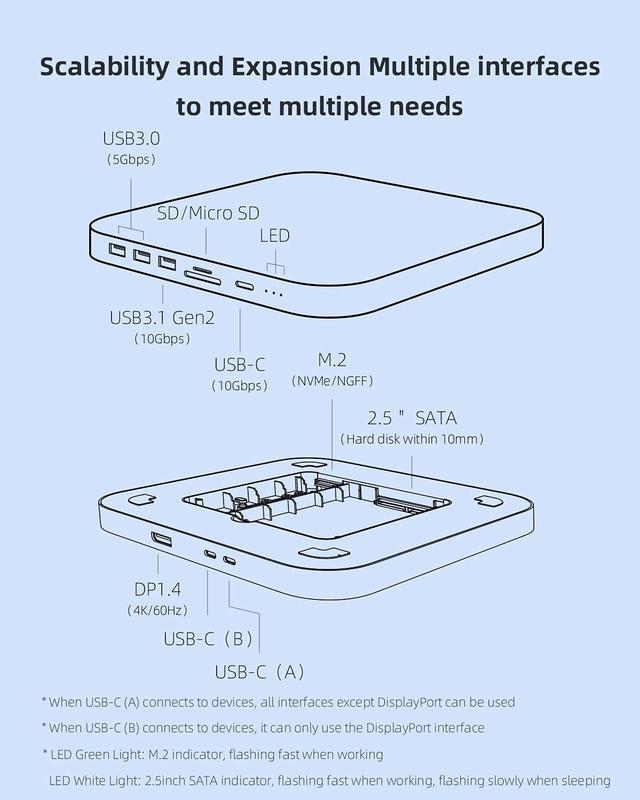
- Multiple interfaces: Hagibis Mac Mini Dock with M.2 NVMe/NGFF, 2.5inch SATA hard drive enclosure, DP1.4, 10Gbps USB3.1 Gen2, 10Gbps USB-C, 2 5Gbps USB3.0, SD/Micro SD card slot. Various interfaces meet all your needs
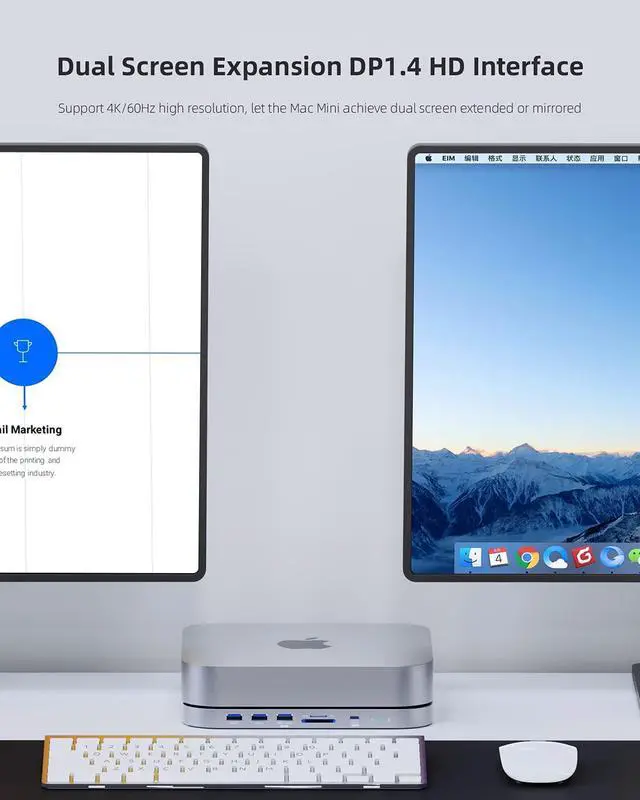
- Dual Screen Expansion: Support 4K/60Hz high resolution, let the Mac Mini achieve dual screen extended or mirrored. * When using DP port, you need to connect USB-C(B) to the device
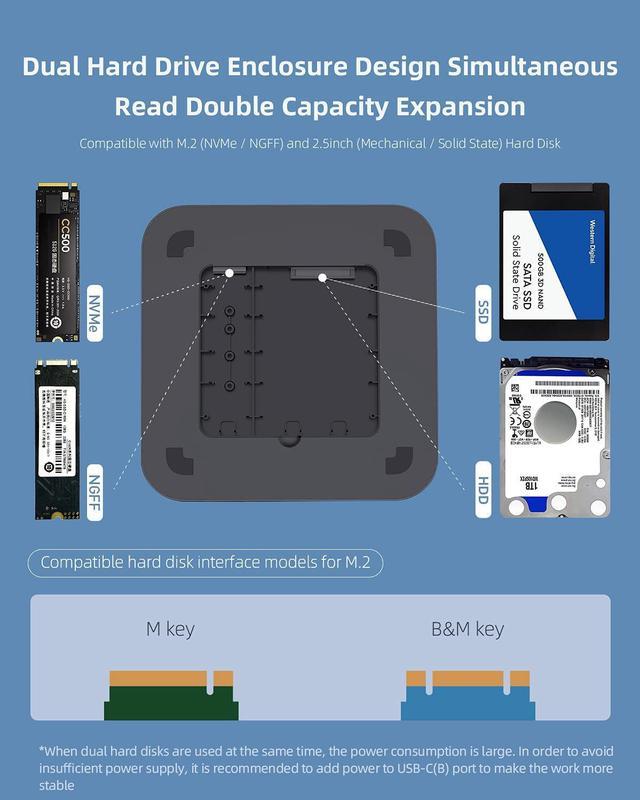
- Dual Hard Drive Enclosure Design: Compatible with M.2 (NVMe / NGFF) and 2.5inch (Mechanical / Solid State) hard disk (Hard disk within 10mm), support dual hard disk read and write at the same time
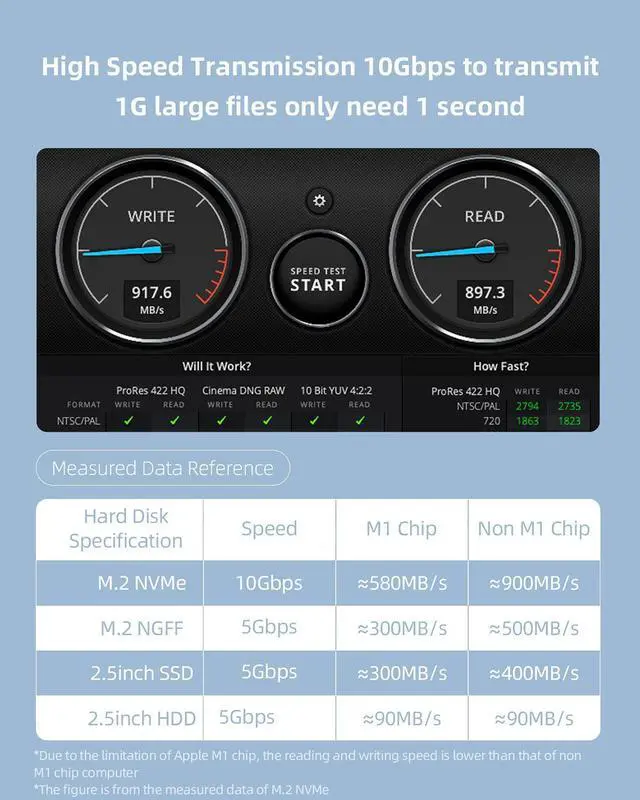
- High Speed Transmission: 10Gbps to transmit 1G large files only need 1 second. *Due to the limitation of Apple M1 chip, the reading and writing speed is lower than that of non M1 chip computer
+
+
Overview
Specs
Reviews
See all Q & A 
Any questions? Our AI mode will help you find out quickly.
Try me now
The usage state of MC25 after the computer host has entered dormancy state1. If the computer(Mac mini/Macbook or other laptop) is under usage, the hard disk is not at read/write mode, the HDD/SSD will enter the sleep mode after 3-12 minutes, and the HDD will stop rotating. (The Intel version of the MacBook takes 3 minutes; The MacBook Air with the M1 chip takes 1.5 to 2 minutes; The Mac Mini 2020 with the M1 chip takes 12 minutes; Intel's Mac Mini 2018 takes 13 minutes. )2. If the computer is under sleep mode, the HDD/SSD will also enter the sleep mode and stop rotating in about 30 seconds.
(For all platforms, Mac OS, Windows)2-1. The HDD/SSD will not be disconnected within 2-3 hours after the computer enter sleep mode. The HDD/SSD can be read when the computer wakes up. 2-2. When the computer enter sleep mode more than 2-3 hours, the HDD/SSD and HUB will be disconnected automatically. Maybe the HDD/SSD and HUB are still disconnected after the computer wake up. We recommended to unplug and plug the HUB manually to ensure that the HUB can be connected. *This point is complicated due to the setting of sleep mode of Windows/MacOS system is complicate, the power supply of different USB devices is different.
(the setting is different for different brand of USB Flash/HDD/SSD). 3. If you don't want the HUB and HDD/SSD to be disconnected, please set the computer not to enter sleep mode.
(For all platforms, Mac OS, Windows)2-1. The HDD/SSD will not be disconnected within 2-3 hours after the computer enter sleep mode. The HDD/SSD can be read when the computer wakes up. 2-2. When the computer enter sleep mode more than 2-3 hours, the HDD/SSD and HUB will be disconnected automatically. Maybe the HDD/SSD and HUB are still disconnected after the computer wake up. We recommended to unplug and plug the HUB manually to ensure that the HUB can be connected. *This point is complicated due to the setting of sleep mode of Windows/MacOS system is complicate, the power supply of different USB devices is different.
(the setting is different for different brand of USB Flash/HDD/SSD). 3. If you don't want the HUB and HDD/SSD to be disconnected, please set the computer not to enter sleep mode.
Warranty & Returns
Warranty, Returns, And Additional Information
Warranty
- Please contact the Seller directly for warranty information. Warranty information may also be found on the Manufacturer's website.
- CONTACT
Return Policies
- Return for refund within: 30 days
- Return for replacement within: non-replaceable
- This item is covered by Byteful Return Policy
Manufacturer Contact Info
- For a directory of all our manufacturers, please click below.
- Manufacturers Directory
LOADING...