• $14.19
  • Free 30-day Returns
  • Ships from China.
    Sold by ThermalNest

    Shipped by ThermalNest

    Price alert
    Shop it at NeweggBusiness.

    Meet Your Seller

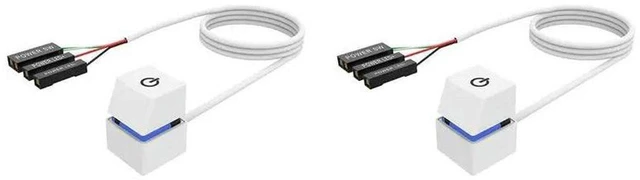
    AJMRTC 2Pcs 2M PC External Power Switch Button Extension Cable, Blue LED Indicator Computer Desktop Start On/Off Push Button, Remote Power Boot Extension Cord for PC Case Modding

    • - 2 pieces 2-meter long power extension cables with external power button, convenient remote PC power on/off control
    • - Built-in blue LED indicator light, clearly shows power status when the computer is powered up
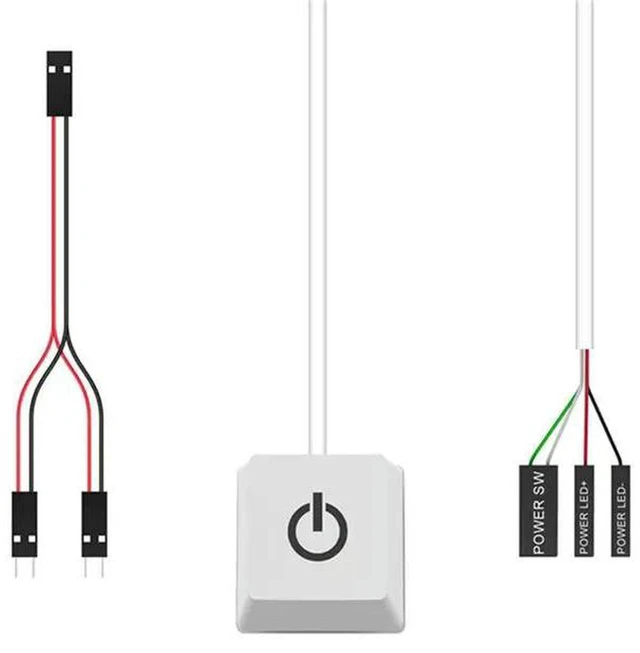
    • - Simple wiring design, directly connects to motherboard power header, easy installation without soldering
    • - Sturdy push-button structure, responsive click action for reliable long-term use
    • - Ideal for PC case modding, test bench setup, open-frame computer and desktop DIY projects
    +
    +
    Overview
    Specs
    Reviews
    avatar

    Any questions? Our AI mode will help you find out quickly.

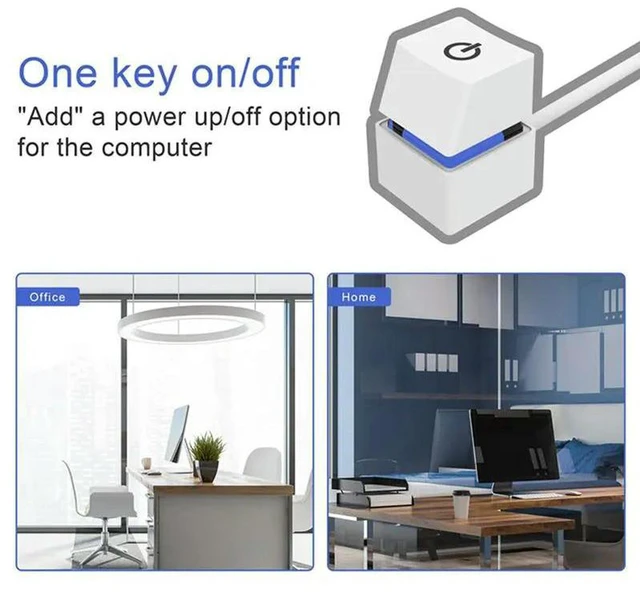
    AJMRTC external PC power switch extension cable set includes 2 units with 2M length each. This external power button lets you turn your computer on and off remotely, perfect for open test benches or custom PC builds where the original case power button is inaccessible. The blue LED lamp lights up to indicate the power state of your motherboard. Just connect the cable terminals to the corresponding power pin header on your motherboard, no complex soldering required. The durable push button delivers stable trigger performance for repeated use. Great for PC modding, computer test bench, open frame workstation and other desktop DIY modifications.


    Specifications
    1. Brand: AJMRTC
    2. Quantity: 2Pcs
    3. Cable Length: 2M
    4. Indicator Light: Blue LED
    5. Function: External PC Power On / Off Control
    6. Connection: Motherboard Power Pin Header
    7. Application: PC Case Modding, Computer Test Bench, Open Frame Desktop


    Warranty & Returns

    Warranty, Returns, And Additional Information

    Warranty

    • Please contact the Seller directly for warranty information. Warranty information may also be found on the Manufacturer's website.
    • CONTACT

    Return Policies

    Manufacturer Contact Info

    LOADING...