Your Browsing History
Meet Your Seller
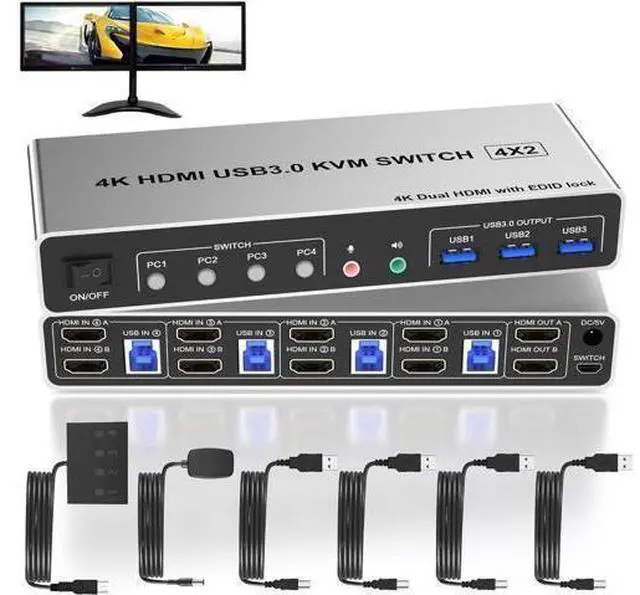
4 Port HDMI Dual Monitor USB 3.0 KVM Switch 4K 60Hz, KVM Switch 2 Monitors for 4PCs Supports EDID, HDMI KVM Switch 4 Computers with Audio Microphone Output and 3 USB 3.0 Ports, 4 in 2 Out KVM
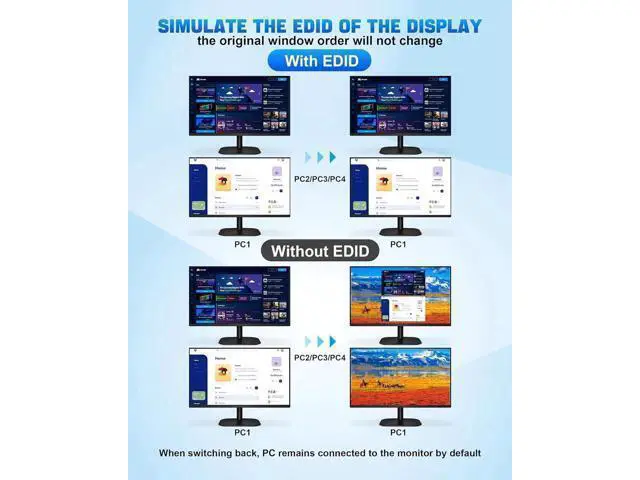
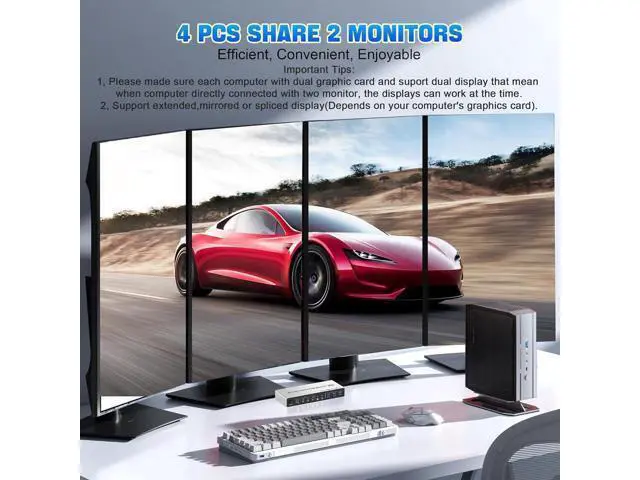
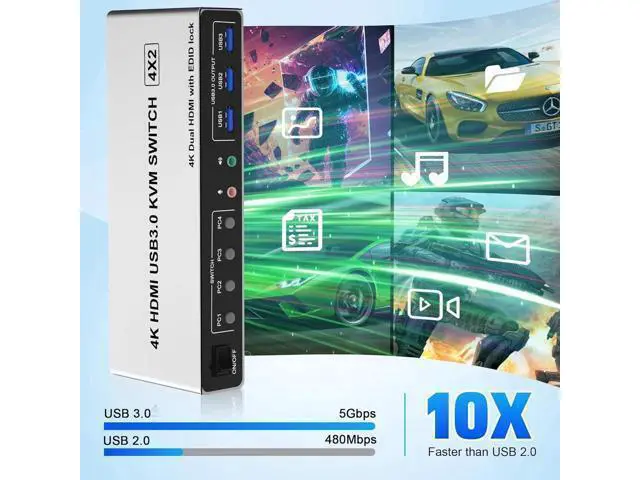
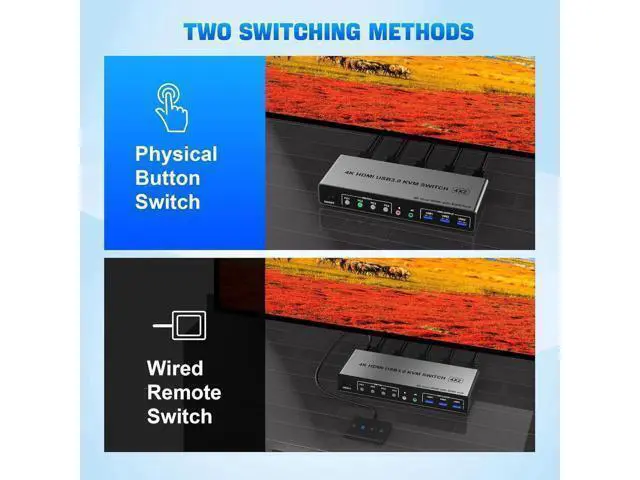
- Dual Monitor KVM Switch 4PCs: This KVM Switch is for you to control them using one set of keyboard, mouse and single or dual monitors. Only when your computer supports dual display or multi display, you can use this KVM to achieve share 2 monitors.; With Simulation EDID: Can simulate the EDID of the display, store the resolution and refresh rate of the display, it comes with EDID emulators in each input port, keep PCs always having correct display information.; 4K 60hz: Supporting high resolution max up to 4K@60Hz, and also supports 3D and 1080P@60Hz or other lower resolution (Downward Compatible). Also supports separate audio and microphone output.; 3 USB 3.0 Ports: with 3 USB 3.0 ports which can recognize wired/wireless keyboard mouse, printer or other USB devices.USB3.0 has a faster data transfer speed of up to 5Gbps.; 2 Switching Mode: 1. Toggle selection on front panel; 2. Wired remote switch. Compatible with Windows, Linux, Mac, Unix, Ubuntu, Raspberry etc..
+
+
Overview
Specs
Reviews
Any questions? Our AI mode will help you find out quickly.
Try me now
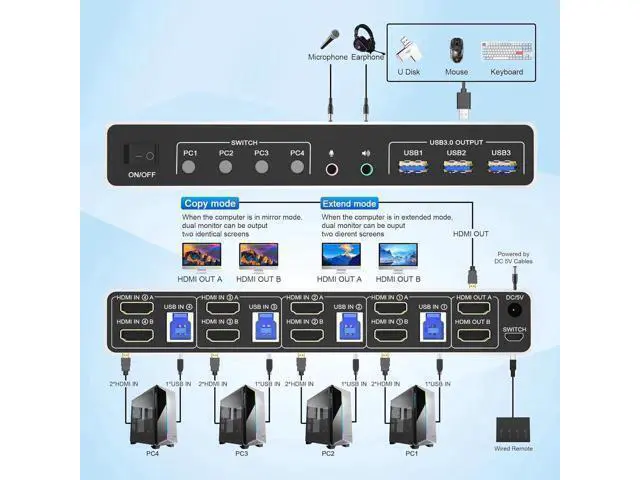
USB 3.0 4 Ports 2 Monitor KVM Switch 4K@60Hz for 4 Computer Does Everything You Need! 4 port USB 3.0 dual-monitor HDMI KVM Switch (HDMI + HDMI). Each input source device must be connected to two dual-monitor. This kvm switch dual monitor 4 port help you control 4 PCs share 2 monitors by only one set of USB keyboard & mouse. Product Features 4 computers/laptops share one set of keyboard, mouse and dual monitors, and more USB 3.0 peripherals; With extra 3 USB 3.0 and Audio Microphone output; Support maximum resolution up to 4K 60Hz
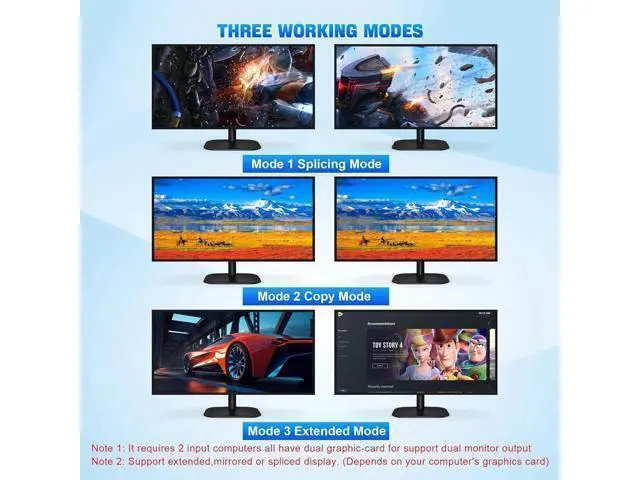
YUV 4:4: 4, HDCP 1.4, HDR 2.2, with EDID Emulator; Dual monitors output support up to 4K@60Hz for extended, mirrored or spliced display (Depends on your computer's graphics card. ); Compatible with Windows 11/10/7/2000/XP/Vista, Linux, UNIX, Ubuntu, Fedora, and other systems;
Advanced switching modes: push button and wired remote; The ports that need to plug in HDMI/USB cables are all hidden behind the KVM, so the desktop doesn't get cluttered; No complicated installation is required, and non-professionals can easily operate it. 4 Port Dual Monitor KVM Support EDID Lock Screen USB 3.0 dual monitor KVM switch can simulate the EDID of the display, when the monitor is switched between 4 computers, the original window order will not change.
installation steps: 1. Insert the DC/5V adapter into the KVM; 2. Plug the HD-MI cable into the KVM and monitor; (Output) 3. Plug the HD-MI cable and USB cable into the KVM and your computer/laptop (HDMI cables are

YUV 4:4: 4, HDCP 1.4, HDR 2.2, with EDID Emulator; Dual monitors output support up to 4K@60Hz for extended, mirrored or spliced display (Depends on your computer's graphics card. ); Compatible with Windows 11/10/7/2000/XP/Vista, Linux, UNIX, Ubuntu, Fedora, and other systems;
Advanced switching modes: push button and wired remote; The ports that need to plug in HDMI/USB cables are all hidden behind the KVM, so the desktop doesn't get cluttered; No complicated installation is required, and non-professionals can easily operate it. 4 Port Dual Monitor KVM Support EDID Lock Screen USB 3.0 dual monitor KVM switch can simulate the EDID of the display, when the monitor is switched between 4 computers, the original window order will not change.
installation steps: 1. Insert the DC/5V adapter into the KVM; 2. Plug the HD-MI cable into the KVM and monitor; (Output) 3. Plug the HD-MI cable and USB cable into the KVM and your computer/laptop (HDMI cables are
Warranty & Returns
Warranty, Returns, And Additional Information
Warranty
- Please contact the Seller directly for warranty information. Warranty information may also be found on the Manufacturer's website.
- CONTACT
Return Policies
- Return for refund within: 30 days
- Return for replacement within: 30 days
- This item is covered by Warm Cozy Harbor Return Policy
Manufacturer Contact Info
- For a directory of all our manufacturers, please click below.
- Manufacturers Directory
LOADING...