Your Browsing History
Meet Your Seller
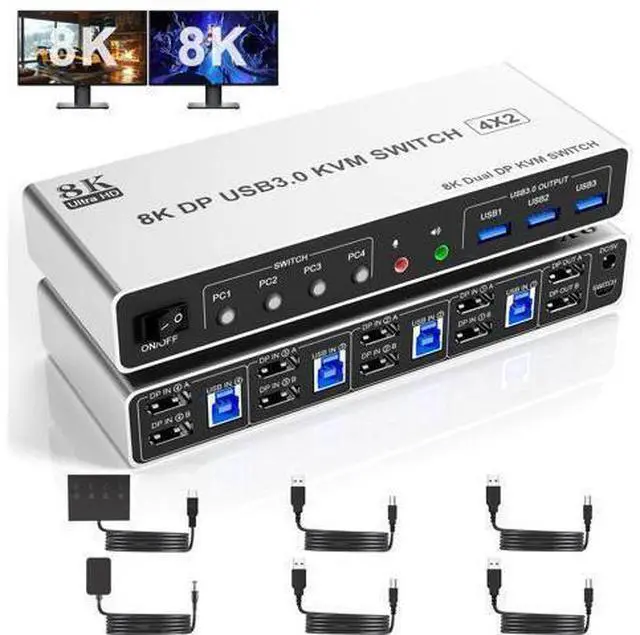
Vszerda 8K@60Hz USB3.0 Displayport KVM Switch 2 Monitors 4 Computers, 4 Port DP1.4 Dual Monitor Displayport KVM Switch with Audio,Microphone and 3 USB3.0, Dual Monitors Displayport KVM Switch for 4PCs
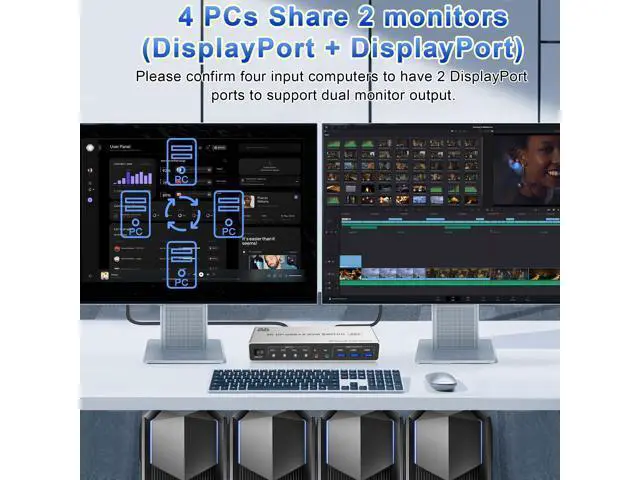
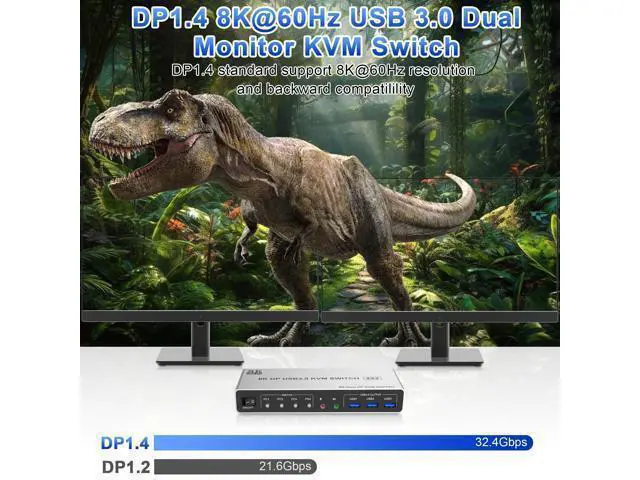
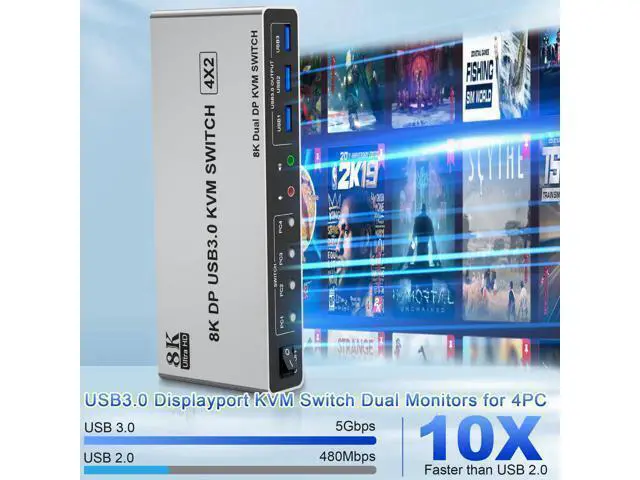
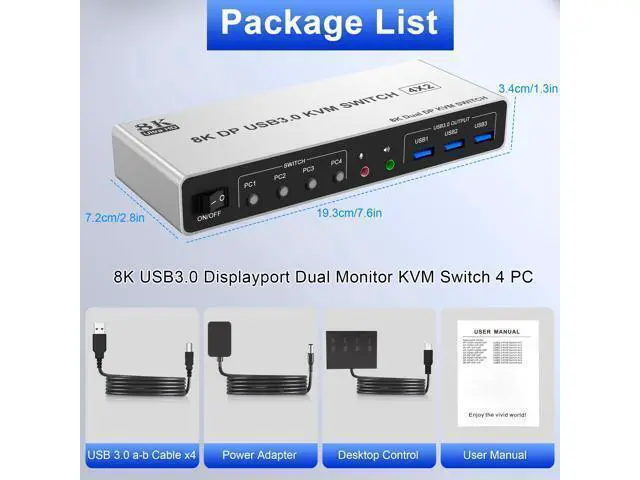
- 4 Port Displayport Dual monitor KVM Switch: This 4 IN 2 OUT DP KVM Switch allow 4 desktops or laptops to share one set of keyboard, mouse and 2 monitors for extended, mirrored display. Only when your computer supports dual display or multi display, you can use this KVM to achieve 4 PC to share 2 monitors. (Extended or mirrored display modes depend on your computer's graphics card).; Ultra HD 8K@60Hz: This Dual monitor 4 port DP KVM Switch supports resolutions and refresh rates up to 8K@60Hz 4K@144Hz, and also supports 4K@60Hz or other lower resolution (Downward Compatible). Note: Only when both your computer Graphics card, monitor and DP cable support 8K@60Hz then you can get 8K@60Hz effect, so if you want the max resolution you have to check your devices first.; What You Get: 1x 4 Port 8K@60Hz USB 3.0 DisplayPort Dual monitor KVM Switch, 4 x USB 3.0 Cables, 1x Power Adapter, 1x Wired Button Contorller, 1x User's manual.
+
+
Overview
Specs
Reviews
Any questions? Our AI mode will help you find out quickly.
Try me now
8K@60H 4 Port Displayport USB 3.0 Dual Monitor KVM Switch 4 computers share 2 monitors and 3 USB 3.0 devices
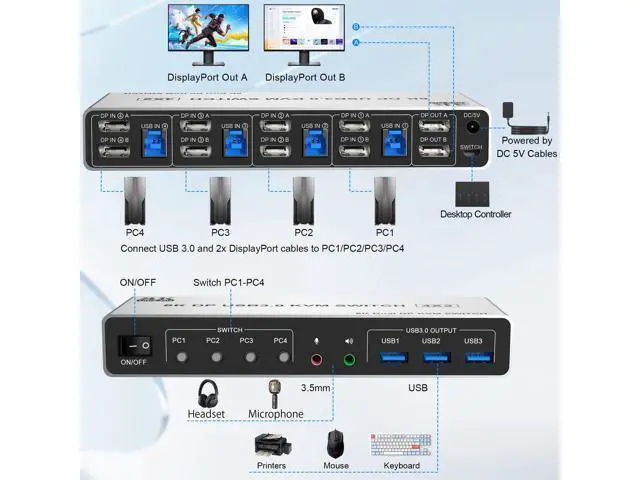
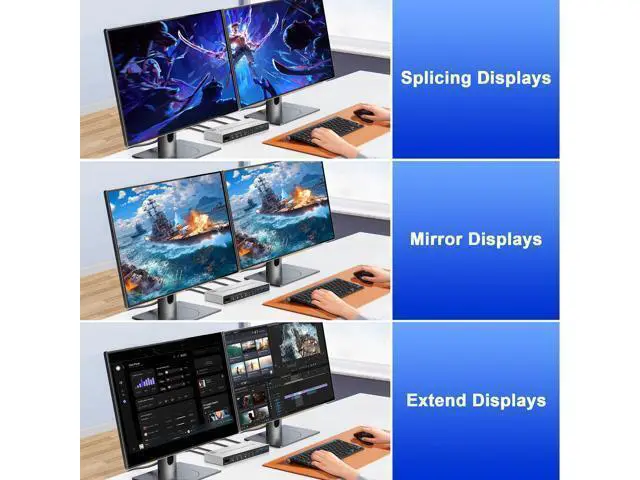
Installation steps: 1. Insert the adapter into the KVM; 2. Plug the 2*Displayport cable into the KVM switch and monitor; (Output) 3. Plug the Displayport cable and USB cable into the KVM switch and your computer/laptop (DP cables are not included) (Input) DP IN1 A + DP IN1 B + USB IN1=PC1 DP IN2 A + DPIN2 B + USB IN2=PC2 DP IN3 A + DPIN3 B + USB IN3=PC3 DP IN4 A + DPIN4 B + USB IN4=PC4 4. Insert the mouse and keyboard into the KVM switch 5. If needed, you can connect a microphone and audio port Ultra HD 8K@60Hz Dual Monitor KVM Switch Supports up to 8K@60Hz/4K@144Hz, Ultra HD, HDR 10, Dolby vision, 3D effect. 3 Display Modes Extended Display Mirrored Display Spliced Display Audio and microphone output KVM switch 4 computers displayport comes with a 3.5 mm Audio Jack port with a DAC chip inside, which can be inserted into a 3-segment 3.5 mm earpiece device, and a 3.5 mm microphone interface, which can be inserted into a 3-segment microphone Switch by Panel button Push-button design allows for one-touch switching using a button on the KVM Switch box, eliminating the need to plug and unplug cables frequently, saving space and time.
Wired Remote Control LED Indicator When switching to which PC, the LED will tell you whether PC1 or PC2 or PC3 or PC4 is active. Additional Features 8K Displayport Switch with
USB 3.0 Ports: Dual monitor Displayport KVM switch with 3 USB 3.0

Installation steps: 1. Insert the adapter into the KVM; 2. Plug the 2*Displayport cable into the KVM switch and monitor; (Output) 3. Plug the Displayport cable and USB cable into the KVM switch and your computer/laptop (DP cables are not included) (Input) DP IN1 A + DP IN1 B + USB IN1=PC1 DP IN2 A + DPIN2 B + USB IN2=PC2 DP IN3 A + DPIN3 B + USB IN3=PC3 DP IN4 A + DPIN4 B + USB IN4=PC4 4. Insert the mouse and keyboard into the KVM switch 5. If needed, you can connect a microphone and audio port Ultra HD 8K@60Hz Dual Monitor KVM Switch Supports up to 8K@60Hz/4K@144Hz, Ultra HD, HDR 10, Dolby vision, 3D effect. 3 Display Modes Extended Display Mirrored Display Spliced Display Audio and microphone output KVM switch 4 computers displayport comes with a 3.5 mm Audio Jack port with a DAC chip inside, which can be inserted into a 3-segment 3.5 mm earpiece device, and a 3.5 mm microphone interface, which can be inserted into a 3-segment microphone Switch by Panel button Push-button design allows for one-touch switching using a button on the KVM Switch box, eliminating the need to plug and unplug cables frequently, saving space and time.
Wired Remote Control LED Indicator When switching to which PC, the LED will tell you whether PC1 or PC2 or PC3 or PC4 is active. Additional Features 8K Displayport Switch with
USB 3.0 Ports: Dual monitor Displayport KVM switch with 3 USB 3.0
Warranty & Returns
Warranty, Returns, And Additional Information
Warranty
- Please contact the Seller directly for warranty information. Warranty information may also be found on the Manufacturer's website.
- CONTACT
Return Policies
- Return for refund within: 30 days
- Return for replacement within: 30 days
- This item is covered by Warm Cozy Harbor Return Policy
Manufacturer Contact Info
- For a directory of all our manufacturers, please click below.
- Manufacturers Directory
LOADING...