





Easy Mirroring from Small Screen to Large Screen Wirelessly
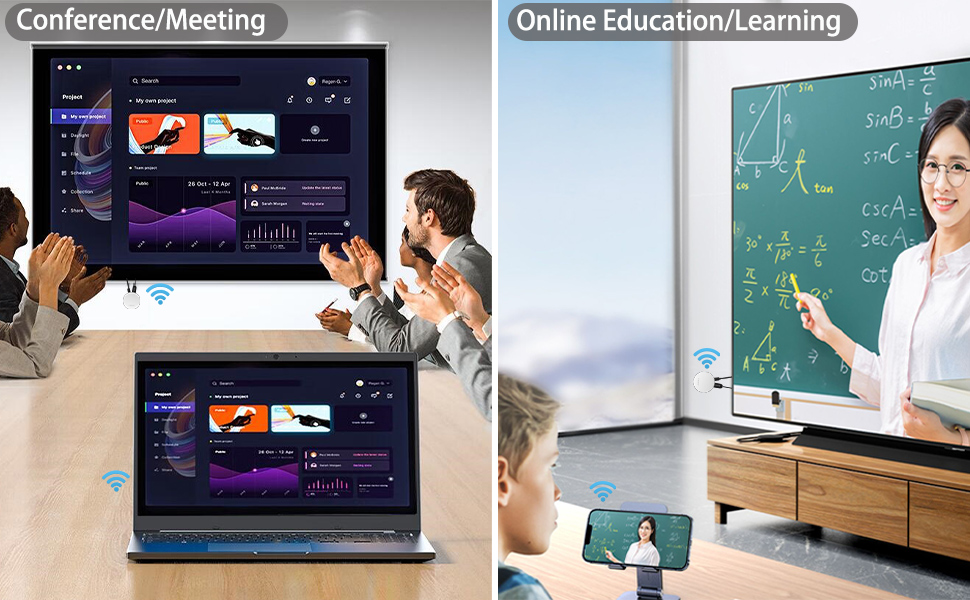
SmartSee 4K Dual Band 2.4G/5G(Working in Both 5G and 2.4G WiFi network) Screen Mirroring Adapter
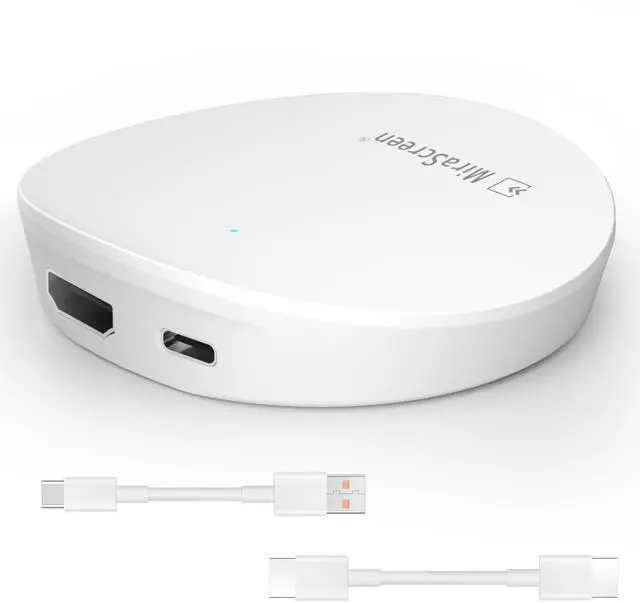
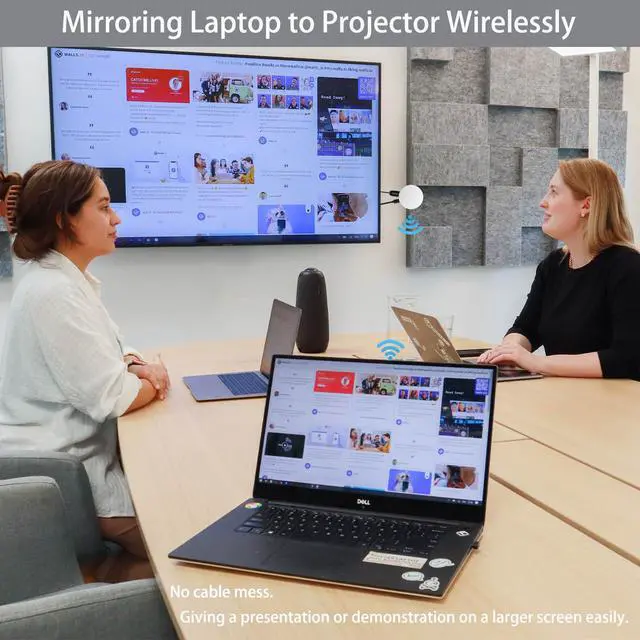
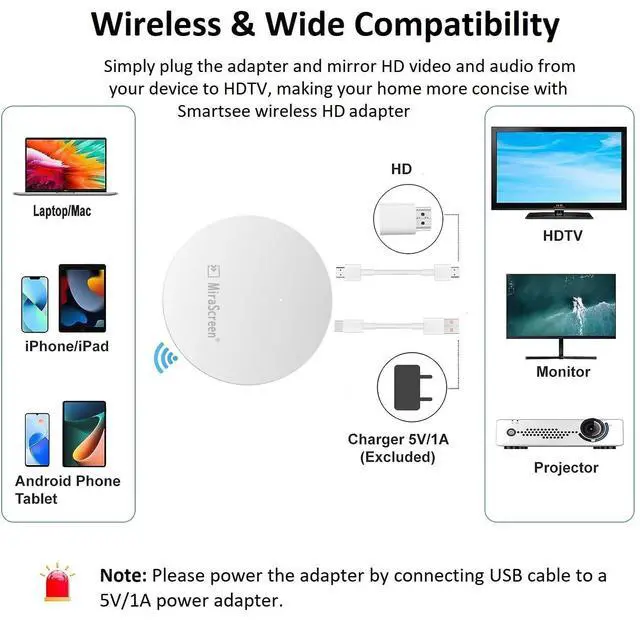
SmartSee Wireless HD Display Adapter is a device to project your Smart Phones / Tablet / PC to another big screen devices with HD interface (such as HDTV, Monitor & Projector, etc) through a WiFi connection.
- And, it supports popular Screen Share standards, such as Miracast, DLNA, and Airplay.
- For iPhones, the screen mirroring feature is called AirPlay.
- For Android, the screen mirroring feature is MiraCast protocol, different Android devices have different names about MiraCast. Such as SmartView on Samsung, Wireless Display, Plug to, Multi-Screen, etc.
- Moreover, The WiFi Display Receiver has more features such as streaming video, web surfing, photo viewer, Internet video and more, just to enjoy excellent multi-display sharing.
We’ve all watched YouTube videos on a phone or laptop while the TV sat unused across the room. The TV is bigger, and looks better, but connecting to it sometimes just isn’t worth the hassle. So we make an Wireless display adapter which is designed to solve exactly that problem.
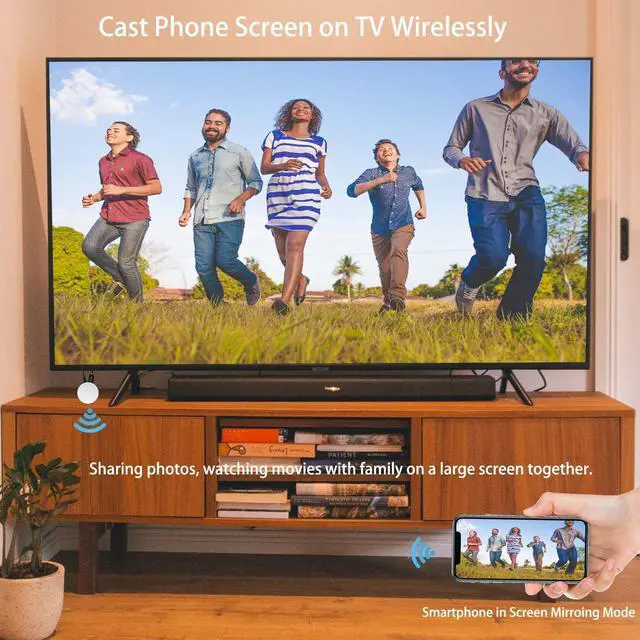
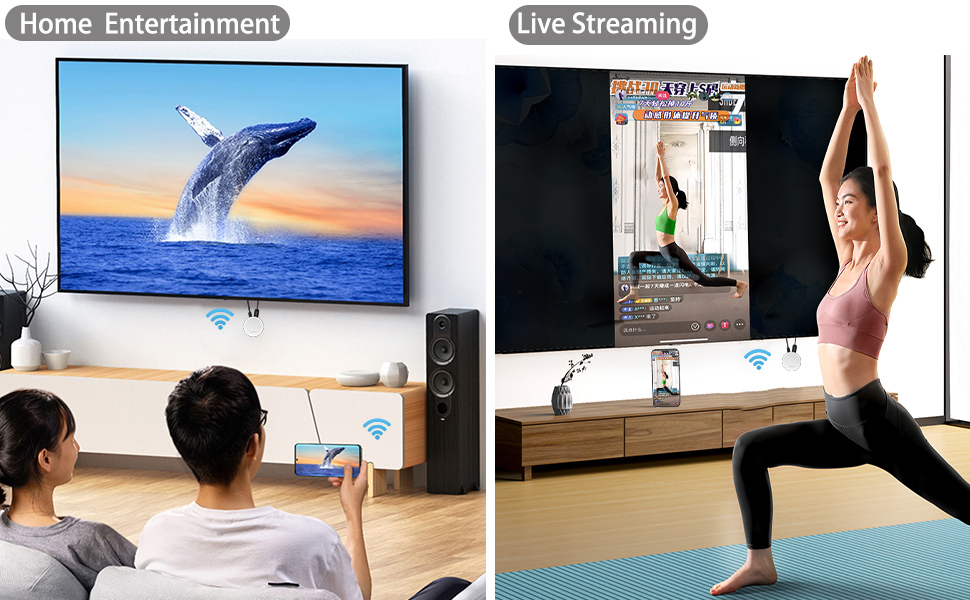
A Wireless Display Adapter allows you to mirror your mobile device's content to any HD screen such as TV screen/projector wirelessly.
Cast small screen to bigger screen.
Warm Tips:
This item is to cast the whole screen of your mobile device to HD display wirelessly. This item works with any display which has an HD port.
Please confirm that your cell phone or tablet supports WIFi CERTIFIED Miracast or iOS 9.0+ before purchasing.
Please power this item with 5V/1A at least via USB to get enough power supply.
Wireless HD Display Adapter
Basic Features:
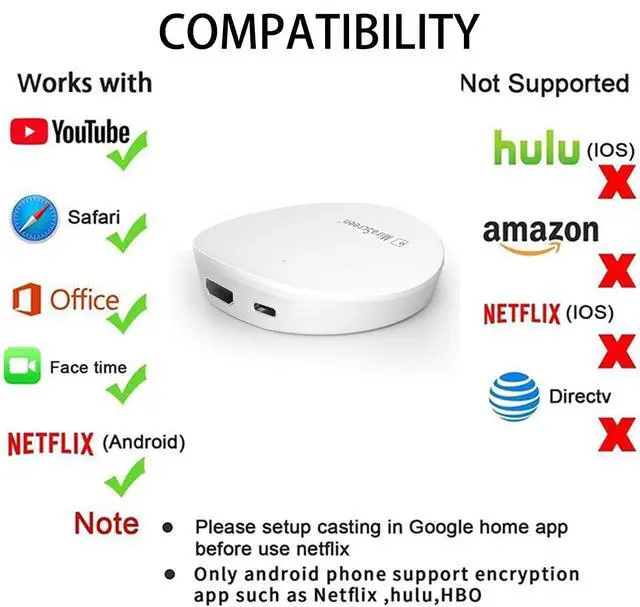
Support Airplay Mirroring and DLNA streaming on iOS and Mac devices. Support mirroring all unencrypted content and streaming videos on iOS devices, not support any encrypted apps.
Support Miracast casting on Android and Windows devices.
Support our EZMira app(for iOS and Android devices)and EZCastLite app(for Windows 7/8/10) mirroring.
Extra Added Features:
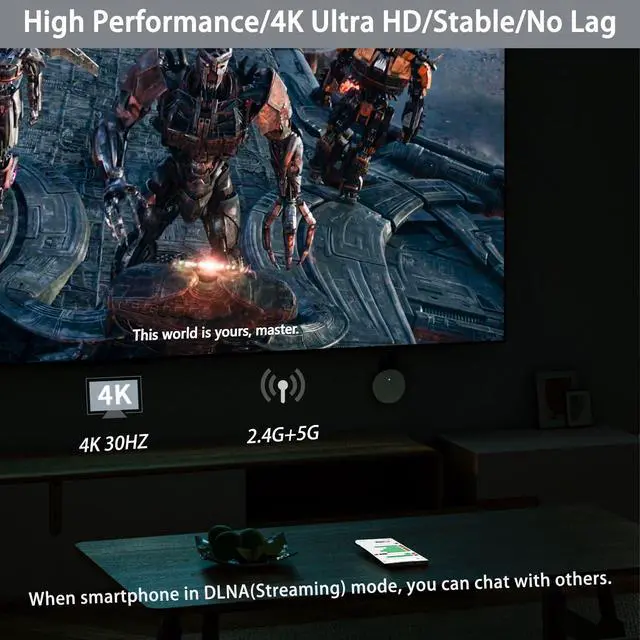
Support H.265/HEVC Decoder, support 4K(3840 X 2160) and 1080P resolution.
Support 5G network and 2.4G network.
Support Google Home App casting on Android devices and Google browser casting on Windows, support casting all content including Netflix, Hulu, HBO go, etc.
No Need Switching in Miracast Airplay DLNA Modes.
Setup/Connection on iOS Devices
Step 1: go to your phone WiFi list and select MiraScreen SSID and input the MiraScreen password(Both SSID and password shows on the top your TV).
Step 2: Connect the adapter to your WiFi network: Open a browser and input the IP address: 192.168.203.1 on the very top searching bar, this will open the setting menu, now connect to your WiFi network via Internet.
Step 3: Use Airplay Mirroring to connect to MiraScreen dongle.
Now your iOS screen is displaying on your TV now.
Setup/Connection on Android Devices
Only One Step: Find the Miracast function on your Android device (such as screen mirroring/Miracast/smart view) and connect with the MiraScreen dongle.
Now your Android device will be casted on your big screen now.
Setup/Connection on Windows Devices
Miracast mirroring (available for Windows 8.1 and Windows 10)
Step 1: Press short key “Win+P” on your keyboard.
Step 2: Select “Connect to a wireless display”.
Step 3: Select MiraScreen device to connect.
Now your Windows device will be casted on your big screen now.
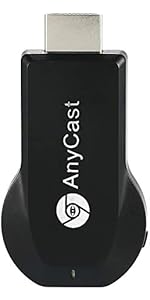 SmartSee Anycast Wireless Display Adapter WiFi 1080P Mobile Screen Mirro... | 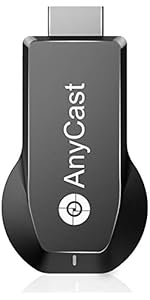 4K/1080P Anycast M100 Wireless Display Adapter, SmartSee WiFi Display Dongle ... | 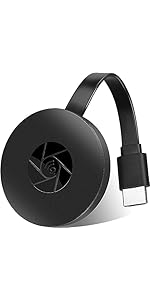 SmartSee Wireless HD Display Adapter WiFi Screen Cast Mirroring Media Strea... | 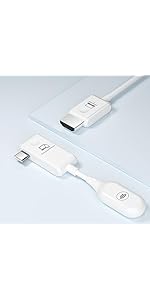 SmartSee Wireless USB C to HD Display Adapter Screen Mirror Cast Extend for... | 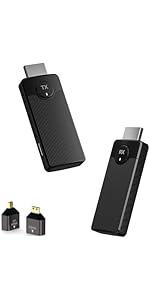 SmartSee Wireless HD Transmitter and Receiver Kit 4K 2.4G 5GHz Screen Mirror ... | 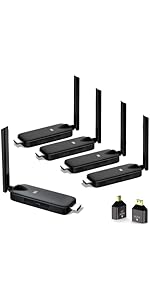 Wireless HDMI Transmitter and Receiver Kit 4K, SmartSee Wireless Screen Mirro... | |
|---|---|---|---|---|---|---|
| Customer Reviews | — | — | — | — | — | — |
| Price | — | — | — | — | — | — |
| Support Resolution | 1080P | 4K/1080P | 1080P | 4K/1080P | 4K/1080P | 4K/1080P |
| Support WiFi Connection | 2.4GHz | 2.4GHz | 2.4GHz | No Need WiFi Setting. Support Running in dual band 2.4G and 5G network | No Need WiFi Setting. Support Running in dual band 2.4G and 5G network | No Need WiFi Setting. Support Running in dual band 2.4G and 5G network |
| Support Devices | Android 5.0+, IOS 9.0+, Mac OS 10.0+, Windows 8+ | Android 5.0+, IOS 9.0+, Mac OS 10.0+, Windows 8+ | Android 5.0+, IOS 9.0+, Mac OS 10.0+, Windows 8+ | USB C Equiped Phone Laptop | All HD input and output devices. | All HD input and output devices. |
| Features Support | Support Airplay/MiraCast Mirroring/DLNA Streaming/ | Support Airplay/MiraCast Mirroring/DLNA Streaming/Support Google Home app/Chrome Browser Casting | Support Airplay/MiraCast Mirroring/DLNA Streaming/ | Screen Mirroring and Extending | Screen Mirroring and Extending | Screen Mirroring and Extending |
| Compatibility | Support unenrypted content. Not support any encrypted content. | Support unenrypted content. Not support any encrypted content. | Support unenrypted content. Not support any encrypted content. | No content limit. Support Netflix Prime Video, Sky Go, BT Sport, DIRECTV, HULU, Comcast TV, XFINITY, Vudu, Movistar, HBO and more. | No content limit. Support Netflix Prime Video, Sky Go, BT Sport, DIRECTV, HULU, Comcast TV, XFINITY, Vudu, Movistar, HBO and more. | No content limit. Support Netflix Prime Video, Sky Go, BT Sport, DIRECTV, HULU, Comcast TV, XFINITY, Vudu, Movistar, HBO and more. |
Easy Mirroring from Small Screen to Large Screen Wirelessly
SmartSee 4K Dual Band 2.4G/5G(Working in Both 5G and 2.4G WiFi network) Screen Mirroring Adapter
SmartSee Wireless HD Display Adapter is a device to project your Smart Phones / Tablet / PC to another big screen devices with HD interface (such as HDTV, Monitor & Projector, etc) through a WiFi connection.
- And, it supports popular Screen Share standards, such as Miracast, DLNA, and Airplay.
- For iPhones, the screen mirroring feature is called AirPlay.
- For Android, the screen mirroring feature is MiraCast protocol, different Android devices have different names about MiraCast. Such as SmartView on Samsung, Wireless Display, Plug to, Multi-Screen, etc.
- Moreover, The WiFi Display Receiver has more features such as streaming video, web surfing, photo viewer, Internet video and more, just to enjoy excellent multi-display sharing.
We’ve all watched YouTube videos on a phone or laptop while the TV sat unused across the room. The TV is bigger, and looks better, but connecting to it sometimes just isn’t worth the hassle. So we make an Wireless display adapter which is designed to solve exactly that problem.
A Wireless Display Adapter allows you to mirror your mobile device's content to any HD screen such as TV screen/projector wirelessly.
Cast small screen to bigger screen.
Warm Tips:
This item is to cast the whole screen of your mobile device to HD display wirelessly. This item works with any display which has an HD port.
Please confirm that your cell phone or tablet supports WIFi CERTIFIED Miracast or iOS 9.0+ before purchasing.
Please power this item with 5V/1A at least via USB to get enough power supply.
Wireless HD Display Adapter
Basic Features:
Support Airplay Mirroring and DLNA streaming on iOS and Mac devices. Support mirroring all unencrypted content and streaming videos on iOS devices, not support any encrypted apps.
Support Miracast casting on Android and Windows devices.
Support our EZMira app(for iOS and Android devices)and EZCastLite app(for Windows 7/8/10) mirroring.
Extra Added Features:
Support H.265/HEVC Decoder, support 4K(3840 X 2160) and 1080P resolution.
Support 5G network and 2.4G network.
Support Google Home App casting on Android devices and Google browser casting on Windows, support casting all content including Netflix, Hulu, HBO go, etc.
No Need Switching in Miracast Airplay DLNA Modes.
Setup/Connection on iOS Devices
Step 1: go to your phone WiFi list and select MiraScreen SSID and input the MiraScreen password(Both SSID and password shows on the top your TV).
Step 2: Connect the adapter to your WiFi network: Open a browser and input the IP address: 192.168.203.1 on the very top searching bar, this will open the setting menu, now connect to your WiFi network via Internet.
Step 3: Use Airplay Mirroring to connect to MiraScreen dongle.
Now your iOS screen is displaying on your TV now.
Setup/Connection on Android Devices
Only One Step: Find the Miracast function on your Android device (such as screen mirroring/Miracast/smart view) and connect with the MiraScreen dongle.
Now your Android device will be casted on your big screen now.
Setup/Connection on Windows Devices
Miracast mirroring (available for Windows 8.1 and Windows 10)
Step 1: Press short key “Win+P” on your keyboard.
Step 2: Select “Connect to a wireless display”.
Step 3: Select MiraScreen device to connect.
Now your Windows device will be casted on your big screen now.
| Resolution | 4K 1080P |
| Support WiFi Connection | 2.4G & 5G Dual Band |
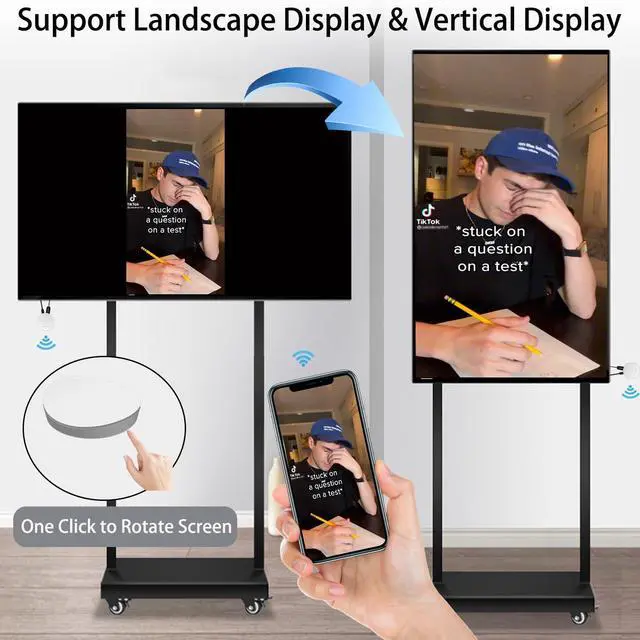
| Upgraded Feature | Support Landscape and Portrait Display |
| Function | Screen Mirroring and Screen Extending |
| Support Screen Cast from | Phone, laptop, PC |
| Support Screen Cast to | Projector, monitor, all display with HD interface |
| Compatible Wireless Protocols | Compatible with MiraCast on Android and Windows, Airplay on for iOS and for Mac, DLNA |
SmartSee Anycast Wireless Display Adapter WiFi 1080P Mobile Screen Mirro... | 4K/1080P Anycast M100 Wireless Display Adapter, SmartSee WiFi Display Dongle ... | SmartSee Wireless HD Display Adapter WiFi Screen Cast Mirroring Media Strea... | SmartSee Wireless USB C to HD Display Adapter Screen Mirror Cast Extend for... | SmartSee Wireless HD Transmitter and Receiver Kit 4K 2.4G 5GHz Screen Mirror ... | Wireless HDMI Transmitter and Receiver Kit 4K, SmartSee Wireless Screen Mirro... | |
|---|---|---|---|---|---|---|
| Customer Reviews | — | — | — | — | — | — |
| Price | — | — | — | — | — | — |
| Support Resolution | 1080P | 4K/1080P | 1080P | 4K/1080P | 4K/1080P | 4K/1080P |
| Support WiFi Connection | 2.4GHz | 2.4GHz | 2.4GHz | No Need WiFi Setting. Support Running in dual band 2.4G and 5G network | No Need WiFi Setting. Support Running in dual band 2.4G and 5G network | No Need WiFi Setting. Support Running in dual band 2.4G and 5G network |
| Support Devices | Android 5.0+, IOS 9.0+, Mac OS 10.0+, Windows 8+ | Android 5.0+, IOS 9.0+, Mac OS 10.0+, Windows 8+ | Android 5.0+, IOS 9.0+, Mac OS 10.0+, Windows 8+ | USB C Equiped Phone Laptop | All HD input and output devices. | All HD input and output devices. |
| Features Support | Support Airplay/MiraCast Mirroring/DLNA Streaming/ | Support Airplay/MiraCast Mirroring/DLNA Streaming/Support Google Home app/Chrome Browser Casting | Support Airplay/MiraCast Mirroring/DLNA Streaming/ | Screen Mirroring and Extending | Screen Mirroring and Extending | Screen Mirroring and Extending |
| Compatibility | Support unenrypted content. Not support any encrypted content. | Support unenrypted content. Not support any encrypted content. | Support unenrypted content. Not support any encrypted content. | No content limit. Support Netflix Prime Video, Sky Go, BT Sport, DIRECTV, HULU, Comcast TV, XFINITY, Vudu, Movistar, HBO and more. | No content limit. Support Netflix Prime Video, Sky Go, BT Sport, DIRECTV, HULU, Comcast TV, XFINITY, Vudu, Movistar, HBO and more. | No content limit. Support Netflix Prime Video, Sky Go, BT Sport, DIRECTV, HULU, Comcast TV, XFINITY, Vudu, Movistar, HBO and more. |