Your Browsing History
- Free 30-day Returns
$25.59
Meet Your Seller
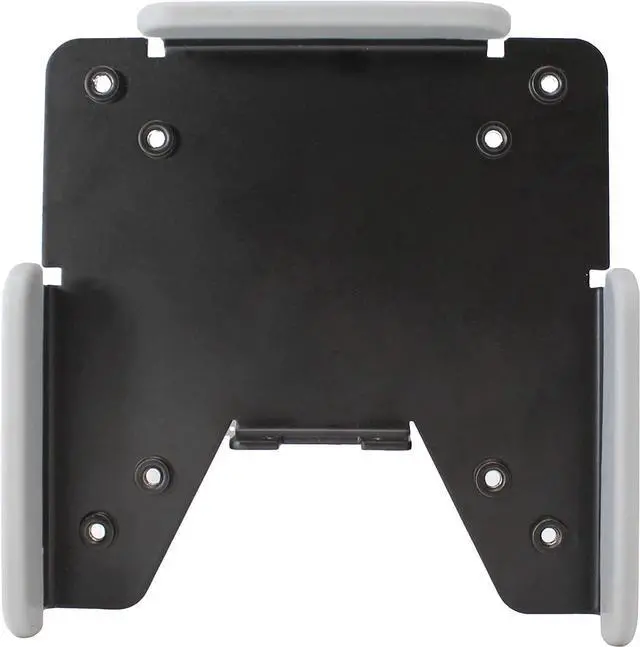
HumanCentric VESA Mount Adapter for Ultrathin Dell Monitors | Fits S2419HM, S2719DM & S2719DC, Does Not Fit S2319H, S2419H & S2719H, VESA Monitor Bracket Adapter
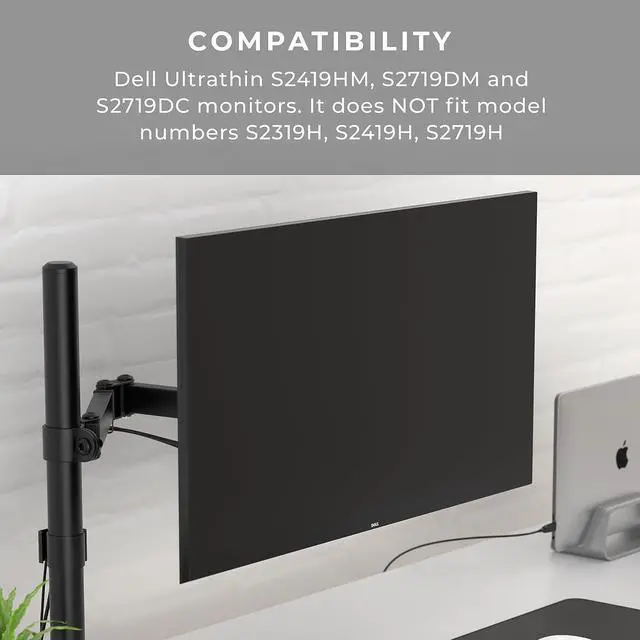
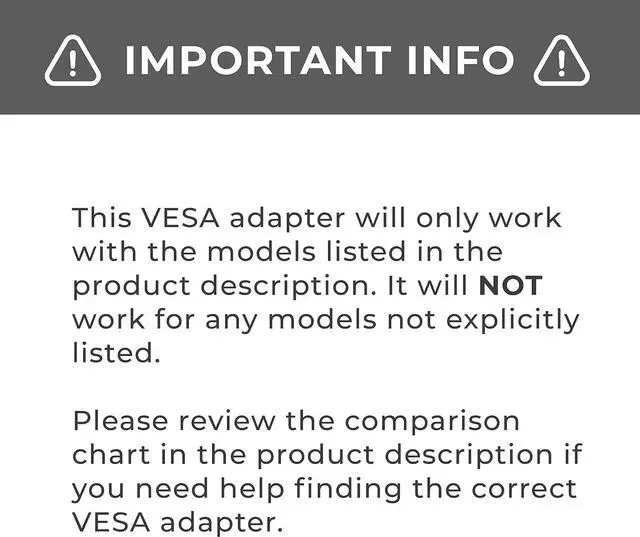
- This bracket is tested and guaranteed to work with Ultrathin Dell S2419HM, S2719DM and S2719DC monitors. It Does not fit model numbers S2319H, S2419H, S2719H. See HumanCentric VESA adapter 101-1046-V3 and the product description below for more details.
- Mount your compatible Dell Ultrathin monitor on a standard VESA mount: Even though these monitors werent made with mounting holes, our convenient bracket enables you to connect your Dell Ultrathin monitor anyway. Whether youre looking to mount it on the wall or just get it off your desk.
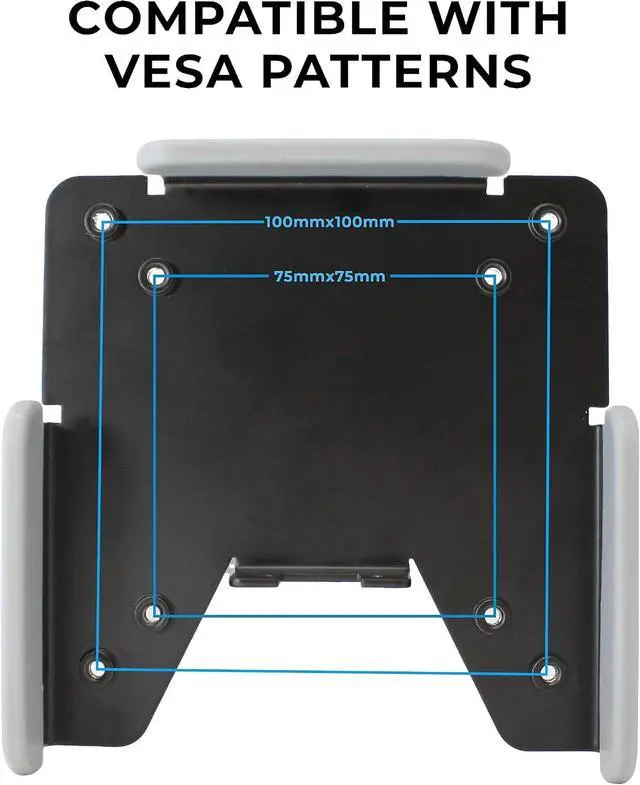
- Use this VESA mount adapter to mount compatible Dell monitors to arms, stands, desk mounts, and wall mounts. The VESA adapter mount bracket fits standard monitor mounting sizes of 75x75 mm and 100x100 mm found on most workstation mounts.
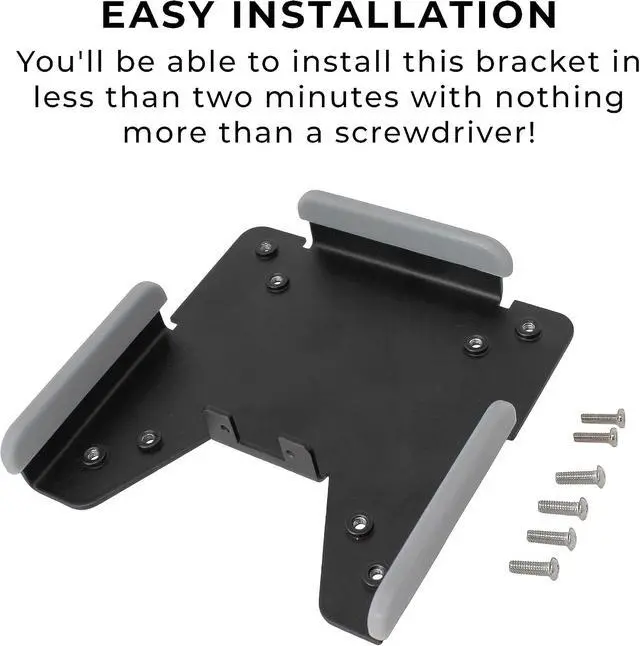
- Easy Installation: Youll be able to install the HumanCentric Dell VESA adapter in less than two minutes with nothing more than a screwdriver. Just remove the existing base and snap ours in place instead, then co
+
+
Overview
Reviews
Any questions? Our AI mode will help you find out quickly.
Try me now
This bracket is tested and guaranteed to work with Ultrathin Dell S2419HM, S2719DM and S2719DC monitors. It Does not fit model numbers S2319H, S2419H, S2719H. See HumanCentric VESA adapter 101-1046-V3 and the product description below for more details.
Mount your compatible Dell Ultrathin monitor on a standard
VESA mount: Even though these monitors werent made with mounting holes, our convenient bracket enables you to connect your Dell Ultrathin monitor anyway. Whether youre looking to mount it on the wall or just get it off your desk.
Use this VESA mount adapter to mount compatible Dell monitors to arms, stands, desk mounts, and wall mounts. The VESA adapter mount bracket fits standard monitor mounting sizes of 75x75 mm and 100x100 mm found on most workstation mounts.
Easy Installation: Youll be able to install the HumanCentric Dell VESA adapter in less than two minutes with nothing more than a screwdriver. Just remove the existing base and snap ours in place instead, then connect it right to the VESA mount. Weve tested our mount extensively to make sure it fits your monitor just right.
If you have any problems with your mount, send it right back to us. Our bracket will fit your monitor.

Mount your compatible Dell Ultrathin monitor on a standard
VESA mount: Even though these monitors werent made with mounting holes, our convenient bracket enables you to connect your Dell Ultrathin monitor anyway. Whether youre looking to mount it on the wall or just get it off your desk.
Use this VESA mount adapter to mount compatible Dell monitors to arms, stands, desk mounts, and wall mounts. The VESA adapter mount bracket fits standard monitor mounting sizes of 75x75 mm and 100x100 mm found on most workstation mounts.
Easy Installation: Youll be able to install the HumanCentric Dell VESA adapter in less than two minutes with nothing more than a screwdriver. Just remove the existing base and snap ours in place instead, then connect it right to the VESA mount. Weve tested our mount extensively to make sure it fits your monitor just right.
If you have any problems with your mount, send it right back to us. Our bracket will fit your monitor.
Warranty & Returns
Warranty, Returns, And Additional Information
Warranty
- Please contact the Seller directly for warranty information. Warranty information may also be found on the Manufacturer's website.
- CONTACT
Return Policies
- Return for refund within: 30 days
- Return for replacement within: 30 days
- This item is covered by ElectroVille Return Policy
Manufacturer Contact Info
- For a directory of all our manufacturers, please click below.
- Manufacturers Directory
LOADING...