



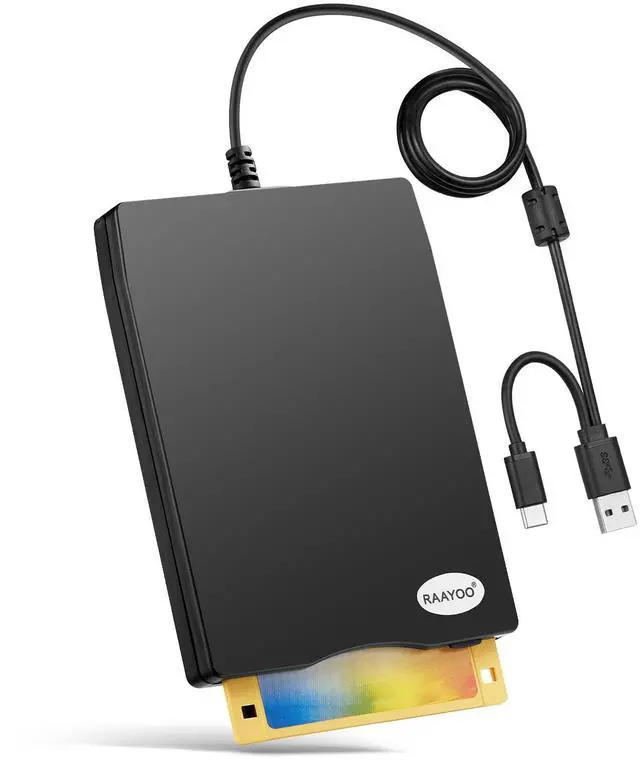



RAAYOO 3.5 inch Floppy Disk Reader with USB Type A and Type C

External USB 3.5inch Floppy Disk Drive- Return to Past
Floppy disks may be a complete stranger to today's youth, but for those who grew up with them, they also carry some precious memories of themselves. There are some of us out here that have been working with computers since the late 80's,diskettes were the usual storage devices, so we have a ton of old archived floppies that storage important files, for example, Wedding photos, kids' photos, papers, research data, previously collected poems and recipes, etc. However, Currect computers no longer come with 3.5 inch floppy disk drives, This unit is a perfect solution to help you quickly and easily see and copy the files in your floppy disks.
Feature:
1.Perfect companion for our laptops or desktops without internal floppy disk drive.
2.Dual Connector: USB Type-A and USB Type-C, suitable for most of new and older computers;
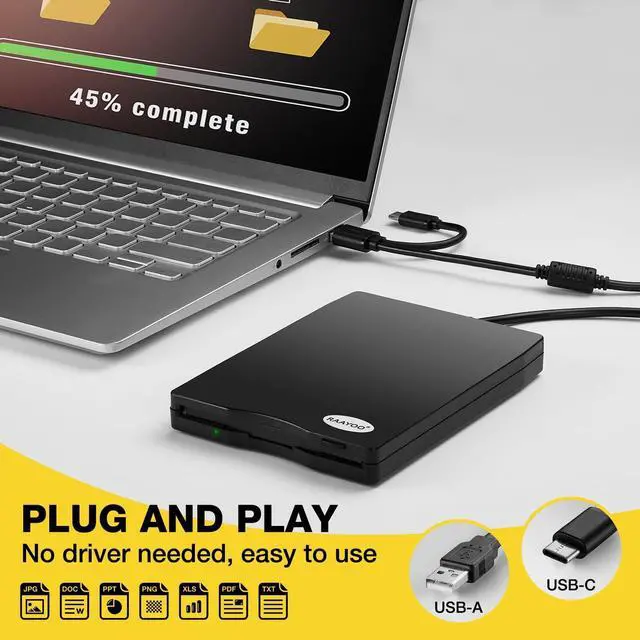
2.Plug and play, no need any additional software and extra power supply.
3.High Speed USB 2.0 floppy disc reader.
4.Pop-up button design makes it convenient to read or write discs.
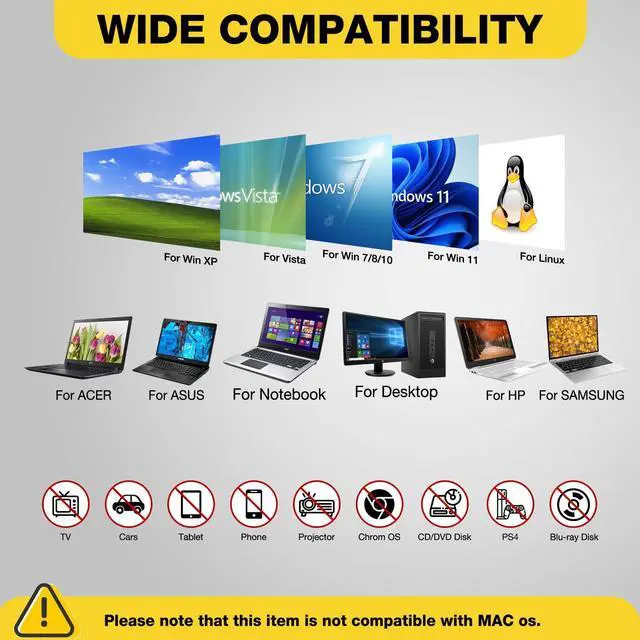
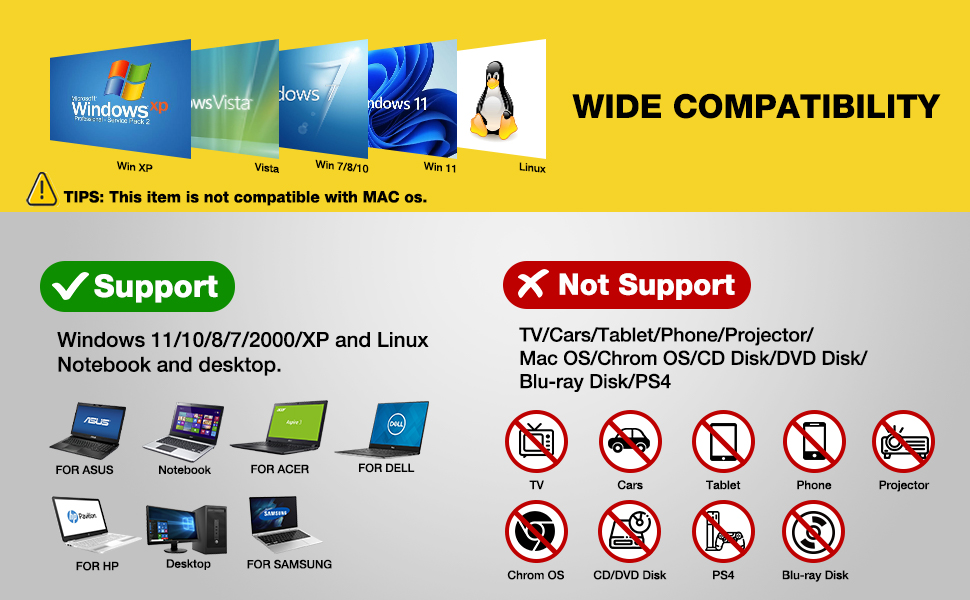
5.Wide Compatibility: Supported Windows 11/ 10/ 8.1/ 7/ Vista/ XP/ 2000 OS, not compatible with mac os.
TIPS:
?Not all of yours disks were readable, that is a factor of age, not the drive. Some of the data had been corrupted if they are too old or they are not stored appropriately.
?Floppy disk is characterized by small capacity and slow reading speed, please give it some time to load the data. It's normal that you hear the nostalgic soft little whirring sound as it loaded your old files. Please always wait for the disks to stop whirring before trying to do anything else.
?Windows 11/10 system has a lot of show/hide options for File Explore,so you maybe cannot see the drive icon named "Floppy disk drive (A:)" after bring up "Windows File Explorer", please bring up “Devices and Printers” and right-Click on the drive icon named “TEACV0.0” under the “Devices”, Hover cursor over “Browse files” and then click on “Floppy disk drive(A:)”, then you will see the content of your disks.
?When you insert second diskette, it still shows the files from the 1st disksettefor, for this issue, please make sure you use the refresh button. After insert second floppy disk inside the drive, please right click the Windows Explorer and click "refresh" in order to update the contents of the device and read the data off the newly inserted floppy disk.
3.5 Inch External USB Floppy Disk Drive - Reachieve Your Beautiful Memories

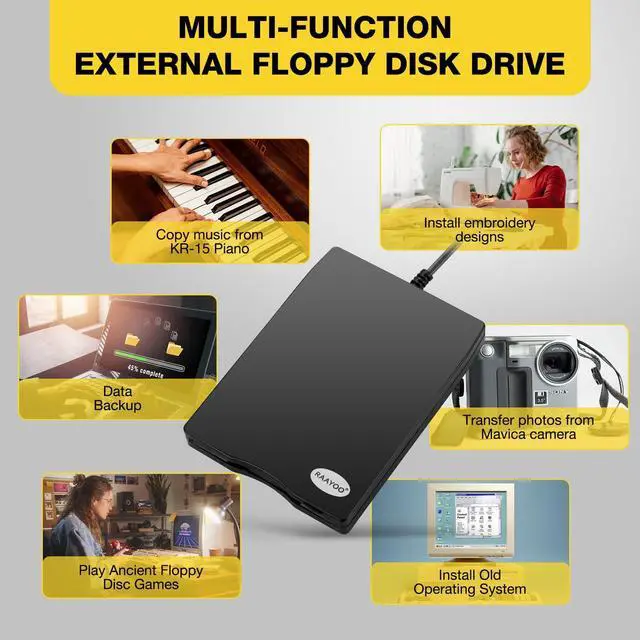
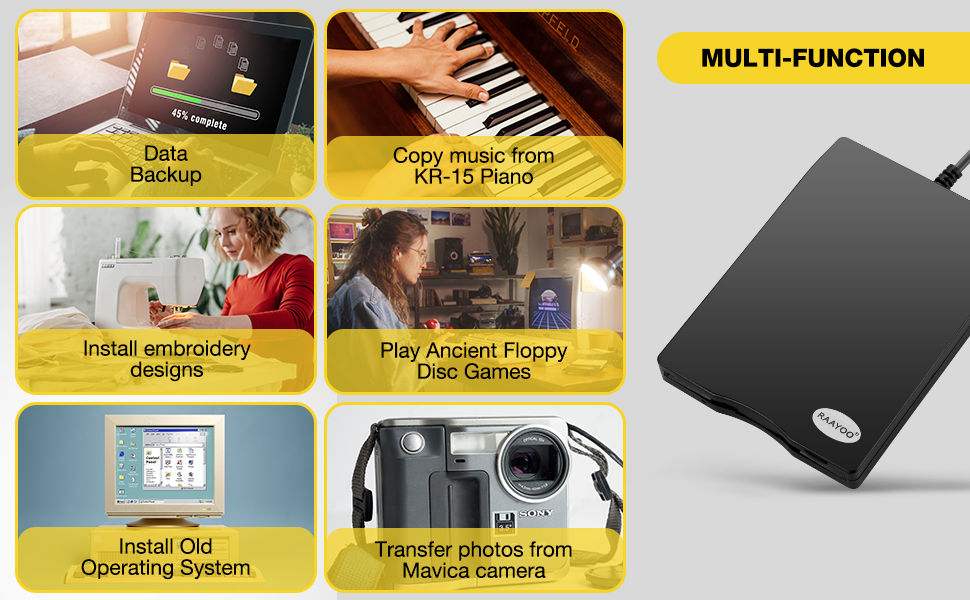
Multi-function 3.5inch External USB Floppy Disk Converter
Actual Experiences From Some Buyers
Here are some actual experiences from some buyers,sincerely hope that this item can also help you achieve beautiful memories.
Alice said, “ I had a lot of pictures of my children growing up on floppy disk and now I am able to see them again and order prints.”
Jame said, “I needed a floppy reader to retrieve photos off floppies that were found that were taken back in the day with a camera that used floppies as the media. Not knowing what to expect, I ordered this device , I have had an excellent experience so far.”
Walker said, "I had a lot of old floppy disks with embroidery designs on them. I recently got a new machine and there was no way to use the designs without transferring them to a flash drive. The external floppy disk drive did this effortlessly."
Jenny said, "I bought this to save the pictures that my mother had saved on floppy disks. She found them while down sizing and was going to throw them out....I told her please let me see whats on them first and when I showed her....her heart was full of joy! Thanks"
Johnson said, "I bought this reader to play old floppy disc war games. The reader works great but the technology of the old floppy disc was too old for my computers."
Michael said, "Found an old floppy disk marked "pictures". They were of my kids and family (20 years ago!). What a fun trip down memory lane. We were able to save them. The floppy drive was plug and play - it couldn't have been easier. Thanks!"
Allen said, "Three years ago, I had to get a new computer, and I was no longer able to view the many floppy diskettes I had with photos of our young grandson, until I found your device on . I am really enjoying going back down memory lane and viewing all those great shots that I thought were lost to me. I highly recommend this product."


As a child of the 80s and 90s, I grew up surrounded by floppy disks. This reader brought back a flood of memories and allowed me to relive cherished moments. We know that many people around my age still keep a lot of old floppy disks too, so we sincerely hope that this floppy disk drive can help you retrieve beautiful memories. However, both of the floppy disks and floppy disk drives are outdated, so you may feel that this product is not smart enough when we use this floppy disk drive at now.
- 12 Hour Response
- 24 Month Replacement
- Lifetime Technology Support
- Not compatible with Mac
- Compatible with Windows ONLY
RAAYOO Floppy Disk Reader
Relive Your Old Memories!
The times are moving forward, but the floppy disk era has passed, both of the floppy disks and floppy disk drives are outdated, so you may feel that this product is not smart enough when we use it, hope your kind understanding.
With the declining number of readable floppy disks, it's unclear how long our products will be available on the market. Use it now, while you still can, and back up your floppy disks now, while you can still read them. Please read the important tips before using it,
- 1.Please apply for replacements or full refund from us when your item cannot work well, we will be responsible for the any issue happen on our products until you are satisfied!
- 2. Not all of your disks were readable, that is a factor of age, not the drive.
- 3. Windows 11/10 system has a lot of show/hide options for File Explore, please bring up“Devices and Printers” to get the drive icon named“TEACV0.0”under the“Devices”.
- 4. It still shows the files from the 1st diskette when you insert 2nd diskette, please go to "more options" and "refresh" in File Explorer before it displays the new content.
How to Locate "Floppy Disk Drive (A:)" in Windows 11/10

Wide Compatibility- Support Windows 11/ 10/ 8.1/ 7/ Vista/ XP/ 2000 OS
Warm Tips:
?Not all of yours disks were readable, that is a factor of age, not the drive. Some of the data had been corrupted if they are too old or they are not stored appropriately.
?Floppy disk is characterized by small capacity and slow reading speed, please give it some time to load the data. It's normal that you hear the nostalgic soft little whirring sound as it loaded your old files. Please always wait for the disks to stop whirring before trying to do anything else.
?Windows 11/10 system has a lot of show/hide options for File Explore,so you maybe cannot see the drive icon named "Floppy disk drive (A:)" after bring up "Windows File Explorer", please bring up “Devices and Printers” and right-Click on the drive icon named “TEACV0.0” under the “Devices”, Hover cursor over “Browse files” and then click on “Floppy disk drive(A:)”, then you will see the content of your disks.
?This is a universal external USB 3.5 inch floppy disk reader for computers, only can play 3.5 inch discs on your computers,and can't be used with other devices.
?When using this usb floppy drive, please connect it to the the ports on the back of the computer if yours is a desktop.
?Please insert the disk into the drive firstly, and then plug the USB connector into your computer USB port, then your computers will recognize the drive soon.
?No worries if you don't see a light on the front of the drive when you plug it in, you will see it when your drive start to read/write your disks.
?It still shows the files from the 1st diskette when you insert 2nd diskette, please go to "more options" and "refresh" in file explorer before it displays the new content. Or disk contents do refresh after double click the A: drive icon in File Explorer, you can browse elsewhere on your computer and then go back to floppy disk drive(A:) and the contents of the disk will be updated. Please skip to Trouble Shooting 3 if you still cannot get the content of second disk.
?Please do not use an USB hub,USB extension cable or USB adapter to prevent the drive from working properly due to insufficient power.
?Sometimes you can see the files, copy and move them, but we cannot open it. Because our computer was so new that it did not have correct software on it that would open some of the old files on the disks, you will need the specific application to open the special file. It's software problem,not the drive.
?Unlike flash drives you can't unmount the drive or eject the disks from windows. You have to press the button on the unit to eject the disk.

USB Type C Connector
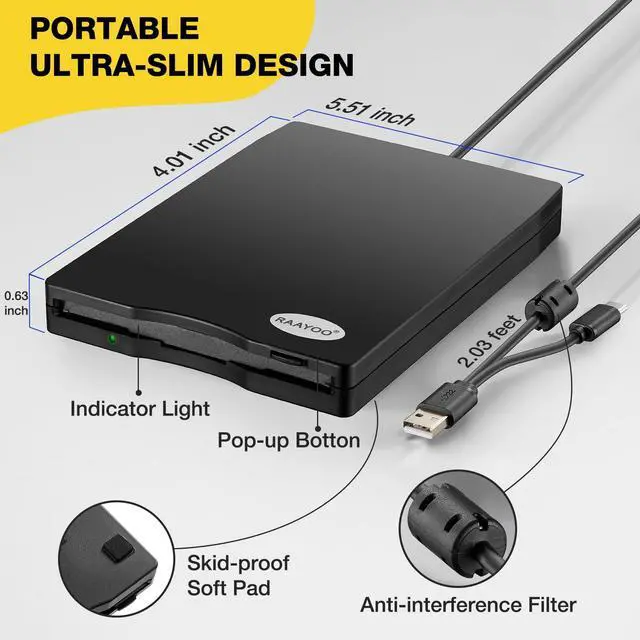
This USB floppy disk reader comes with USB A and USB C two connectors, make it easier to use this floppy disk drive on most new and older laptops and desktop computer, no USB hub/adapter and extension cord required.

Ultra Thin & Portable
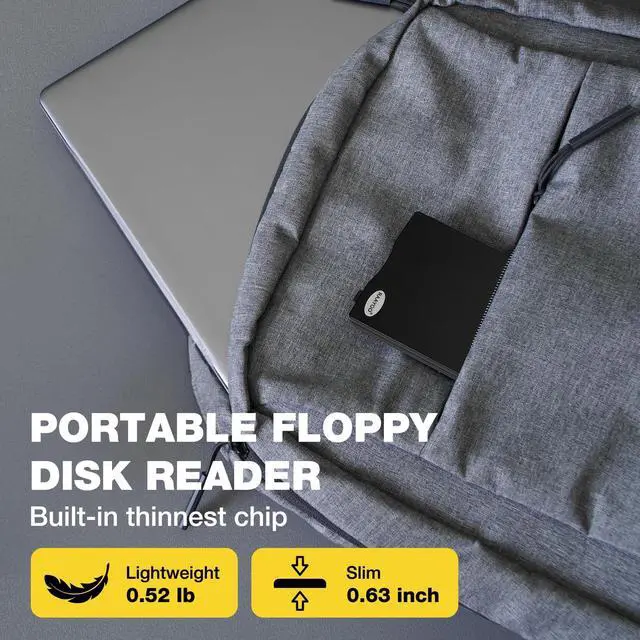
With Only 0.63inch thick and 0.52Ib lightweight design, we can easily carry and use this compact external floppy diskette reader to retrieve your beautiful memroies at anywhere.
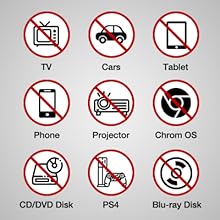
Not compatible with
This floppy disk reader only compatible with PC, desktop and laptop with Windows 11/ 10 /10 pro/ 8 / 7 / Vista / XP/2000.
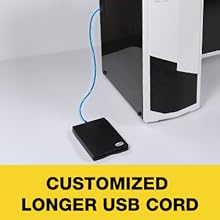
Longer USB Cord
The USB cord of floppy disk drive is 2.03ft long, 0.72ft longer than others', more convenient to use even though plug it into USB ports on the back of computers.


About RAAYOO Brand
As a professional manufacturer and seller of external floppy disk reader, RAAYOO has sold more than hundreds of thousands of external floppy disk drives since 2016.
You can use RAAYOO floppy disk reader on your Windows 11/10/8/7/XP/2000 computers to help you relive your beautiful memories inside your floppy disks.
How did we get our start?
Remember the days when we used floppy disks to store files? However, nowadays, computers no longer come with built-in floppy drives, RAAYOO knows people's needs and design this product.
Why do we love what we do?
We not only focus on the products quality, but also on the emotional needs of our users. We hope that this small floppy disk reader can bring you a warmth and touch.
What makes our products unique?
We pay attention to users' needs and feedback and constantly improve our products and services ,they can feel our dedication and love when our users use our product.
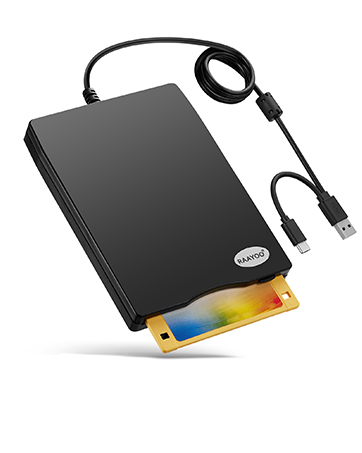
USB Type C & USB Type A
Support most of new and older computers.
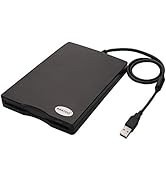
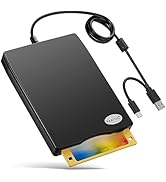
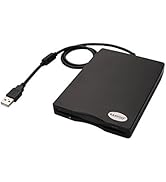
USB Floppy Disk Reader Series
RAAYOO 3.5 inch Floppy Disk Reader with USB Type A and Type C
External USB 3.5inch Floppy Disk Drive- Return to Past
Floppy disks may be a complete stranger to today's youth, but for those who grew up with them, they also carry some precious memories of themselves. There are some of us out here that have been working with computers since the late 80's,diskettes were the usual storage devices, so we have a ton of old archived floppies that storage important files, for example, Wedding photos, kids' photos, papers, research data, previously collected poems and recipes, etc. However, Currect computers no longer come with 3.5 inch floppy disk drives, This unit is a perfect solution to help you quickly and easily see and copy the files in your floppy disks.
Feature:
1.Perfect companion for our laptops or desktops without internal floppy disk drive.
2.Dual Connector: USB Type-A and USB Type-C, suitable for most of new and older computers;
2.Plug and play, no need any additional software and extra power supply.
3.High Speed USB 2.0 floppy disc reader.
4.Pop-up button design makes it convenient to read or write discs.
5.Wide Compatibility: Supported Windows 11/ 10/ 8.1/ 7/ Vista/ XP/ 2000 OS, not compatible with mac os.
TIPS:
?Not all of yours disks were readable, that is a factor of age, not the drive. Some of the data had been corrupted if they are too old or they are not stored appropriately.
?Floppy disk is characterized by small capacity and slow reading speed, please give it some time to load the data. It's normal that you hear the nostalgic soft little whirring sound as it loaded your old files. Please always wait for the disks to stop whirring before trying to do anything else.
?Windows 11/10 system has a lot of show/hide options for File Explore,so you maybe cannot see the drive icon named "Floppy disk drive (A:)" after bring up "Windows File Explorer", please bring up “Devices and Printers” and right-Click on the drive icon named “TEACV0.0” under the “Devices”, Hover cursor over “Browse files” and then click on “Floppy disk drive(A:)”, then you will see the content of your disks.
?When you insert second diskette, it still shows the files from the 1st disksettefor, for this issue, please make sure you use the refresh button. After insert second floppy disk inside the drive, please right click the Windows Explorer and click "refresh" in order to update the contents of the device and read the data off the newly inserted floppy disk.
3.5 Inch External USB Floppy Disk Drive - Reachieve Your Beautiful Memories
Multi-function 3.5inch External USB Floppy Disk Converter
Actual Experiences From Some Buyers
Here are some actual experiences from some buyers,sincerely hope that this item can also help you achieve beautiful memories.
Alice said, “ I had a lot of pictures of my children growing up on floppy disk and now I am able to see them again and order prints.”
Jame said, “I needed a floppy reader to retrieve photos off floppies that were found that were taken back in the day with a camera that used floppies as the media. Not knowing what to expect, I ordered this device , I have had an excellent experience so far.”
Walker said, "I had a lot of old floppy disks with embroidery designs on them. I recently got a new machine and there was no way to use the designs without transferring them to a flash drive. The external floppy disk drive did this effortlessly."
Jenny said, "I bought this to save the pictures that my mother had saved on floppy disks. She found them while down sizing and was going to throw them out....I told her please let me see whats on them first and when I showed her....her heart was full of joy! Thanks"
Johnson said, "I bought this reader to play old floppy disc war games. The reader works great but the technology of the old floppy disc was too old for my computers."
Michael said, "Found an old floppy disk marked "pictures". They were of my kids and family (20 years ago!). What a fun trip down memory lane. We were able to save them. The floppy drive was plug and play - it couldn't have been easier. Thanks!"
Allen said, "Three years ago, I had to get a new computer, and I was no longer able to view the many floppy diskettes I had with photos of our young grandson, until I found your device on . I am really enjoying going back down memory lane and viewing all those great shots that I thought were lost to me. I highly recommend this product."
RAAYOO Floppy Disk Reader
As a child of the 80s and 90s, I grew up surrounded by floppy disks. This reader brought back a flood of memories and allowed me to relive cherished moments. We know that many people around my age still keep a lot of old floppy disks too, so we sincerely hope that this floppy disk drive can help you retrieve beautiful memories. However, both of the floppy disks and floppy disk drives are outdated, so you may feel that this product is not smart enough when we use this floppy disk drive at now.
- 12 Hour Response
- 24 Month Replacement
- Lifetime Technology Support
- Not compatible with Mac
- Compatible with Windows ONLY
Relive Your Old Memories!
The times are moving forward, but the floppy disk era has passed, both of the floppy disks and floppy disk drives are outdated, so you may feel that this product is not smart enough when we use it, hope your kind understanding.
With the declining number of readable floppy disks, it's unclear how long our products will be available on the market. Use it now, while you still can, and back up your floppy disks now, while you can still read them. Please read the important tips before using it,
- 1.Please apply for replacements or full refund from us when your item cannot work well, we will be responsible for the any issue happen on our products until you are satisfied!
- 2. Not all of your disks were readable, that is a factor of age, not the drive.
- 3. Windows 11/10 system has a lot of show/hide options for File Explore, please bring up“Devices and Printers” to get the drive icon named“TEACV0.0”under the“Devices”.
- 4. It still shows the files from the 1st diskette when you insert 2nd diskette, please go to "more options" and "refresh" in File Explorer before it displays the new content.
How to Locate "Floppy Disk Drive (A:)" in Windows 11/10
Wide Compatibility- Support Windows 11/ 10/ 8.1/ 7/ Vista/ XP/ 2000 OS
Warm Tips:
?Not all of yours disks were readable, that is a factor of age, not the drive. Some of the data had been corrupted if they are too old or they are not stored appropriately.
?Floppy disk is characterized by small capacity and slow reading speed, please give it some time to load the data. It's normal that you hear the nostalgic soft little whirring sound as it loaded your old files. Please always wait for the disks to stop whirring before trying to do anything else.
?Windows 11/10 system has a lot of show/hide options for File Explore,so you maybe cannot see the drive icon named "Floppy disk drive (A:)" after bring up "Windows File Explorer", please bring up “Devices and Printers” and right-Click on the drive icon named “TEACV0.0” under the “Devices”, Hover cursor over “Browse files” and then click on “Floppy disk drive(A:)”, then you will see the content of your disks.
?This is a universal external USB 3.5 inch floppy disk reader for computers, only can play 3.5 inch discs on your computers,and can't be used with other devices.
?When using this usb floppy drive, please connect it to the the ports on the back of the computer if yours is a desktop.
?Please insert the disk into the drive firstly, and then plug the USB connector into your computer USB port, then your computers will recognize the drive soon.
?No worries if you don't see a light on the front of the drive when you plug it in, you will see it when your drive start to read/write your disks.
?It still shows the files from the 1st diskette when you insert 2nd diskette, please go to "more options" and "refresh" in file explorer before it displays the new content. Or disk contents do refresh after double click the A: drive icon in File Explorer, you can browse elsewhere on your computer and then go back to floppy disk drive(A:) and the contents of the disk will be updated. Please skip to Trouble Shooting 3 if you still cannot get the content of second disk.
?Please do not use an USB hub,USB extension cable or USB adapter to prevent the drive from working properly due to insufficient power.
?Sometimes you can see the files, copy and move them, but we cannot open it. Because our computer was so new that it did not have correct software on it that would open some of the old files on the disks, you will need the specific application to open the special file. It's software problem,not the drive.
?Unlike flash drives you can't unmount the drive or eject the disks from windows. You have to press the button on the unit to eject the disk.
USB Type C Connector
This USB floppy disk reader comes with USB A and USB C two connectors, make it easier to use this floppy disk drive on most new and older laptops and desktop computer, no USB hub/adapter and extension cord required.
Ultra Thin & Portable
With Only 0.63inch thick and 0.52Ib lightweight design, we can easily carry and use this compact external floppy diskette reader to retrieve your beautiful memroies at anywhere.
Not compatible with
This floppy disk reader only compatible with PC, desktop and laptop with Windows 11/ 10 /10 pro/ 8 / 7 / Vista / XP/2000.
Longer USB Cord
The USB cord of floppy disk drive is 2.03ft long, 0.72ft longer than others', more convenient to use even though plug it into USB ports on the back of computers.
About RAAYOO Brand
As a professional manufacturer and seller of external floppy disk reader, RAAYOO has sold more than hundreds of thousands of external floppy disk drives since 2016.
You can use RAAYOO floppy disk reader on your Windows 11/10/8/7/XP/2000 computers to help you relive your beautiful memories inside your floppy disks.
How did we get our start?
Remember the days when we used floppy disks to store files? However, nowadays, computers no longer come with built-in floppy drives, RAAYOO knows people's needs and design this product.
Why do we love what we do?
We not only focus on the products quality, but also on the emotional needs of our users. We hope that this small floppy disk reader can bring you a warmth and touch.
What makes our products unique?
We pay attention to users' needs and feedback and constantly improve our products and services ,they can feel our dedication and love when our users use our product.
USB Type C & USB Type A
Support most of new and older computers.
USB Floppy Disk Reader Series