






Retrieve Your Memories, Return to the Past!

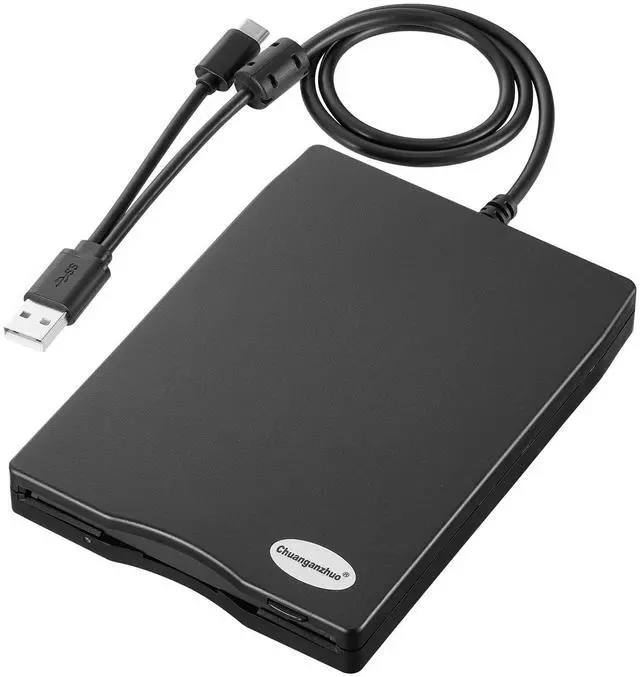
UPGRADED EXTERNAL USB 3.5 INCH FLOPPY DISK READER DRIVE for PC, LAPTOP AND DESKTOP

For those who used computers in the 1980s and 1990s, the floppy disk was more than just a storage medium for important data, pictures, audio and other files, It's a return to the past. Floppy disks carry their memories and recollections, representing past lives and experiences. For many people, seeing a floppy disk or hearing the sound of it is like going back to a bygone era, and those fond memories are reawakened. The floppy disk has great sentimental value and is a lifetime treasure. But with the development of technology, the floppy disk is gradually phased out, now the computer has no built-in driver can read the floppy disk, so this USB 3.5 inch external floppy disk reader is a good solution to reading and writing your floppy disks. It can help you open the old floppy disks, you can transfer the files in the floppy disk to your computer for storage.
Feature:
?USB 2.0 & Type-C external USB floppy disc reader is perfect companion for our laptops or desktops without internal floppy disk drive.
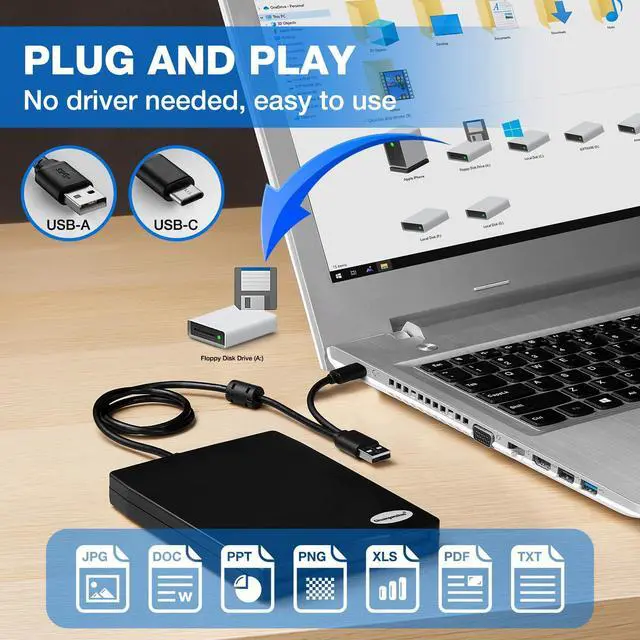
?Plug and play,no need any additional software and extra power supply.
?High Speed Type C and USB 2.0 floppy disc reader.
?Pop-up button makes it convenient to eject your floppy discks.
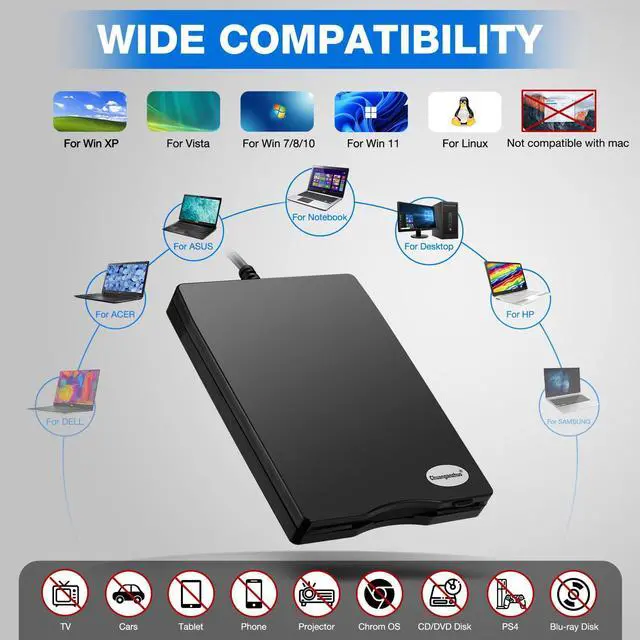
?Wide Compatibility: Supported PC, laptop and desktop with windows 11/ 10/ 8.1/ 7/ Vista/ XP OS.
TIPS:
?Windows 11/10 system has a lot of show/hide options for File Explore,so you maybe cannot see the drive icon named "Floppy disk drive (A:)" after bring up "Windows File Explorer", please bring up “Devices and Printers” and right-Click on the drive icon named “TEACV0.0” under the “Devices”, Hover cursor over “Browse files” and then click on “Floppy disk drive(A:)”, then you will see the content of your disks.
?When you insert second diskette, it still shows the files from the 1st disksettefor, for this issue, please make sure you use the refresh button. After insert second floppy disk inside the drive, please right click the Windows Explorer and click "refresh" in order to update the contents of the device and read the data off the newly inserted floppy disk.
?Not all of yours disks were readable, that is a factor of age, not the drive. Some of the data had been corrupted if they are too old or they are not stored appropriately.


A 10 Years's Old Brand
For those who used computers in the 1980s and 1990s, the floppy disk was more than just a storage medium for important data, pictures, audio and other files, It's a return to the past. Floppy disks carry their memories and recollections, representing past lives and experiences. For many people, seeing a floppy disk or hearing the sound of it is like going back to a bygone era, and those fond memories are reawakened. The floppy disk has great sentimental value and is a lifetime treasure for us.
- Not compatible with Mac
- Only compatible with Windows
- 12 Hour Response
- 24 Month Replacement
- Lifetime Technology Support
Chuanganzhuo External USB C Floppy Disk Reader
Retrieve old photos and files from floppy disks!
With the development of technology, the floppy disks and floppy disk drives are gradually phased out. you may feel that this item is not smart enough when read the disks.
Many floppy disks got damaged due to long history, with the declining number of readable floppy disks, it's unclear how long our drives will be available on the market, maybe you can open your old floppy disks, maybe not, we don't know.
Use it now, while you still can, and back up the disks now, while you can still read them.
- 1. Please apply for replacements or full refund from us when you meet any issues happen on our item, we will stand behind of Chuanganzhuo Brand all the time.
- 2. Not all of your disks were readable, that is a factor of age, not the drive.
- 3. Windows 11/10 system has a lot of show/hide options for File Explore, please bring up“Devices and Printers” to get the drive icon named“TEACV0.0”under the“Devices”.
- 4. It still shows the files from the 1st diskette when you insert 2nd diskette, please go to "more options" and "refresh" in File Explorer before it displays the new content.
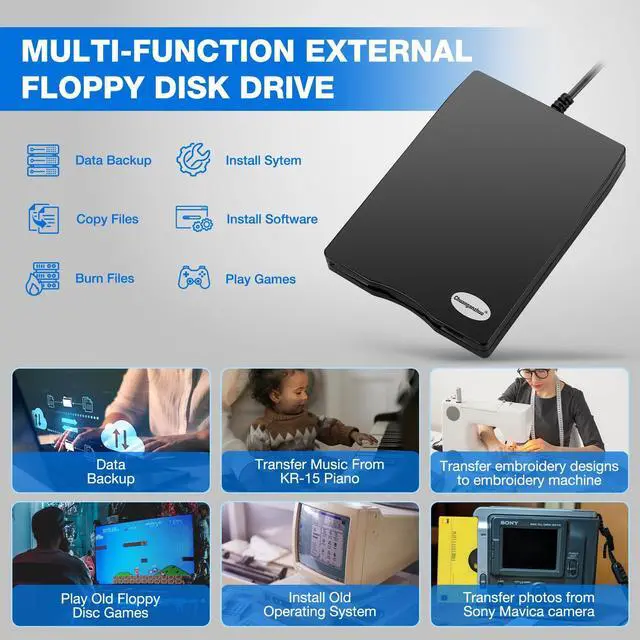
Multi-function 3.5 inch 1.44MB External USB Floppy Disk Drive.

Multi-function :
?Data Backup: Transfer your files in the floppy disks to your computer;
?Get embroidery designs from computer to put on your embroidery machine;
?Install old operating system;
?Transfer music that your've written and performed from KR-15 Intelligent Piano to computer;
?Play old floppy disc games;
?Transfer photos from Sony Mavica digital camera to your computers.
Give Your Floppy Disk Some Time

Q: Reading speed is slow?
A: Yes, it is slow, but it's normal, because floppy disks were never fast.
Tips: Please do not expect this external USB floppy disk drive to work with the speed of today's storage devices, as floppy disks are characterized by small capacity and slow reading speed. Make a big glass of iced tea, (coffee or an adult beverage will work, too) turn on the music and transfer those files.
Wide Compatibility: This floppy disk converter support windows 11/10/10 Pro/8/7/2000/XP

Tips:
?Floppy disk is characterized by small capacity and slow reading speed, please give it some time to load the data. It's normal that you hear the nostalgic soft little whirring sound as it loaded your old files. Please always wait for the disks to stop whirring before trying to do anything else.
?Windows 11/10 system has a lot of show/hide options for File Explore,so you maybe cannot see the drive icon after bring up Windows File Explorer,please bring up “Devices and Printers” to find it, more details about the drive icon location, please skip to Trouble shooting 1 in the user manual.
?This is a universal external 3.5 inch floppy disk reader, can't play 5.25 inch discs,and can't be used with TV, car, smartphone.
?When using this usb floppy drive, please connect it to the the ports on the back of the computer if yours is a desktop.
?Please insert the disk into the drive firstly, and then plug the USB connector into your computer USB port, then your computers will recognize the drive soon.
?No worries if you don't see a light on the front of the drive when you plug it in, you will see it when your drive start to read/write your disks.
?When you insert second diskette, it still shows the files from the 1st disksettefor, for this issue, please make sure you use the refresh button. After insert second floppy disk inside the drive, please right click the Windows Explorer and click "refresh" in order to update the contents of the device and read the data off the newly inserted floppy disk.
?Please do not use an USB hub,USB extension cable or USB adapter to prevent the drive from working properly due to insufficient power.
?Not all of yours disks were readable, that is a factor of age, not the drive. Some of the data had been corrupted if they are too old or they are not stored appropriately.
?Sometimes you can see the files, copy and move them, but we cannot open it. Because our computer was so new that it did not have correct software on it that would open some of the old files on the disks, you will need the specific application to open the file. It's software problem,not the drive.
?Unlike flash drives you can't unmount the drive or eject the disks from windows. You have to press the button on the unit to eject the disk.

Portable Floppy Disk Drive
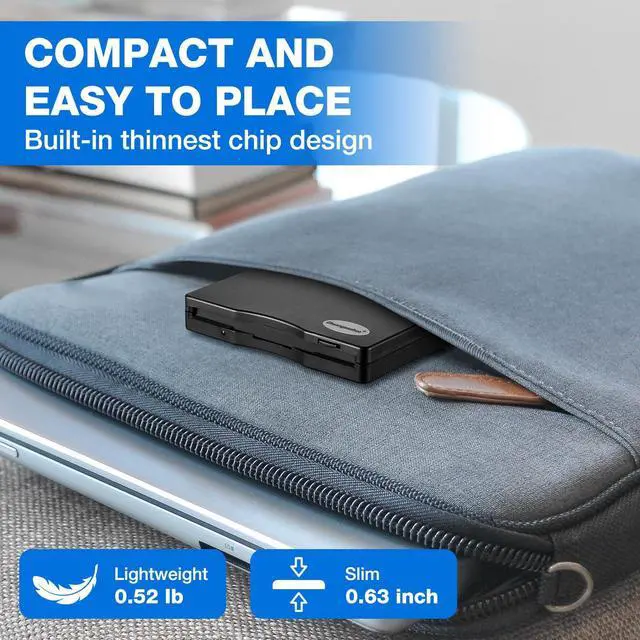
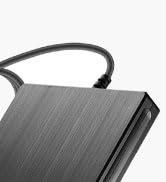
Ultra-slim (Only 0.63inch thick) design and lightweight(Only 0.52Ib) allow us to carry and use this portable external floppy disk reader drive at anytime, anywhere no matter you are at home, in the office, or during a trip.

Customized Longer Cord
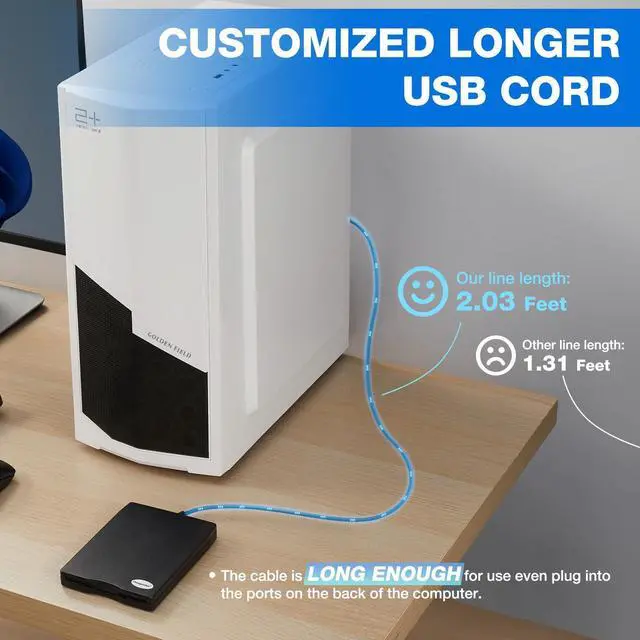
The USB cable of this USB floppy drive is 2.03ft long, 0.72ft longer than others', more convenient to use even though plug it into USB ports on the back of computers. Built-in cable, convenient storage, never don't worry about cable loss.

Nostalgic Soft Whirring Sound
It's normal that you hear the soft little whirring sound as it loaded your old files, it's nostalgic floppy disk's sound.

Dual USB Connector
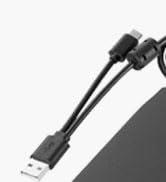
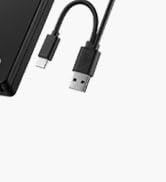
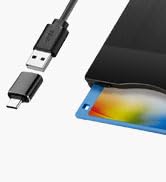
USB-A and USB-C Dual USB connectors make it easier to use this 3.5 floppy disk reader on most new and older laptops and desktop computer, no USB hub/adapter and extension cord required.

Chuanganzhuo
Relive Your Beautiful Memories!

This is the 12th year that we have been producing and selling floppy disk readers, and we are honored that our products have always been loved by everyone.
Although the era of floppy disks has passed, our memories are still there, our emotions are still there, and the time spent with floppy disks is still there.
Open your old floppy disk, achieve the good times of the past, meet your past self.
How did we get our start?
We started in floppy disk readers as one friend was curious about what was on his old floppy disks, fortunately we really find it and successfully open the disks, then the story with it started.
Why do we love what we do?
Floppy disks were eliminated by the times, but the memories inside it are priceless. The future is promising, but the memory of the past is still worth savoring.
Why are we trustworthy?
10 years of production experience - From product development to production, quality inspection, sales and after-sales, we have a perfect system to ensure product quality.
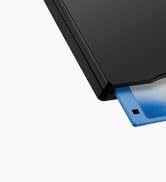
ACM-006C Floppy Disk Reader
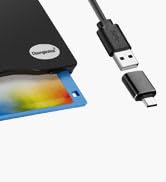
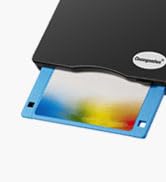
ACM-006 Floppy Disk Reader

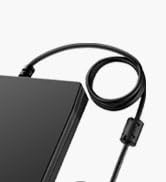
ACM-008 Floppy Disk Reader
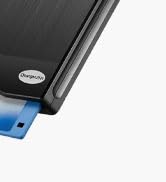
ACM-014 Floppy Disk Reader
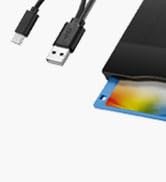
ACM-014C Floppy Disk Reader
Retrieve Your Memories, Return to the Past!
UPGRADED EXTERNAL USB 3.5 INCH FLOPPY DISK READER DRIVE for PC, LAPTOP AND DESKTOP
For those who used computers in the 1980s and 1990s, the floppy disk was more than just a storage medium for important data, pictures, audio and other files, It's a return to the past. Floppy disks carry their memories and recollections, representing past lives and experiences. For many people, seeing a floppy disk or hearing the sound of it is like going back to a bygone era, and those fond memories are reawakened. The floppy disk has great sentimental value and is a lifetime treasure. But with the development of technology, the floppy disk is gradually phased out, now the computer has no built-in driver can read the floppy disk, so this USB 3.5 inch external floppy disk reader is a good solution to reading and writing your floppy disks. It can help you open the old floppy disks, you can transfer the files in the floppy disk to your computer for storage.
Feature:
?USB 2.0 & Type-C external USB floppy disc reader is perfect companion for our laptops or desktops without internal floppy disk drive.
?Plug and play,no need any additional software and extra power supply.
?High Speed Type C and USB 2.0 floppy disc reader.
?Pop-up button makes it convenient to eject your floppy discks.
?Wide Compatibility: Supported PC, laptop and desktop with windows 11/ 10/ 8.1/ 7/ Vista/ XP OS.
TIPS:
?Windows 11/10 system has a lot of show/hide options for File Explore,so you maybe cannot see the drive icon named "Floppy disk drive (A:)" after bring up "Windows File Explorer", please bring up “Devices and Printers” and right-Click on the drive icon named “TEACV0.0” under the “Devices”, Hover cursor over “Browse files” and then click on “Floppy disk drive(A:)”, then you will see the content of your disks.
?When you insert second diskette, it still shows the files from the 1st disksettefor, for this issue, please make sure you use the refresh button. After insert second floppy disk inside the drive, please right click the Windows Explorer and click "refresh" in order to update the contents of the device and read the data off the newly inserted floppy disk.
?Not all of yours disks were readable, that is a factor of age, not the drive. Some of the data had been corrupted if they are too old or they are not stored appropriately.
Chuanganzhuo External USB C Floppy Disk Reader
A 10 Years's Old Brand
For those who used computers in the 1980s and 1990s, the floppy disk was more than just a storage medium for important data, pictures, audio and other files, It's a return to the past. Floppy disks carry their memories and recollections, representing past lives and experiences. For many people, seeing a floppy disk or hearing the sound of it is like going back to a bygone era, and those fond memories are reawakened. The floppy disk has great sentimental value and is a lifetime treasure for us.
- Not compatible with Mac
- Only compatible with Windows
- 12 Hour Response
- 24 Month Replacement
- Lifetime Technology Support
Retrieve old photos and files from floppy disks!
With the development of technology, the floppy disks and floppy disk drives are gradually phased out. you may feel that this item is not smart enough when read the disks.
Many floppy disks got damaged due to long history, with the declining number of readable floppy disks, it's unclear how long our drives will be available on the market, maybe you can open your old floppy disks, maybe not, we don't know.
Use it now, while you still can, and back up the disks now, while you can still read them.
- 1. Please apply for replacements or full refund from us when you meet any issues happen on our item, we will stand behind of Chuanganzhuo Brand all the time.
- 2. Not all of your disks were readable, that is a factor of age, not the drive.
- 3. Windows 11/10 system has a lot of show/hide options for File Explore, please bring up“Devices and Printers” to get the drive icon named“TEACV0.0”under the“Devices”.
- 4. It still shows the files from the 1st diskette when you insert 2nd diskette, please go to "more options" and "refresh" in File Explorer before it displays the new content.
Multi-function 3.5 inch 1.44MB External USB Floppy Disk Drive.
Multi-function :
?Data Backup: Transfer your files in the floppy disks to your computer;
?Get embroidery designs from computer to put on your embroidery machine;
?Install old operating system;
?Transfer music that your've written and performed from KR-15 Intelligent Piano to computer;
?Play old floppy disc games;
?Transfer photos from Sony Mavica digital camera to your computers.
Give Your Floppy Disk Some Time
Q: Reading speed is slow?
A: Yes, it is slow, but it's normal, because floppy disks were never fast.
Tips: Please do not expect this external USB floppy disk drive to work with the speed of today's storage devices, as floppy disks are characterized by small capacity and slow reading speed. Make a big glass of iced tea, (coffee or an adult beverage will work, too) turn on the music and transfer those files.
Wide Compatibility: This floppy disk converter support windows 11/10/10 Pro/8/7/2000/XP
Tips:
?Floppy disk is characterized by small capacity and slow reading speed, please give it some time to load the data. It's normal that you hear the nostalgic soft little whirring sound as it loaded your old files. Please always wait for the disks to stop whirring before trying to do anything else.
?Windows 11/10 system has a lot of show/hide options for File Explore,so you maybe cannot see the drive icon after bring up Windows File Explorer,please bring up “Devices and Printers” to find it, more details about the drive icon location, please skip to Trouble shooting 1 in the user manual.
?This is a universal external 3.5 inch floppy disk reader, can't play 5.25 inch discs,and can't be used with TV, car, smartphone.
?When using this usb floppy drive, please connect it to the the ports on the back of the computer if yours is a desktop.
?Please insert the disk into the drive firstly, and then plug the USB connector into your computer USB port, then your computers will recognize the drive soon.
?No worries if you don't see a light on the front of the drive when you plug it in, you will see it when your drive start to read/write your disks.
?When you insert second diskette, it still shows the files from the 1st disksettefor, for this issue, please make sure you use the refresh button. After insert second floppy disk inside the drive, please right click the Windows Explorer and click "refresh" in order to update the contents of the device and read the data off the newly inserted floppy disk.
?Please do not use an USB hub,USB extension cable or USB adapter to prevent the drive from working properly due to insufficient power.
?Not all of yours disks were readable, that is a factor of age, not the drive. Some of the data had been corrupted if they are too old or they are not stored appropriately.
?Sometimes you can see the files, copy and move them, but we cannot open it. Because our computer was so new that it did not have correct software on it that would open some of the old files on the disks, you will need the specific application to open the file. It's software problem,not the drive.
?Unlike flash drives you can't unmount the drive or eject the disks from windows. You have to press the button on the unit to eject the disk.
Portable Floppy Disk Drive
Ultra-slim (Only 0.63inch thick) design and lightweight(Only 0.52Ib) allow us to carry and use this portable external floppy disk reader drive at anytime, anywhere no matter you are at home, in the office, or during a trip.
Customized Longer Cord
The USB cable of this USB floppy drive is 2.03ft long, 0.72ft longer than others', more convenient to use even though plug it into USB ports on the back of computers. Built-in cable, convenient storage, never don't worry about cable loss.
Nostalgic Soft Whirring Sound
It's normal that you hear the soft little whirring sound as it loaded your old files, it's nostalgic floppy disk's sound.
Dual USB Connector
USB-A and USB-C Dual USB connectors make it easier to use this 3.5 floppy disk reader on most new and older laptops and desktop computer, no USB hub/adapter and extension cord required.
Chuanganzhuo
Relive Your Beautiful Memories!
This is the 12th year that we have been producing and selling floppy disk readers, and we are honored that our products have always been loved by everyone.
Although the era of floppy disks has passed, our memories are still there, our emotions are still there, and the time spent with floppy disks is still there.
Open your old floppy disk, achieve the good times of the past, meet your past self.
How did we get our start?
We started in floppy disk readers as one friend was curious about what was on his old floppy disks, fortunately we really find it and successfully open the disks, then the story with it started.
Why do we love what we do?
Floppy disks were eliminated by the times, but the memories inside it are priceless. The future is promising, but the memory of the past is still worth savoring.
Why are we trustworthy?
10 years of production experience - From product development to production, quality inspection, sales and after-sales, we have a perfect system to ensure product quality.
ACM-006C Floppy Disk Reader
ACM-006 Floppy Disk Reader
ACM-008 Floppy Disk Reader
ACM-014 Floppy Disk Reader
ACM-014C Floppy Disk Reader