




 here!
here!
I’m your shopping assistant for PC builds, upgrades, and everything tech.
Got questions? Ask away!
Start a conversation
here!
I’m your shopping assistant for PC builds, upgrades, and everything tech.
Got questions? Ask away!
Start a conversationShipped by SkylineCurated Shop




Any questions? Ask CelesteSM will help you find out quickly.
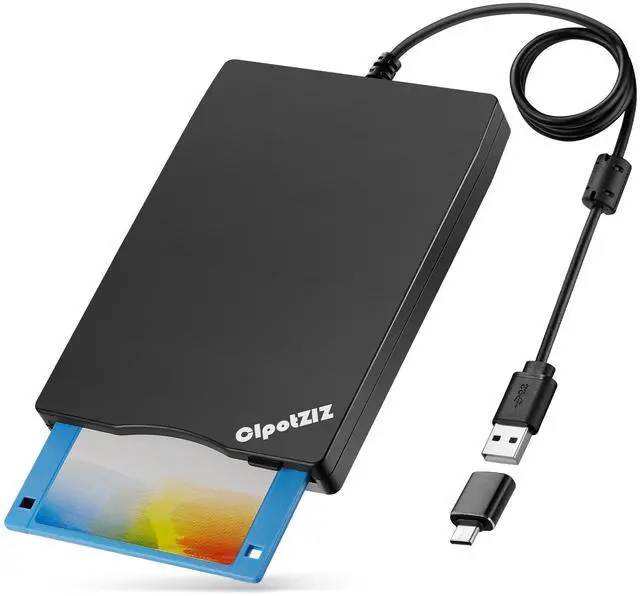
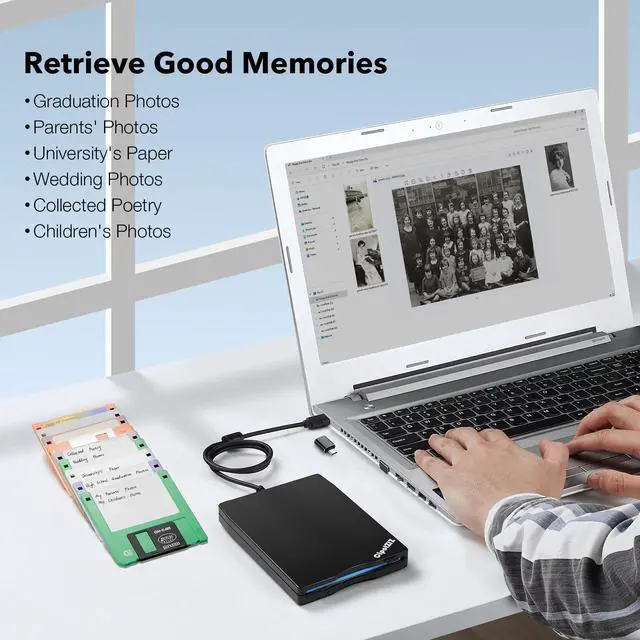
In today's digital age, although floppy disks have gradually faded out of the historical stage, many people still cherish those floppy disks that contain precious memories. We bring you this 3 1/2 floppy disk drive, allowing you to reopen the old floppy disk and retrieve those beautiful memories.

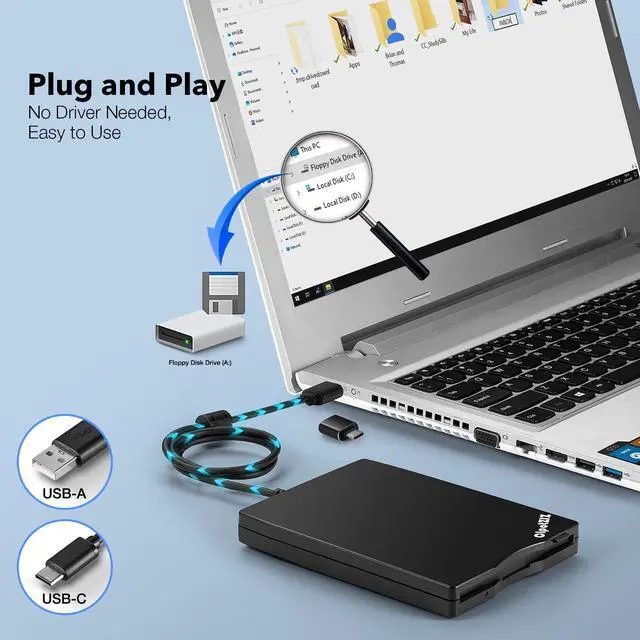
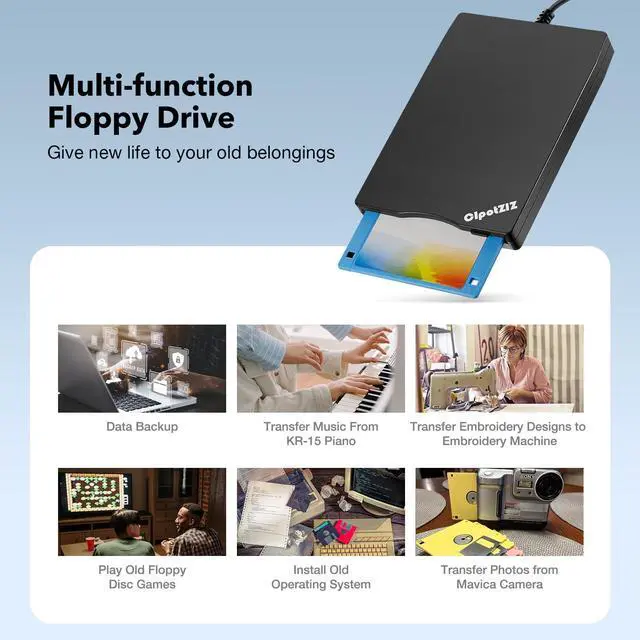
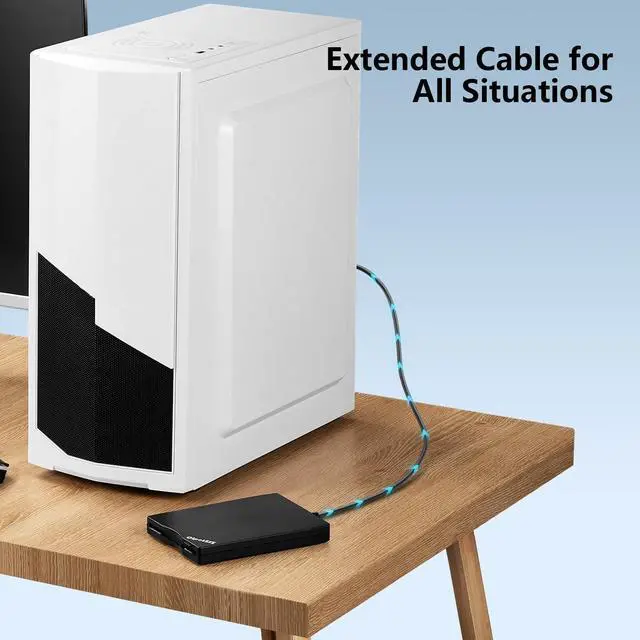
This external floppy disk drive is compatible with 3.5-inch floppy disks and is specially designed to meet your needs to access and read floppy disk data. Its simple and user-friendly design allows you to easily insert and remove floppy disks, without the need for complicated installations or drivers. Just connect the drive to your computer via a USB A/C cable, and you can instantly access the files, pictures, music, and other data stored on the floppy disks.


Why can't you see the drive icon named "Floppy Disk Drive (A:)" after bring up Windows Explorer in Win 10/11?
In win10/11 system, please bring up "Devices and Printers", right-click the drive icon named "TEACV0.0" under "Devices", hover the cursor over "Browse Files", and then click "Floppy Disk Drive (A:)", and then you can see the floppy disk content.
What should I do if right - click on "TEACV0.0" doesn't display "Browse Files"?
Just type A: in the search bar and it will open the drive.
Why do you see the files, copy and move them, but can't open it?
Because our computer was so new that it did not have correct software on it that would open some of the old files on the disks, you will need the specific application to open the file. It's software problem, not the drive.
Why are some floppy disks recognized and others not?
Not all of yours disks were readable, that is a factor of age, not the drive. Some of the data had been corrupted if they are too old or they are not stored appropriately.
Why does it still display the files from the first floppy disk when the second floppy disk is inserted?
Please use the refresh button. After insert second floppy disk inside the drive, please right click the Windows Explorer and click "refresh" in order to update the contents of the device and read the data off the newly inserted floppy disk.

Relive Beautiful Memories!

Over the past 9 years, we have produced and sold hundreds of thousands of floppy disks and are committed to providing our customers with the highest quality products.
We are delighted by the number of people who open their precious floppy disks and recall the beautiful moments.
We will continue to optimize the production process to protect these precious memories for more people.
Although the floppy disk drive is obsolete today,it still has a unique value.We want people to open their precious floppy disks to retrieve important information and evoke memories of the good old days.
Over the past 9 years,we have accumulated rich experience by continuously optimizing our products,strictly controlling product quality and perfecting after-sales service.
Open your old floppy disk,retrieve the good times of the past,meet your past self.It's a wonderful feeling and we want everyone to have this experience.


In today's digital age, although floppy disks have gradually faded out of the historical stage, many people still cherish those floppy disks that contain precious memories. We bring you this 3 1/2 floppy disk drive, allowing you to reopen the old floppy disk and retrieve those beautiful memories.
USB Floppy Drive Plug and Play
This external floppy disk drive is compatible with 3.5-inch floppy disks and is specially designed to meet your needs to access and read floppy disk data. Its simple and user-friendly design allows you to easily insert and remove floppy disks, without the need for complicated installations or drivers. Just connect the drive to your computer via a USB A/C cable, and you can instantly access the files, pictures, music, and other data stored on the floppy disks.
| Brand | CIpotZIZ |
|---|---|
| Storage Capacity | 1.44 MB |
| Floppy Disk Size | 3.5 Inches |
| Weight | 9.9 ounces |
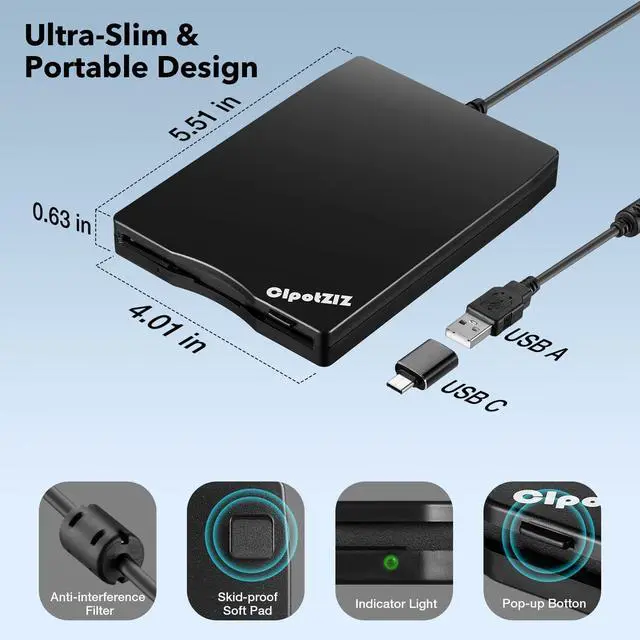
| Product Size | 5.51 x 4 x 0.63 inches |
| Material | ABS |
| USB Interface | USB-A/C |
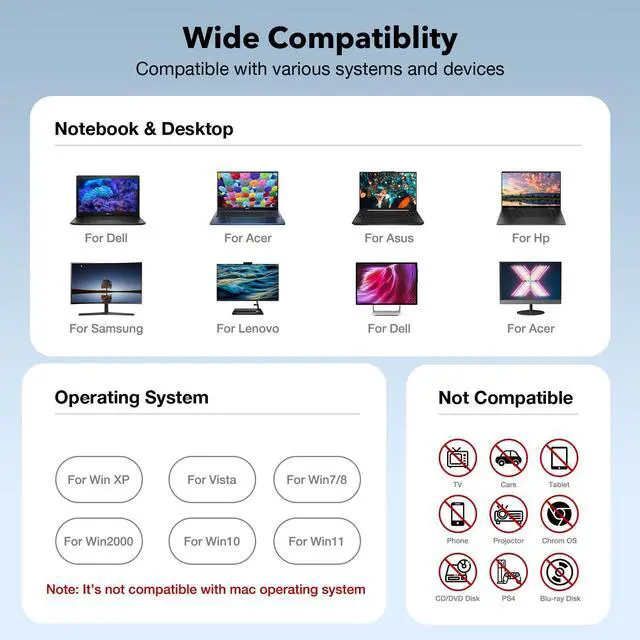
| Compatible Devices | Laptop, Desktop and PC |
| Compatible Systems | Compatible with windows 11/ 10/ 8.1/ 7/ Vista/ XP OS, Special Tips: NOT compatible with MAC operating system. |
| Installation Type | External Floppy Disk Drive/Converter/Player/Reader/Transfer |


Why can't you see the drive icon named "Floppy Disk Drive (A:)" after bring up Windows Explorer in Win 10/11?
In win10/11 system, please bring up "Devices and Printers", right-click the drive icon named "TEACV0.0" under "Devices", hover the cursor over "Browse Files", and then click "Floppy Disk Drive (A:)", and then you can see the floppy disk content.
What should I do if right - click on "TEACV0.0" doesn't display "Browse Files"?
Just type A: in the search bar and it will open the drive.
Why do you see the files, copy and move them, but can't open it?
Because our computer was so new that it did not have correct software on it that would open some of the old files on the disks, you will need the specific application to open the file. It's software problem, not the drive.
Why are some floppy disks recognized and others not?
Not all of yours disks were readable, that is a factor of age, not the drive. Some of the data had been corrupted if they are too old or they are not stored appropriately.
Why does it still display the files from the first floppy disk when the second floppy disk is inserted?
Please use the refresh button. After insert second floppy disk inside the drive, please right click the Windows Explorer and click "refresh" in order to update the contents of the device and read the data off the newly inserted floppy disk.
Relive Beautiful Memories!
Over the past 9 years, we have produced and sold hundreds of thousands of floppy disks and are committed to providing our customers with the highest quality products.
We are delighted by the number of people who open their precious floppy disks and recall the beautiful moments.
We will continue to optimize the production process to protect these precious memories for more people.
Although the floppy disk drive is obsolete today,it still has a unique value.We want people to open their precious floppy disks to retrieve important information and evoke memories of the good old days.
Over the past 9 years,we have accumulated rich experience by continuously optimizing our products,strictly controlling product quality and perfecting after-sales service.
Open your old floppy disk,retrieve the good times of the past,meet your past self.It's a wonderful feeling and we want everyone to have this experience.


