



![Main image of USB C to DisplayPort Cable for Home Office (4K@60Hz, 2K@165Hz), Sturdy Aluminum USB Type-C to DisplayPort Cable [Thunderbolt 3/4 Compatible] for MacBook Pro/Air, iPhone 15 Pro/Max, XPS, Surface](https://c1.neweggimages.com/productimage/nb640/V197D2404120O2WBW74.jpg)
![Alt view image 2 of 7 - USB C to DisplayPort Cable for Home Office (4K@60Hz, 2K@165Hz), Sturdy Aluminum USB Type-C to DisplayPort Cable [Thunderbolt 3/4 Compatible] for MacBook Pro/Air, iPhone 15 Pro/Max, XPS, Surface](https://c1.neweggimages.com/productimage/nb640/C1TXD2511050QZIK0E1.jpg)
![Alt view image 3 of 7 - USB C to DisplayPort Cable for Home Office (4K@60Hz, 2K@165Hz), Sturdy Aluminum USB Type-C to DisplayPort Cable [Thunderbolt 3/4 Compatible] for MacBook Pro/Air, iPhone 15 Pro/Max, XPS, Surface](https://c1.neweggimages.com/productimage/nb640/C1TXD2511050QZITO2B.jpg)
![Alt view image 4 of 7 - USB C to DisplayPort Cable for Home Office (4K@60Hz, 2K@165Hz), Sturdy Aluminum USB Type-C to DisplayPort Cable [Thunderbolt 3/4 Compatible] for MacBook Pro/Air, iPhone 15 Pro/Max, XPS, Surface](https://c1.neweggimages.com/productimage/nb640/C1TXD2511050QZIQB9A.jpg)
![Alt view image 5 of 7 - USB C to DisplayPort Cable for Home Office (4K@60Hz, 2K@165Hz), Sturdy Aluminum USB Type-C to DisplayPort Cable [Thunderbolt 3/4 Compatible] for MacBook Pro/Air, iPhone 15 Pro/Max, XPS, Surface](https://c1.neweggimages.com/productimage/nb640/C1TXD2511050QZIQW4B.jpg)
![Alt view image 6 of 7 - USB C to DisplayPort Cable for Home Office (4K@60Hz, 2K@165Hz), Sturdy Aluminum USB Type-C to DisplayPort Cable [Thunderbolt 3/4 Compatible] for MacBook Pro/Air, iPhone 15 Pro/Max, XPS, Surface](https://c1.neweggimages.com/productimage/nb640/C1TXD2511050QZISXAD.jpg)
![Alt view image 7 of 7 - USB C to DisplayPort Cable for Home Office (4K@60Hz, 2K@165Hz), Sturdy Aluminum USB Type-C to DisplayPort Cable [Thunderbolt 3/4 Compatible] for MacBook Pro/Air, iPhone 15 Pro/Max, XPS, Surface](https://c1.neweggimages.com/productimage/nb640/C1TXD2511050QZIUE66.jpg)


uni USB C to DisplayPort Cable (NOT HDMI)


DP 1.2 High-def Performance:
???(ONE-WAY Transmission) Only USB-C Source to DisplayPort Display.???

???( NOT HDMI, Not Support Charge.) ???


Compatibility list (partial)
uni More opportunities for you
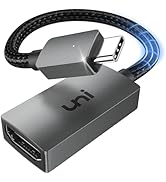
 4K USB C to Displayport |  4K USB C to HDMI |  USB C to HDMI Cable |  USB-C to HDMI Adapter | |
|---|---|---|---|---|
Customer Reviews | — | — | — | — |
Price | — | — | — | — |
Ports | USB C to Displayport | USB C to HDMI | USB C to HDMI | USB C to HDMI |
Parameters | 4K@60Hz | 4K@60Hz | 4K@30Hz | 4K@60Hz |
Protocol | DP 1.2 | HDMI 2.0 | Compact | HDMI 2.0 |
Transmissions | Only support USB-C to DP | Only support USB-C to HDMI | Uni-directional | Only support USB-C to HDMI |
Plug & Play | ? | ? | ? | ? |
HUB/Dock Station/TV | ? | ? | ? | ? |

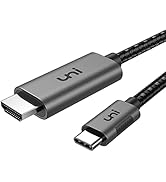
![uni USB C to HDMI Cable, [4K, High-Speed] USB Type C to HDMI Cable for Home Office, [Thunderbolt ...](http://c1.neweggimages.com/sellingpilot/modules/product/a-plus/59465c6bf3f3f5ba2a14811a0289855166295abd29b7ce8a49f194fd1498cc93.jpg)
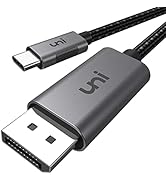
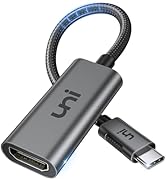
![uni USB C to Ethernet Adapter, Driver Free RJ45 to USB C [Thunderbolt 3/4 Compatible], 1Gbps Type...](http://c1.neweggimages.com/sellingpilot/modules/product/a-plus/a50b7b7d5a54c192654f8a2ef02ff9d8437e2e607d2ff38f075de1e0e777eaa3.jpg)
uni USB C to DisplayPort Cable (NOT HDMI)


DP 1.2 High-def Performance:
| Refresh Rate | 4K (3840 x 2160) @60Hz; 2K @165Hz |
|---|---|
| Length | 6ft perfect length for home or office |
| Transmission direction | Unidirectional, ONE-WAY only support USB Type C (Male) ? DisplayPort (Male) |
| HDCP 2.2 | Stream protected content from Netflix / Hulu / iTunes / Direct TV and more |
| Plug & Play | No driver, software, or adapter needed - quick media sharing in any setting |
| uni’s Thoughtful Design | Non-slip Grips &Snug Fit: Easy to plug and unplug; firm connection provides stable signal |
| - | Braided Nylon Cable: Protective cover with strain relief on both ends for long-term durability |
| - | Advanced Aluminum Case: Minimizes interference for stable WiFi and promotes better heat dissipatio |
| Quick User Guide | A ONE-WAY cable, from USB-C source to DP display only. ONLY works with DisplayPort Alt Mode enabled devices. CANNOT be converted to HDMI, DVI, or VGA. |
| - | Mackook Pro/Air with M1 Chip only support One external display. Not all applications are applicable to full-screen display on iPad Pro. NOT support hub or dock. |
???(ONE-WAY Transmission) Only USB-C Source to DisplayPort Display.???

???( NOT HDMI, Not Support Charge.) ???


Uni-Directional, works for USB-C 3.1 or thunderbolt 3/4 port interfaces which support "DisplayPort Alternate Mode"
If you are not sure, please feel free to let us know, we are very glad to help you to check.
Compatibility list (partial)
| (?) | (?) Compatible With USB-C 3.1 or thunderbolt 3/4 port interfaces which support "DisplayPort Alternate Mode". |
|---|---|
| ?Apple | MacBook Pro (2016 and newer); MacBook (2015 and newer), MacBook Air (2018 and newer); iMac (mid-2017 and newer); iMac Pro; Mac Mini (2018 and newer); iPad Pro (2021/2020/2018);etc. |
| ?Microsoft | Microsoft Surface Book 2; Surface Go; Google Chromebook Pixel (2015); Pixelbook; Pixel Slate, etc. |
| ?Dell | Dell Latitude 7373/5570/5490/5400 (2019); XPS 13/15/17 etc. |
| Google Chromebook Pixel 2015, Pixelbook; Pixel Slate, (Type-C)Chrome OS etc. | |
| ?Samsung | Samsung Galaxy S24/ S23 / S22 / S21 / S20 / S20+ / S20 Ultra / S10e / S10 / S10+ / Note 20 / Note 9; S8 / S8+ / S9 / S9+ etc. |
| **Note | **If you are not sure, please feel free to let us know, we are very glad to help you to check. |
| * | One way. Only from USB Type-C source to DisplayPort screen. Not HDMI. |
| (?) | (?) Not compatible with devices that don't support the protocol of DP Alt Mode. |
| (?) Xiaomi | The devices from Xiaomi that do not support DP Alt Mode. |
| (?) Samsung | ALL Samsung Galaxy A Series; Samsung S6 / S7 / J6 / J7 / M20 / M30, Samsung Galaxy Tab A / 10.1 / 10.5, Galaxy Tab S3 etc. |
| (?) Handy | OnePlus 2/6 / 6T; ALL Motos Handy; Lg Stylo; iPhone (lightning), Pixel 3 etc. |
| (?) Motorola series | (?) ALL Motorola series, such as Moto 6, Moto 8, etc. |
| (?) Other 1 | Lenovo V15G2-ALC Type 82KD; ???????????????? Switch; GoPro; MacBook Air 7.2, ???????????? ????????????, ???????????? Fire-Tablet, Surface Dock 2 etc. |
| (?) Other 2 | (?) Not compatible with HUB, Dock or Dock Station |
| Note: | iPadOS 16.1 may not be compatible with our product. It is recommended to update to iPadOS 16.2. 2021 M1 and 2022 M2 do not support Dual Display. |
uni More opportunities for you
4K USB C to Displayport | 4K USB C to HDMI | USB C to HDMI Cable | USB-C to HDMI Adapter |
|---|---|---|---|
| Customer Reviews | |||
| — | — | — | — |
| Price | |||
| — | — | — | — |
| Ports | |||
| USB C to Displayport | USB C to HDMI | USB C to HDMI | USB C to HDMI |
| Parameters | |||
| 4K@60Hz | 4K@60Hz | 4K@30Hz | 4K@60Hz |
| Protocol | |||
| DP 1.2 | HDMI 2.0 | Compact | HDMI 2.0 |
| Transmissions | |||
| Only support USB-C to DP | Only support USB-C to HDMI | Uni-directional | Only support USB-C to HDMI |
| Plug & Play | |||
| ? | ? | ? | ? |
| HUB/Dock Station/TV | |||
| ? | ? | ? | ? |
![uni USB C to HDMI Cable, [4K, High-Speed] USB Type C to HDMI Cable for Home Office, [Thunderbolt ...](//c1.neweggimages.com/sellingpilot/modules/product/a-plus/59465c6bf3f3f5ba2a14811a0289855166295abd29b7ce8a49f194fd1498cc93.jpg)
uni USB C to HDMI/DP Cable
uni uni USB C to HDMI Adapter
![uni USB C to Ethernet Adapter, Driver Free RJ45 to USB C [Thunderbolt 3/4 Compatible], 1Gbps Type...](//c1.neweggimages.com/sellingpilot/modules/product/a-plus/709035e02c349762bfbb761bcb6e70ad86714084f97c6f8c1526743098061efe.jpg)
More Choices for you
More Choices for you
![uni USB C to Ethernet Adapter, Driver Free RJ45 to USB C [Thunderbolt 3/4 Compatible], 1Gbps Type...](http://c1.neweggimages.com/sellingpilot/modules/product/a-plus/709035e02c349762bfbb761bcb6e70ad86714084f97c6f8c1526743098061efe.jpg)