




 here!
here!
I’m your shopping assistant for PC builds, upgrades, and everything tech.
Got questions? Ask away!
Start a conversation
here!
I’m your shopping assistant for PC builds, upgrades, and everything tech.
Got questions? Ask away!
Start a conversation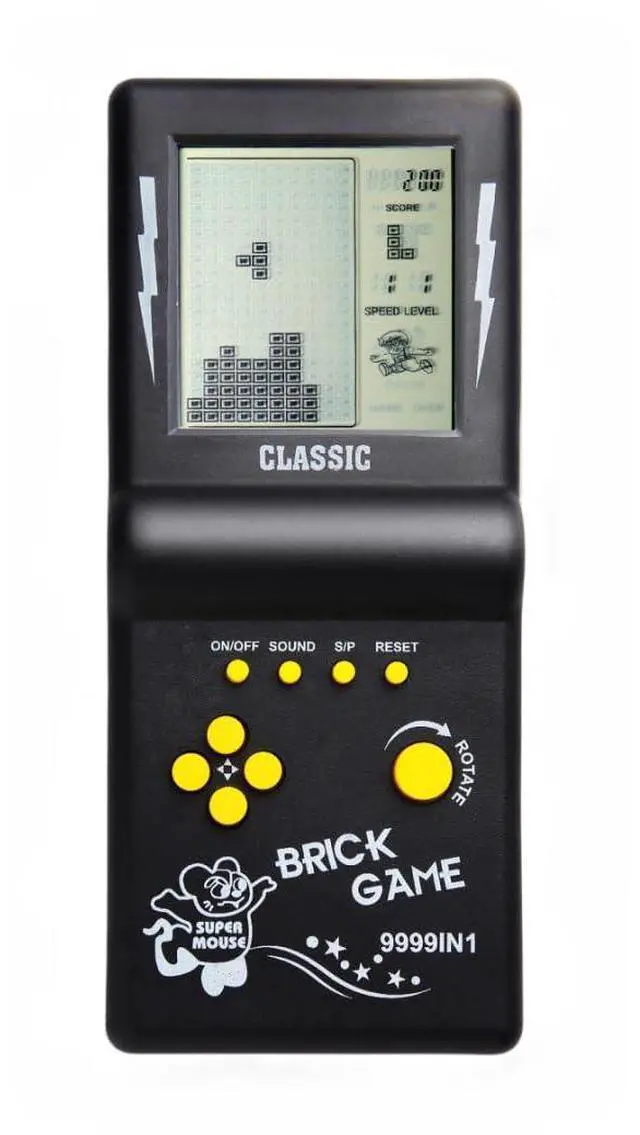



Any questions? Ask CelesteSM will help you find out quickly.

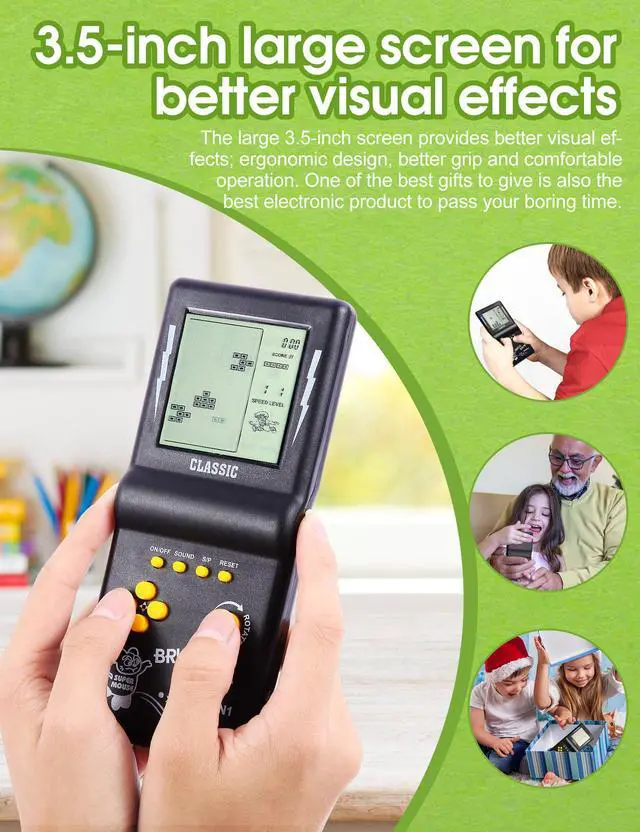
The classic appearance and retro games bring people a lot of beautiful memories. Come on, let's relive the happy moments together.

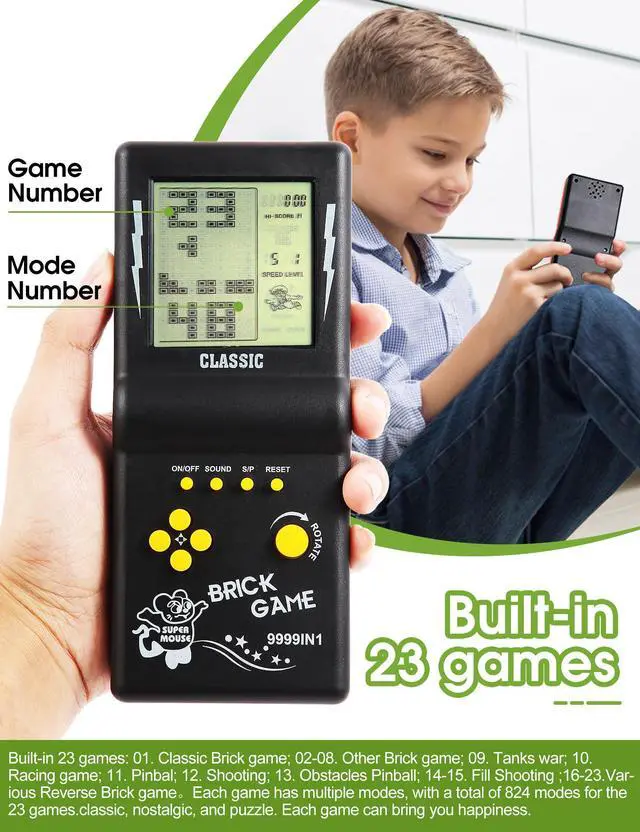
01.Classic brick game;
02-08.Other modes of brick games;
09.Tanks Battle;
10.Racing game;
11.Bounce ball;
12.Shooting game;
13.Barriers to Bounce ball;
14-15.Fill the shooting game;
16-23.Various reverse brick games

The numbers 01-23 displayed at the top of the screen are the sorting numbers of the game. Different numbers correspond to different games. Use the ROTATE key to select the game corresponding to the numbers. After selecting the numbers, press the S/P key to start the game. Number 01 is a classic brick game. It is recommended for beginners to start playing this game.

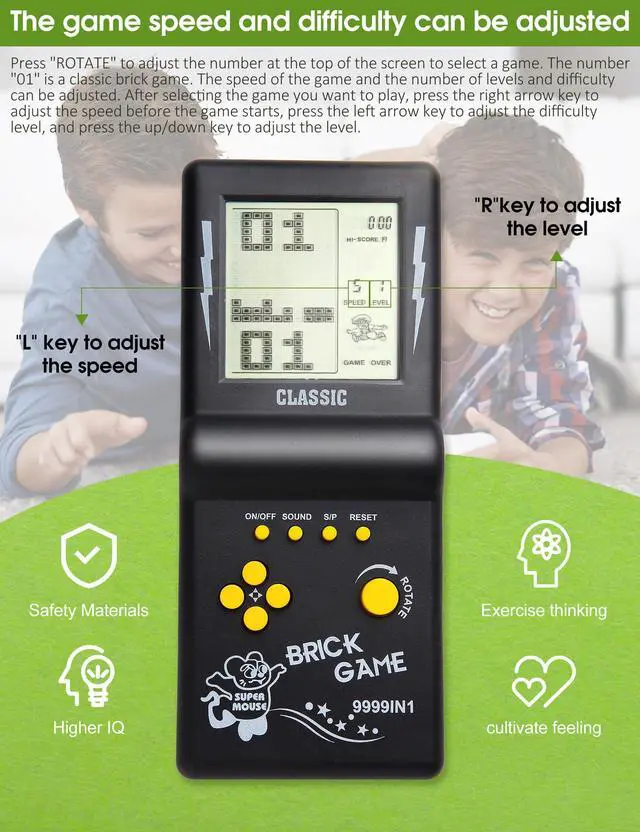
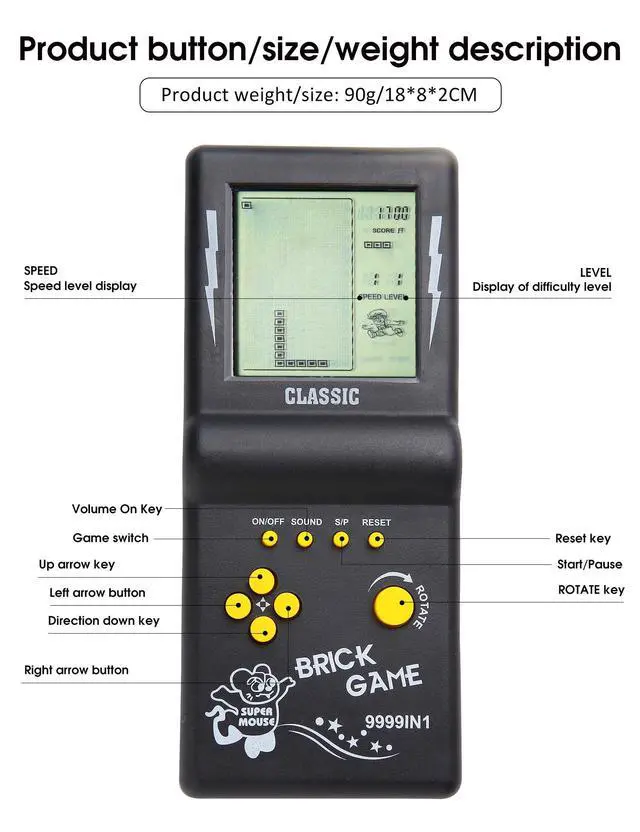
The speed/difficulty/mode can only be set before the game starts. The SPEED in the upper right corner of the screen represents speed, LEVEL represents difficulty, and the numbers below the screen represent mode. After selecting the number (game), do not start yet. Press the Right key to select the game's Speed; Press the Left key to select the difficulty level of the game; Up/down keys to select mode.

01.Classic brick game: Left/right click to control the direction, ROTATE key to rotate the direction of the blocks, move, rotate, and place various blocks automatically output by the game, so that they are arranged into a complete row or multiple rows and eliminate scores.
02-08.Various modes of brick game: The operation method is the same as "01-Classic brick game".
09.Tank Battle: Up/Down/Left/Right arrow keys to control direction, ROTATE key to fire bullets.
10.Racing: Control the direction with the left and right direction keys, and accelerate with the ROTATE button.
11.Pinball: The left/right arrow keys control the direction in which the ball pops up, and the ROTATE key increases the movement speed of the fastball.
12.Shooting: Left/right click to control direction, ROTATE key to fire bullets.
13.Obstacle Pinball: The left/right direction keys control the direction, and the ROTATE key increases the movement speed of the fastball.
14-15.Supplementary shooting: Left/right click to control direction, ROTATE key to fire bullets.
16-23.Reverse brick game: The blocks are output from the bottom of the screen and then moved up. ,The operation method is the same as "01-Classic brick game".

After turning on the brick game console, press and hold the SOUND key, press the RESET key once, and then press the ROTATE key 2-5 times until the screen displays letters before releasing the SOUND key. If it is not displayed, repeat the above operation again. In this game mode, the letter I is the Snake game.
Hidden mode Game List: A. Tank Battle, B. Pinball, C. Shooting, D. Obstacle Pinball, E-F. Racing, G-H. Stuffing Shooting, I. Snake, J. Frog Crossing the River, K-Z. Various brick games.
The classic appearance and retro games bring people a lot of beautiful memories. Come on, let's relive the happy moments together.
01.Classic brick game;
02-08.Other modes of brick games;
09.Tanks Battle;
10.Racing game;
11.Bounce ball;
12.Shooting game;
13.Barriers to Bounce ball;
14-15.Fill the shooting game;
16-23.Various reverse brick games
The numbers 01-23 displayed at the top of the screen are the sorting numbers of the game. Different numbers correspond to different games. Use the ROTATE key to select the game corresponding to the numbers. After selecting the numbers, press the S/P key to start the game. Number 01 is a classic brick game. It is recommended for beginners to start playing this game.
The speed/difficulty/mode can only be set before the game starts. The SPEED in the upper right corner of the screen represents speed, LEVEL represents difficulty, and the numbers below the screen represent mode. After selecting the number (game), do not start yet. Press the Right key to select the game's Speed; Press the Left key to select the difficulty level of the game; Up/down keys to select mode.
01.Classic brick game: Left/right click to control the direction, ROTATE key to rotate the direction of the blocks, move, rotate, and place various blocks automatically output by the game, so that they are arranged into a complete row or multiple rows and eliminate scores.
02-08.Various modes of brick game: The operation method is the same as "01-Classic brick game".
09.Tank Battle: Up/Down/Left/Right arrow keys to control direction, ROTATE key to fire bullets.
10.Racing: Control the direction with the left and right direction keys, and accelerate with the ROTATE button.
11.Pinball: The left/right arrow keys control the direction in which the ball pops up, and the ROTATE key increases the movement speed of the fastball.
12.Shooting: Left/right click to control direction, ROTATE key to fire bullets.
13.Obstacle Pinball: The left/right direction keys control the direction, and the ROTATE key increases the movement speed of the fastball.
14-15.Supplementary shooting: Left/right click to control direction, ROTATE key to fire bullets.
16-23.Reverse brick game: The blocks are output from the bottom of the screen and then moved up. ,The operation method is the same as "01-Classic brick game".
After turning on the brick game console, press and hold the SOUND key, press the RESET key once, and then press the ROTATE key 2-5 times until the screen displays letters before releasing the SOUND key. If it is not displayed, repeat the above operation again. In this game mode, the letter I is the Snake game.
Hidden mode Game List: A. Tank Battle, B. Pinball, C. Shooting, D. Obstacle Pinball, E-F. Racing, G-H. Stuffing Shooting, I. Snake, J. Frog Crossing the River, K-Z. Various brick games.




