




 here!
here!
I’m your shopping assistant for PC builds, upgrades, and everything tech.
Got questions? Ask away!
Start a conversation
here!
I’m your shopping assistant for PC builds, upgrades, and everything tech.
Got questions? Ask away!
Start a conversation





Any questions? Ask CelesteSM will help you find out quickly.
Connection operation:
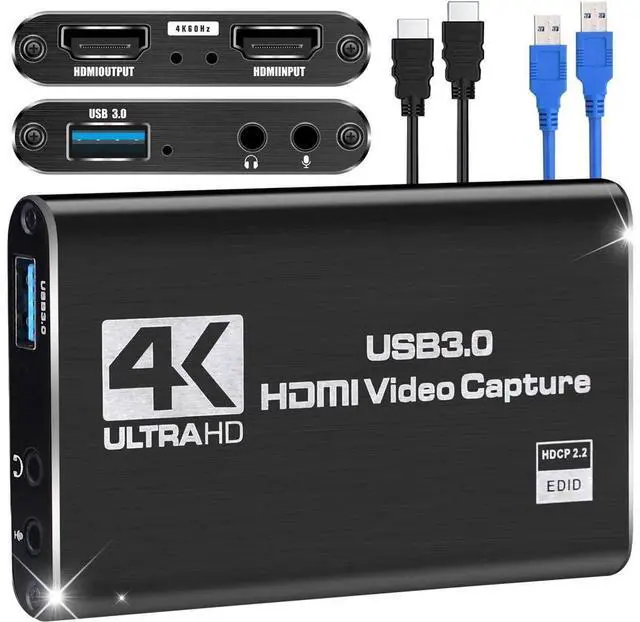
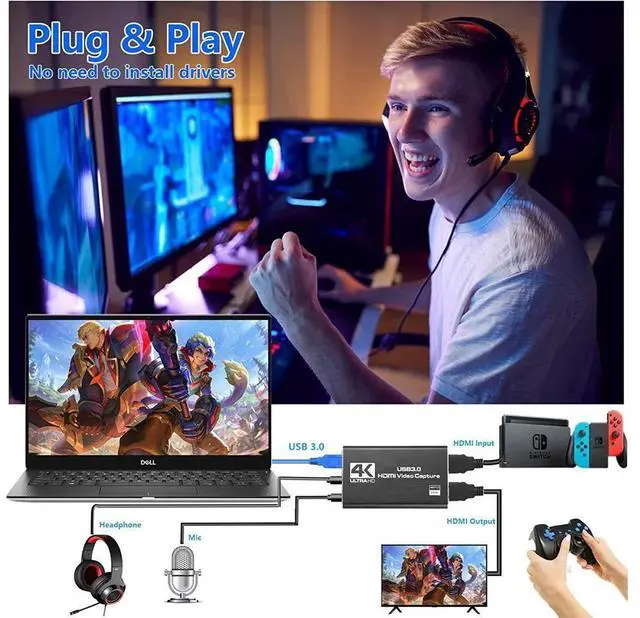
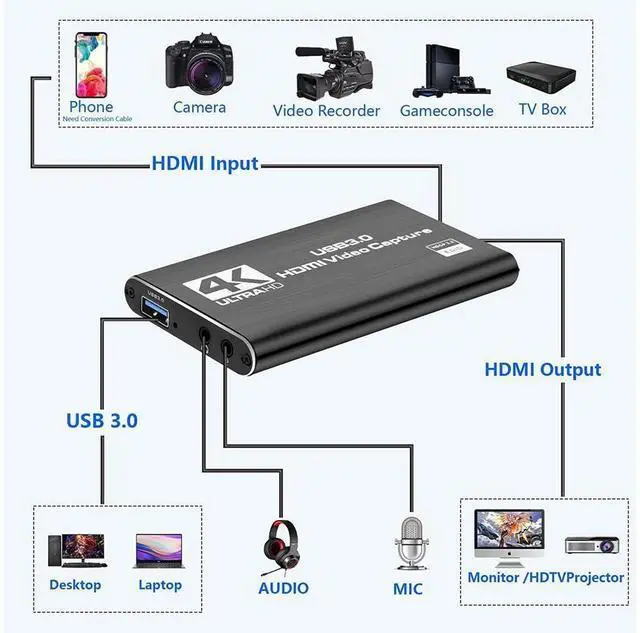
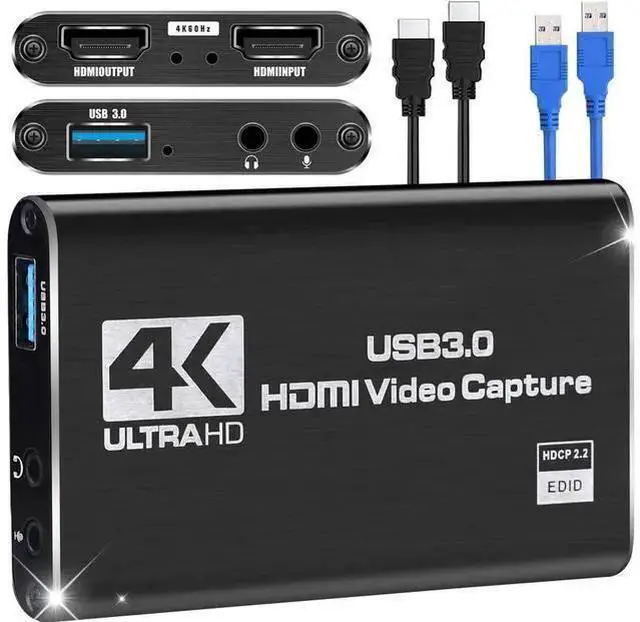
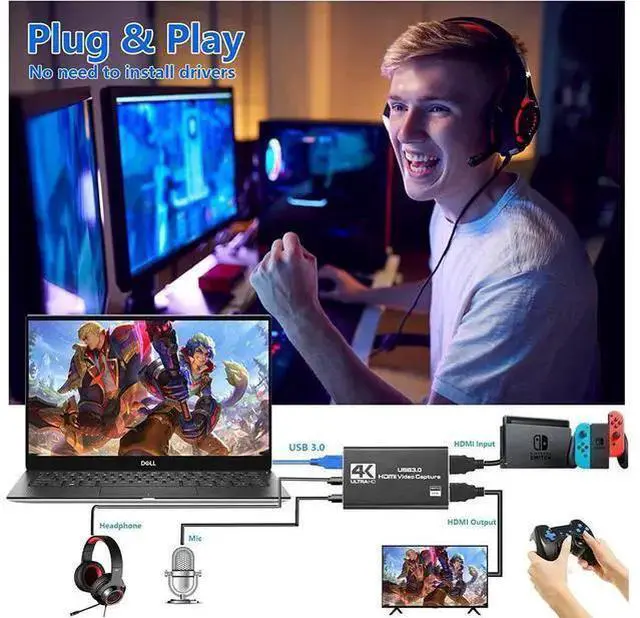
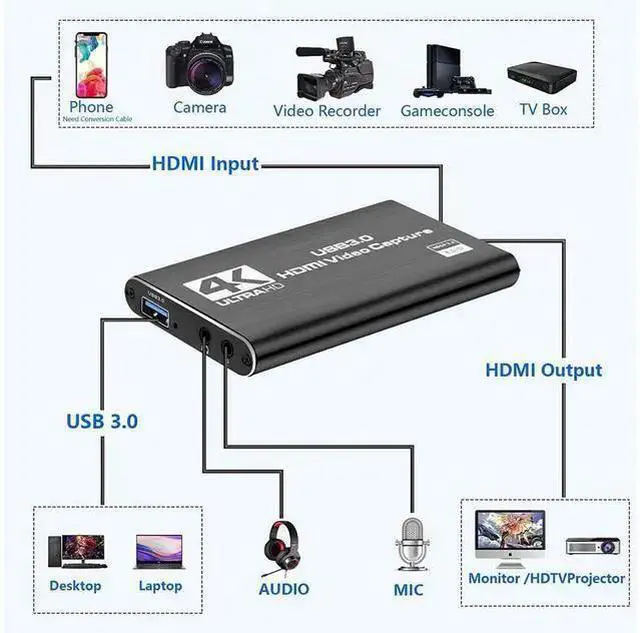
USB TYPE-A port, connected to the USB port of the computer; HDMI output port, connect to HDMI display device through HDMI cable;
HDMI input port, connected to HDMI via HDMI cable. It is suitable for game consoles, laptops, DVD players, media players, TV boxes, Blu-ray players, DVD players, and digital cameras with HDMI input ports on the market, etc. (Before purchasing, please make sure your device has an HDMI output port);
3.5 mm microphone input port, connect the microphone when in use;
3.5 mm stereo output interface, connect earphone or sound system.
Capture operation steps (OBS): open it add new source select 'video capture device' set screen size select 'studio mode' (dual window) click 'start recording'
Hardware configuration requirements:
Desktop: Intel Core i5-3400+NVIDIA GT630
Notebook: Intel Core i7-U 2.0GH z+NVIDIA GT735
Ma c: i5 quad-core or above, video card compatible with DirectX 10, sound card, 4 GB DDR3 or more
Packing included:
1 x video capture card
1 x HDMI cable
1 x USB 3.0 data cable
1 x User Manual
Note and tips:
Do not use HUB or USB extension cable.
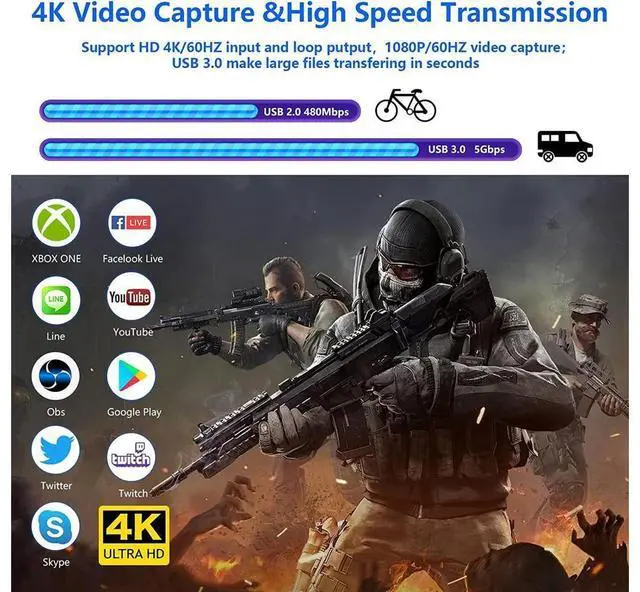
HDMI capture card must be connected to the computer's USB 3.0 interface to use.
A low computer configuration will cause the recording screen to blinking randomly or black.
An adapter is required when HDMI is connected to a phone.


