


Get a $25 Newegg Promo Gift Card when you spend $250+ between 1/17/26 and 1/19/26. Learn More>
  • $37.99
  • $45.58
  • Save: $7.59 (16%)
  • Free 30-day Returns
  • Price alert
    Sold by Direct from manufacturerKOUKJU Store
    Top Rated
    4.6 (64 seller ratings)

    Shipped by Newegg

    Shop it at NeweggBusiness.

    Meet Your Seller

    4K Capture Card, Audio Video Capture Card with Microphone 4K HDMI Loop-Out, 1080p 60fps Video Recorder for Gaming/Live Streaming/Video Conference/Nintendo Switch/PS4/OBS/Camera/PC

    Limited time offer, ends 01/18 By KOUKJU Store

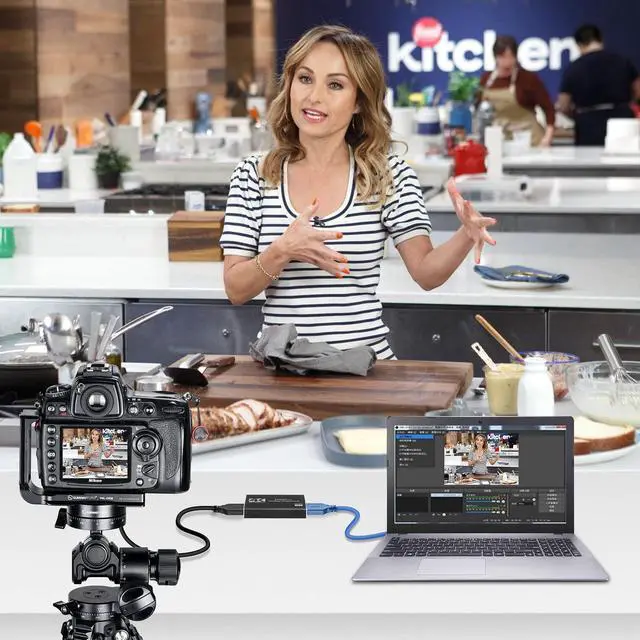
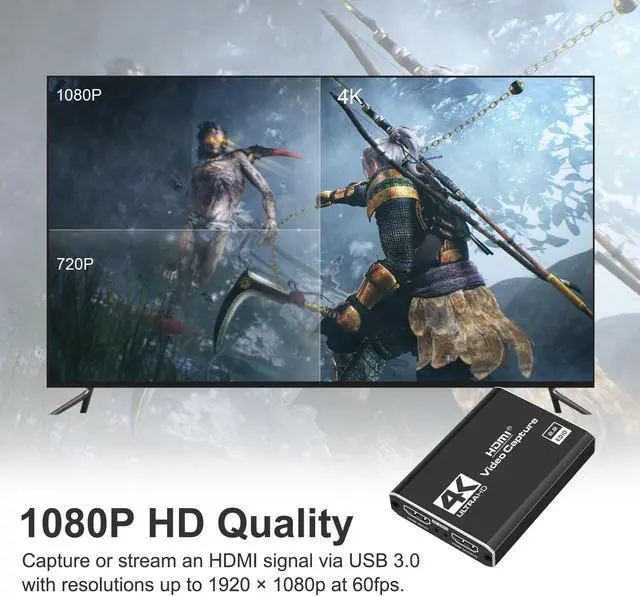
    • Full HD Video Capture: Our HDMI video capture card supports up to 4K 30fps input and Full HD 1080p 60fps HDMI video capture. The capture card is suitable for streaming, video conferencing, live broadcasting, game broadcasting and other usage scenarios.
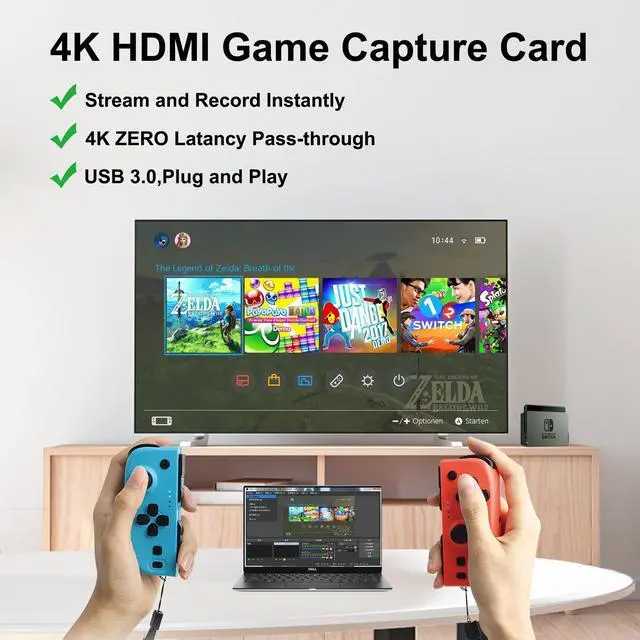
    • Easy to Use & Plug and Play: No need to install any drivers, the usb capture card is plug and play, easy to use.
    • Wide Compatibility: This video capture card adopts advanced chips, has a wide range of compatibility, can work in Windows and Mac Os.High-speed transmission, no delay
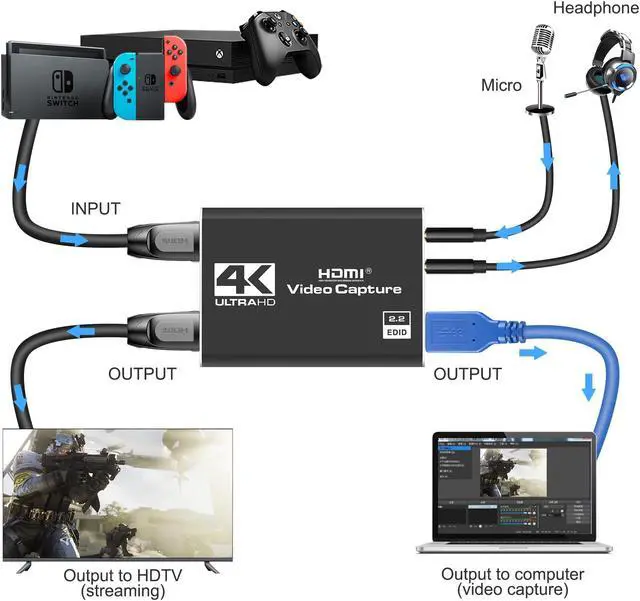
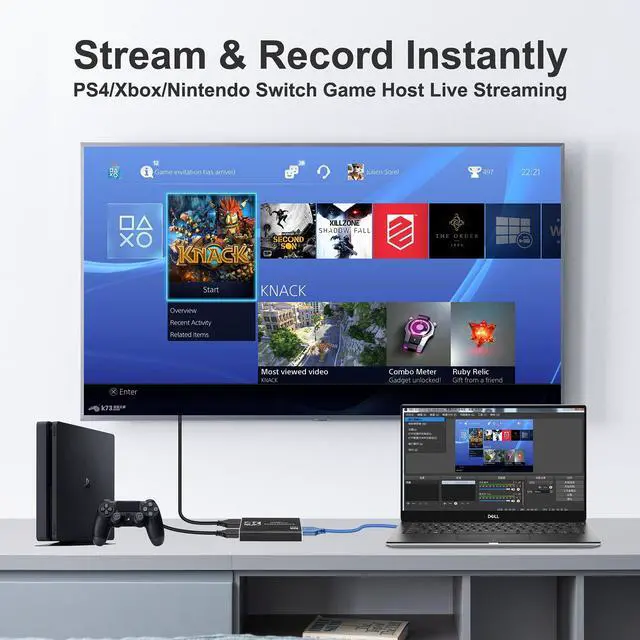
    • Real-time Preview & Screen Sharing: The capture card can capture video and audio at the same time, transfer the signal to your computer for preview or storage, and share the video output from HDMI to the screen. you can connect it to camera, DSLR, PS4, PS5, Wii U, Xbox, Switch, Steam Deck.
    • Support Mic-in for Commentary: Game capture card features a built-in 3.5mm Microphone and Audio Input/Output Port, which enables you to plug a 3.5mm headset or microphone
    +
    +
    Overview
    Specs
    Reviews
    avatar

    Any questions? Our AI beta will help you find out quickly.

    BL-SPCJK
    Bailink 4K video capture card can capture high quality videos on your gameplay and streaming


    Features:

    Support real 1080P 60FPS video capture

    4K clear loop out for preview

    Low delay,no lag

    For gaming capture

    For Live Streaming

    Support game consoles: Nintendo Switch, PS4/PS5, Xbox

    4K video capture card can capture high quality videos on your gameplay and streaming
    4K video capture card can capture high quality videos on your gameplay and streaming
    High-end performance chip
    High-end performance chip

    Built-in high performance chip, so that your game broadcast, live recording and video conference, more smooth and clear, no delay, no picture interference.

    Wide compatibility
    Wide compatibility

    Suitable for most of the mainstream game consoles on the market, cameras, DSLR; And most of the software, OBS Studio, QuickTime Broadcaster (OS X), etc.

    Real 60fps video capture
    Real 60fps video capture

    4K 60fps video input loop, full HD 1080p 60fps video capture, make your picture colorful, delicate, clear and vivid.

    Works on a wide range of devices and software.
    Works on a wide range of devices and software.
    Package includes

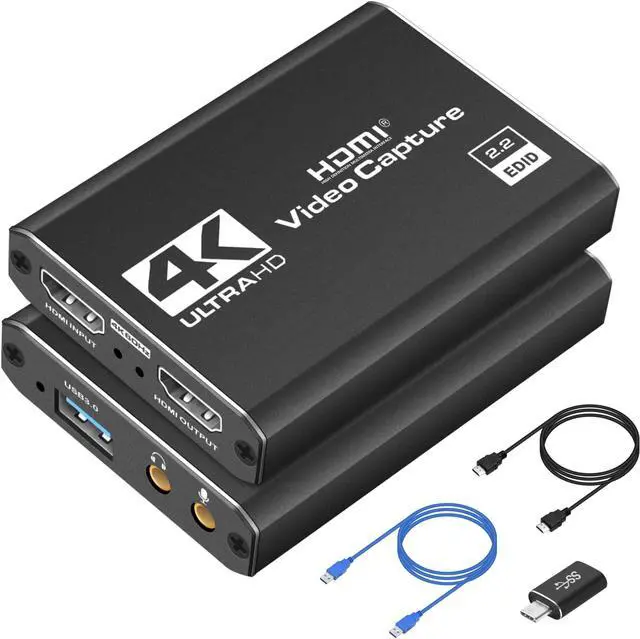
    1*Capture Card

    1*HDMI Cable

    1*USB Cable

    1*USB A to USB C Adapter

    1*Capture Card  1*HDMI Cable  1*USB Cable  1*USB Adapter

    FQA:

    1. Q: How to get 1080P 60FPS video recording?

    -- A: It need to confirm your PC support 1080P@60FPS, and set OBS to 1080P@60FPS correctly. (The product page above has a flowchart.)

    2. Q: What should I do when there is flickering green screen?

    -- A: Re-plug the USB and HDMI cables properly, issue is caused by bad connecting. (The product page above has a manual to read.)

    3. Q: What to do "there was no sound coming through"?

    -- A: Add Sources "Audio Input Capture" to get property "Microphone/Aux", unless your PC has "Desktop Audio".

    4. Q: How to deal with buzzing sound?

    -- A: Some low voltage USB panels would cause static buzzing sound, change a proper USB panel or rise enough voltage.

    5. Q: Can I use a headphone/microphone combo in one cord instead of two separate things?

    -- A: It won't transmit your voice unless you add a splitter.

    6. Q: When problems happen?

    -- A: Please contact our rep for further assistance. We are always ready to help you address issues.

    4K video capture card can capture high quality videos on your gameplay and streaming
    Features:

    Support real 1080P 60FPS video capture

    4K clear loop out for preview

    Low delay, no lag

    For gaming capture

    For Live Streaming

    Support game consoles: Nintendo Switch, PS4/PS5, Xbox

    High-end performance chip
    Built-in high performance chip, so that your game broadcast, live recording and video conference, more smooth and clear, no delay, no picture interference.

    Wide compatibility
    Suitable for most of the mainstream game consoles on the market, cameras, DSLR; And most of the software, OBS Studio, QuickTime Broadcaster (OS X), etc.

    Real 60fps video capture
    4K 60fps video input loop, full HD 1080p 60fps video capture, make your picture colorful, delicate, clear and vivid.

    Works on a wide range of devices and software.
    Package includes:

    1*Capture Card

    1*HDMI Cable

    1*USB Cable

    1*USB Adapter

    FQA:
    1.
    Q: How to get 1080P 60FPS video recording?

    -- A: It need to confirm your PC support 1080P@60FPS, and set OBS to 1080P@60FPS correctly. (The product page above has a flowchart. )

    2.
    Q: What should I do when there is flickering green screen?

    -- A: Re-plug the USB and HDMI cables properly, issue is caused by bad connecting. (The product page above has a manual to read. )

    3.
    Q: What to do "there was no sound coming through"?

    -- A: Add Sources "Audio Input Capture" to get property "Microphone/Aux", unless your PC has "Desktop Audio".

    4.
    Q: How to deal with buzzing sound?

    -- A: Some low voltage USB panels would cause static buzzing sound, change a proper USB panel or rise enough voltage.

    5.
    Q: Can I use a headphone/microphone combo in one cord instead of two separate things?

    -- A: It won't transmit your voice unless you add a splitter.

    6.
    Q: When problems happen?

    -- A: Please contact our rep for further assistance. We are always ready to help you address issues.

    Warranty & Returns

    Warranty, Returns, And Additional Information

    Warranty

    • Please contact the Seller directly for warranty information. Warranty information may also be found on the Manufacturer's website.
    • CONTACT

    Return Policies

    Manufacturer Contact Info

    LOADING...